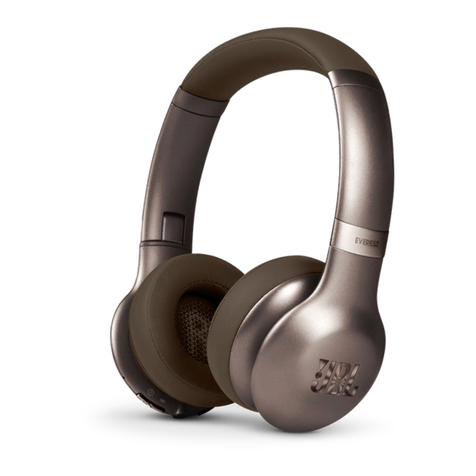
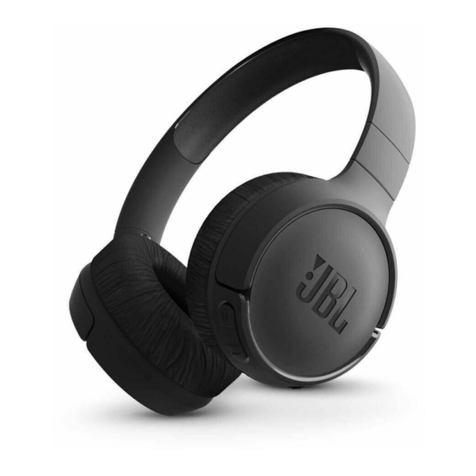
PowerLocus Bobo User manual


2
THIS PRODUCT IS
NOT A TOY!
Please handle with care and avoid
drops and shocks to prevent damage!
Bluetooth Version: 5.3
Audio Drivers: 40mm
Volume Sensitivity: 74dB/85dB/94dB
Impedance: 32 Ohms
Frequency Response Rate: 20Hz-20 000Hz
Charging Voltage: DC 5V
Charging Time: About 1.5 Hours
Talking/Music Time: About 40 Hours (50% Volume)
Weight: 162g/0.36lb
Technical Specications:

3
HEADPHONES OVERVIEW
Next track
Increase volume
Previous track
Decrease volume
LED
3.5mm audio port
Type-C charge port
MAIN OPERATIONS
Power on: Press and hold for 3 seconds
Power off: Press and hold for 5 seconds
Play/Pause/Answer call/End call: Short press
Decline incoming call: Press and hold for 2 sec-
onds
Skip track forward: Press and hold +button
Skip track back: Press and hold –button
Reset: Press and hold +and –button for 5 seconds
LED Lights Activation/Deactivation: Double
Press the (MFB) button
Activate Siri or Google Assistant: Press and Hold
the (MFB) button
Increase Volume: Short Press the +button
Decrease Volume: Short Press the –button
Change the Volume Sensitivity Modes –
74/85/94dB: Short Press at the same time the +
and –Buttons to adjust the max volume limitation
ON/OFF
Multi-Function Button
Microphone

4
LED INDICATOR INTRODUCTION
Turning ON: The BLUE LED appears and Flashes for
2 seconds
Turning OFF: The LED light GOES OFF
Pairing regime: BLUE/RED lights is ashing alter-
nately
Bluetooth connected: LED light switches from alter-
nately ashing BLUE/RED to BLUE LED and it ashes
three times every 10 seconds
Disconnected state: BLUE/RED lights is ashing alter-
nately
Headphones Charging Status: Constant RED Light is
ON
Fully charged headphones: RED light GOES OFF
Long press(1) ON/OFF button to turn on the head-
set. Open the smart device Bluetooth menu and then
select the Bluetooth name PowerLocus Bobo.
HOW TO CONNECT THE HEADPHONES
VIA BLUETOOTH

5
The default setting for the maximum volume limit is
85dB. The limit can be adjusted by SHORT PRESS
the +and – simultaneously. The sequence of volume
limits will cycle in accordance to 85dB, 94dB and
74dB. Once the volume limit is changed, it will stay
the same until changed manually again.
HOW TO CHANGE THE MAXIMUM VOLUME LIMIT
Please charge the headphone with the USB cable
provided before your rst use.
Step 1:
Connect one side of the USB cable into the USB-C
port on the headphone
Step 2:
Directly connect the other side into a USB Wall outlet
/Laptop or PC USB port in order to charge the head-
phone
HOW TO CHARGE THE HEADPHONE

6
Plug the 3.5mm to 3.5mm Aux cable into the head-
phone and side of the cable - 3.5mm Aux to the Aux
port of the device you intend to play music from. The
headphone turns into a wired headphone and the bat-
tery will not work until you remove the audio cable.
HOW TO USE THE WIRED MODE
To use two headphones at the same time, simply use
the Yplug included in the package and connect both
audio cables of the headphones to the female 3.5mm
audio port of the Yplug.
AUDIO SHARING VIA Y ADAPTER

7
CE
Hereby GL Grup-2015
LTD declares that wire-
less headphone Pow-
erLocus Bobo is in
compliance with essen-
tial requirements and
other relevant conditions
of Directive 2014/53/EU.
The full text of the EU
declaration conformity is
available at the following
internet address: (power-
locus.com/doc)
Frequency: 2402-2480
MHz
Max radio frequency
power: 100 mW (EIRP)
GL GRUP-2015 LTD.
36 VASIL LEVSKI STREET,
5370 DRYANOVO, BUL-
GARIA
UK
To fnd out more about the
UK Declaration of Confor-
mity, please visit: https://
powerlocus.com/doc-uk-
bobo
Warning:
This device complies with
Part 15 of the FCC Rules.
Operation is subject to
the following two con-
ditions: (1) this device
may not cause harmful
interference, and (2) this
device must accept any
interference received,
including interference
that may cause undesired
operation.
Changes or modifica-
tions are not expressly
approved by the party
responsible for compli-
ance could void the user’s
authority to operate the
equipment.
NOTE: This equipment
has been tested and
found to comply with the
limits for a Class B dig-
ital device, pursuant to
Part 15 of the FCC Rules.
These limits are designed
to provide reasonable
protection against harm-
ful interference in a resi-
dential installation. This
equipment generates,
uses and can radiate
radio frequency energy
and, if not installed and
used in accordance with
the instructions, may
cause harmful interfer-
ence to radio communi-
cations.
However, there is no
guarantee that interfer-
ence will not occur in a
particular installation.

8
If this equipment does
cause harmful interfer-
ence to radio or television
reception which can be
determined by turning
the equipment off and on,
the user is encouraged to
try to correct the interfer-
ence by one or more of
the following measures:
-- Reorient or relocate the
receiving antenna.
-- Increase the separation
between the equipment
and receiver.
-- Connect the equipment
into an outlet on a circuit
different from that to
which the receiver is con-
nected.
-- Consult the dealer or
an experienced radio/TV
technician for help.
NOTE: This device and its
antenna(s) must not be
co-located or operation
in conjunction with any
other antenna or trans-
mitter.
The device has been eval-
uated to meet general RF
exposure requirement.
ISED Canada Statement:
This device contains
licence-exempt trans-
mitter(s)/receiver(s) that
comply with Innovation,
Science and Economic
Development Canada ‘s
licence exempt RSS(s).
Operation is subject to
the following two condi-
tions:
1) this device may not
cause interference
2) this device must accept
any interference, includ-
ing interference that may
cause undesired opera-
tion of the device
Radiation Exposure: This
equipment complies with
Canada radiation Expo-
sure limits set forth for
an uncontrolled envi-
ronment to maintain
compliance with IC’s RF
Exposure guidelines. This
equipment should be
installed and operated
with minimum distance
of 0mm the radiator your
body. This device and its
antenna(s) must not be
co-located or operation
in conjunction with any
other antenna or trans-
mitter.

9
Déclaration du Canada:
Ce dispositif contient un
(S) émetteur (S)/ récep-
teur (S) exempté (S)
de licence qui respecte
l’innovation, Science
et développement
économique Canada a
exempté le ou les RSS de
licence. L’exploitation est
soumise aux deux condi-
tions suivantes:
1) cet appareil ne doit pas
causer d’interférences et
2) ce dispositif doit
accepter toute inter-
férence, y compris toute
interférence pouvant
entraîner un fonctionne-
ment indésirable du dis-
positif
Exposition au rayonne-
ment: cet équipement
est conforme au rayonne-
ment Canada
Les limites d’exposition
xées pour un environne-
ment non contrôlé an de
maintenir la conformité
avec les lignes directrices
d’exposition aux RF d’IC.
Cet équipement doit
être installé et exploité
à une distance minimale
de 0mm du radiateur de
votre corps. Ce disposi-
tif et ses antennes ne
doivent pas être co-lo-
calisés ni fonctionner
en conjonction avec une
autre antenne ou un autre
émetteur.
This symbol on a product means that the product is cov-
ered by European Directive 2012/19/EU. Electrical prod-
ucts should not be disposed of with household waste.
Please recycle them at the collect points provided for this
purpose. Contact the local authorities or your dealer for
recycling advice. Proper disposal of old appliances helps
preserve the environment and health.

10
1.
Please charge the headphones
before rst time using
2.
Please charge at least once every
3 months to keep battery in good
condition
3.
To protect your hearing, please do
not use the headphones long time
with too high volume
4.
Do NOT expose the headphone to
hot temperature
5. Protect from shocks and drops
6. Do NOT try to open the product
7.
Do NOT expose to moisture, rain
and liquids
Safety Instructions
!
Table of contents
Languages:
Other PowerLocus Wireless Headphones manuals