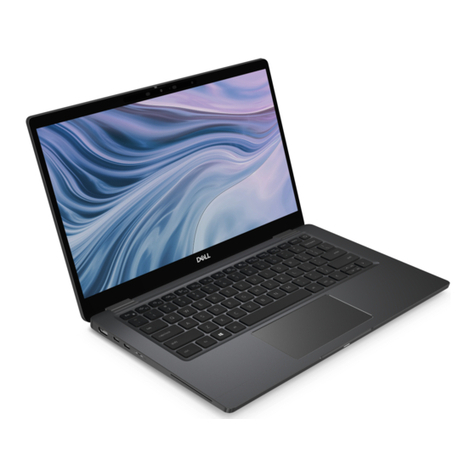
Polaroid MID1002 User manual

Intel Classmate PC - Convertible
MID1002

Polaroid MID1002
2
i
Preface
ãCopyright2014
AllRightsReserved.
The information in this document is subject to change without prior
noticein orderto improvereliability,design andfunctionanddoesnot
representacommitmentonthepartofthemanufacturer.
In no eventwill the manufacturer be liable for direct, indirect, special,
incidental,orconsequentialdamagesarisingoutoftheuseorinabilityto
usetheproductor documentation,evenif advised ofthepossibility of
suchdamages.
Thisdocumentcontainsproprietaryinformationprotectedbycopyright.
Allrightsarereserved.Nopartofthismanualmaybereproducedbyany
mechanical,electronic,orothermeansinanyformwithoutpriorwritten
permissionofthemanufacturer.
LimitationofLiability
Whilereasonableeffortshavebeenmadetoensuretheaccuracyofthis
manual, the manufacturer and distributor assume no liability resulting
from errors or omissions in this manual, or from the use of the
informationcontainedherein.

Polaroid MID1002
3
ii
TableofContent
Specification....................................................................................1
Attention:Teachers,ParentsandAdultSupervisors........................6
SafetyPrecautions.......................................................................7
CaringforyourComputer............................................................8
AgencyRegulatoryNotices..............................................................9
FederalCommunicationsCommissionNotice.............................9
Modifications10
ConnectionstoPeripheralDevices10
SARExposure10
DeclarationofConformity10
EuropeanNotice10
CanadianNotice11
AttachmentLimitationsStatement11
PowerCordRequirement12
Lithiumbatterywarning/Bridgebatterywarning14
GettingToKnowTheBasics.............................................................15
WelcometotheIntelClassmatePC-Convertible.......................15
GettingtoKnowYourComputer.................................................16
FrontView17
LeftViews21
RightView22
RearView23
BottomView24
PrecautioninTurningtheComputerDisplay...............................25
AccurateDisplayTurning25
InaccurateDisplayTurning26
GettingStarted................................................................................29
ConnectingtoaPowerSource.....................................................29
ConnectingtheACAdapter29
TurningOnYourComputer..........................................................30
OperatingonBatteryPower........................................................30
TheBatteryPack..........................................................................31
ToInstalltheBatteryPack:..........................................................32
ToRemovetheBatteryPack:.......................................................33
Lithium-IonBattery34
BatteryLow-PowerWarning34
CheckingtheBatteryLevel35

Polaroid MID1002
4
iii
ProlongingtheBattery’sLifeandUsageCycles35
UsingPowerOptions36
SuspendMode.............................................................................36
StandbySuspend36
HibernateSuspend 36
PowerButtonAction36
UsingtheIntelClassmatePC-Convertible.......................................37
AdjustingtheLCDScreenDisplay................................................37
LCDCare37
IntelClassmatePC-ConvertibleHotKeyControls......................38
FunctionKeys(QuickKeys)38
TheTouchPad..............................................................................40
TouchPadPrecautions40
ResettingtheSystem...................................................................41
UsingtheTouchScreen41
GSensor.......................................................................................41
AmbientLightSensor...................................................................41
BIOSSetupAndSecurityFeature.....................................................43
EnteringtheBIOSSetupScreen...................................................43
LeavingtheBIOSSetupScreen....................................................44
BIOSActionKeys..........................................................................44
ModifyingtheBIOSSettings44
AdvancedSetup46
Security47
BootSetup48
ExitSetup48
Troubleshooting..............................................................................50

Polaroid MID1002
5
1
AppendixA
Specification
OperatingSystem
n SupportWindows864bitStarter,HomeBasic,HomePremium,
Professional,
n LinuxBoot(TBD)
CPU
n Intel®Valleyview_M_SOCCeleron®Processor
Ø BayTrail-MCeleronN2820/N2806/N2807:1.58GHz–
2.17GHz/4.3-7.5W
Memory
n DDR3LSingleChannel,1066So-DIMMDRAMmodule
n 2GB/4GB
n So-DIMM204-pinsocket*1
AudioCodec
n RealtekALC269Q-VB6-CG
Ø Azaliaintegratedaudio
Ø Analog2.1
Ø D3modesupport

Polaroid MID1002
6
2
Cardreader(Optional)
n Support2in1SDHC/MMC
n USB2.0interface
USBHUBController
n USB2.0HubController
n On-chip8-bitmicro-processor
n SingleTransactionTranslator(STT)
LANController
n Supports10and100Mb/sec.FullandhalfDuplexoperation.
n SupportsGigabitEthernet(Optional)
WirelessLAN/Bluetooth
n 1x1ComboLiteOn/AzureWave
Ø M.2formfactor(M.2)
Ø Wi-Fi802.11B/G/N(2.4GHz)
Ø 1T*1R
Ø Bluetooth4.0LE,backwardcompatiblewithBTversionof
1.1,1.2,2.0,2.1and3.0+HS
n 1x1ComboIntelAC3160(WilkinsPeak1)
Ø M.2formfactor(NGFF)
Ø Wi-Fi802.11ac/a/b/g/n(5GHz/2.4GHz)
Ø 1T*1R
Ø Bluetooth4.0LE,backwardcompatiblewithBTversionof
1.1,1.2,2.0,2.1and3.0+HS
Keyboard
n IntegratedQWERTYkeyboardW/Hotkey
n 83UK/84USKEYK/B
n Multi-languagesSupported
n Chocolate/SkirtWin7KB<optional>
PointingDevice
n PS/2TouchPadwithLeftandRightClickButtonandscrollingBar

Polaroid MID1002
7
3
Storage
n SSD(Optional)
Ø SATA32G/64GB/128GBSSDMLC
Ø SupportIFFSfunctiononlyonspecificSSDmodels
n SandiskU110
Ø SupportIFFSfunctiononlyonspecificSSDmodels
n TOSHIBA
Ø Single-HDDfor2.5"7mmSATAsupport
Ø SupportSATA2.0
Ø 5400rpmsupport
Ø 320G/500G
LCD
n TFTColorLCD,LEDBacklight
n 10.1”with1366X768(HD)(Anti-Glare)/optional
TouchScreen
n <60gwithR0.8mm
n >3000gwithR8mm
n Resistivetype(ETT/Catcher)
n PalmRejection
CardreaderController
n Support2-1SDHC/MMC
n USB2.0interface
n SupportbootfromCR
G-sensor
n HDDprotection
AmbientLight-Sensor
n LCDbacklightluminanceautoadjustment(1-8Level)
n StandardSMBusprotocolinterface

Polaroid MID1002
8
4
Speaker
n Build-in2speakers
n Speaker:1.5Wx2
Camera(Rotatable)(TBD),Rotatingangle:-35~+200deg.
n 0.3M
n 1.0MHDw/LED
n 1.0MHDw/oLED
BatteryPack
n 3cell(3S1P)
Ø 10.8V/2600mAH(3S1P),3.6V/2600mAH
n 6cell(3S2P)Li-ionbatterypack
Ø 10.8V/4400mAH(3S2P),3.6V/2200mAH
n 6cell(3S2P)Li-ionbatterypack
Ø 10.95V/5200mAH(3S2P),3.65V/2600mAH
Ø SoftwareGasgauge
AC-Adapter
n AutomaticsVoltageadjustmentbetween100and240VAC50/60Hz
40Watts
n 19V/40W
n Supports2pinand3pinpowercord
BIOS
n SupportACPI5.0
PhysicalOutline
n Dimension:269x208.5x30.2(TBD)~36.1mm(W/ORubberFoot)
n Weight:10.1"WLCD/HDD/CAM/6cellbatterypack:1.7Kg
Certification
n EMC
Ø CE,
Ø FCC,
Ø CCC

Polaroid MID1002
9
5
n RF
Ø FCC&SAR/R&TTE
n Safety
Ø UL/CB,
Ø CCC,
Ø WEEE,
Ø RoHS(RestrictionofHazardousSubstances,
Ø EUdirective2002/95/EC+amendments),
Ø HDMI,
Ø IP40
Validation
n EnergyStarCompliance5.2(Designready)
n Vibrationtest:MIL-STD-810F/EN-60068
n Droptest:MIL-STD-810F/GB/T4857
n Acoustictest:ISO3745/ISO7779
Optional
n TPMNuvotonNPCT421IA1
Ø Powersavingmode
Ø LPCinterface
Ø Securityfeatures
n MacroLens
Ø Magnification:30times
Ø Attachedwith”snap”mechanism,shouldbeeasyto
attach/detach
Ø Tetherisrequiredonmacrolens
n ThermalProbe
Ø ProbeistheNTCthermistor,itsratingis10kohm
Ø Accuracy:±1.5
℃
Ø Detectionrange:-15
℃
-105
℃
Ø Itcandetecttheliquid/airtemperature,hardtodetectthe
surfacetemperature
Ø Temperaturedetectionresponsetime:2second/
℃

Polaroid MID1002
10
6
Chapter1
Attention:Teachers,Parentsand
AdultSupervisors
Thisproduct isan educationaltool designedfor schoolchildren,ages6
andup.Theremustbesupervisionbyanadultonschoolchildrenunder
10whenusingthisIntelClassmatePC-Convertible. Itisamusttohave
athoroughexplanation tostudentson safeandproper handlingofthe
IntelClassmatePC-Convertible,powersupply,batterypack,andpower
cord.
Besuretokeepthepowercordawayfromyounger
children
Pleaseensurethatstudentsunderstandthefollowing:
n Emphasizetostudentsthatthisdeviceisaneducationaltooland
notatoy.Thecomputer,powersupply,batterypackorpowercord
shouldnotbedropped,crushed,steppedonorotherwiseabused.
n Ensurestudentsunderstandthesafeandproperhandlingof
powercordandpowersupply.Misusecouldresultinseriousinjury.
n Theteacher,parentoradultsupervisorshouldperiodicallyinspect
thecomputer;powersupplyandpowercordfordamageand
replaceit,ifnecessary.
Table of contents