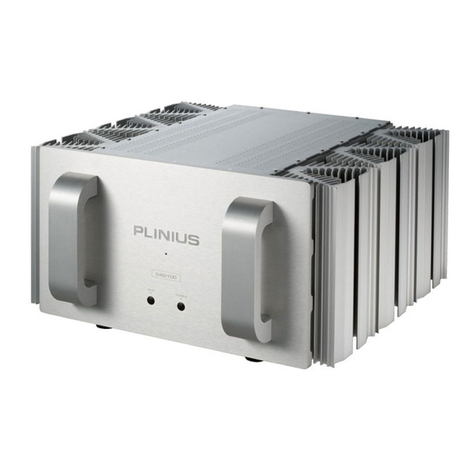
Plinius CD LAD User manual

C
CC
C
C
CC
CD
DD
D
D
DD
D⋅
⋅⋅⋅
⋅
⋅⋅⋅L
LL
L
L
LL
LA
AA
A
A
AA
AD
DD
D
D
DD
D
Audio Preamplifier
INSTRUCTION
MANUAL

2

3
CONGRATULATIONS
CONGRATULATIONSCONGRATULATIONS
CONGRATULATIONS on your decision to become the proud owner of this
Plinius CD⋅LAD Preamplifier.
This manual has been prepared to help you understand the operation of your amplifier, and to provide
information about its design and the variety of ways it may be used.
We have designed and manufactured this preamplifier to reproduce faithfully and accurately, your
favourite music. With a little care and a full understanding of the operating recommendations in this
manual, your Plinius CD⋅LAD Preamplifier will provide years of high-quality, trouble-free performance.
Serial Number: ..................................................................................
Date of Manufacture: ..................................................................................
Final Test Certified By: ..................................................................................
IMPORTANT: PLEASE TAKE THE TIME TO READ THIS MANUAL
THOROUGHLY BEFORE USING YOUR PREAMPLIFIER.

4
CONTENTS
Introduction ..................................................................................................................................Page 3
Precautions ...................................................................................................................................Page 5
Preamplifier Features – Front Panel ............................................................................................. Page 6
Preamplifier Features – Rear Panel .............................................................................................. Page 7
Preamplifier Features – Remote ...................................................................................................Page 9
Installation and Operation ............................................................................................................ Page 11
Input/Output Connection ............................................................................................................. Page 12
Settings Menu Structure .............................................................................................................. Page 14
CD⋅LAD Features ......................................................................................................................... Page 17
Specifications ............................................................................................................................. Page 19
Index .......................................................................................................................................... Page 20
Contact Details ........................................................................................................................... Page 21

5
PRECAUTIONS
Please take special note of the following precautions before operating your new preamplifier:
•This preamplifier operates at hazardous voltage levels. We recommend that any work requiring
removal of the lid be referred to a suitably qualified and experienced service technician.
•DO NOT attempt to connect any input of this preamplifier to its own outputs.
•DO NOT earth any output terminal or connect any of these terminals together without following the
instructions in this manual or seeking qualified assistance.
•DO NOT place this preamplifier in any position where liquids or any foreign material may
accidentally enter it.
•DO NOT connect any voltage source, short circuit, earth/ground or appliance (other than suitable
audio power amplifiers) to the preamplifier output terminals.
•DO NOT connect any voltage source, short circuit, earth/ground or appliance (other than suitable
audio source components) to the preamplifier input terminals.

6
PREAMPLIFIER FEATURES – FRONT PANEL
The front of the Plinius CD⋅LAD Preamplifier incorporates all the facilities
you will require on a daily basis.
F
RONT
P
ANEL
L
AYOUT
S
HOWING
V
OLUME
K
NOB
, V
ACUUM
F
LUORESCENT
D
ISPLAY
, M
ENU
B
UTTONS
A
ND
D
ISPLAY
LED
DISPLAY LED
An LED below ‘PLINIUS’ indicates when the preamplifier is in standby mode. This LED also lights to show
whenever the remote control is being used to change the volume level.
FRONT PANEL BUTTONS
These four buttons are used to change source selection, phase, mute, or access the menu system of the
CD⋅LAD (for adjustment of display brightness, CD input mode, balance etc). The functions Down, Enter,
and Up are only active whilst the menu system is enabled (See Settings Menu Structure section later).
VACUUM FLUORESCENT DISPLAY
Whenever a modification is made to the CD⋅LAD settings (via the remote control or the front panel
buttons) these changes will be viewable on the display.
VOLUME CONTROL KNOB
The volume control is an ALPS motorised unit that will accurately convey the selected source signal to the
line stage of the Plinius CD⋅LAD. When using the remote control to alter the volume level, stab the button
to make small adjustments, or hold the button down to continuously adjust the volume.
PLINIUS
PHASE
UP
MENU
ENTER
MUTE
DOWN
SOURCE
CD LAD

7
PREAMPLIFIER FEATURES – REAR PANEL
This panel incorporates all the terminals for connecting the input signals from your CD player, tuner, etc,
and the outputs to the power amp and mains supply.
Please remember that your Plinius CD⋅LAD Preamplifier is a high quality electronic instrument capable of
an exceptional level of performance. Be sure that you understand your system’s requirements fully before
you make any connection to this preamplifier.
R
EAR
P
ANEL
S
HOWING
I
NPUT
A
ND
O
UTPUT
T
ERMINALS
, G
ROUND
L
IFT
S
WITCH
, M
AINS
S
WITCH
A
ND
M
AINS
S
OCKET
.
INPUT TERMINALS
The input terminals of your Plinius CD⋅LAD Preamplifier are easily accessible along the rear panel. These
standard RCA terminals are for use with single ended signals from line level audio components such as
CD, tuner, video, etc. Also included is one pair of balanced XLR inputs for use with XLR type cables.
Consult your PLINIUS
PLINIUSPLINIUS
PLINIUS dealer for further advice if required.
OUTPUT TERMINALS
Connections for power amplifiers are provided in the centre of the rear panel. Connections are available
for both single ended (RCA type) and balanced (XLR type) cables. Note that the only time the outputs
aren’t ‘live’ is when the preamplifier is in mute or standby.
CHASSIS
OPEN
LIFT
LINE 1 LINE 2 OUTPUTS
RIGHT LEFT
RIGHT LEFT
C.D.
PUSHPUSHPUSH PUSH
CAUTION:
TO REDUC E RISK OF
ELECTRICALSHOCK DO NOT REMOVE
COVER. NO USER SERVICEABLE
PARTS INSIDE. RE FER SERVICING TO
QUALI FIED SERVI CE PERSONN EL.
RISKOF ELECTRICAL SHOCK
DO NOTOPEN
CAUTION
MAINS FUSE: REPLACE
ONLY WITH SAME TYPE
DESIGNED AND MANUFACTURED IN
NEW ZEALAND BY
AUDIBLE TECHNOLOGIES LTD
P.O. BOX 1836
PALMERSTO N NORTH
SERIAL No. VOLTAGE Hz POWER
CONSUMPTION
50/
60
10 0 V / A
PLINIUS CD LAD

8
GROUND LIFT SWITCH
This switch allows the signal ground to be disconnected from the chassis. In some installations a hum
loop may exist due to duplicate ground paths from different equipment. Use this switch to remove the
connection from 0V to ground thus allowing some flexibility in your particular set-up.
MAINS SWITCH
The heavy-duty rocker switch to the right of the panel turns the Mains/Line Power to the amplifier ON or
OFF. Depress the right hand side of the switch to turn the amplifier on. The amplifier draws a moderately
high current when switched on, so it is not good practice to rapidly turn the Mains switch on and off
repeatedly.
MAINS POWER CORD IEC SOCKET
This connector is where the mains supply cable from your wall connects to the preamplifier. You will
notice that a fuse holder is mounted within this connection, and it holds a mains fuse to provide surge and
overload protection for your preamplifier.
EARTH POST
This is a chassis connected gold-plated earth post for use with certain phono turntables.

9
PREAMPLIFIER FEATURES – REMOTE
The Plinius CD⋅LAD Remote provides access to most of the
controls you will require on a daily basis.
PLINIUS
STANDBY
DISPLAY PHASE
LINE 2
LINE 1C.D.
LEFT BYPASS RIGHT
BALANCE
R
EMOTE
C
ONTROL
S
HOWING
F
UNCTION
B
UTTONS
.
VOLUME CONTROL
Use these two buttons to control the volume level of the preamplifier. The middle top button increases
volume, while the button directly below it decreases the volume. Stab either button to make fine
adjustments to the volume level. Hold down either button to continually adjust the volume level.

10
MUTE
Use this button when you require the preamplifier to mute the output from the preamplifier. Pressing the
button again brings the preamplifier back out of mute.
PHASE
The phase of the input signal to the preamplifier is switched from absolute to inverted 180°with each
press of this button.
STANDBY
Standby disconnects the outputs of the preamplifier and turns off the vacuum fluorescent display tube. It
is recommended that whenever the Plinius CD⋅LAD is left switched on but not in use, the standby function
be implemented to increase the life of the display tube.
DISPLAY
The display button on the remote enables you to quickly adjust the display brightness to one of three
levels. Depressed once and the display brightness falls to zero. Another press and full brightness is set -
once more and the display reverts to the current user preset level. This user level is set using the menu
buttons on the front panel as described later in the ‘Settings Menu Structure’ section. Note that if the
brightness is set to zero, any button press will bring the brightness back to the current user setting so the
screen can be read.
SOURCE SELECTION
The Source button toggles the input selected between CD, Line 1 and Line 2.
BALANCE CONTROL
These three buttons control the signal level between left and right channel. Use the buttons labelled left
and right to set the channel balance where you require it. Depress the middle button to enable your preset
balance setting (balance enabled). Depress the middle button again to disconnect the balance control
circuit (balance bypassed) and centre both channels.
Table of contents
Other Plinius Amplifier manuals

Plinius
Plinius SA-100 Series User manual

Plinius
Plinius 8150 User manual

Plinius
Plinius SA-REFERENCE User manual

Plinius
Plinius Reference A-150 User manual

Plinius
Plinius P7 User manual

Plinius
Plinius JARRAH User manual

Plinius
Plinius PLINIUS M7 User manual

Plinius
Plinius INSPIRE 880 Assembly instructions

Plinius
Plinius M12 User manual

Plinius
Plinius Odeon User manual

Plinius
Plinius KIOKIO User manual

Plinius
Plinius M16 User manual

Plinius
Plinius SB-301 User manual

Plinius
Plinius 9200 User manual

Plinius
Plinius SB-301 User manual

Plinius
Plinius INSPIRE 880 Assembly instructions

Plinius
Plinius M8 User manual

Plinius
Plinius 9200 User manual

Plinius
Plinius Odeon User manual

Plinius
Plinius Hautonga User manual