Planar LX1501PTI User manual

Mariner
LX0801PTI/ LX1201PTI/ LX1501PTI
IP-65 Touch Monitors
USER’S GUIDE
www.planar.com

2LX0801PTI/ LX1201PTI/ LX1501PTI - IP-65 Touch Monitors User’s Guide (020-0982-00A)
The information contained in this document is subject to change without notice. This document
contains proprietary information that is protected by copyright. All rights are reserved. No part of
this document may be reproduced, translated to another language or stored in a retrieval system,
or transmitted by any means, electronic, mechanical, photocopying, recording, or otherwise,
without prior written permission.
Windows® is a registered trademark of Microsoft, Inc.
Other brands or product names are trademarks of their respective holders.
Important Recycle Instruction:
LCD Lamp(s) inside this product contain mercury. This product may contain other
electronic waste that can be hazardous if not disposed of properly. Recycle or dispose
in accordance with local, state, or federal Laws. For more information, contact the
Electronic Industries Alliance at HYPERLINK “http://WWW.EIAE.ORG”
For lamp specific disposal information check WWW.LAMPRECYCLE.ORG.

LX0801PTI/ LX1201PTI/ LX1501PTI - IP-65 Touch Monitors User’s Guide (020-0982-00A) 3
Table of Contents
Usage Notice
Precautions.................................................................................................................................... 5
In a Watercraft or Vehicle...................................................................................................... 5
Cleaning the Monitor............................................................................................................. 5
Introduction
About the Product ...................................................................................................................... 6
Front View .................................................................................................................................. 6
Rear View with Connector Information........................................................................... 7
Features....................................................................................................................................... 8
Package Overview....................................................................................................................... 9
Installation
Before Installing.........................................................................................................................10
Step 1 - Mounting the Monitor ........................................................................................11
Step 2 - Connecting the Monitor.....................................................................................12
Step 3 - IRtouch Software Installation ...........................................................................13
User Controls
Front Panel Controls.................................................................................................................17
Turning the Monitor On and Off..........................................................................................18
Using the Touchscreen............................................................................................................18
Navigating the Touchscreen..................................................................................................18
Cleaning the Monitor...............................................................................................................18
Appendix
Troubleshooting the Monitor ...............................................................................................20
Specifications ............................................................................................................................21

4LX0801PTI/ LX1201PTI/ LX1501PTI - IP-65 Touch Monitors User’s Guide (020-0982-00A)
Addendum A.................................................................................................................................... 24
USB Control of OSD Functions............................................................................................... 24
Addendum B ................................................................................................................................... 24
Wiring the IP-67 sealed field installable connector manufactured by LTW
(p/n LTWCD-07 BFFA-LL 7001) .............................................................................................. 24
Addendum C ................................................................................................................................... 25
Mechanical Drawing for LX0801 PTI- (not available at time of print)...................... 25
Addendum D ................................................................................................................................... 25
Mechanical Drawing for LX1201PTI..................................................................................... 25
Addendum E .................................................................................................................................... 26
Mechanical Drawing for LX1501PTI..................................................................................... 26
Addendum F .................................................................................................................................... 27
CPU Power Switch Scheme..................................................................................................... 27
Direct 8-30 VDC Power Scheme ............................................................................................ 27
Addendum G ................................................................................................................................... 28
RAM Mount for LX0801PTI...................................................................................................... 28
Addendum H ................................................................................................................................... 29
Frequently Asked Questions .................................................................................................. 29
Support and Service...................................................................................................................... 30

LX0801PTI/ LX1201PTI/ LX1501PTI - IP-65 Touch Monitors User’s Guide (020-0982-00A) 5
Usage Notice
Precautions
To maximize the life and safe use of your unit, always be sure to follow the
warnings, precautions and maintenance recommendations in this user’s guide.
In a Watercraft or Vehicle:
The monitor should be visible to the driver only if it is used for navigation, or•
system control. Care should be taken to ensure distraction does not occur.
Review all applicable federal, state and local laws and regulations to make sure•
the monitor is used properly and safely.
Avoid using the monitor for extended times while the charging system is not•
running, or the monitor could drain the watercraft’s battery.
Cleaning the Monitor:
Use a soft cloth moistened with mild detergent, isopropyl alcohol, or window•
cleaners to clean the display housing.
Never use abrasive cleaners, waxes or solvents to clean the unit.•
WARNING – Please do not open or disassemble the product as this may
cause electric shock. Doing so will void the warranty.
ATTENTION – Do not plug the touchscreen in yet! Install the touchscreen
driver first!
!
!

6LX0801PTI/ LX1201PTI/ LX1501PTI - IP-65 Touch Monitors User’s Guide (020-0982-00A)
Introduction
About Planar’s Mariner Touch Monitors
The LX0801PTI, LX1201PTI and LX1501PTI are high-performance, rugged touch
monitors intended for demanding environments, such as those aboard a watercraft.
The monitors feature a AMLCD TFT display with IR touchscreen, bright enough to
be read in daylight. The monitors include several mounting points for front or rear
mounting. The monitors are to be powered directly from circuit breaker protected
and switched 8-32 VDC power aboard the watercraft. The metal enclosure is IP-65,
designed to withstand liquid and dust intrusion. An optional cosmetic bezel is
included with each monitor.
Front Views:
AMLCD TFT with Touchscreen1.
Auxiliary power switch2.
Brightness adjust/auto sync buttons3.
13
2

LX0801PTI/ LX1201PTI/ LX1501PTI - IP-65 Touch Monitors User’s Guide (020-0982-00A) 7
Rear View (Descriptions):
USB port (Type B) for connecting the touchscreen to the remote computer1.
VGA Signal Input2.
8-32 VDC Internally Regulated Power Input3.
Modular, removable connector plate for customizing I/O (not available on 12"4.
model at time of print)
Mating Connectors (sourced from http://www.ltw-tech.com):
USB Cable Assembly: 1 to 5 meter available. LTWWUB-20BFM-A7Axx (01, 02,
...05 for meter length)
VGA: The VGA connector located inside the monitor is waterproof.
The connector style is standard 15-pin VGA.
DC Power Connector Only: LTWCD-07BFFA-LL 7001
DC Cable Assembly: LTWCD07AFFM-LL7Axx (01, 02, ... 99 meter length)
1 2 3

8LX0801PTI/ LX1201PTI/ LX1501PTI - IP-65 Touch Monitors User’s Guide (020-0982-00A)
Features
Brightness control• allows you to easily adjust the display to match the
ambient light, from full sunlight to night.
The monitor’s• TFT display is optically bonded to the Touchscreen to
increase contrast ratio. Increased contrast ratio makes it easier to
read information displayed on the monitor.
The monitor’s• autosync function eliminates the need for adjusting the
monitor for the best image - the monitor automatically makes any needed
adjustments whenever it is powered up or the display mode is changed.
The monitor supports• standard VGA signal input:
LX0801PTI is 800 x 600 SVGA (native) and 640 x 480.•
LX1201PTI and LX1501PTI are 1024 x 768 XGA (native), 800 x 600 and•
640 x 480.
The monitor’s IP-65• enclosure protects from splashed water and dust. It
is designed to withstand shock and vibration for greater endurance and
reliability.
There are several mounting point features incorporated in the design of•
the enclosure to enable installation flexibility.
Note: The LX0801PTI/LX1201PTI/LX1501PTI monitors do not have OSD controls
available from the front buttons. All OSD commands can be controlled via USB
cable from the host CPU (see Addendum A).

LX0801PTI/ LX1201PTI/ LX1501PTI - IP-65 Touch Monitors User’s Guide (020-0982-00A) 9
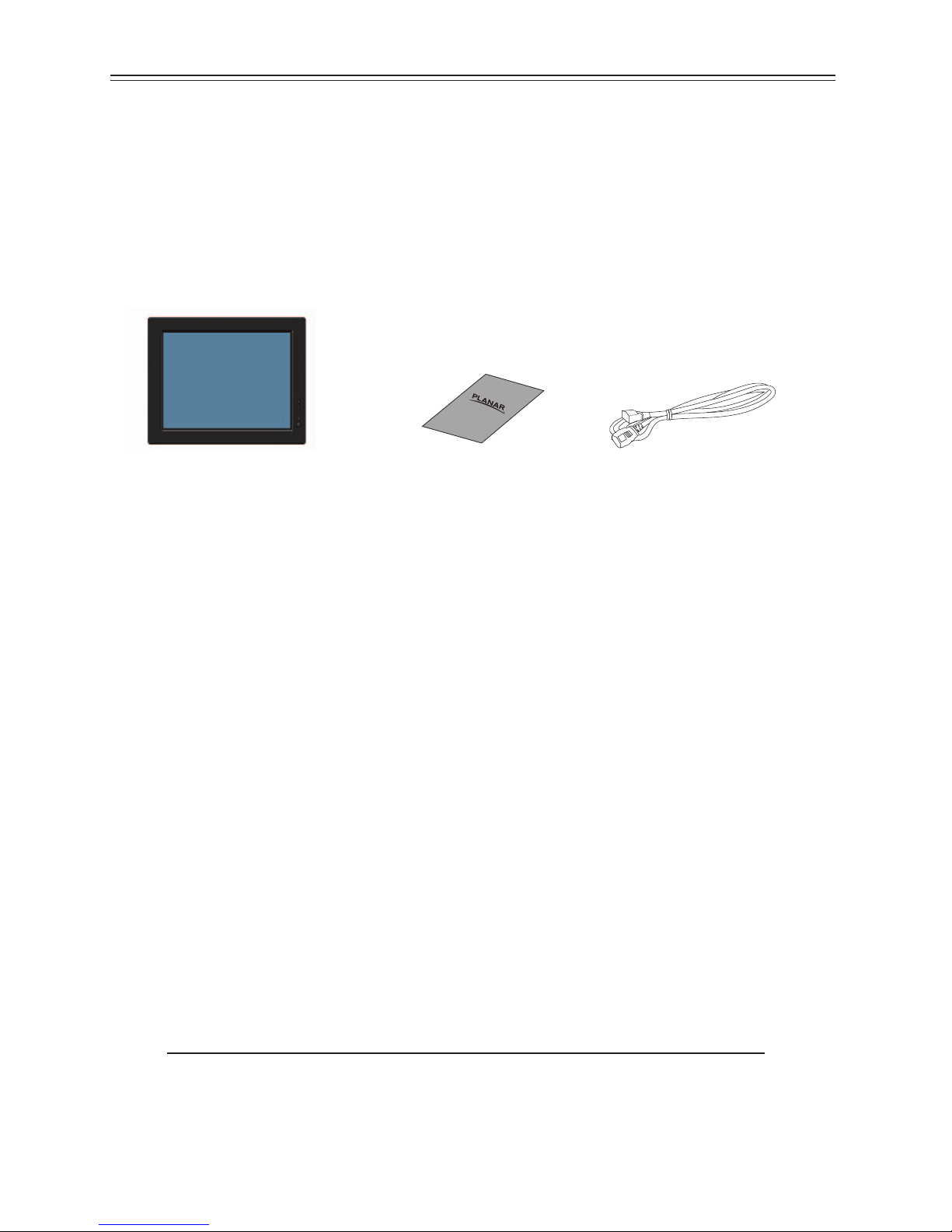
Package Overview
The following items are shipped with the display. If any of these items are not in the
shipping container, please contact Planar.
LX080PTI/ LX1201PTI/ LX1501PTI
Touch Monitor
(Bezel is attached for shipping.)
Quick Start Guide
Note: Mounting hardware (M4 Screws), mounting brackets, power supply,
USB and video cables are sold separately.
Software drivers can be downloaded from www.Planar.com/downloads
2M Power Cord

10 LX0801PTI/ LX1201PTI/ LX1501PTI - IP-65 Touch Monitors User’s Guide (020-0982-00A)
Installation
Before Installing
Keep the following in mind while installing the monitor:
The monitor should be visible to the driver only if it is used for navigation,•
system control or vehicle information. If the monitor will be used for other
purposes, it should be installed in such a way that it will only operate while the
watercraft is not moving.
Review all applicable federal, state and local laws and regulations to make sure•
the monitor is used properly and safely.
The installed monitor must not interfere with the driver’s vision.•
Installing the monitor consists of three steps:
Attaching the monitor using one of the mounting interfaces built into the1.
monitor’s enclosure.
Connecting the monitor to the computer and power source.2.
Installing the touchscreen driver software.3.
This manual suits for next models
5
Table of contents
Other Planar Monitor manuals

Planar
Planar PL150M User manual

Planar
Planar WS231 User manual

Planar
Planar Planar GX2MP User manual

Planar
Planar PLL2010MW User manual

Planar
Planar PT1910MX User manual

Planar
Planar PXL2760MW User manual

Planar
Planar EL512.256-H Series User manual

Planar
Planar PE1500 User manual

Planar
Planar Dome C5i User manual

Planar
Planar PT120 User manual

Planar
Planar SD2421W User manual

Planar
Planar PL2210W User manual

Planar
Planar PXN2200 User manual

Planar
Planar PT1745R User manual

Planar
Planar PLL2410W User manual

Planar
Planar PL150 User manual

Planar
Planar PLN2700 User manual

Planar
Planar PS5551 User manual

Planar
Planar PT3270Q User manual

Planar
Planar PLL2250MW User manual