
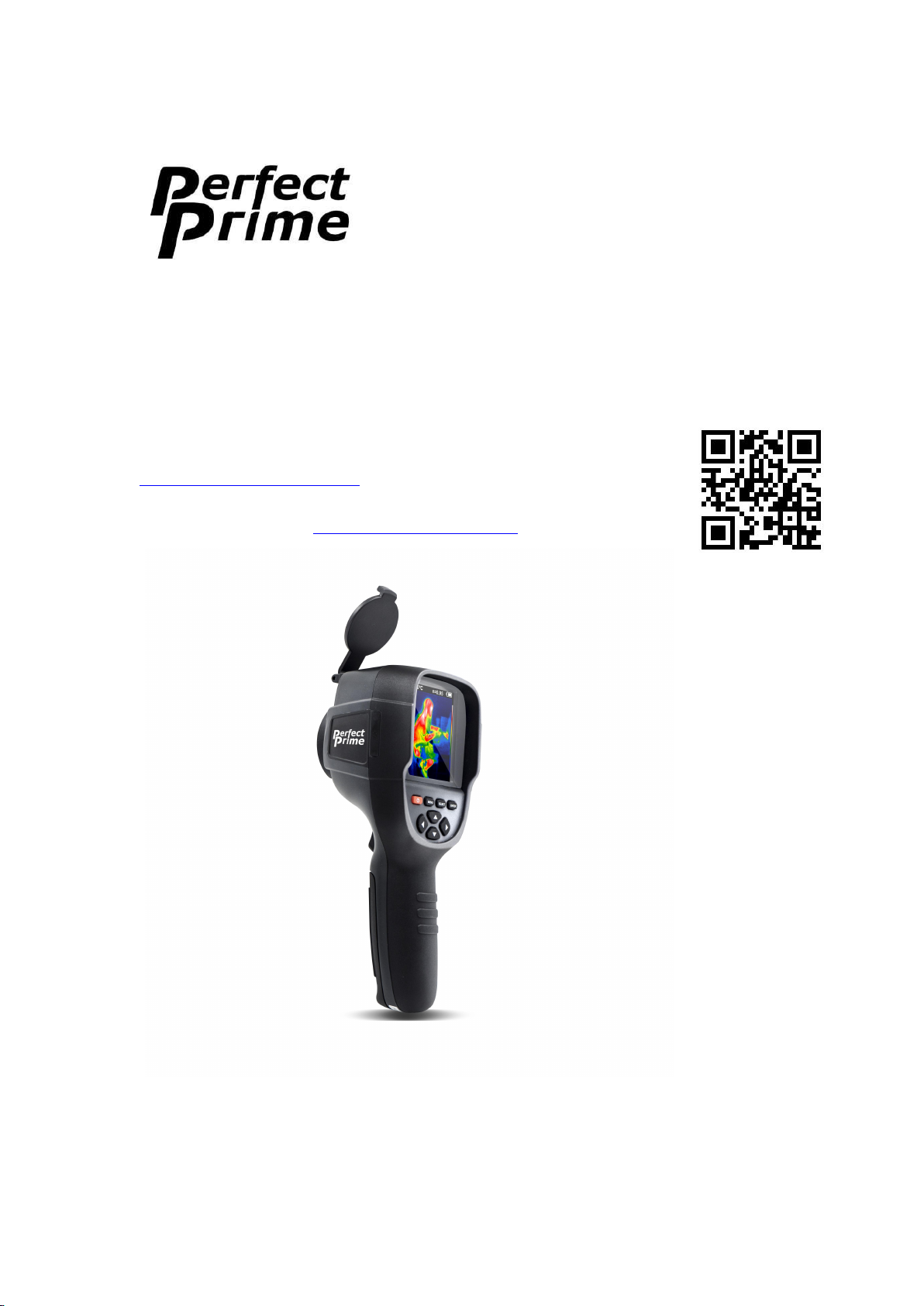
Perfect Prime IR0018 User manual

2
Contents
1. Overview---------------------------------------------------------------------------------------3
2. Considerations and Safety Maintenance---------------------------------------------------4
3. Performance Index----------------------------------------------------------------------------5
4. Product Description---------------------------------------------------------------------------6
5. Initial Operation-------------------------------------------------------------------------------8
6. Introduction to “Setting” Sub-menu--------------------------------------------------------9
7. Color Palette----------------------------------------------------------------------------------10
8. Application of Color Palette and Image Check------------------------------------------11
9. Time Setting----------------------------------------------------------------------------------12
10. Capture Thermal Points-------------------------------------------------------------------12
11. Measure Objects----------------------------------------------------------------------------13
12. Emissivity-----------------------------------------------------------------------------------14
13. The Table of Emissivity Value-----------------------------------------------------------14

3
1. Overview
IR0018 is an uncooled infrared camera that integrates surface temperature
measurement and real-time thermal image. With this product, the potential problems
can be displayed on color display screen clearly which is helpful for users to locate
the measurement cursor of the central point quickly and measure the temperature.
The product is provided with a visual camera to increase the differentiation degree.
The thermal images and full vision images can be stored in the device and can be
obtained through USB or transferred to a computer to generate report and printing.
The following are the major features of IR0018:
High accuracy: the adjustable radiation coefficient increases the measurement
accuracy of half reflection surface.
Time-saving : The traditional infrared thermometer needs to measure every
component one by one while it is not necessary for thermal image
of IR0018.
Easy to use : Test can be conducted in several seconds after powering on.
User-friendly : The thermal point and cold point temperature mark guide the
users to the area with highest or lowest temperature of thermal
image.
Highly selectable: Five types of color palettes and emissivity values provided.
The product can be utilized in fields of medical treatment, for instance:
1. Detect spills and leaks of chemicals which have different thermal signatures
with the surroundings,
2. Fire fighting: search where the fire burns and locate people trapped by fire,
3. Locate the source of abnormal leaking of heat of a house or a machine, find out
the problem area more quickly,
4. Allow drug-enforcement units to find where Marijuana is planted,
5. Moisture detection in walls and roofs,
6. Measure body temperatures,
7. Night vision,
8. Building inspection and etc.
IR0018 is the ideal selection for electrician, maintenance personnel, technicians and
even the emergency.

4
2. Considerations and Safety Maintenance
Please read the instructions carefully so as to ensure accurate measurement results and
safety:
Do not use the device under explosive, flammable or corrosive environment.
Since the product is a precision electronic and sensitive optical device. Do not
impact and drop it to avoid damage.
Do not dismantle and remodel the products.
When the product works, there is a tiny clicking sound for every several seconds.
This is a normal phenomenon as the lens captures images to produce electronic
noises.
Please use damp cloth or weak soap to clean the enclosure of the device. Do not
use abradant, isopropanol or solvent to clean. Special optical lens cleaner should
be used to clean the screen.
5
3. Performance Index
Display screen
3.2” full angle TFT display screen
Infrared image resolution
220 ×160
visible image resolution
0.3 million pixel
Field angle/shortest focus length
27°×35°/0.5m
Thermal sensitivity
0.07°C
Temperature measurement range
-20~300°C (-4°F~572°F)
Test and measurement precision
±2.5°C or ±2.5%
Emissivity
Adjustable from 0.1 to 10.0
Image capture frequency
9 Hz
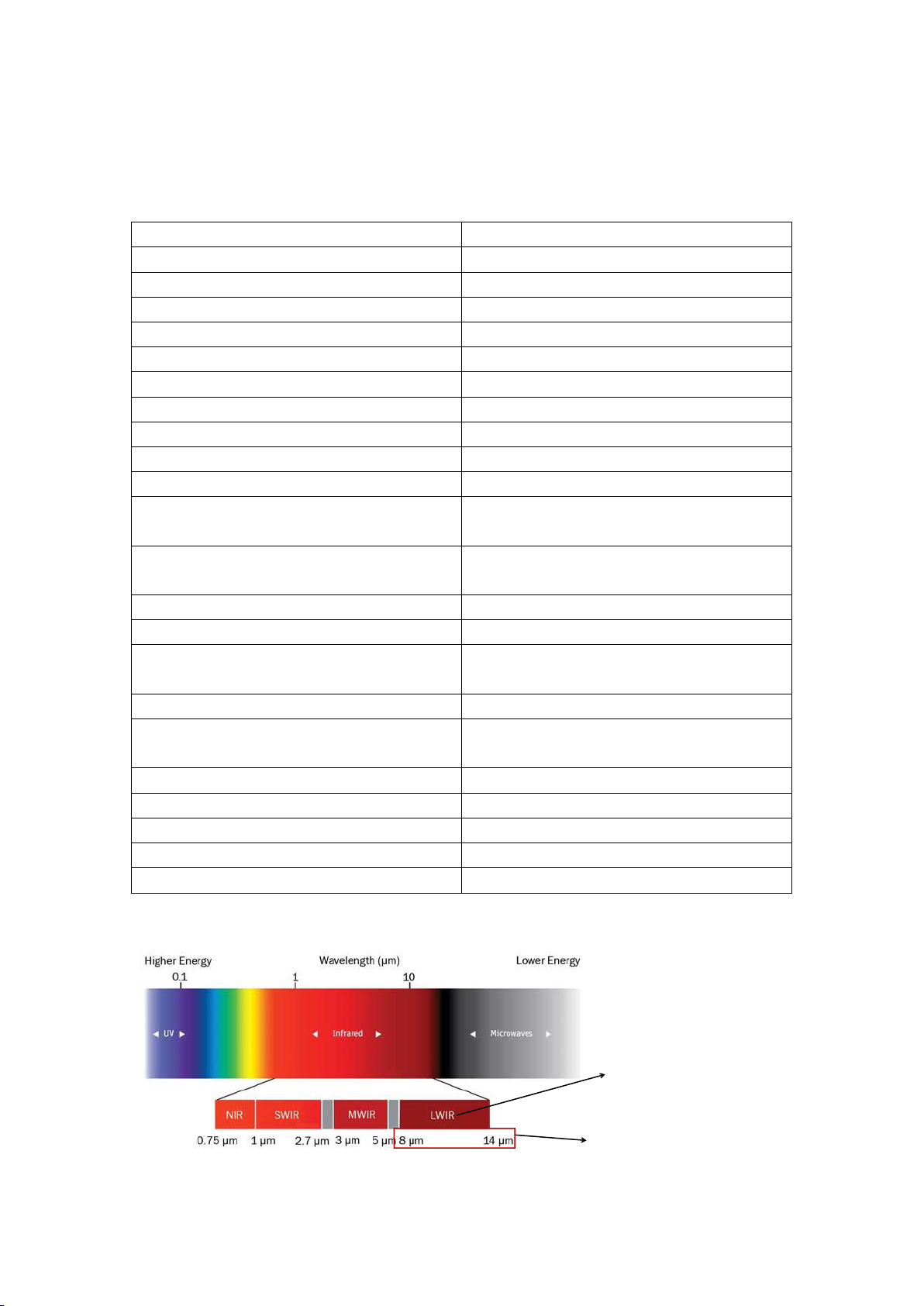
Wavelength coverage
8-14um
Focus mode
Fixed
Color palette
Rainbow, iron oxide red, cold color,
black & white, white & black
View option
Full infrared and full vision Visible
image with 25% step length
Storage medium
Built-in 4 GB
Image format
JPG
Power supply
Built-in chargeable 18650 lithium
batteries
USB
Micro USB 2.0
Automatic power-off time
Selectable: 5 minutes/20 minutes/ not
power off automatically
Product size (length × width × height)
90 mm×105 mm×223 mm
Product Weight
389g
Work temperature
0°C- 50°C
Storage temperature
-40°C- +80°C
Relative humidity
< 85%RH
Wavelength coverage of
thermal infrared radiation
of IR0018
LWIR: thermal infrared
radiation
6
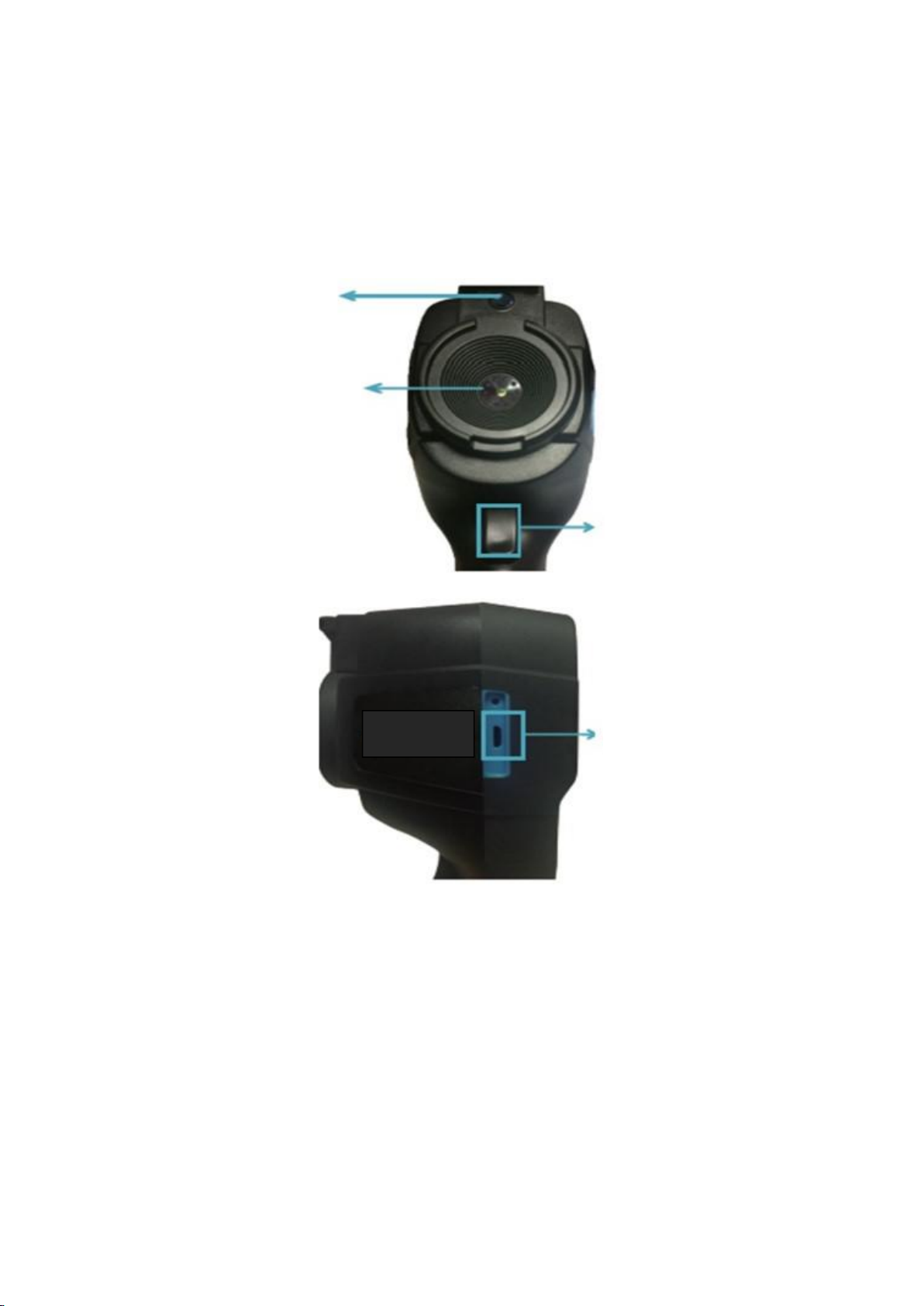
4. Product Description
4.1. Instruction to structure
Visible light camera
Infrared imaging sensor
Image capture key
Micro USB
7
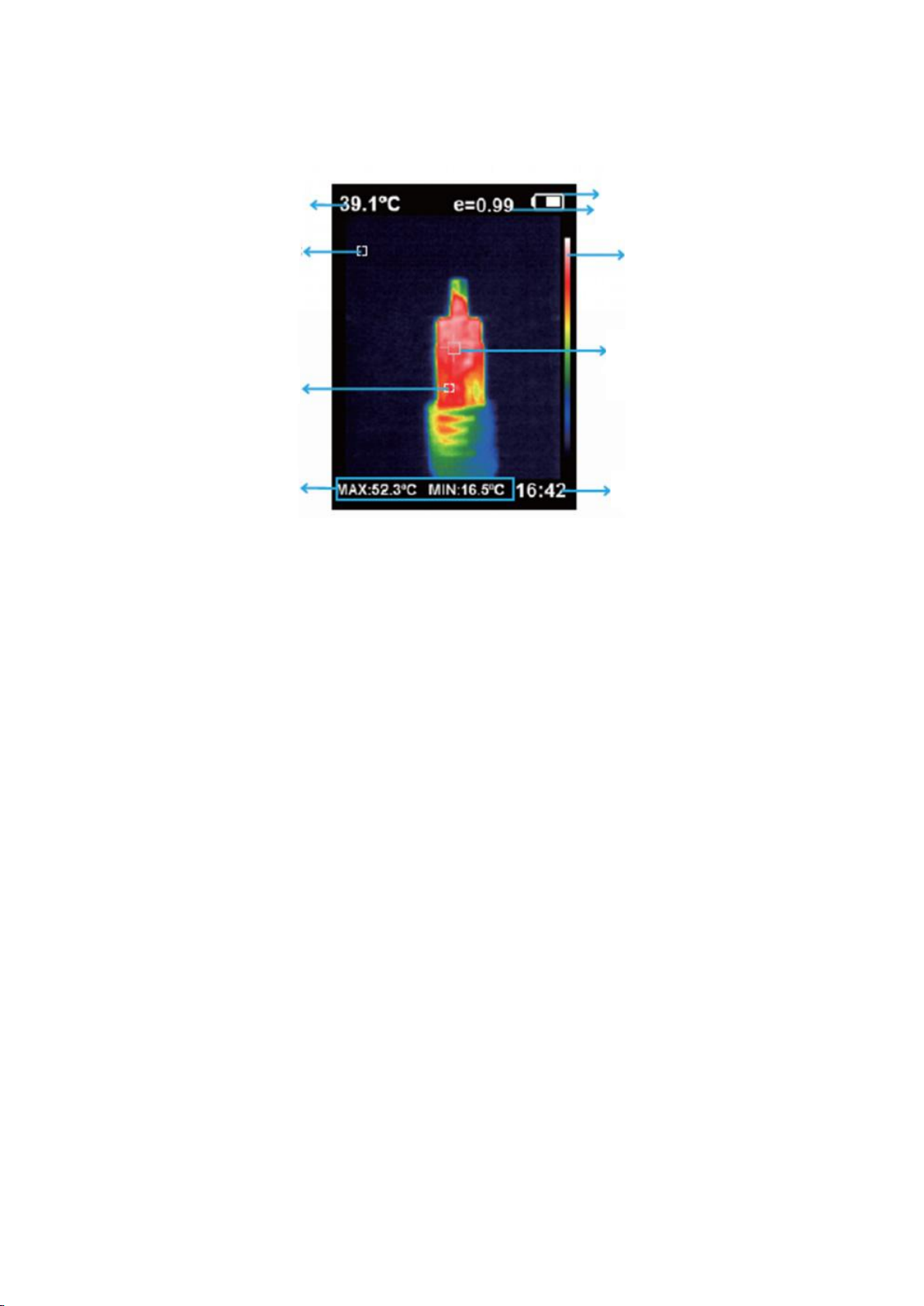
4.2. Key description
1. Central point temperature cursor
The central position temperature at the screen area.
2. Thermal point temperature cursor
The cursor moves along with the highest temperature within the screen area (the
location of cursor has the highest temperature).
3. Cold point temperature cursor
The cursor moves along with the lowest temperature within the screen area (the
location of cursor has the lowest temperature).
Central point temperature
Cold point temperature cursor
Hot point temperature cursor
Maximum /minimum value
of field temperature
Battery power
Current emissivity
Color code
Temperature cursor at
central point
Time
8
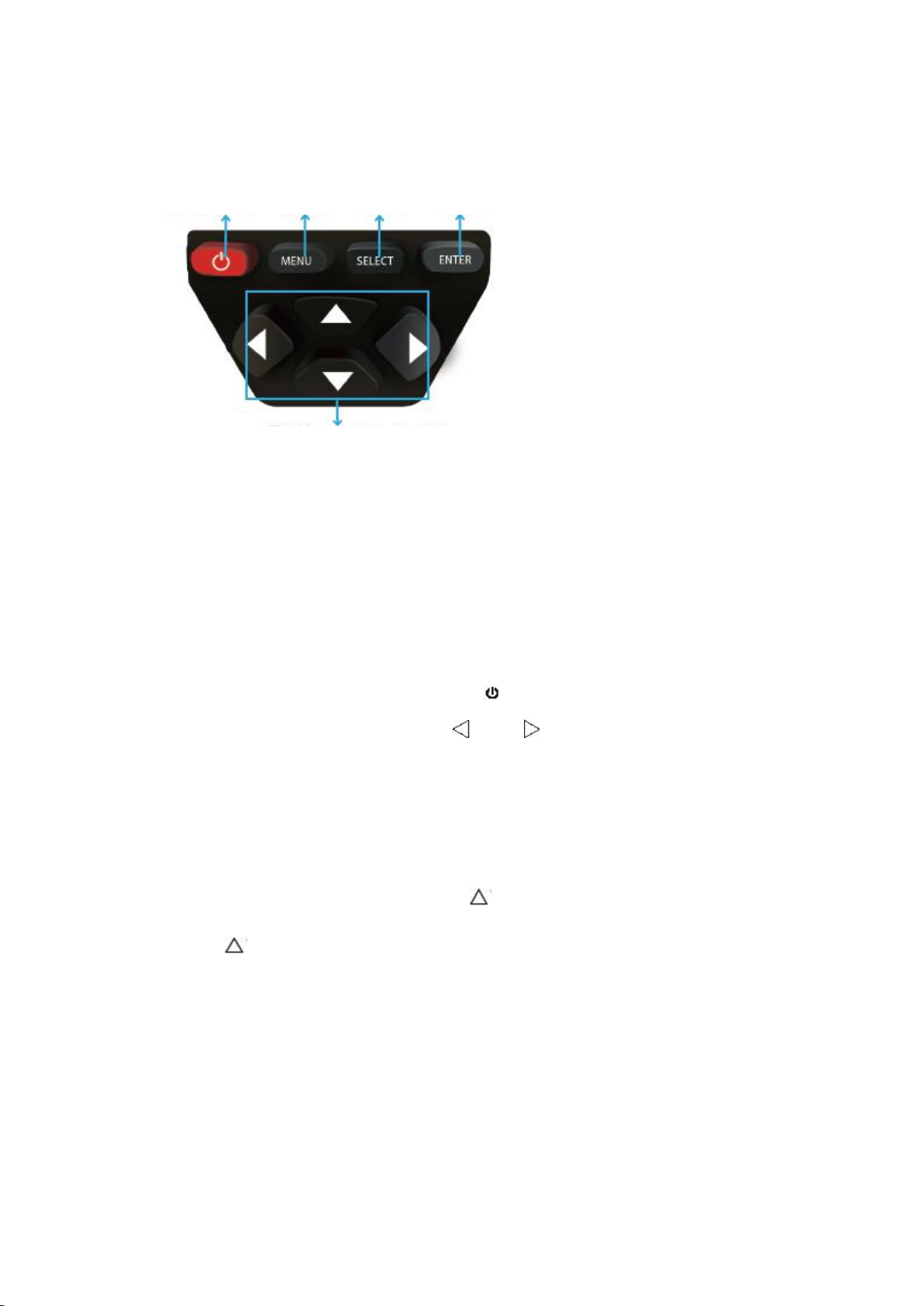
4.3. Key description
5. Initial Operation
1. Charging: When the battery power is not sufficient, please charge it through
Micro USB interface in time.
2. Power on/off the instrument: hold down “ ” key for several seconds.
3. Convert the mode of imaging: press “ ” and “ " keys to switch between the
mode of infrared thermal imaging and full vision images.
4. Image capture: the instrument saves the image automatically when the image
capture key is pressed.
5. Exhibit and hide the bottom bar: press “ ” to hide the bottom bar of the screen
which shows the maximum /minimum value and time of the field temperature.
Press “ ” again to display the bottom bar.
6. Image export: to capture the saved image, use Micro USB to connect the
computer to check and export.
On/off key Menu/Yes key Select/No key Enter key
Navigation key: Up, down, left and right
9
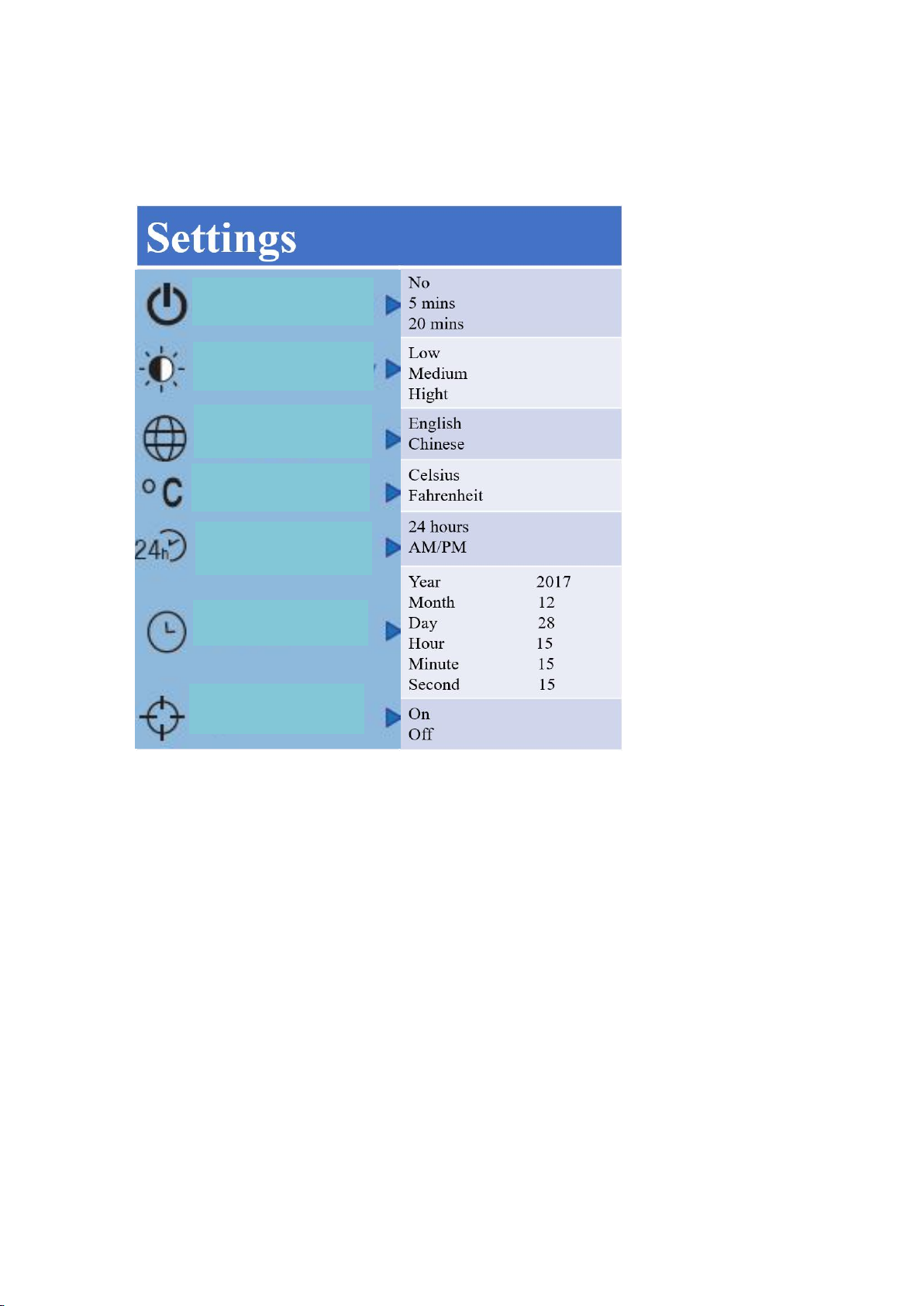
6. Introduction to “Setting” Sub-menu
Auto shutdown
Display intensity
Language
Unit
Time format
Set time
Spot
10
7. Color Palette
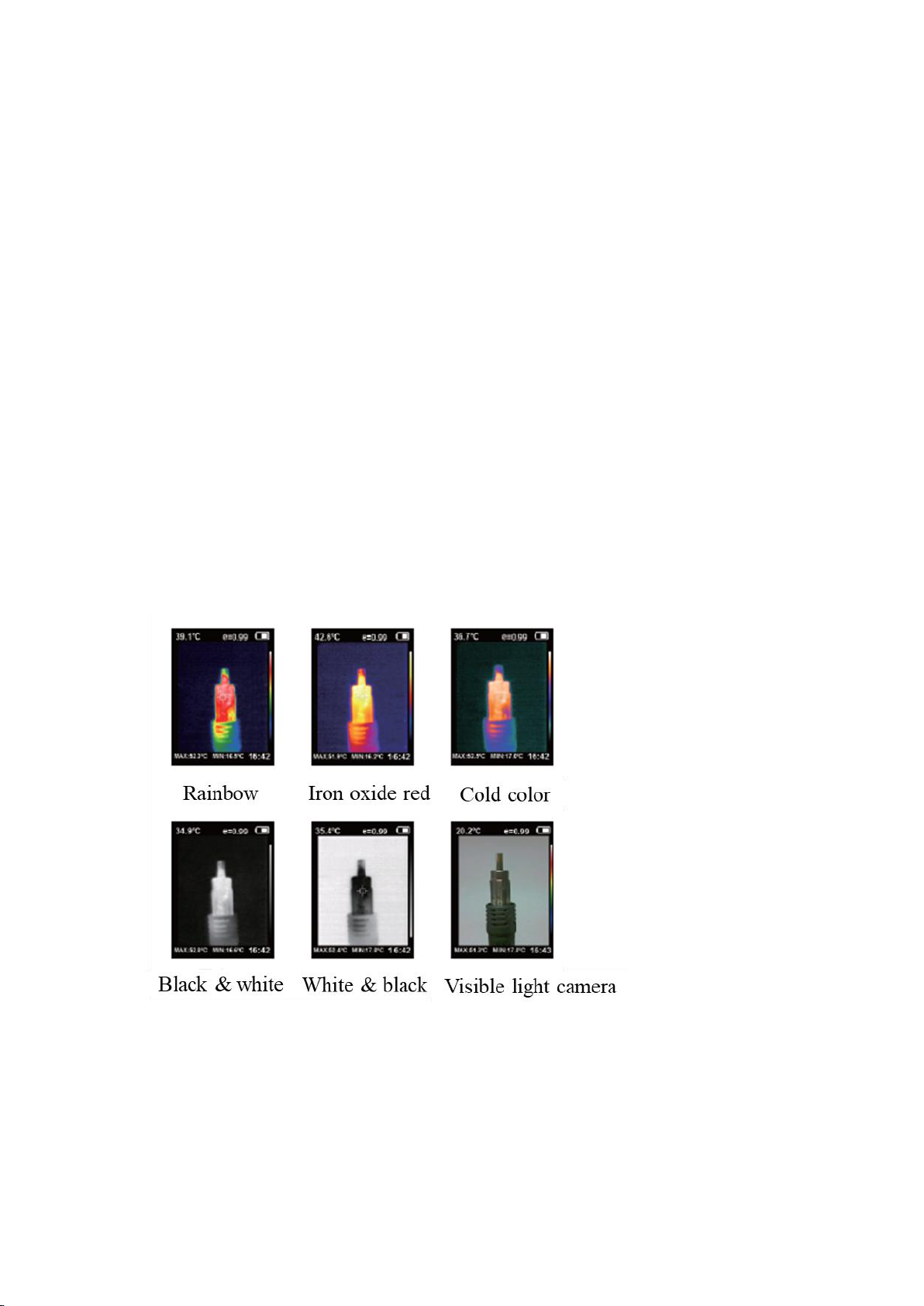
The menu of color palette can change the false color on the display screen or capture
infrared image. There five types of color palettes provided: rainbow, iron oxide red,
cold color, black white and white black.
Suitable selection of color palette displays the details of the target objective better:
1. Rainbow, iron oxide red and cold color
-Focus on display of color
-suitable for high heat contrast
-improving the color contrast between high and low temperature
2. Black & white and white & black color
-provide even linear color.
The following is the image of the same object with selection of different color
palettes:
Other manuals for IR0018
3
Table of contents
Other Perfect Prime Thermographic Camera manuals

Perfect Prime
Perfect Prime IR0001 User manual

Perfect Prime
Perfect Prime IR0004 User manual

Perfect Prime
Perfect Prime IR0004 User manual

Perfect Prime
Perfect Prime IR0175 User manual

Perfect Prime
Perfect Prime IR0004 User manual

Perfect Prime
Perfect Prime IR0002 User manual

Perfect Prime
Perfect Prime IR0001 User manual

Perfect Prime
Perfect Prime IR0175 User manual

Perfect Prime
Perfect Prime IR0018 User manual


