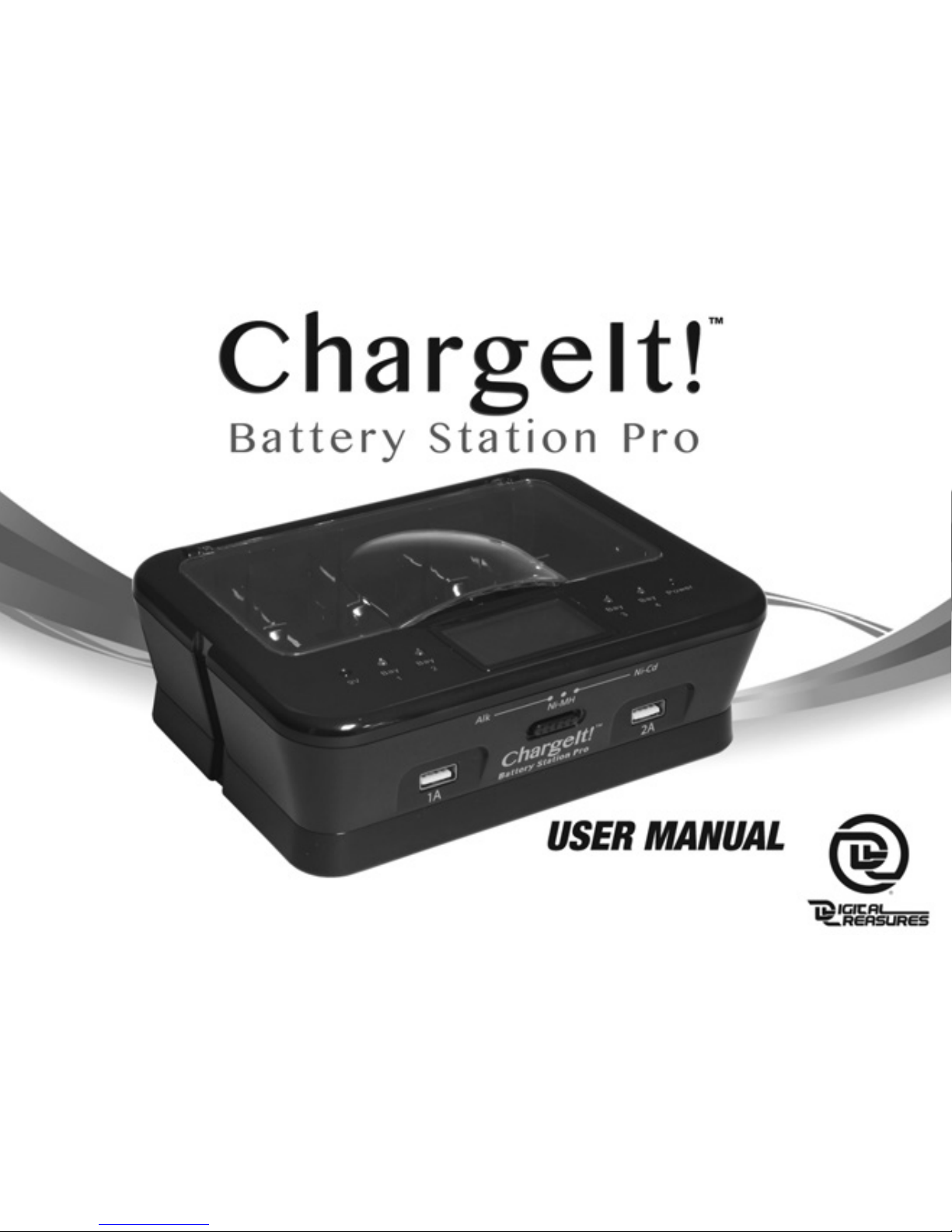
PC Treasures ChargeIt! User manual
Digital Treasures Part Number 08767, 08768, 08769, 08770, 08771, 08803
Power Supply Model Number NLD200120W1U

2

3
Congratulations on your purchase of the Charge t! Battery Station Pro, the
convenient, money-saving, and environmentally-responsible way to get the most
out of your batteries. The Charge t! Battery Station Pro’s innovative design and
microprocessor-monitored charging ability lets you add significant life to standard
alkaline batteries as well as recharging rechargeable alkaline, NiMH, and NiCd
batteries.
Features:
• Charges/recharges AA, AAA, C, D, and 9V standard and rechargeable alkaline, and
rechargeable NiMH and NiCd batteries.
• Microprocessor controlled charging for optimum performance.
• ndividual bay monitoring so you can charge from one to five batteries at a time.
• Features Negative Delta V cut-off function and short circuit protection for safety.
• Easy-to-use. ncludes LED and LCD displays for at-a-glance operation.
• ndividual Maximum Timer Control for overcharge protection.
• Two USB ports to charge your mobile devices.

4
Alkaline Batteries
The Charge t! Battery Station Pro charges and extends the life of alkaline batteries.
Please make sure that when charging alkaline batteries, you have the selector switch
on the front of the Charge t! Battery Station Pro to the “ALK” setting.
Because of the innovative microprocessor control utilized by the Charge t! Battery
Station Pro, you will be able to recharge most alkaline batteries up to ten times
with each charging cycle retaining 75-90% of the battery charge status from the
prior charging cycle, until the batteries are exhausted.
To ensure safe and optimum performance, please follow the operating instructions as
described in this user’s manual.
Important Safety Instructions:
• Never attempt to charge expire , amage , or corro e batteries.
• This unit is designed for indoor use only. Do not attempt to use outdoors.
• The Charge t! Battery Station Pro is designed for use with standard/rechargeable

5
alkaline batteries and rechargeable NiMH and NiCd batteries only.
• Do not use this unit with an extension cord.
• Always make sure the batteries are inserted into the bays correctly and that
the polarity is correct.
• Unplug the Charge t! Battery Station Pro when not in use or before cleaning.
• Use only in an ambient temperature of 0-104° Fahrenheit. Avoid excessive heat
and humidity.
• Never disassemble the Charge t! Battery Station Pro. t does not contain any serv-
iceable parts. f the unit fails to work, please contact us for service.
Alkaline an Rechargeable Battery Operating Instructions:
• Before charging please inspect your batteries for leakage, expiration ate,
type of battery, and corrosion.
• The Charge t! Battery Station Pro charges/recharges AA, AAA, C, D, and 9V
standard/rechargeable alkaline and rechargeable NiMH and NiCd batteries. Never
attempt to charge any other type of batteries with this unit.

6
• Never mix battery types when charging. Alkaline batteries should only be
recharged with alkaline batteries, NiMH with NiMH, and NiCd with NiCd.
• Use the AC adapter to plug the Charge t! Battery Station Pro into a standard
wall outlet. The LED Power ndicator Light will indicate the unit is on.
• Set the battery selector switch to the appropriate battery type, alkaline, NiMH, or
NiCd. (NOTE: Do not move the selector switch after the batteries have been placed
in the bay.)
• nsert the batteries negative side first that you wish to charge into the bays. Please
make sure that they are placed correctly with regards to the polarity.
• After approximately two seconds, the Charge t! Battery Station Pro will detect the
batteries and display the individual battery status.
• The Charge t! Battery Station Pro automatically begins to charge your batteries, as
indicated by both LED and LCD Status ndicators.

7
• When your battery is fully charged, the LCD Status ndicator will read “OK” and the
LED Status ndicator will turn green.
9V Charging:
• The 9V battery bay does not have a corresponding readout on the LCD Display.
The red 9V LED light indicates that the battery is being charged. When the
light goes out the battery is fully charged.
NOTE: To avoid battery memory loss, NiCd batteries must first be discharged. The
Charge t! Battery Station Pro knows this and automatically discharges your NiCd
batteries before charging to ensure ideal battery performance. Discharge is indicated
by “D S” appearing in the LCD Status ndicator. Once discharge has been completed,
the unit will begin to recharge your NiCd batteries.
USB Charging:
• Use the 1A USB port to charge smartphones and the 2A USB port to charge tablets
or phones.

8
LCD an LED Display

9
Approximate Charging Times

10
IMPORTANT:
• Do not let the unit get wet.
• t is normal for batteries to get warm during the recharging process, please handle recharged
batteries with care.
• Use only under adult supervision; keep this device out of the hands of children.
• Do not remove the cover or disassemble the Charge t! Battery Station Pro.
One (1) Year Limite Warranty
PC Treasures, nc. warrants this product to be free from defects in materials and workmanship. This
warranty covers the original purchaser only, and is not transferable to anyone who subsequently buys,
leases or otherwise obtains from you. Your One (1) Year Limited Warranty begins on the date of purchase.
Your original purchase invoice or sales receipt, showing date of purchase, is your proof of warranty
period. The duration of this warranty does not extend beyond the initial period of coverage should any
repairs or replacements be made or performed.
This warranty does not extend to any product not purchased from PC Treasures, nc., or an authorized
PC Treasures, nc. reseller. This warranty does not extend to product that has been damaged or rendered
defective as a result of use for which the product is not intended, is contrary to instructions provided in
the user manual, as a result of the use of parts not manufactured or sold by PC Treasures, nc., or due
to any misuse, abuse, negligence, modification, or improper packing when returning product to
PC Treasures, nc.
EXCEPT FOR THE WARRANTY SET FORTH HERE N, PC TREASURES, NC. D SCLA MS ALL OTHER
Table of contents