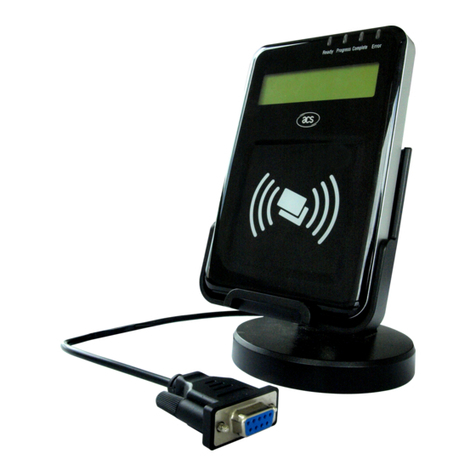
Parabit Systems MMR2 Manual

Parabit Systems Inc.
MMR2
Installation and Service Manual
Release: Version 1.3
Parabit Systems, Inc.
35 Debevoise Avenue
Roosevelt, NY 11575
October 2019

NOTICE
Copyright © 2019 by Parabit Systems, Inc.
All rights reserved. No part of the contents of this book may be reproduced or transmitted in any form
or by any means without the written permission of the publisher.

MMR2 Installation and Service Manual
i
Table of Contents
Preface
Intended Audience ............................................................................................................................................1
Trademark Acknowledgments ..........................................................................................................................1
FCC Compliance Statement (United States) ..................................................................................................1
How to Use this Guide.........................................................................................................................................2
Conventions Used in this Guide.........................................................................................................................2
Navigating this Manual as a PDF.......................................................................................................................3
Contact Us ...........................................................................................................................................................3
Chapter 1 MMR2 Card Reader Installation
MMR2 Card Reader Installation ........................................................................................................................5
Overview ........................................................................................................................................................5
MMR2 Install Diagrams..................................................................................................................................5
Electrical Installation ...........................................................................................................................................8
MMR2 Wiring ..................................................................................................................................................8
Wiring the Card Readers and Basic Input Devices .............................................................................8
ACS-1EUL Card Reader and Input Device Wiring .............................................................................10
Chapter 2 Post-Installation Checks and Testing
Post-Installation Checks....................................................................................................................................13
Default Settings............................................................................................................................................13
Preliminary Tools and Materials..................................................................................................................14
Preliminary MMR2 Hardware Check .........................................................................................................14
Visual Inspection of the MMR2 Card Reader...........................................................................................15
Post-Installation Testing .....................................................................................................................................15
Main Card Reader Tests .............................................................................................................................16
Additional Test Procedures for the MMR2 Card Reader ........................................................................17
Troubleshooting .................................................................................................................................................18

Table of Contents
ii
This page intentionally left blank.

MMR2 Installation and Service Manual Ver 1 1
Intended Audience
This manual is for technicians trained to install and service Parabit Systems, Inc. MMR2 card readers.
Trademark Acknowledgments
ACS-1EUL, ACS Enterprise, AFH Service, AVA, AXSView Service, MMR2, and SkimGard are registered
trademarks of Parabit Systems Inc. or its subsidiaries in the United States and/or other countries.
Parabit Systems, Inc. and Parabit are trademarks of Parabit Systems Inc. or its subsidiaries in the United
States and/or other countries.
All other trademarks and trade names are the property of their respective owners.
FCC Compliance Statement (United States)
This device complies with Part 15 of the Federal Communications Commission (FCC) Rules. Operation
is subject to the following two conditions:
This device may not cause harmful interference.
This device must accept any interference received, including interference that may cause undesired
operation.
CAUTION:
Changes or modifications to this unit not expressly approved by the party responsible for compliance
could void the user's authority to operate this equipment.
This equipment has been tested and found to comply with the limits for a Class B digital device, pursu-
ant to Part 15 of the FCC Rules. These limits are designed to provide reasonable protection against
harmful interference in a residential installation. This equipment generates, uses, and can radiate radio
frequency energy and, if not installed and used in accordance with the manufacturer's instructions,
may cause interference harmful to radio communications.
There is no guarantee, however, that interference will not occur in a particular installation. If this equip-
ment does cause harmful interference to radio or television reception, which can be determined by
turning the equipment off and on, the user is encouraged to try to correct the interference by one or
more of the following measures:
Reorient or relocate the receiving antenna.
Increase the separation between the equipment and receiver.
Connect the equipment to an outlet on a circuit different from that to which the receiver is con-
nected.
Consult the dealer or an experienced radio or TV technician for help
The FCC identifier for this device is FCC ID:2AUGM-MMR2.
This device contains FCC Certified RF module with FCC ID: 2AA9B05.
Co-location of this module with other transmitters that operate simultaneously has been evaluated
using the FCC multi-transmitter procedures.
.
Preface

Preface
2MMR2 Installation and Service Manual Ver 1
How to Use this Guide
This guide provides concise, step-by-step instructions for set-up, configuration, and operation of the
ACS-1E and ACS-1EUL systems.
Conventions Used in this Guide
This guide contains the following conventions:
Warnings, Cautions, and Notes are used to draw immediate attention to matters of importance. The
following is a definition of their meanings:
WARNING: INDICATES A POTENTIALLY HAZARDOUS SITUATION THAT, IF NOT AVOIDED, COULD RESULT IN
SERIOUS INJURY.
CAUTION: Indicates a hazardous situation that, if not avoided, could result in data loss or product
damage.
Note: Indicates additional information.
Convention Example
Screen names, dialog box names, tab names,
window names, field names, and menu names
appear in bold font.
Click the Customer box.
File names are italicized. AxsView.Transceiver.Installer.msi
Steps to be performed in order are numbered
and/or lettered.
1. Click Save and Close to save the information
before closing the dialog box, or click Can-
cel to close the dialog box without saving
the information.
2. From the Login screen, click Setup, and then
click Login.
Unordered steps are presented in bullets. • Microsoft Windows 7 or greater
• Microsoft Net 3.5 and .Net 3.51
Checkboxes
• To select (enable) a checkbox setting, click
in the checkbox. The checkbox has a check
mark.
• To clear (disable) a checkbox setting, click
on the check mark in the checkbox. The
checkbox is empty.
Series of menu options to click Click Options > User Management > Add New

Preface
MMR2 Installation and Service Manual Ver 1 3
Navigating this Manual as a PDF
This manual includes embedded hyperlinks for quick access to procedures and other sections when
viewing the manual as a PDF. Click on any section title or page reference to immediately display that
content. Here are some helpful keyboard shortcuts when using the Adobe Reader:
• To return to your previous location in the manual after following a hyperlink, press Alt+Left Arrow.
• To return to the hyperlink destination after returning to the previous location, press Alt+Right Arrow.
• To open a Search window, press Ctrl+Shift+F. Enter your search term in the text field and click
Search. Every instance of the search term that appears in the manual will display in the Search win-
dow. Click on any of the instances to jump directly to that section.
Contact Us
Parabit Systems, Inc.
35 Debevoise Avenue
Roosevelt, NY 11575
1 (888) 3-PARABIT

Preface
4MMR2 Installation and Service Manual Ver 1
This page intentionally left blank.

MMR2 Installation and Service Manual Ver 1 5
Chapter 1
MMR2 Card Reader Installation
Follow these instructions to begin installing your MMR2 card reader.
1.1 MMR2 Card Reader Installation ............................................................................................. 5
1.2 Electrical Installation ...............................................................................................................8
1.1 MMR2 Card Reader Installation
1.1.1 Overview
The MMR2 uses Near Field Communication (NFC) to read contactless EMV cards and mobile devices
as well as magnetic stripe cards.
1.1.2 MMR2 Install Diagrams
The drawings on the next 2 pages contain basic installation examples to assist with proper placement
of the MMR2 card reader.

MMR2 Card Reader Installation MMR2 Card Reader Installation
6MMR2 Installation and Service Manual Ver 1
Note: Although the diagrams reference SkimGard (IMSR) readers, these diagrams should be used for
MMR and MMR-BT installs, as well.
Table of contents
Other Parabit Systems Card Reader manuals