
OpenVox PFM100 User manual

User Manual
OpenVox Communication Co. Limited. URL: www.openvox.com.cn
3
Table of Contents
Chapter 1 Overview………………………………………………………………… 4
Chapter 2 Hardware Setting ……………………………………………………… 4
User Manual
OpenVox Communication Co. Limited. URL: www.openvox.com.cn
Chapter 1 Overview
1. What is PFM
PFM100 is a power supply converter, which can be used for NT mode
of B100M/B200M/B400M.
Users should follow the steps:
1) Use the red-black 38V cable to connect to PFM100 and DC input on the
B100MM/B200MM/B400MM.
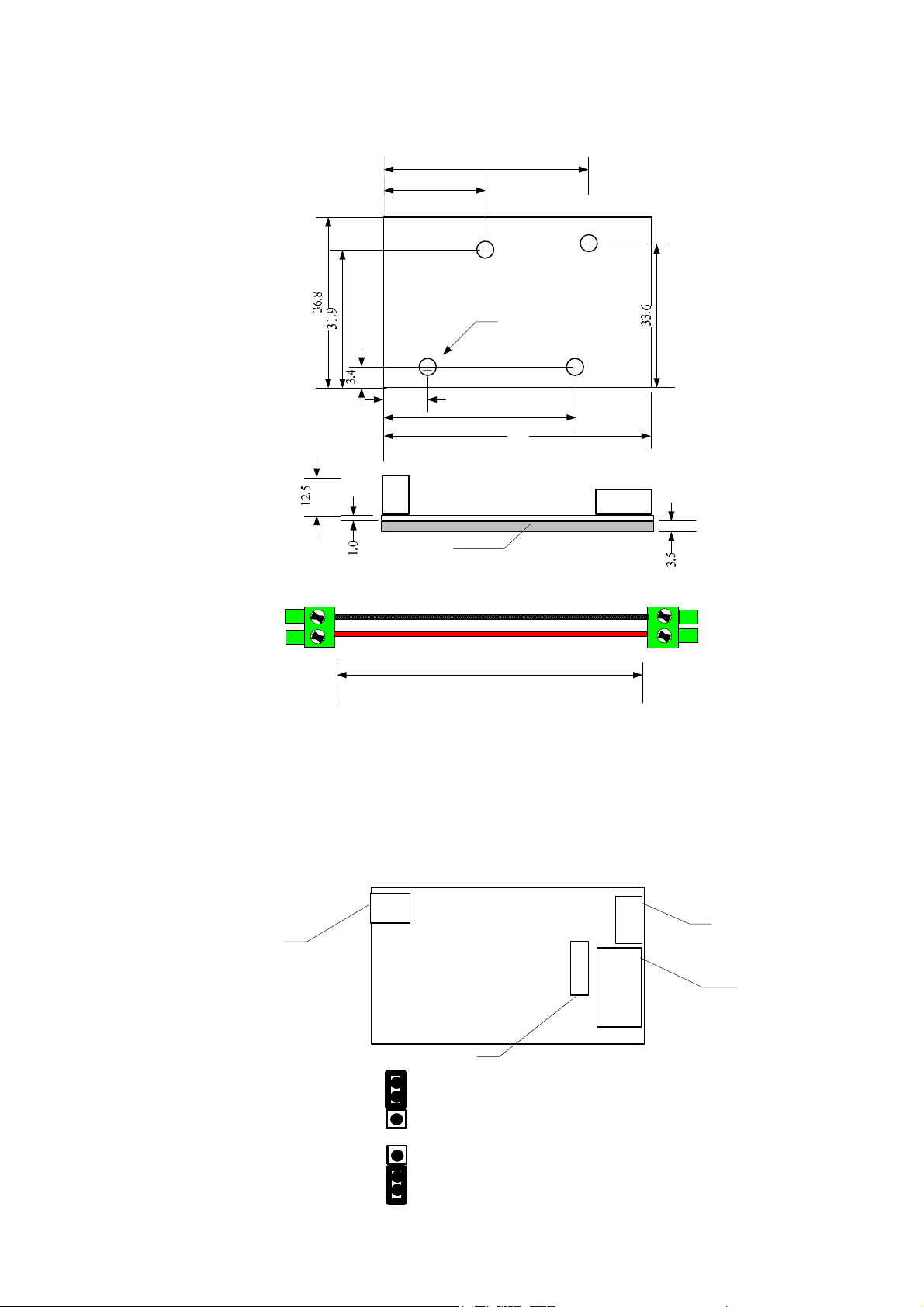
2) Adjust the JP2, default is 12V, if you want to use 5 V, please adjust to 5V position.
Check the details for input selection in jumper setting in chapter 2.
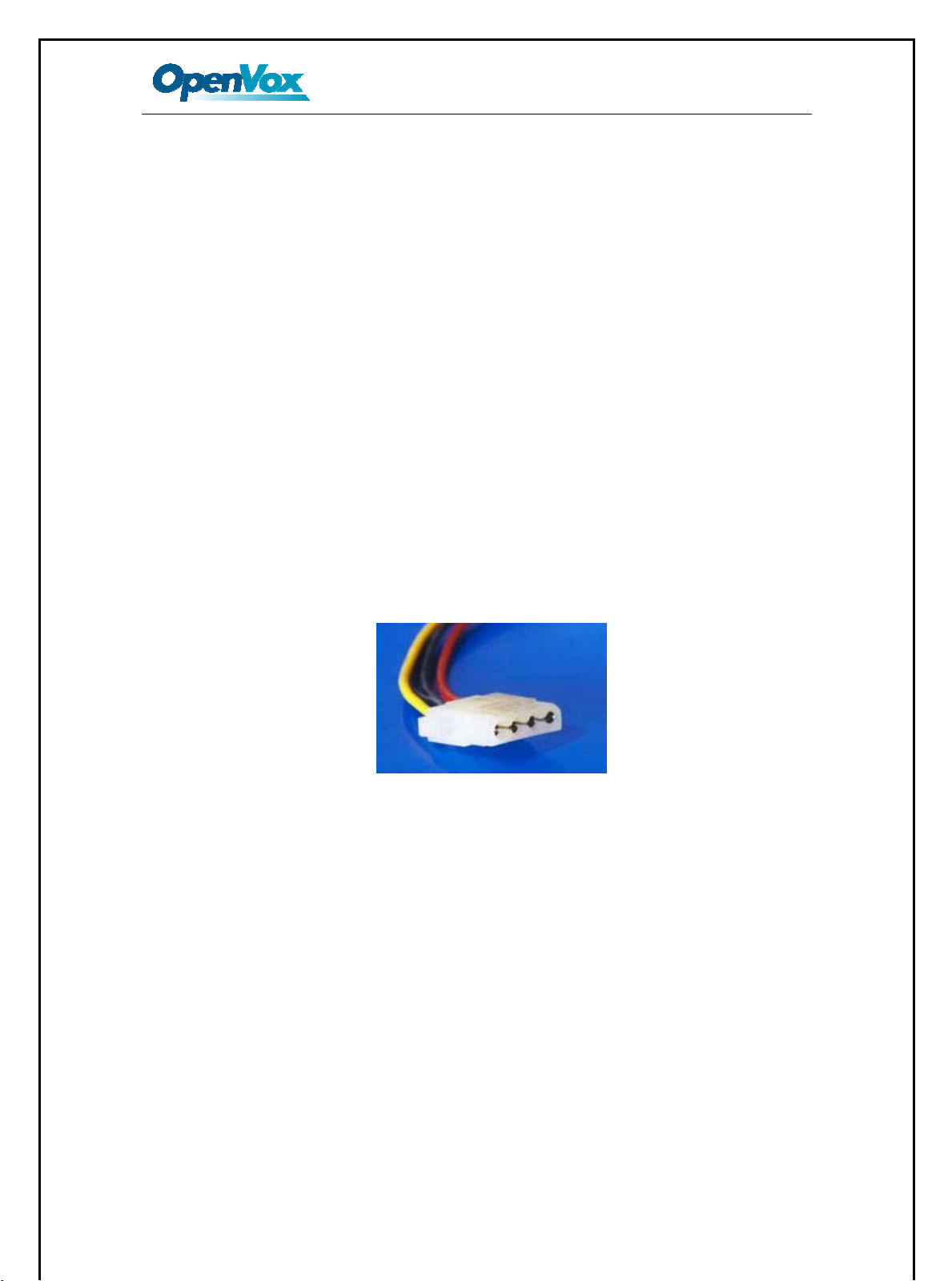
3) Plug in the Molex power supply into the 12V input. Usually, the PC power supply
will provide the 12 V cable. It looks like this:
Chapter 2 Hardware Setting
4
Ø3.2
53.6
10.9 38.1
22.2
41.7
PFM100 DIMENSIONS
AlL Measures In millimeters
Soldered Pins
Top View
PFM100 Jumper Setting
12V Input of
Power Feeding
5V Input of Power
Feeding
38V Output of
Power Feeding
Input Selection
5V Input selection
12V Input
selection(Default)
295
Cable of 38V Output
To PFM100
To BX00M Board
Table of contents


