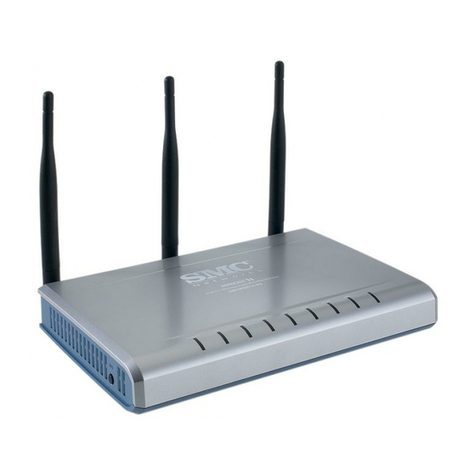
Open 531R User manual


I
Preface
This manual is written for software version 2.5x. It is designed to provide
information to network administrators. It covers the installation, operation and
applications of the OPEN 531R SHDSL router.
Version History
The software for this device is upgraded from version 2.4x to 2.5x.
Manual Organization
This manual is organized into three parts; Part I: includes a product overview and
guide for initial configuration. For most users this section will provide sufficient
information to setup and operate your router. Part II: covers advanced configuration.
Part III: includes maintenance, applications of the router, and troubleshooting. The
manual is arranged as follows:
Part I: Getting Started
nChapter 1: Product features and applications
nChapter 2: Hardware installation
nChapter 3-5: Initial configuration
Part II: Advanced Configuration
nChapter 6-11: Operation and configuration via a console or Telnet
Part III: Maintenance and Applications
nChapter 12: Maintenance via console or Telnet
nChapter 13: Applications
nChapter 14: Troubleshooting
Appendices:
nAppendix A: Index of console/ Telnet
nAppendix B: Specifications
nAppendix C: Pin assignments

II
Copyright
Copyright© 2002 OPEN Networks Limited. All rights reserved. The content of this
manual is subject to change without notice. The information and messages
contained herein are proprietary to OPEN Networks Limited. No part of this manual
may be translated, transcribed, reproduced, in any form, or by any means without
prior written permission by OPEN Networks Limited.
Warning
Before servicing or disassembling this equipment, always disconnect all power and
telephone lines from the wall outlet.
Use an appropriate power supply and a UL Listed telephone line cord. Specification
of the power supply is clearly stated in Appendix B -Specification.

III
T
TA
AB
BL
LE
E
O
OF
F
C
CO
ON
NT
TE
EN
NT
TS
S
Part I: Getting Started...................................................... 1
Chapter 1 Introduction........................................................................ 2
1.1 Overview .......................................................................................2
1.2 Features........................................................................................3
1.3 Application .....................................................................................4
1.4 Front Panel LED Indicators ................................................................5
Chapter 2 Installation ......................................................................... 6
2.1 Rear Panel Connectors......................................................................6
2.2 Preparing for Installation ..................................................................6
2.3 Installation Procedures .....................................................................7
Chapter 3 Accessing the Router ........................................................... 8
3.1 Access by Console ...........................................................................8
3.2 Access by Telnet............................................................................10
3.3 Keyboard Operations ......................................................................11
3.4 Menu Layout.................................................................................12
3.5 Configuration Steps in Console/Telnet ...............................................13
3.5.1 Write System Configurations.........................................................15
3.5.2 Reboot System...........................................................................16
Chapter 4 Initial Configuration ...........................................................17
4.1 Initial Setup .................................................................................17
4.2 Quick Configuration .......................................................................18
4.2.1 LAN Interface.............................................................................18
4.2.2 ATM Interface ............................................................................19
4.2.3 ATM Virtual Channel (VC) Parameters .............................................21
4.2.4 ISP Configuration........................................................................23
4.3 SHDSL Characteristics Parameters ....................................................24

IV
Part II: Advanced Configuration........................................25
Chapter 5 Bridging .............................................................................26
5.1 Overview .....................................................................................26
5.2 Add Static MAC Entry .....................................................................26
5.3 Delete Static MAC Address ..............................................................27
5.4 Spanning Tree Protocol...................................................................27
5.5 Forwarding Table ...........................................................................28
5.6 Configuring transparent bridging......................................................28
Chapter 6 IP Routing..........................................................................29
6.1 RIP Configuration ..........................................................................29
6.2 Advanced RIP Configuration ............................................................29
6.3 Static Route Configuration...............................................................31
6.3.1 Add a static route.......................................................................31
6.3.2 Delete a Static Route...................................................................31
6.3.3 Routing Table/ List Static Routes ...................................................32
6.4 Ping Test Utility .............................................................................32
Chapter 7 Network Address Translation ..............................................33
7.1 Overview .....................................................................................33
7.2 Network Address Translation............................................................34
7.3 Port Address Translation .................................................................36
7.3.1 Bi-directional NAT (Two-Way NAT) .................................................38
7.3.2 Configuration of bi-directional NAT .................................................38
7.4 Configuration of NAT/PAT ................................................................39
7.4.1 Set Routing Mode .......................................................................40
7.4.2 Configure the LAN Interface..........................................................40
7.4.3 Configure the ATM interface..........................................................40
7.4.4 Assign Private IP address Pools .....................................................41
7.4.5 Assign Global IP Address Pools......................................................42
7.4.6 Pool Mapping .............................................................................42
7.4.7 Fixed IP Address Mapping ............................................................43
7.4.8 Configure Virtual Servers .............................................................44
7.4.9 Configure Static Routes ...............................................................46
7.5 Applications..................................................................................47
7.5.1 Static One-to-One NAT ................................................................48
7.5.2 Dynamic One-to-One NAT ............................................................53
7.5.3 Dynamic Many-to-One PAT ...........................................................57
7.5.4 Dynamic Many-to-Many PAT .........................................................60
7.5.5 Virtual Server Mapping ................................................................64
Chapter 8 DNS Proxy..........................................................................65
8.1 Overview .....................................................................................65
8.2 Configure DNS Proxy......................................................................65
Chapter 9 DHCP .................................................................................66
9.1 Overview .....................................................................................66
9.2 Configure DHCP ............................................................................66

V
Chapter 10 SNMP .................................................................................67
10.1 Community ..................................................................................67
10.2 Trap Destinations...........................................................................67
10.3 Add Trap Destination Entry ..............................................................67
10.3.1 Delete Trap Destination Entry .......................................................68
10.3.2 List Trap Destination Entries .........................................................68
Part III: Maintenance and Applications.............................69
Chapter 11 Maintenance.......................................................................70
11.1 Load Factory Default Values ............................................................70
11.2 Software Upgrade..........................................................................71
11.3 Configuration Backup and Restoration...............................................72
11.3.1 Configuration Backup ..................................................................72
11.3.2 Configuration Restoration.............................................................73
11.4 Performance Monitoring..................................................................74
11.4.1 SHDSL Status Monitor.................................................................74
11.4.2 ATM Interface Monitor.................................................................74
11.4.3 SHDSL Performance Statistics.......................................................75
11.4.4 Interface Performance Monitor......................................................75
11.5 Utilities........................................................................................76
11.5.1 TFTP Application.........................................................................76
11.5.2 Ping Test...................................................................................77
11.5.3 Routing Table Utility ....................................................................77
11.5.4 Forwarding Table Utility................................................................77
11.5.5 SHDSL Diagnostics......................................................................77
11.5.6 EOC Diagnostics.........................................................................78
11.5.7 Virtual Terminal..........................................................................78
Chapter 12 Applications .......................................................................79
12.1 Example 1: Point to DSLAM Application .............................................79
12.2 Example 2: Point to Point Application ................................................81
12.3 Example 3: Bridge Mode with PPPoE Configuration ..............................83
12.4 Example 4: Router Mode with PPPoE Configuration ..............................85
12.5 Example 5: Router Mode with IPoA Configuration ................................88
12.6 Example 6: NAT and DHCP Configuration ...........................................91
Chapter 13 Troubleshooting .................................................................97
Appendix A –Menu Index of Console/Telnet ..........................................98
Appendix B -Specifications .................................................................106
Appendix C -Pin Assignments..............................................................108
GLOSSARY ...............................................................................109

1
Part I: Getting Started
This section will provide an overview of the OPEN 531R, including its
features, and applications. Then, it will provide information for
hardware installation, access to the router, and initial configuration of
the router. For most users this section will provide sufficient
information to setup and operate your router.
nChapter 1: Product features and applications
nChapter 2: Hardware installation
nChapter 3: Accessing the Router
nChapter 4: Initial configuration (Console/Telnet)
nChapter 5: Web Configuration

2
Chapter 1 Introduction
1.1 Overview
The OPEN 531R SHDSL router satisfies the needs of multiple users for small office /
home office and remote office / branch office applications. It provides a symmetrical
transmission speed up to 2.3 Mbps through SHDSL connection over one ordinary
telephone line. In addition, it supports up to 16 virtual concurrent connections to
multiple destinations.
The OPEN 531R SHDSL router can be used for variety of applications, including
video conferencing, remote training, e-commerce, and other multimedia
applications. Easy configuration and monitoring can be accomplished by using the
Web browser.
The OPEN 531R SHDSL router has full routing capabilities to segment/route IP
protocols and is capable of bridging other protocols. It can be also configured in
either server or client mode providing a point-to-point connectivity between two
sites.

3
1.2 Features
The router has the following features.
nCompact and high-performance standalone unit
nBridge function
nComply with ITU-T G.991.2 (G.shdsl)
nAuto-negotiation rate adaptation
nAAL5 for ATM over SHDSL
nUBR/CBR/VBR ATM services
nVC-based and LLC multiplexing
nUp to 16 VCs
nOne Ethernet port for LAN connection
nOne console port for local management
nEmbedded SNMP agent
nConfiguration backup and restoration
nOAM F4/F5 support
nStatic route/RIP/RIP v2 routing function
nDynamic IP assignment and Network Address Translation

4
1.3 Application
The OPEN 531R can be applied for DSLAM and point-to-point applications.
531R
531R
Figure 1-1DSLAM Application
531R
531R
Figure 1-2Point-to-point Application
Table of contents
Other Open Wireless Router manuals