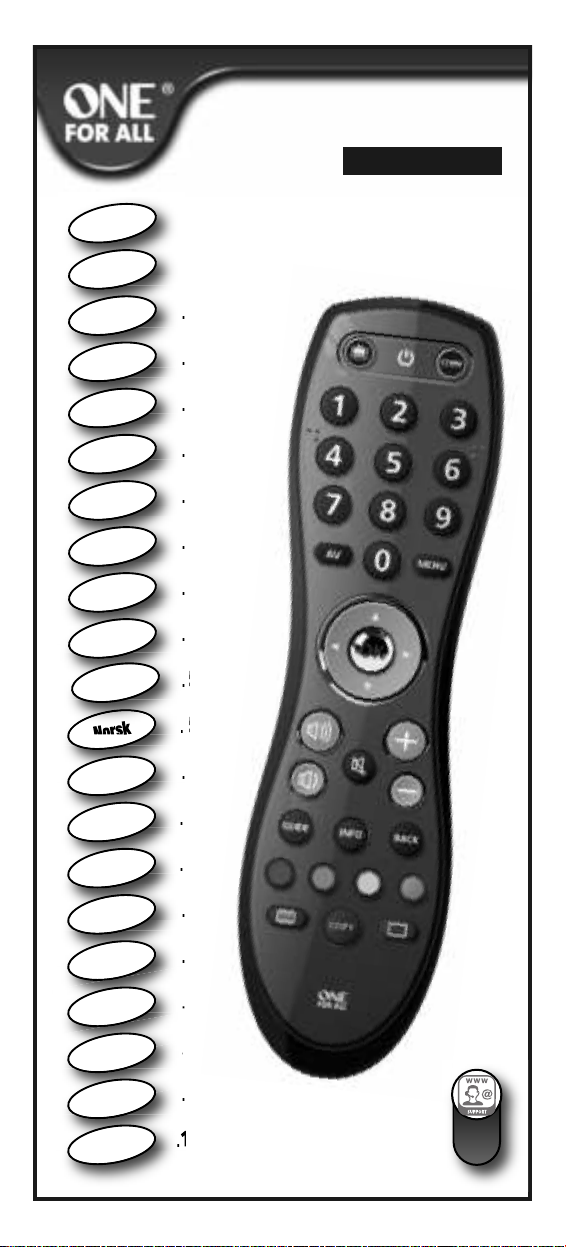
ONE URC-6420 Administrator guide

Instruction
Manual
&
Code
List
URC-6420
English
Deutsch
Français
Es añol
Portugu
ê
s
Italiano
Nederlands
Polski
Česky
Magyar
Dansk
Norsk
Svenska
Suomi
Ελληνική
Русский
Türkçe

109
p ge
Seite
p ge
.4
.9
. 14
. 19
. 24
. 29
. 34
. 39
. 44
. 49
. 54
.59
. 64
. 69
. 74
. 79
. 84
. 89
. 94
. 99
.104
English
Deutsch
Français
Español
Italiano
Português
Nederlands
Magyar
Polski
Česky
Norsk
Svensk
Suomi
EÏÏËÓÈο
Русский
Türkçe
Български
Română
Slovenský
Hrvatski
Dansk
URC-6420

2 WWW.ONEFORALL.COM
Norsk
Svensk
Suomi
EÏÏËÓÈο
Русский
Türkçe
Български
Română
Slovenský
Hrvatski
English
Deutsch
Français
Español
Italiano
Português
Nederlands
Magyar
Polski
Česky
Dansk

Great Britain / Ireland
Italia
España
France
I
E
F
Deutschland
D
INT
GB
ALL OT ER COUNTRIES
Outside Great Britain / Ireland
Auserhal Deutschland
En dehors de France
Fuera de España
Fuori d’Italia
Velg regionen din INT
Välj din region INT
Mikä on alueesi INT
Επιλέξτε περιοχή INT
Выбрать ваш регион INT
Bölgenizi seçtiniz mi INT
Изберете вашия регион INT
Selectaţi regiunea dvs INT
Vyberte región INT
Odaberite svoju regiju INT
Select your region
Wählen Sie Ihre Region
Sélectionnez votre région
Seleccione su región
Selezionare il paese
Seleccione a sua região INT
Selecteer uw regio INT
Válassza ki régióját INT
Wybierz swój region INT
Vybrat vaši oblast INT
Vælg region INT
1
GB
D
F
E
I

WWW.ONEFORALL.COM 3
AAA
AAA
Is your device brand listed? (see page 4).
Ist Ihre Gerätemarke aufgelistet? (siehe Seite 9).
La marque de votre appareil figure-t-elle dans la liste? (voir page 14).
¿Aparece la marca de su dispositivo en la lista? (consulte la página 19).
La marca del dispositivo è presente nell'elenco? (vedere pagina 24).
A marca do seu dispositivo é apresentada na lista? (consulte a página 29).
Wordt uw merk apparaat vermeld? (Zie pagina 34).
Készülékének márkaneve szerepel a listán? (lásd: 39. oldal).
czy Twoje urządzenie znajduje się na liście marek? (patrz str. 44).
Nachází se značka vašeho zařízení v seznamu?(viz strana 49).
er din enheds mærke angivet? (se side 54).
Er enheten din på listen? (se side 59).
Finns din enhet med i listan? (se sidan 64).
Onko laitteesi luettelossa? (katso sivu 69).
Είναι η άρκα τη συσκευή σα καταχωρηένη; (βλ. σελίδα 74).
марка вашего устройства есть в списке? (см. стр. 79).
Cihazınızın markası listede yer alıyor mu? (bkz. sayfa 84).
Включено ли е вашето устройство в списъка на марките? (виж стр. 89).
Marca dispozitivului dvs. se regăseşte în listă? (consultaţi pagina 94).
nachádza sa značka vášho zariadenia v zozname? (pozrite si stranu 99).
Je li marka vašeg uređaja navedena? (pogledajte stranicu 104).
2
3
Norsk
Svensk
Suomi
EÏÏËÓÈο
Русский
Türkçe
Български
Română
Slovenský
Hrvatski
English
Deutsch
Français
Español
Italiano
Português
Nederlands
Magyar
Polski
Česky
Dansk

WWW.ONEFORALL.COM 4
English
YES : Remember the IGIT assigned to your brand
(e.g. Humax = 4) and follow ONE FOR ALL
SimpleSet (page 5).
NO : perform the Auto search (page 6).
All other Countries
1) Select your region (see picture on page 2).
If you live in the UK or Ireland, you should have your switch set to the “( GB )”
position, and your digit keys will be configured as below.
If you live elsewhere (Outside Great Britain / Ireland, Germany, France, pain and
Italy), for example Australia, you should have your switch set to “INT”.
2) Insert batteries to activate your selected region.
3) Is your device brand listed?
Canal Digital
Foxtel
umax
Meo/ZON
Multichoice
SKY
Topfield
UPC/Cablecom
Viasat
Ziggo
Great Britain / Ireland
Digital TV ReceiverDigital TV Receiver
Amstrad
BT Vision
Bush/Goodmans
umax
Pace
Philips
Samsung
Sky
Thomson
Virgin Media
Grundig
JVC
LG
Panasonic
Philips
Samsung
Sharp
Sony
Thomson
Toshiba
Bush
Goodmans
itachi
LG
Panasonic
Philips
Samsung
Sharp
Sony
Toshiba
M in TV ControlM in TV Control
GB
atellite, Cable, et-Top-Box, Freeview and all ky
INT

WWW.ONEFORALL.COM 5
ONE FOR ALL SimpleSet
Allows you to set up most popular device brands
within a few minutes. Simply find the IGIT KEY
assigned to your brand (page 4) and follow
steps A-B.
OFF
Hum x Hum x
Press and hold the
“DIGIT KEY assigned to your brand”
e.g. umax = (see page 4)
until your device switches OFF!
(This may take up to 40 seconds)
READY !
A
B
Press and hold
green & yellow
3 seconds!
pointing at
your device!
switched ON
LED will
blink twice!
Release the “DIGIT key”
as soon as your device
switches OFF.
Digital TV Receiver
atellite, Cable,
et-Top-Box,
Freeview
and all ky
Your particular device does NOT switch OFF?
Follow the Auto search procedure on page 6.
Your particular device does NOT switch back ON?
Switch your device back ON manually (or using the original remote) and repeat
SimpleSet making sure to release the “ IGIT KEY assigned to your brand” as soon as
your device switches OFF.
Your ONE FOR ALL is not working properly?
There may be a better configuration for your device brand. Please repeat SimpleSet.
If still not successful please follow the Auto search procedure.
Make sure your device is switched ON (not on standby).

Your device switched OFF but it does not switch back ON?
You may have pressed the OK key (to save your settings) too late.
1) Switch your device back ON manually (or using the original remote).
2) Press and hold “green & yellow” for 3 seconds. LE will
blink twice (Main TV Control = press and hold red & blue for
3 sec.).
3) Point the ONE FOR ALL at your device and press C -
(repeatedly) until your device switches OFF.
4) Press and release OK as soon as your device switches OFF.
If this is not successful you may want to repeat Auto earch and make sure to press OK as
soon as your device switches OFF to save your settings!
Your ONE FO ALL is not working properly?
There may be a better configuration for your device brand. Please repeat the Auto earch
procedure!
Auto Search not successful?
Perform the COPY feature.
6 WWW.ONEFORALL.COM
Press and hold
green & yellow 3 seconds!
Press and release OK !
NOW,
the remote will send a different
POWE signal
(AUTOMATICALLY EVE Y 3 SECONDS)
going through all the brands
stored in the memory!
Press and release OK
as soon as your
device switches OFF
(within 3 seconds)!
READY !
OFF
pointing at
your device!
switched ON
LED will
blink twice!
LED will
blink twice!
Make sure your device is switched ON
(not on standby).
Auto search
Is the way to set up all brands
not covered by SimpleSet
Digital TV Receiver
atellite, Cable,
et-Top-Box,
Freeview
and all ky
A
B
C

Al gn both remotes also n he ght
Place both remote controls on a flat surface. Make sure that the ends you
normally point at your device are facing each other.
2 - 5 cm
WWW.ONEFORALL.COM 7
Learning (COPY)
The Learning feature allows you to Learn (Copy) one or more functions from
your (working) original TV and/or Digital TV Receiver remote control onto your
ONE FOR ALL remote.
Example: How to learn (copy) the “I/II (mono/stereo)“ function from your original
remote onto the “red key” on your ONE FOR ALL remote control.
If your TV brand is listed for your region (see page 4) please follow
the same steps (A - B from SimpleSet on page 5), except;
• during step A press and hold red & blue for 3 seconds.
• uring step B press and hold the “ IGIT KEY assigned
to your TV brand” (e.g. 1 for Bush)
If your TV brand is NOT listed for your region (see page 4)
please follow the same steps (A - C from Auto search on page 6), except;
• during step A press and hold red & blue for 3 seconds.
Main TV Control
For your convenience it is also possible
to program your ONE FOR ALL remote
to control the Volume, Power and
Input of your TV.
A
TV POWER
TV VOL+/- and MUTE
TV INPUT/AV

2 - 5 cm
• If you want to copy other functions, simply repeat step C for each key you
want to copy.
• If you get a long blink, please repeat step C.
• You can COPY onto every key except the COPY key.
Both LED’s
will flash
rapidly!
then;
Press & briefly
hold the “I/II
(mono/streo)” key.
Both LED’s will light
up twice to confirm
successful COPYING.
8 WWW.ONEFORALL.COM
Delete a COPIED function:
1) Press and hold COPY for 3 seconds until both LE ’s blink twice.
2) Press the corresponding key (e.g. red key) you wish to delete for 3 seconds
until both LE ’s blink twice.
3) Press and hold COPY for 3 seconds. Both LE ’s will blink twice.
Press and hold COPY 3 seconds
to exit the COPY feature !
READY !
C
First;
Press
the ”red” key.
D
Both LED’s
will blink twice!
B
Press and hold
COPY
3 seconds!
Both LED’s
will blink twice!

WWW.ONEFORALL.COM
Deutsch
JA: Merken Sie sich die Ihrer Marke zugewiesene
ZIFFER (z. B. Kathrein = 4), und befolgen Sie ONE
FOR ALL SimpleSet (Seite 10).
NEIN: Führen Sie Auto Search (Auto-Suche) durch
(Seite 11).
1) Wählen Sie Ihre Region (siehe Bild auf Seite 2).
Wenn Sie in eutschland leben, sollten Sie den Schalter auf die
Position “( D )” stellen, sodass die Zifferntasten wie folgt konfiguriert werden.
Wenn ie woanders leben (außerhalb von Großbritannien, Irland, Deutschland,
Frankreich, panien und Italien), zum Beispiel in der chweiz oder Österreich,
sollten ie den chalter auf die Position “INT” stellen.
2) Legen Sie Batterien ein, um Ihre ausgewählte Region zu
aktivieren.
3) Ist Ihre Gerätemarke aufgelistet?
Alle anderen Länder
Canal Digital
Foxtel
umax
Meo/ZON
Multichoice
SKY
Topfield
UPC/Cablecom
Viasat
Ziggo
Deutschland
Digital TV EmpfängerDigital TV Empfänger
Comag
umax
Kabel Deutschland
Kathrein
Philips
SKY Deutschland
Skymaster
Smart
TechniSat
T- ome
Grundig
JVC
LG
Panasonic
Philips
Samsung
Sharp
Sony
Thomson
Toshiba
Grundig
LG
Loewe
Panasonic
Philips
Samsung
SEG
Sharp
Sony
Toshiba
TV GrundfunktionenTV Grundfunktionen
D
atellit, Kabel, et-Top-Box, DVB-T und Pay-TV
INT
Table of contents
Languages:
Other ONE Remote Control manuals