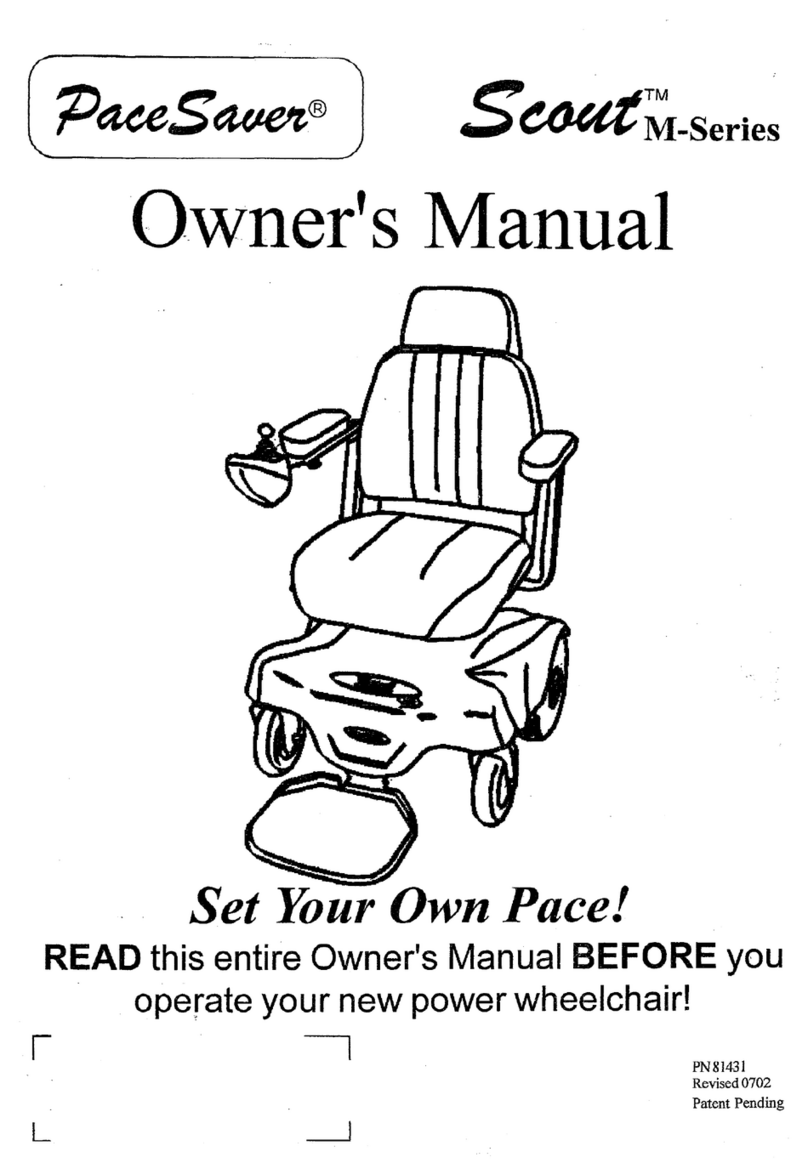
Observer OB-EW-001 User manual

USER MANUAL
Unlimited Electric Wheelchair
OB-EW-001
www.observer-mobilityproduct.com 1

C O N T E N T S
1. INTRODUCTION…………………………………………………..….. 3
2. OPERATION…………………………………………………….…….. 4~6
3. PG Controller Operation……………………………….….………..... 7~19
4. ASSEMBLY……………………………………………………...…….. 20~23
5. BATTERIES AND CHARGING…………………………………….… 24~27
6. CARE AND MAINTENANCE………………………………………… 28~33
7. WARRANTY…………………………………………………………… 34~36
8. APPENDIXI-SPECIFICATIONS……………………………………... 37
www.observer-mobilityproduct.com 2

INTRODUCTION
Safety
Welcome to Observer. The electric wheelchair you have purchased combines
the high technology of optics electrics and machine. Our patented aclinic
equipment will adjust your body centre of gravity to keep the level as same as
the terrain. Our electric wheelchair also can climb the angle up to 36 degree. It
offers you 100% safety when you drive on any terrain. It’s safe, comfort, and
styling in mind. We are confident that our electric wheelchair will offer you the
most convenience in House, public location, open space ect.
Read and follow all instructions, and notes in this manual before attempting to
operate your power wheelchair for the initial driving. Failure to follow the
instructions in this manual and those located on your power wheelchair can
lead to personal injury or damage to the power chair including voiding the
warranty.
Purchaser’s Agreement
By accepting delivery of this product, you promise that you will not change,
alter, or modify this product or remove of render inoperable or unsafe any
guards, or other safety features of this product; fail, refuse, or neglect to install
any retrofit kits from time to time provided by Observer to enhance or preserve
the safe use of this product.
Feedback
We want to hear your questions, comments, and suggestions about our
product. We would also like to hear about the safety and reliability of your new
buying of our power wheelchair,
The service you received from your authorized agent. You can send us
E-mail or refer to our website FAQ section. Welcome your feedbacks. Hope to
communicate with you often.
www.observer-mobilityproduct.com 3

OPERATION
The basic demand to user:
1. The user must be having physique, intellect and ability of strain that can
operate the electric wheelchair safely. The person who ill with vision or mental
retardation, please consult the doctor or cure doctor at first.
2. The user should keep the torso balance, and can bear jolt the cave and
convex roadway, the torso muscle intensity scarcity hour, should consider
carrying the safety belt, or using the suitable body to accept to give the system,
for example, the back packing sheet, body packing sheet etc.
3. The person who have the pain of neck or neck stiff, The user can’t see the
back situation when the wheel chair go back, can add rear view mirror.
4. The user must hold enough knowledge of the technology of the electric
wheelchair, and have confidence to driving, and crossing, and overcome the
rugged roadway by oneself, and then can use the electric wheelchair to activity
in outdoor by oneself.
Operation Remark:
1. To read and follow all instructions and notes in this manual before
attempting to opearte your power wheelchair for the first time.
2. This power wheelchair is the monopoly product, please do not rebuild for
other usages.
3. Before formal using, please practice at open space to be familiar with all of
functions.
4. In case of danger, while driving the power wheelchair, do not use mobile
phone, laptop or other radio tramsmitter etc.
5. If meet following conditions while driving, please keep away from or
accompany with a nurse. Such as: the heavy traffic, muddy road, serious
uneven road or rubble land, narrow lane, snowy roads, freezing surface,
ditch withour protective guard, and at a bad weather (raining, sonowing,
thick fog, strong wind etc.)
6. While go on or go down stairs or slope, please operatate at slow speed for
driving carefully.
7. While turning left & right, 360°revolving or turning at any angle, must be
operatated at slow speed in order to protect the motors for lift extension,
reduce the noisy, and prevent damage of components.
8. The controller of electric wheelchair is the key part of the whole body.
www.observer-mobilityproduct.com 4

Please do not try to open it for repairing or do other things for changing it,
which can damage the controller and make the maintain ineffective. The
controller surface should be cleaned by dry soft cloth. To use the controller
under the condition of over-heating, over-loading and extremely wet should
be forbidden absolutely.
9. Do not try to open, repair or change the motor, which can damage it and
make the maintain ineffective. Water inflow should be forbidden absolutely,
while the power wheelchair crossing 100 mm, the motor can be soaked; it
will cause the permanent damage of motor.
How to operate the gradienter switch˛Just following the instruction as
belows (based on the controller equip at the right side):
www.observer-mobilityproduct.com 5

How to adjust the width and height of the armrest that you need˛Just
following the easy instruction as belows:
www.observer-mobilityproduct.com 6

PG Controller Operation
The joystick controls may be customised and may be one of a number of
different models depending upon users requirements. This manual
contains information on the standard joystick control.
1. Joystick power
If the power wheelchair begins to move in an unexpected manner, immediately
release the joystick and turn the wheelchair off. Unless the joystick is damaged,
this should stop your power chair.
If the joystick is not in the neutral(centre) position when you turn on the power,
you may cause a fault int the system. Releasing the joystick and turning the
power off and on again will reset the system.
WARNING ! Always turn the power off when you are stationary to
prevent unexpected movement.
2. Rain and Water
The joystick hand control unit IS NOT WATERPROOF. The joystick module is
splash proof but may be permanently damaged if water transgresses the
rubber seals (thhis damage is not covered under warranty).
We recommend carrying a plastic bag large enough to cover the joystick
module and the user’s hand, in case of rain.
3. Controller program
The controller program affects speed, acceleration, deceleration, and braking.
The drive mode settings are preset at the factory.
WARNING ! Do not attempt to reprogram your chair. Only the power
chair manufacturer, an authorised representative of the manufacturer, or
a trained service technician should program the controller.
www.observer-mobilityproduct.com 7

4. Operating Conditions
Your control system uses industrial-grade components throughout, ensuring
reliable operation in a wide range of conditions. However, you will improve the
reliability of the control system if you keep exposure to extreme conditions to a
minimum.
Do not expose your control system or its components to damp for prolonged
periods. If the control system becomes contaminated with food or drink clean it
off as soon as possible.
5. Cleaning
Clean the control system and the joystick with a cloth dampened with diluted
detergent. Be careful when cleaning the joystick and screen. Never use
abrasive or spirit-based cleaners.
6. Controls
The R-net control system has two versions of Joystick Module – with and
without lighting control. Most of the controls are common to both however, the
lighting buttons are only included on the Joystick Module with lighting control.
Each of the controls is explained within this section.
www.observer-mobilityproduct.com 8

6.1 Joystick
The primary function of the joystick is to control the speed and direction of the
wheelchair. The further you push the joystick from the center position the faster
the wheelchair wil move. When you release the joystick the brakes are
automatical y applied.
If the wheelchair is fitted with actuators, the joystick can also be used to move
and select actuators, refer to section 5.5 for moredetails.
6.2Buttons
www.observer-mobilityproduct.com 9

6.2.1 On/Off Button
The On/Off button applies power to the control system electronics, which in
turn supply power to the wheelchair’s motors. Do not use the On/Off button to
stop the wheelchair unless there is an emergency. (If you do, you may shorten
the life of the wheelchair drive components).
6.2.2 HornButton
The Horn will sound while this button is depressed.
6.2.3 Speed Decrease Button
This button decreases the maximum speed setting.
Depending on the way the control system has been programmed a momentary
screen may be displayed when the button is pressed.
Refer to section 5 for details of the momentary screen.
6.2.4 Speed Increase Button
This button increases the maximum speed setting.
Depending on the way the control system has been programmed a momentary
www.observer-mobilityproduct.com 10
Table of contents
Other Observer Wheelchair manuals