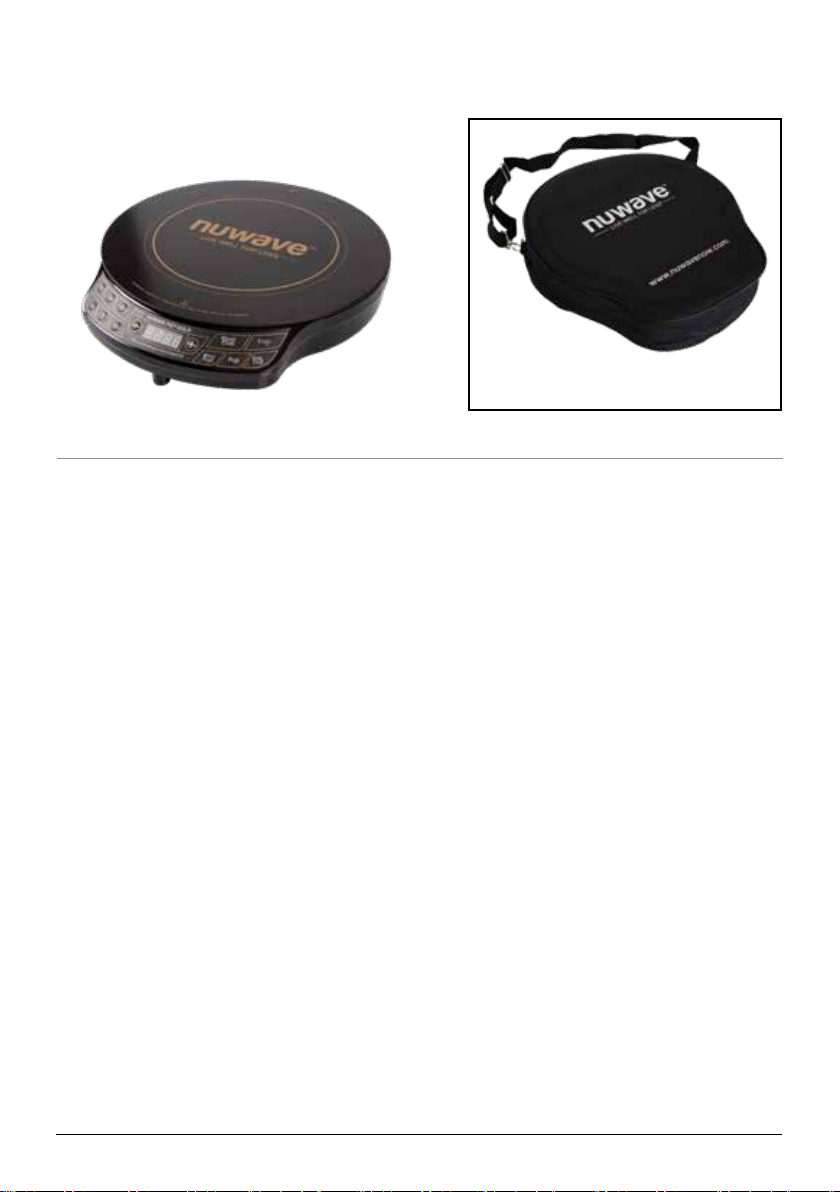
NuWave PIC Gold 30211 User manual

Owner’s Manual
Model No: 30211
Questions or Concerns?
Toll Free: 1-877-689-2838 • help@nuwavenow.com
(Mon-Fri 7:30am-4:30pm CST)
PIC®
Precision Induction Cooktop
Gold

Open your mobile app store
(App Store, Google™Play).
Search for "QR code readers."
Simply download the QR code
reader to your phone, open it, scan
the code and you are ready to go.
NOTE: You may need to open your
downloaded QR code reader each
time you want to scan a QR code.
1
2
3
QR code readers
PRODUCT REGISTRATION
Thank you for purchasing the NuWave PIC® Gold
REGISTER YOUR PURCHASE
1. Visit
nuwavenow.com/QR
2. Scan the QR code using your
mobile device.
3. Fill in the information requested on the
website.
RECORD THIS INFORMATION
Model Number: _________________
Serial Number:__________________
Date of Purchase________________
(Keep receipt)
Store of Purchase _______________
TECHNICAL SPECIFICATIONS
Voltage: 120V, 60Hz
Wattage: 1500 watts
TIP: You can locate the model and serial
numbers, as well as the QR code, on the
label on the bottom of the unit.
REGISTER
NOW!
CUSTOMER SERVICE
Phone: 1-877-689-2838
(Mon - Fri 7:30am - 4:30pm, CST)
Email:
help@nuwavenow.com
Welcome to the
NuWave®Family!
Congratulations on getting your new NuWave
PIC Precision Induction Cooktop! We are
incredibly excited to be able to join in your home
cooking journey and want to make sure you get
the most out of your PIC experience.
That’s what this manual is all about. In it, we
have provided detailed operating and care
instructions covering every aspect of your new
induction cooktop to make sure the NuWave PIC
is meeting your needs.
Here at NuWave, the relationship we have with
our customers only begins with the purchase. We
are with you every step of the way because we
are dedicated to making your experience as easy
and rewarding as possible. So, if you have any
questions, comments, or concerns, please don’t
hesitate to contact Customer Service by calling
1-877-689-2838 (Mon-Fri 7:30am-4:30pm CST)
or emailing us anytime at help@nuwavenow.com
We’re glad you’re with us, and we know that you
will be, too!
Connect with Us!
#nuwavenow
Visit nuwavenow.com to see other
great products and accessories.
2| nuwavenow.com

TABLE OF CONTENTS
nuwavenow.com | 3
Safeguards & Information......................................................................... 4-6
Electrical Information................................................................................... 5
FCC Information .......................................................................................... 6
Parts & Accessories.................................................................................. 7
Primary Controls ....................................................................................... 8–9
Easy Start.................................................................................................... 8
Controls & Functions ................................................................................... 9
PIC Gold Features ..................................................................................... 10
Cooking Functions.................................................................................... 11–13
Start Cooking............................................................................................... 11
Setting the Cooking Temperature ................................................................ 11
Changing the Temperature Format.............................................................. 11
Setting the Cooking Time ............................................................................ 11
The Pause/Clear Function........................................................................... 12
The Programming Function......................................................................... 12
The Delay Function ..................................................................................... 12
The Wattage Function ................................................................................. 12
Cooking Tips................................................................................................ 13
Care and Maintenance .............................................................................. 14
Troubleshooting Guide ............................................................................. 15
Limited Warranty ....................................................................................... 16–17
Notes........................................................................................................... 18
Para la versión en español de este manual, visita www.nuwavenow.com

4| nuwavenow.com
WARNING: When using the PIC, always
follow basic safety precautions:
1. There may be residual heat on the
cooking surface. Do not touch.
2. To protect against electrical shock, do
not immerse cord, plugs, or the PIC in
water or other liquids.
3. Do not operate the PIC with a damaged
cord, plug, after the appliance
malfunctions, or has been damaged in
any manner. Return appliance to the
nearest authorized service facility for
examination, repair, or adjustment.
4. Close supervision is necessary when
the PIC is used near children. This
appliance is not intended for use
by persons (including children) with
reduced physical, sensory or mental
capabilities, or who lack experience
or knowledge, unless they have
been given supervision or instruction
concerning use of the appliance by a
person responsible for their safety.
5. The use of accessories not
intended for use with the PIC is not
recommended. Doing so may damage
the PIC and can cause accidents.
6. FOR HOUSEHOLD USE ONLY. NOT
INTENDED FOR OUTDOOR USE.
7. Do not use the PIC for any purpose
other than its intended use.
8. Do not let cord hang from tables or
countertops, touch hot surfaces, or
come into contact with sharp edges.
9. Do not place the PIC on or near a hot
gas, electric burner, in a heated oven,
or on a stovetop.
10. Never use the cooktop in the proximity
of open res or other heat sources, on
ammable surfaces (e.g., tablecloth,
carpet, etc.), close to any ammable
materials, heating units, or in wet
areas.
11. Do not move the PIC while in
operation, especially with any pots or
pans containing hot oil or other hot
liquids. Remove these from the PIC
and allow it to cool before moving.
12. To disconnect, turn the PIC off and
then remove the plug from the outlet.
13. When removing the plug, do so by
the head, not the cord.
14. Never put the PIC against the wall or
other appliances. There should be at
least 3 inches of free space for the
back, sides, and the top of the PIC.
15. Unplug the PIC from outlet when not in
use and before cleaning. Allow the PIC
to cool before cleaning, putting on or
taking off parts.
16. It is normal for some smoke to escape
the PIC when heating for the rst time.
17. If a lot of smoke is escaping from the
air vent during operation, unplug the
PIC immediately and contact Customer
Service at 1-877-689-2838 or via email
at
help@nuwavenow.com.
18. Place the cooktop on a stable, level,
non-metallic surface.
19. The cooktop’s surface is designed
with temperature-resistant glass. In
the event that damage to the PIC is
observed, even a small crack on the
glass surface, immediately disconnect
the PIC from the power supply.
20. Never use a towel or other material
or object to block the air vents. Do
not block the ventilation slots of the
induction cooktop. This may cause the
PIC to overheat.
21. Make sure the cord is not compressed
beneath the PIC.
22. Do not place devices or objects that
are sensitive to magnetic elds on
top of or next to the PIC, e.g., credit
cards, cellphones, radios, TVs, etc.
SAFEGUARDS & INFORMATION
ALWAYS KEEP THIS MANUAL HANDY FOR FUTURE REFERENCE.

nuwavenow.com | 5
SAFEGUARDS & INFORMATION
23. Prior to connecting the PIC, conrm
that the voltage needs indicated
in this manual correspond to the
voltage supply in your home. A wrong
connection may lead to the PIC’s
damage and possible injury to persons.
24. If any trouble arises during operation,
any service MUST be done by NuWave
LLC or authorized by the manufacturer
for repairs.
25. The appliance is not intended to be
operated by means of an external timer
or separate remote-control system.
26. Do not disassemble the PIC or replace
any parts without prior written consent
from the manufacturer.
27. Make sure the PIC is always clean prior
to cooking.
28. Use extreme caution when operating
the PIC or any other appliance.
Electrical Information
A short power-supply cord is provided to
reduce the risk resulting from becoming
entangled in or tripping over a longer cord.
Longer detachable power-supply cords or
extension cords are available and may be
used if care is exercised in their use. If a
longer detachable power-supply cord or
extension cord is used:
1. The marked electrical rating of the
extension cord should be at least as
great as the electrical rating of the
appliance.
2. The longer cord should be arranged
so that it will not drape over the
countertop or tabletop where it
could be pulled on or tripped over
unintentionally. The PIC should be
operated on a separate electrical
outlet from other operating
appliances due to wattage limitations.
The appliance has a polarized plug
(one blade is wider than the other).
To reduce the risk of electric shock,
this plug is intended to fit into a
polarized outlet only one way. If the
plug does not fit fully into the outlet,
reverse the plug. If it still does not
fit, contact a qualified electrician. Do
not attempt to modify the plug in any
way.
ALWAYS KEEP THIS MANUAL HANDY FOR FUTURE REFERENCE.
SEE CARE & MAINTENANCE
BEFORE USE
SAVE THESE INSTRUCTIONS
Read and understand the entire manual
before using the PIC.
THE FAILURE TO FOLLOW THESE
SAFEGUARDS AND INSTRUCTIONS IS A
MISUSE OF YOUR PIC THAT CAN VOID
YOUR WARRANTY AND CREATE THE
RISK OF SERIOUS INJURY.
NOTICE
This appliance is intended for normal
household use. It is not intended to
be used in environments such as staff
kitchens/cafeterias of shops, ofces,
farms, or other work environments, nor is
it intended to be used by clients in hotels,
motels, bed and breakfasts, and non-
residential environments.
WARNING
In case of malfunction, immediately
unplug the PIC and contact NuWave’s
Customer Service Department at
1-877-689-2838 (Mon - Fri, 7:30am to
4:30pm, CST) or help@nuwavenow.com

6| nuwavenow.com
SAFEGUARDS & INFORMATION
IMPORTANT - FCC Information:
Warning: Changes or modications to this
unit not expressly approved by the party
responsible for compliance could void the
user’s authority to operate the equipment.
Note: This equipment has been tested
and found to comply with the limits for a
consumer ISM equipment, pursuant to
Part 18 of the FCC Rules. These limits
are designed to provide reasonable
protection against harmful interference in
a residential installation. This equipment
generates, uses, and can radiate radio
frequency energy and, if not installed and
used in accordance with the instructions,
may cause harmful interference to radio
communications. However, there is no
guarantee that the interference will not
occur in a particular installation. If this
equipment does cause harmful interference
to radio or television reception, which can
be determined by turning the equipment
off and on, the user is encouraged to try to
correct the interference by one or more of
the following measures:
• Reorient or relocate the receiving
antenna.
• Increase the separation between the
equipment and receiver.
• Connect the equipment into an outlet
on a circuit different from that to which
the receiver is connected.
• Consult the dealer or an experienced
radio TV technician for help.
The device complies with part 18 of the
FCC rules. Operation is subject to the
following two conditions: (1) This device
may not cause harmful interference, and (2)
This device must accept any interference
received, including interference that may
cause undesired operation.
Questions About
Your PIC Gold?
Just contact our friendly and know edg-
able Customer Service Team Monday‒Fri-
day, from 7:30am‒4:30pm,CST
at 877-689-2838 or anytime by email at
help@nuwavenow.com
WARNING
Electric shock hazard. Use with adequate
electrical system. Do not use if cord or
plug is damaged.
WARNING: All items on the cooktop can
get very hot during cooking. Please be
careful when removing these items from
the unit. Always wear oven mitts or use
pot holders. Cooktop may retain residual
heat after cookware has been removed.
Allow everything to cool completely
before cleaning.
Correct Disposal
of this Product
This marking
indicates that this
product should not
be disposed of with
other household
wastes throughout
the EU. To prevent possible harm to
the environment or human health from
uncontrolled waste disposal, recycle it
responsibly to promote the sustainable
reuse of material resources. To return
your used device, please use return and
collection systems or contact the retailer
where the product was purchased.
They can handle environmentally safe
recycling.
NOTICE

nuwavenow.com | 7
PARTS & ACCESSORIES
PIC Gold
Part #: 30211
Optional PIC Carrying Case
order at www.nuwavenow.com
Induction-Ready Cookware
Induction technology is based on a magnetic
eld distributing heat through ferrous (iron-
based, magnetic) metal. Some cookware
is made of naturally magnetic metals (such
as pure iron), while others are rendered
magnetic by “sandwiching” a thin layer of a
ferrous metal within the base. Examples of
compatible cookware include:
• All NuWave Cookware, NuWave
Duralon®Healthy Ceramic Non-Stick
Cookware
• Cast iron
• Enameled iron and steel
• Stainless-steel with a magnetic base
Incompatible cookware includes:
• Copper
• Glass
• Aluminum
• Pottery-type vessels
Checking Induction Compatibility
There are three simple ways to check if your
existing pots and pans, or future cookware
purchases, are compatible with the PIC
Gold:
1. A magnet is typically a great indicator.
If it sticks to the bottom of a piece of
cookware, this typically means the pot
or pan is induction-ready. However,
sometimes a cooking vessel’s magnetic
properties are not strong enough to work
efficiently with the PIC Gold.
2. Place a small amount of water in a pot or
pan and place it on the PIC Gold while
operating. If it is induction compatible,
water will begin to boil.
3. An induction-ready symbol may be
printed on the bottom of the cookware.

8| nuwavenow.com
GETTING STARTED
Primary Controls
Easy Start
The PIC Gold is preset to cook on Med/High (375°F) for 1 hour. Turn it on, and you
will see “0” on the display, showing that the unit is on but the program is clear (See the
Pause/Clear Function section for more). Then, place an induction-ready pot on the cooking
surface and press Start.
This default setting is adjustable before or during the cooking cycle. Press one of the
preset temperature buttons (Low, Med/Low, Med, High, or Max/Sear) or press -or +to
decrease or increase the cooking temperature.
Preset Temperatures
Press Button Temperature Panel Display Examples
Low 100°F 100F Warm
Med/Low 175°F 175F Simmer
Med 275°F 275F Steam
Med/High 375°F 375F Stir/Deep-Fry
High 425°F 425F Boil/Saute
Max/Sear 575°F SEAR Sear
The minimum is 100F while the maximum temperature reaches 500F.
Decrease
cooking
temperature or
time.
Adjustable set
temperatures: 100°F,
175°F, and 275°F.
Adjustable set
temperatures: 375°F,
425°F, 575°F (Sear).
Increase
cooking
temperature or
time.
Prog:
Set your
own cooking
stages.
Time:
Adjusts the
cooking time. Pause/Clear:
Pauses and
clears the cooking
process.
Start:
Begins the cooking
process.
Watts
Controls the
power consuption.

nuwavenow.com | 9
GETTING STARTED
Primary Controls
CAUTION
While the PIC Gold is in operation, do not touch the cooking surface as it may
become very hot, leading to the risk of burns. The cooktop may retain residual heat
after cookware has been removed.
Control Function
Start Press Start to begin cooking. If you have paused cooking,
pressing Start will begin the cooking process again.
Pause/
Clear
Press Pause/Clear to pause cooking. To clear out a set
cooking sequence, press Pause/Clear a second time.
Prog Set up to 10 cooking stages.
Watts
Controls the power consumption of your PIC. The default
wattage is 1500W. The lower wattage will consume less
energy, ideal if your home does not take 1500 watts. Press
WATTS to adjust from 1500W to 600W to 900W.
Time Allows you to adjust the cooking time before and during the
cooking process.
Low
Left side set temperature buttons: Low (100°F), Med Low
(175°F), and Med (275°F). Use the - or + keys to further adjust
the cooking temperature in 10°F increments.
Med Low
Med
Med High
Right side set temperature buttons: Med High (375°F), High
(425°F), and Max/Sear (575°F). Use the - or + keys to further
adjust the cooking temperature in 10°F increments.
High
Max/Sear
(-) Allows you to decrease the cooking temperature and time
before and during the cooking process.
(+) Allows you to increase the cooking temperature and time
before and during the cooking process.

10 | nuwavenow.com
GETTING STARTED
Ventilation Air Vents
Surface:
Heat-resistant
glass
Heat Source:
Electromagnetic
Coils Under the
Heat-Resistant
Glass
Control Panel
with LED
Display
3
2
1
4
1
1
2
3
4
Ventilation: Air vents allow any heat generated by the unit to escape, preventing
heat transfer to the cooking surface and ensuring efcient performance.
Surface: The NuWave PIC Gold’s heat-resistant glass surface stays cool to the touch
and cleans easily with the simple wipe of a damp cloth.
Control Panel with LED Display: Clearly lit, easy-to-read control panel.
Heat Source: Electromagnetic coils located below the glass surface generate heat
within the induction-ready cookware.
INDUCTION COOKING
The heating surface is located inside the thicker silver ring. The minimum diameter of
acceptable cookware is 3 inches. Always place cookware in the center of the heating
circle. You may use pans measuring up to the 10-inch width of the PIC Gold, but heat
will transfer more slowly to the outer edges. Not recommended for pans larger than 10
inches.
NOTICE
The heating surface is located inside the thicker silver ring. The minimum diameter of
acceptable cookware is 3 inches. Always place cookware in the center of the heating
circle. You may use pans measuring up to the 10-inch width of the PIC Gold, but heat
will transfer more slowly to the outer edges. The PIC Gold is not recommended for pans
larger than 10 inches.
Other manuals for PIC Gold 30211
1
Table of contents
Other NuWave Cooktop manuals

NuWave
NuWave PIC Gold User manual

NuWave
NuWave Precision User manual

NuWave
NuWave PIC2 Technical specifications

NuWave
NuWave PIC Gold Quick guide

NuWave
NuWave PIC Gold User manual

NuWave
NuWave PIC2 User manual

NuWave
NuWave PIC TITANIUM User manual

NuWave
NuWave PIC Gold 30211 User manual

NuWave
NuWave PIC Pro Chef Quick guide

NuWave
NuWave PIC Flex User manual