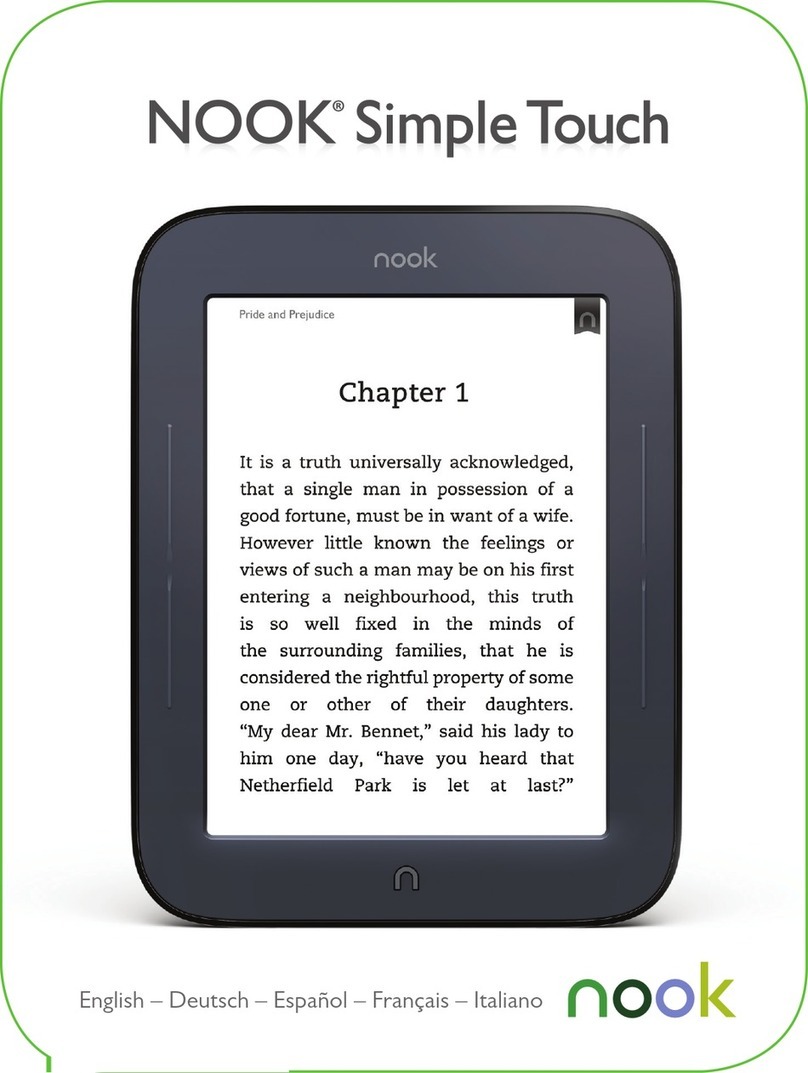
NOOK GlowLight Plus User manual


Nook Digital, LLC. 1166 Avenue of the Americas, 18th Floor, New York, NY 10036.
© 2010-2015 NOOK Digital, LLC. All rights reserved. GlowLight®, LendMe®, Lifetime Library®, More In Store®,
NOOK®, NOOK Books®, NOOK Friends®, NOOK GlowLight™, NOOK GlowLight Plus™, NOOK Library®,
NOOK Magazine®, NOOK Newspaper®, NOOK Newsstand®, NOOK Store®, Read In Store®, B&N Readouts™,
and the NOOK logos are trademarks of NOOK Digital, LLC or its aliates. Patent Pending. Screenshots and product
images are simulated and for instructional purposes only. They may dier from the actual product and are subject
to change without notice. Content shown may vary from actual available content, which may change without notice.
Digital content sold separately. Your use of NOOK is subject to the Terms of Service and Privacy Policy located in
the Settings section of your device and here: NOOK.com/legal. Contains Reader®Mobile technology by Adobe
Systems Incorporated. Adobe®, Reader®, and Reader®Mobile are either registered trademarks or trademarks of
Adobe Systems Incorporated in the United States and/or other countries. Wi-Fi®is a registered trademark of the
Wi-Fi Alliance. All trademarks or registered trademarks that are not the property of NOOK Digital, LLC or its
aliates are the property of their respective owners.
Model: BNRV510
Version: 1.0.0.'

Table of Contents
Introduction.................................................................................................................................................... 7
Contact Us ........................................................................................................................................................................................ 7
Getting to Know Your NOOK ........................................................................................................................................................ 7
Your Barnes & Noble Account....................................................................................................................................................... 11
Registering Your NOOK ................................................................................................................................................................ 12
Power and Charging........................................................................................................................................................................ 14
Safety and Care ............................................................................................................................................................................... 17
Caring for Your NOOK.................................................................................................................................................................. 18
Unlocking Your NOOK .................................................................................................................................................................. 19
Using Gestures to Control Your NOOK .................................................................................................... 20
Tap ................................................................................................................................................................................................... 20
Double Tap...................................................................................................................................................................................... 20
Press and Hold ............................................................................................................................................................................... 21
Swipe ............................................................................................................................................................................................... 21
Scroll ................................................................................................................................................................................................ 21
The NOOK Navigation Buttons ................................................................................................................. 22
The Status Bar ............................................................................................................................................. 23
The Left Side of the Status Bar....................................................................................................................................................... 23
The Right Side of the Status Bar .................................................................................................................................................... 23
GlowLight...................................................................................................................................................... 24
Turning GlowLight On or O and Adjusting Its Brightness.......................................................................................................... 24
The Home Screen........................................................................................................................................ 25
The New & Recent Shelf ................................................................................................................................................................ 25
The Picked for You Shelf ................................................................................................................................................................ 25
Reading Books on Your NOOK................................................................................................................... 27
Opening a Book .............................................................................................................................................................................. 27
Page Layout ..................................................................................................................................................................................... 27
Turning Pages .................................................................................................................................................................................. 27
The Reading Tools Menu................................................................................................................................................................ 28
Reading Magazines and Newspapers on Your NOOK.............................................................................. 51
The Library on Your NOOK ....................................................................................................................... 52
Pull-down Menus............................................................................................................................................................................. 53
The Sync Button.............................................................................................................................................................................. 54
Searching Your Library.................................................................................................................................................................... 54

Viewing and Sorting the Contents of Your Library....................................................................................................................... 55
Organizing Your Library on Shelves............................................................................................................................................... 56
Archiving Books and Periodicals..................................................................................................................................................... 58
Unarchiving Books and Periodicals................................................................................................................................................. 58
Transferring Files from Your Personal Computer to Your NOOK .............................................................................................. 59
Using the LendMe Program........................................................................................................................ 60
Lending and Borrowing Books ....................................................................................................................................................... 60
Guidelines for Lending and Borrowing Books ............................................................................................................................... 60
Determining whether a Book Can Be Lent ................................................................................................................................... 61
Lending a Book................................................................................................................................................................................ 61
Shopping on Your NOOK ............................................................................................................................ 62
Introduction..................................................................................................................................................................................... 62
Purchasing Books, Newspapers, and Magazines ........................................................................................................................... 63
Browsing Lists and Categories........................................................................................................................................................ 64
Searching for Titles, Authors, or Topics......................................................................................................................................... 65
Buying a Book.................................................................................................................................................................................. 65
Buying a Single Issue of a Magazine or Newspaper ...................................................................................................................... 66
Buying a Subscription to a Magazine or Newspaper..................................................................................................................... 66
What Happens When You Buy an Item in the Shop? ................................................................................................................... 66
Using Your Wishlist......................................................................................................................................................................... 67
Using B&N Readouts ................................................................................................................................... 68
Buying Books and Sharing Content through B&N Readouts........................................................................................................ 70
Changing Topics in B&N Readouts ................................................................................................................................................ 71
Customizing the My Picks Stream .................................................................................................................................................. 72
Using Your NOOK in a Barnes & Noble Store.......................................................................................... 73
Read In Store®: Reading Books in a Barnes & Noble Store ......................................................................................................... 73
Searching Your NOOK ................................................................................................................................ 74
Searching from the NOOK Navigation Menu ............................................................................................................................... 74
Searching in Your Library................................................................................................................................................................ 74
Searching for Words with Accents and Other Diacritical Marks.................................................................................................. 74
Configuring Your NOOK ............................................................................................................................. 75
Configuring GlowLight.................................................................................................................................................................... 76
Viewing and Configuring Device Info............................................................................................................................................. 77
Configuring Wireless Settings......................................................................................................................................................... 79
Configuring Screen Settings............................................................................................................................................................ 80
Configuring Time Settings............................................................................................................................................................... 82

Displaying Account Settings............................................................................................................................................................ 84
Configuring Profiles......................................................................................................................................................................... 85
Configuring the Shop and Managing Gift Cards and Credit Cards............................................................................................... 91
Viewing Legal Notices..................................................................................................................................................................... 93
Using Your NOOK at Wi-Fi Hotspots........................................................................................................ 94
Wi-Fi Networks in Barnes & Noble Stores................................................................................................................................... 94
AT&T Wi-Fi Hotspots .................................................................................................................................................................... 94
Unsecured Wi-Fi Networks ........................................................................................................................................................... 94
Secured Wi-Fi Networks................................................................................................................................................................ 94
Updating the Software on Your NOOK..................................................................................................... 95
Tips and Troubleshooting............................................................................................................................ 98
Solving Problems............................................................................................................................................................................. 98
Appendix A: Page Numbering and File Formats.................................................................................... 100
Appendix B: International Use and Languages....................................................................................... 101
Appendix C: One Year Limited Warranty ............................................................................................. 103
ONE YEAR LIMITED WARRANTY ........................................................................................................................................... 103
Appendix D: Trademarks and Copyrights............................................................................................... 106
Adobe Reader Mobile Software................................................................................................................................................... 106
AT&T ............................................................................................................................................................................................. 106
Dictionary...................................................................................................................................................................................... 106
Fonts .............................................................................................................................................................................................. 106
Google........................................................................................................................................................................................... 106
Wi-Fi.............................................................................................................................................................................................. 107
Additional Information.................................................................................................................................................................. 107
Appendix E: FCC Notices ......................................................................................................................... 108
FCC IDs ........................................................................................................................................................................................ 108
FEDERAL COMMUNICATIONS COMMISSION (FCC) STATEMENT INFORMATION TO THE USER ............................ 108
FCC/IC Radiation Exposure Statement ...................................................................................................................................... 108
Other Information Related to the Radio ..................................................................................................................................... 109
Appendix F: Industry Canada Notice ..................................................................................................... 110
Appendix G: Terms of Service.................................................................................................................. 111
Appendix H: AT&T Terms of Service & Acceptable Use Policy........................................................... 112
Index............................................................................................................................................................ 123


Barnes & Noble NOOK User Guide 7
Introduction
This User Guide is designed to help you get the most enjoyment out of your NOOK GlowLight Plus™.
Contact Us
If you have questions about your NOOK®that this guide doesn’t answer, be sure to visit the NOOK online support
center at:
http://www.nook.com/support
The online support center oers additional information about your NOOK, including:
• A PDF version of this NOOK User Guide that you can download to your computer
• Tutorial videos
• Frequently Asked Questions
calling +1-800-843-2665 (1-800-THE-BOOK) and selecting the option for Digital Technical Support. Outside the
United States, please call +1-201-438-1834.
Stay in Touch
Follow us on Facebook and Twitter to receive daily reviews, exclusive oers, and free NOOK Books®.
http://www.facebook.com/nookBN
http://www.twitter.com/nookbn
Now, let’s get started with a quick tour of your NOOK and its main features.
Getting to Know Your NOOK
Your NOOK GlowLight Plus is an eReader with a touchscreen grayscale E Ink®display and a case that is waterproof
to IP67 standards.
On your NOOK, you can:
• Read books, magazines, and newspapers
• Shop from over four million titles. Buy books, single issues of magazines and newspapers, as well as subscriptions
to magazines and newspapers
• Store hundreds of books, along with magazines, newspapers, and personal files
• Sample books for free
• Explore books and articles through B&N Readouts™, Barnes & Noble’s free digital discovery feature, refreshed
daily
• Share quotes and book recommendations with friends via Facebook®and read books borrowed using Barnes &
Noble’s LendMe®program
• Store and read files, including PDFs
Your NOOK is small enough to hold easily with one hand and to slip into a bag or a purse. When you turn on
GlowLight®on your NOOK, you can read your favorite books and periodicals even in the dark.

8 Barnes & Noble NOOK User Guide

Barnes & Noble NOOK User Guide 9
The picture below shows the features on the front of your NOOK.
The front of your NOOK.
Power Button
The power button for your NOOK is located on the left edge, near the upper left corner. Press and hold the button
for 3 seconds to turn on your NOOK.
If your NOOK is sleeping, press the power button to wake up your NOOK and turn it on.
To learn more about power management for your NOOK, see “Power and Charging”.
Touchscreen E Ink Display
Your NOOK features a high-resolution, 6-inch touchscreen E Ink display for easy navigation and page turns.
NOTE: To ensure the highest quality of reading, your NOOK has an anti-glare film already installed. Please do
not install any additional screen protector. To protect your NOOK’s screen from accidental damage, we
recommend using a NOOK cover.
NOOK Button
This NOOK symbol on the lower front of your NOOK is called the NOOK Home button.
If your NOOK is already on, tap this button to display the Home screen, which features navigation controls and your
recent reads.
NOOK Home Icon
When the device is on, tap the NOOK
Home Icon at any time to return to your
Home screen.
GlowLight®
Adjustable GlowLight evenly
lights your display for reading in
the dark or low-light conditions.
Touchscreen
E Ink®Display
Your NOOK features a full
touchscreen for easy navigation.
Waterproof
Your NOOK is waterproof for
worry-free reading.
IP67 certified. Waterproof in fresh water for up to 30
minutes at a maximum depth of 1 meter (3.28 feet).
Avoid immersion in saltwater or other liquids. The USB
port must be completely dry before inserting a USB
cable to charge your device or connect it to a
computer.
Please refer to Safety & Care section for care
instructions.
Power Button
Press and hold the power button on the left side of your
NOOK for about 3 seconds to turn it on or o.
Press the power button to wake the device up.
Note: To wake the device, you must press the
Power Button on the side of the device.

10 Barnes & Noble NOOK User Guide
Micro-USB Port
Your NOOK features a micro-USB port for charging and for connecting to a personal computer. The micro-USB port
is located on the bottom edge of your NOOK, directly below the NOOK Home button.
Other manuals for GlowLight Plus
1
Table of contents
Other NOOK Ebook Reader manuals