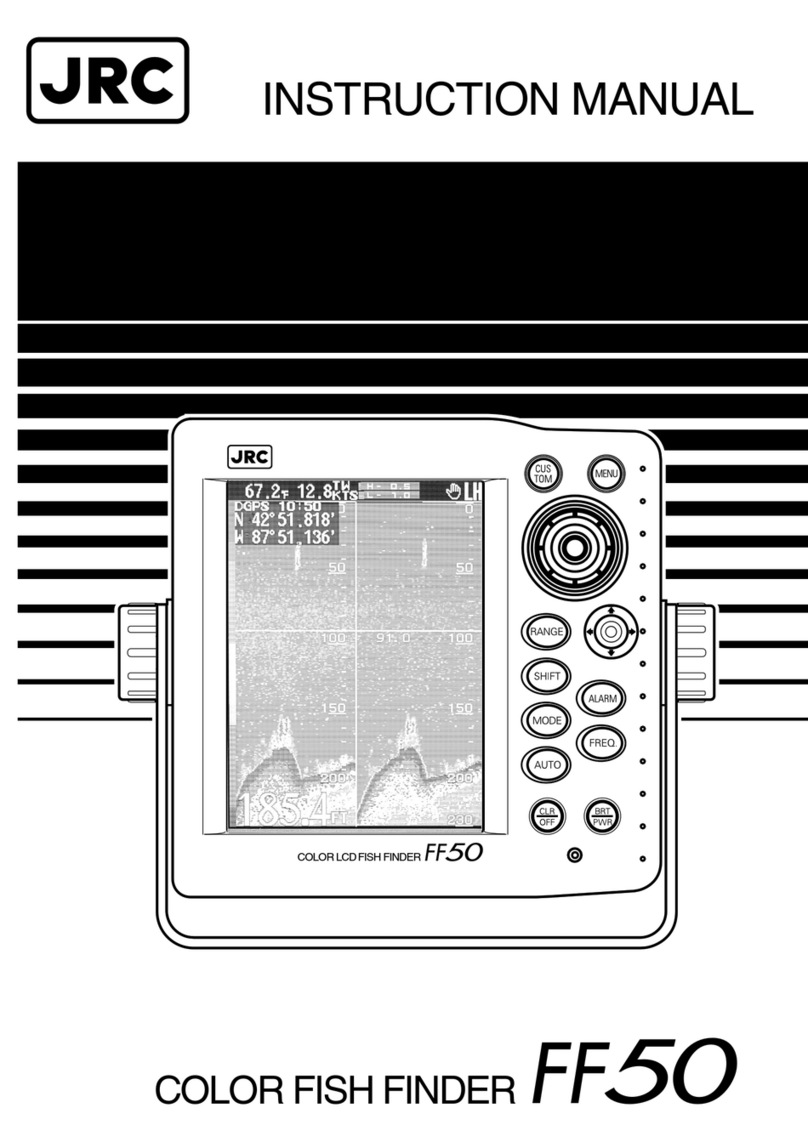
Ninglu FS117 User manual

7 inch Dual-Frequency
Fish Finde
r
Operation & Installation Manual
Document: NLT-FS117-SSEN
Version: V120905
Model: FS117

Content
Introduction ................................................................. 1
Theory of fish finder ......................................................................................1
Operation ..................................................................... 2
Screen .............................................................................................................2
Keyboard.........................................................................................................3
POWER ........................................................................................ 3
BACKLIGHT ................................................................................. 3
MENU ........................................................................................... 3
RANGE......................................................................................... 3
GAIN............................................................................................. 3
FREQ............................................................................................ 4
ZOOM........................................................................................... 4
RELAY .......................................................................................... 4
Menu................................................................................................................5
PIC................................................................................................ 6
AUTO_RANGE ............................................................................. 6
TVG .............................................................................................. 6
NOISE REJECTION ..................................................................... 7
ZOOM........................................................................................... 7
FISH ALARM ................................................................................ 8
SIGNAL DELETE.......................................................................... 8
COLORS ...................................................................................... 9
SHALLOW ALARM ....................................................................... 9
BUZZER SWITCH ........................................................................ 9
UNIT ............................................................................................. 9
Installation.................................................................. 10
Operator unit ................................................................................................10
Transducer....................................................................................................11
Cleaning and maintenance ........................................................................11
Specifications ............................................................12

1
Introduction
Thank you for choosing our fish founder—FS117
The FS117 is a high quality, dual-frequency fish finder. It uses TFT LCD to
provide a color display for easy daylight viewing that can be dimmed for
night fishing. With 8 or 12 colors bar, the colors represent different signal
strengths, making the displays easy to recognize the bottom and fish
schools. You can choose table mounting or flush mounting for optimum
viewing.
FS117 is consist of the following two parts:
¾Operating & display unit
¾Transducer
Theory of fish finder
The fish finder converts each echo into an electronic signal, displayed as a
vertical line of pixels. The most recent echo appears on the extreme right of
the display, with the older echoes being scrolled towards the left, eventually
disappearing off the display.
The transducer generates an ultrasonic
pulse, which travels down towards the
bottom at a speed of about 1500m/sec,
spreading out into a cone shape. When the
pulse meets an object, such as a fish or
the bottom, it is partly reflected back up
towards the boat as an echo. The depth of
the object or bottom is calculated by the
fish finder by measuring the time taken
between sending a pulse and receiving the
echo. When an echo has been returned,
the next
p
ulse is sent.

2
Operation
Screen
1. Picture feed speed 2. Depth
3. Time marker (one yellow line indicates 30s)
4. Basic range 5. Fish school or other objects
6. First reflection echo 7. Second reflection echo
8. Gain (H: 200 kHz, L: 50 kHz) 9. Color bar
10. Zoom mode display area
Bottom lock zoom mode
Layer zoom mode
11. AL-OFF Shallow alarm symbol
12. Buzzer symbol
13. Fish alarm symbol
Note:
1. Bottom-lock zoom and layer zoom is not available in dual-frequency
mode or range relay mode
2. In range relay mode, the right corner of the screen shows“ ”

3
Operation
Keyboard
POWER
Turn the power supply on/off.
BACKLIGHT
Adjust the LCD backlight.
MENU
Press【MENU】to display the menu items. Then select a particular option.
Using the 【▲】or【▼】, and use【】or【】to adjust the setting value.
Press【MENU】again to save the setting and quit from menu.
RANGE
【RANGE▲】& 【RANGE▼】
Press the range key to adjust the range manually.
Range scope: 4 8 24 40 56 80 120 160 200 240 280m.
GAIN
【GAIN】+&【GAIN-】
In single frequency model, press 【GAIN+】or 【GAIN-】to adjust the gain
value for the clearest echo.
In dual frequency model, press 【GAIN+】or 【GAIN-】to adjust the gain
value of dual frequencies simultaneously.

4
Operation
FREQ
Press【FREQ】to select display mode:
1. 200 kHz display mode
2. 50 kHz display mode
3. Dual-frequency display mode
ZOOM
Firstly, choose Zoom mode in MENU, see page 7 ~ 8.
Bottom-lock zoom Mode
Press【ZOOM】to choose zoom rate: OFF, ×2, ×4, ×8
Layer Zoom Mode
The screen is divided into 4 layers, press【ZOOM】to choose the layer
expanded.
RELAY
Press【RELAY】to activate relay display mode.

5
Operation
Menu
Menu item Default Setting value
PIC 【OFF】0, 1/4, 1/2,1/1,2/1,4/1
AUTO_RANGE 【OFF】OFF,ON
TVG 【OFF】OFF, LOW, HIGH
NOISE REJECTION 【OFF】OFF, LOW, HIGH
ZOOM 【OFF】BOTTOM-LOCK ZOOM, LAYERZOOM
FISH AlARM 【OFF】OFF, ON
SIGNAL DELETE 【0】Cancel 0~5 of 8 colors,
Cancel 0~7 of 12 colors,
COLORS 【8】8, 12
SHALLOW ALARM 【OFF】OFF, 0.8~10.0m
BUZZER SWITCH 【OFF】OFF, ON
UNIT 【m】m (Meter), fm (Fathom)

6
Operation
PIC
Set the picture feed rate (to the left): 0, 1/4, 1/2, 1/1, 2/1, 4/1.
AUTO_RANGE
“AUTO_RANGE” means Auto-range; the basic range will change
automatically to always show the full depth from transducer face to bottom
regardless of changes in depth.
When “A_RANGE” function is on, the screen will indicate “AT” on the upper
right. Then operator can’t change the range manually.
TVG
TVG is to suppress unnecessary echoes near the water surface such as
bubbles and floating matter.
Each press of the 【】or【】key changes the ability for suppress the
echoes as follow:
TVG TVG

7
Operation
NOISE REJECTION
NOISE REJECTION is to reject noise interference from nearby fishing vessels.
Each press of the 【】or【】key changes the ability for rejecting the
interference as follow:
ZOOM
Bottom-lock zoom Mode
If Bottom lock zoom is on, the zoom section moves so the bottom is always
displayed in the zoom section, regardless of changes in depth.
Bottom lock zoom is not available in dual-frequency mode or range relay

8
Operation
mode. When the Bottom lock zoom is on, “ ” will show on the screen.
Press【MODE】to choose zoom rate: OFF, ×2, ×4, ×8
Layer Zoom Mode
The screen is divided into 4 layers, press【MODE】to choose the layer
expanded.
Layer zoom is not available in dual-frequency mode or range relay mode.
When the layer zoom is on, it will display “ ”.
FISH ALARM
It will display a fish symbol “ ”when the fish alarm function is on.
The fish alarm is available when the fish school is deeper than 2m deep.
SIGNAL DELETE
Colors indicate the strength of the echo from strong to weak.
The weaker colors can be deleted to show the needed echoes clearly.
Cancel 0~5 colors (when 8 colors chose).
Cancel 0~7 colors (when 12 colors chose).
Table of contents
Other Ninglu Fish Finder manuals