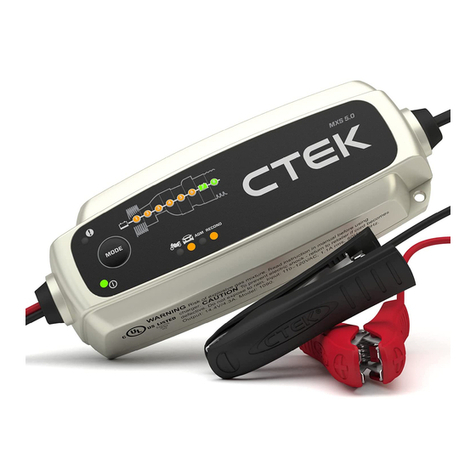
NEXPEAK NC350 Technical manual
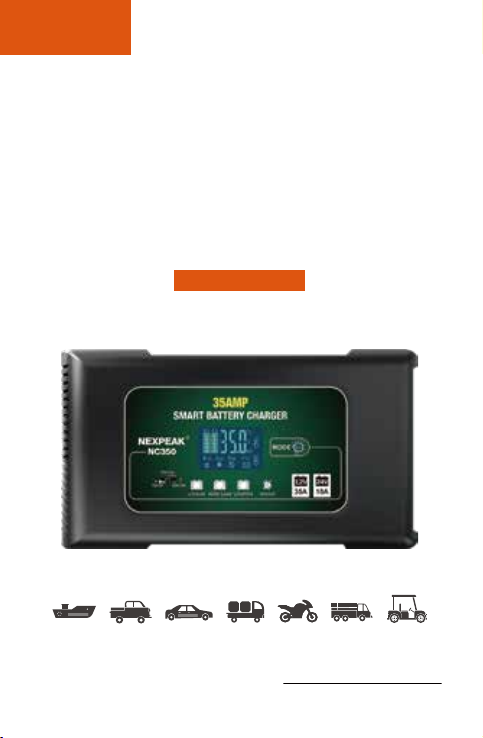
35Amp AUTOMATIC SMART
12V & 24V BATTERY CHARGER
MAINTAINER
NC350
User Guide & Warranty
NEXPEAK®
EN/ DE/ FR/ IT/ ES
READ AND UNDERSTAND ALL SAFETY INFORMATION BEFORE
USING THIS PRODUCT. Fallure to follow these safety Instructions may
result In ELECTRICAL SHOCK, EXPLOSION, FIRE, which may result in
a SERIOUS INJURY, DEATH, or PROPERTY DAMAGE.
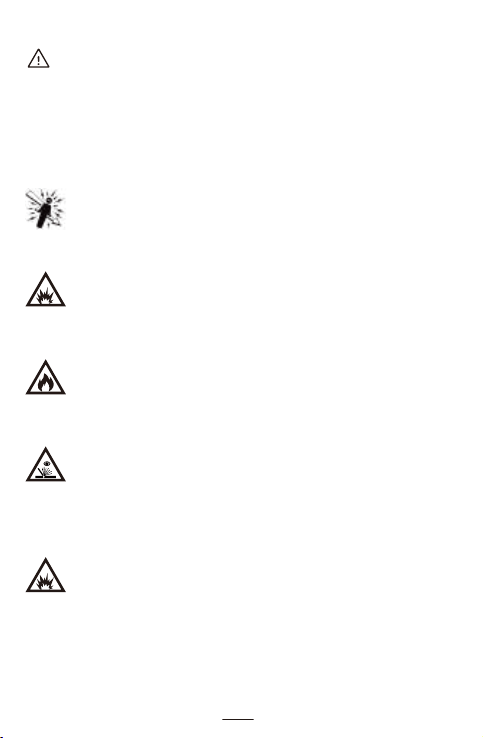
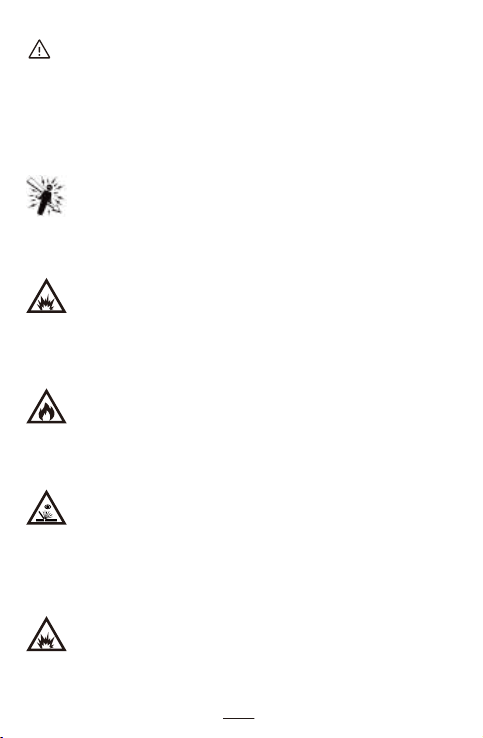
Electrical Shock. Product is an electrical device that can shock
and cause serious injury. Do not cut power cords.
Do not submerge in water or get wet.
Explosion. Unmonitored, incompatible, or damaged batteries can
explode if used with product. Do not leave product unattended
while in use. Do not attempt to jump start a damaged or frozen
battery. Use product only with batteries of recommended voltage.
Operate product in well ventilated areas.
Fire. Product is an electrical device that emits heat and is capable
of causing burns. Do not cover product. Do not smoke or use any
source of electrical spark or fire when operating product. Keep
product away from combustible materials.
Eye Injury. Wear eye protection when operating product. Batteries
can explode and cause flying debris. Battery acid can cause eye
and skin irritation. In the case of contamination of eyes or skin,
flush affected area with running clean water and contact poison
control immediately.
Explosive Gases. Working in the vicinity of a lead-acid is
dangerous. Batteries generate explosive gases during normal
battery operation, To reduce risk of battery explosion, follow all
safety information instructions and those published by the battery
manufacturer and manufacturer of any equipment intended to be
used in the vicinity of battery. Review cautionary markings on
these products and on engine.
DANGER
1 - EN
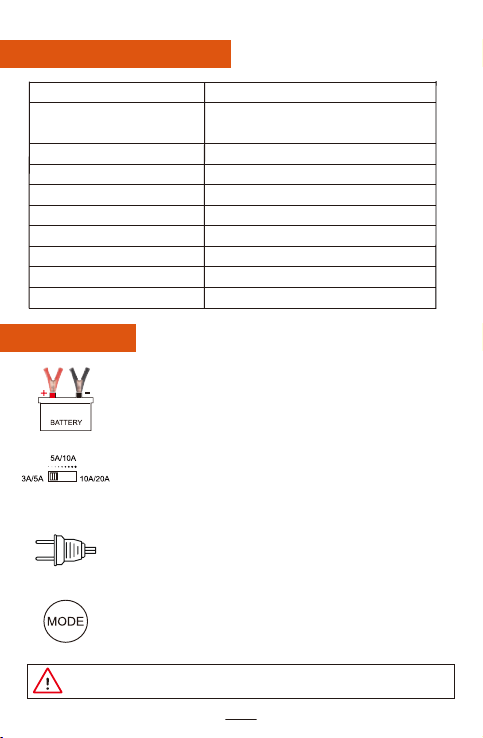
STEP1
Connect the charger with the battery
(red positive and black negative)
STEP2
Choose the charging current, 3 levels to select:
Low(12V/10A; 24V/5A), Medium(12V/20A; 24V/10A)
High(12V/35A; 24V/18A), the higher level
of output amps will get faster-charging speed.
STEP3
Connect the charger with the outlet, AC input voltage from
100-240 volt.
STEP4
NC301 charger has 4 battery modes: LITHIUM, AGM/LEAD,
LiFePO4 and REPAIR. Press the "MODE" button to switch
the corresponding battery type.
AC Input Voltage
Battery
12V Charge Current
24V Charge Current
Minimum Start Volt
Input Power with Load
Battery Type Selection
Current Selection
Net Weight
Dimension
100-240V 50/60HZ
Lithium, LiFePO4, Lead-acid(AGM,
GEL, SLA, Flooded, WET, EFB,etc.)
Max: 35A
Max: 18A
>2.0V
Max: 450W
MODE button
3 levels to choose: 10A-20A-35A
1000g
230x125x70mm
Technical Specifications
How To Use
12V/24V
NOTE: Please follow the right steps to connect or it will have sparks and could
damage your battery.
2 - EN

Estimated Charging Time For Different Battery Capacities.
Suitable for charging 12V and 24V Lithium batteries, for
batteries used on Battery Management Systems(BMS) only.
Suitable for 12V and 24V ordinary lead-acid
batteries/maintenance-free batteries including AGM, GEL,
SLA, WET, DEEP CYCLE, EFB, Calcium, etc.
Suitable for charging 12V and 24V LiFePO4 Lithium batteries
or motorcycle Lithium batteries.
For battery maintenance or activate the battery. Leave the
battery unused for a long time, old or cannot be charged
batteries. (Not all batteries can be repaired)
LITHIUM
AGM/ Lead
LiFePO4
Mode Explanation
REPAIR
3 - EN
Battery
Capacity
(Ah)
50(Ah)
120(Ah)
150(Ah)
400(Ah)
1000(Ah)
12V 10A
3.5 H / / 6.5 H 3.5 H /
4.2 H / 15 H 7.5 H 4.5 H
5.0 H 3.0 H 19 H 9.5 H 6.0 H
12.5 H 8.0 H / 25 H 15 H
38 H 22 H / / 42.5 H
7.5 H
9.5 H
200(Ah) 6.5 H 3.5 H / 12.5 H 7.0 H12.5 H
25 H
/
Charging Time(H)
12V 20A 12V 35A 24V 5A 24V 10A 24V 18A
The estimated charging time is for reference only, please refer to the
actual time.
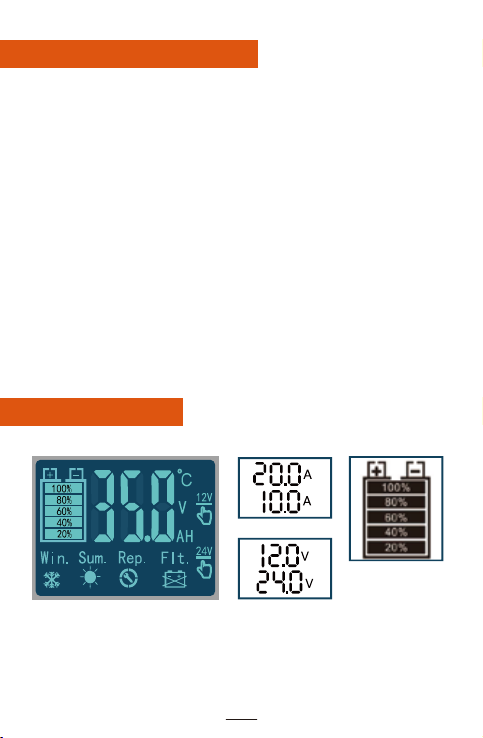
1. For 12V & 24V Lithium, Lead-acid, LiFeP04 batteries' charging only, do
not attempt to use product with any other type of battery. Charging other
battery chemistries may result in injury, death or property damage.
2. CAN NOT charge totally dead batteries, do not charge a battery if you
are unsure of the battery' s specific chemistry or voltage.
3. This battery charger is not waterproof.
4. Contact us for replacement if you found the charger is abnormal or the
plug and power clips are damaged or cracked.
5. Stop charging if the battery is damaged or liquid overflow around your
battery.
6. Keep ventilation to prevent flames and sparks, do not expose to the sun,
or in high-temperature environment.
7. Do not put the charger on the battery while charging, avoid any metal
tool dropping on the battery. It might spark or short-circuit the battery which
may cause an explosion
8. Remove personal metal items such as rings, bracelets, necklaces, watch
when charging the lead-acid battery.
9. Unplug the charger from AC outlet before doing any maintenance or
cleaning to reduce the risk of electric shock.
Important Safety Warnings
4 - EN
Screen Definition
Charge Current
Battery Capacity
Charge Voltage
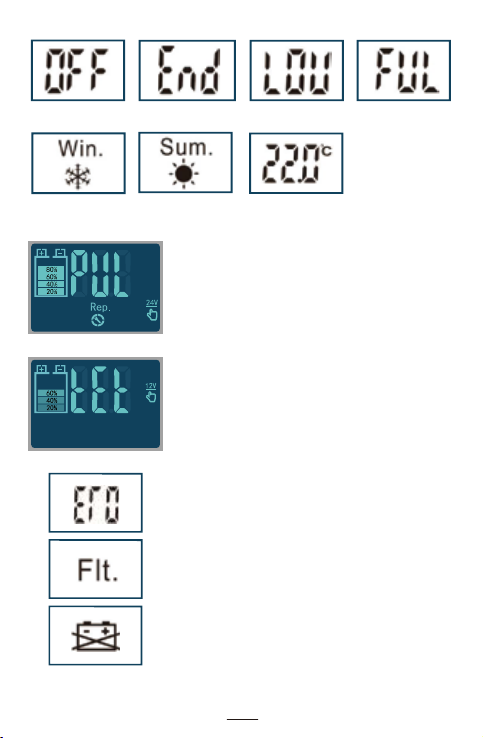
Repair Mode
Test Mode
Auto enters battery test to check whether the
battery is fully charged after the stage-4
absorption charging is finished.
Standby Repair process ended Low Voltage Battery Full
Charger inside
Temperature
Winter Mode Summer Mode
5 - EN
Wrong polarity, please change the connection
of the clamps.
Defective battery, purchase a battery tester to
diagnose, we suggest Amazon KONNWEI
battery tester.
Bad connection, please check the connection
between the charger and the battery.
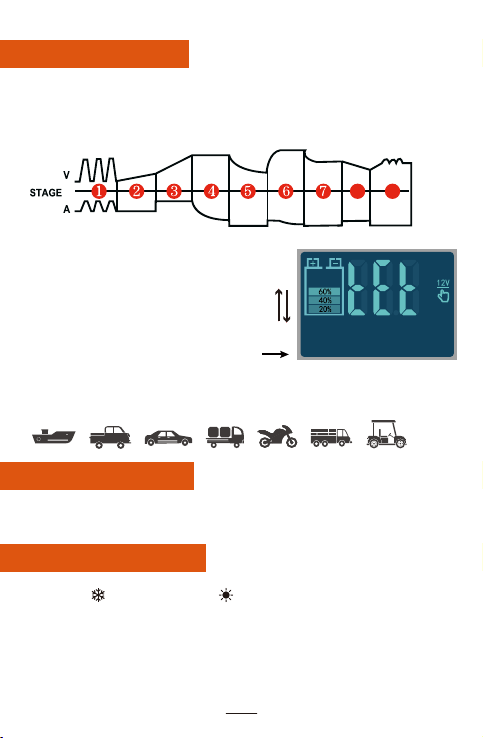
TEMP Compensation
1. Winter ( ): 0-10℃Summer ( ): >28℃
Normal Temperature: 10-27℃
2. During the charging process, the charger will automatically detect the
environment and working temperature,automatically adjust the best
charging status to protect the battery life and ensure safe charging.
3. Detect the temperature and adjust every 3-5 seconds, there will be a
very slight deviation but won't affect the entire charging process.
6 - EN
9-Stage Charging
1: Battery desulfation
2: Soft start charging
3: Bulk charging
4: Absorption charging
5: Trickle charge
6: Battery test
7: Recondition charging
8: Monitor and Analysis
9: Float & Maintenance Charging
Intelligent Memory
The battery charger has a memory function that remains the last charging
mode after the new start.
NOTE: Trickle charging is specially designed for lead-acid batteries--- keep
charging and maintain batteries after fully charged.
For Lithium and LiFePO4 batteries will auto shut-off(stop charging) after
fully charged.

Maintain/Repair
NOTE: For activation or maintenance of weak, old and idle batteries.
Can not repair severely damaged batteries.
Not for Lithium and LiFePO4 batteries.
1. Connect the battery with AC plug and switch to repair mode, the screen
displays "PUL" and ( ) flashes.
2. Usually car batteries requires about 4 hours under repair mode, and
2 hours for the motorcycle batteries and wet batteries. (You could keep the
battery in repair mode if the battery is not overheated until the proper Status
of Health index is reached).
3. It has current input into the battery during the repair mode and will charge
the battery after a long time repair process.
4. If you need to stop the repair process in advance, just remove the
charger's clips and disconnect the power.
CAUTION: STOP repair mode immediately If the battery has serious
heating or burning smell! (The main reason is due to the battery internal
was vulcanized and lack of water, please replace battery asap).
5. Not all batteries can be repaired, only can use on motorcycle and car
batteries.
Troubleshooting
1. The screen does not display when the charger is connected to the battery?
Reason: The positive and negative clips are connected incorrectly or the
battery is dead.
Solution: Check whether the clips are connected reversed, use a battery
tester to see whether the battery is dead or not.
2. The battery can't be charged and is low current, but the screen display
(FUL) indicates fully charged.
Reason: This is caused by the battery's vulcanization and inside lack of
water, low voltage or leaving it unused for a long time. The internal
resistance of the battery and capacity will reduce greatly, Then it will reach
full voltage quickly while charging.
Solution: Choose repair mode and try to reactivate the battery, if the same
situation still happens, purchase a battery tester to diagnose it.
7 - EN

3. Can't fully charged after a long time.
Reason: battery vulcanization or lack of water also low voltage can lead to
this situation, the battery will become hot while charging.
Solution: Stop charging. Check whether the battery liquid was leaked if it's
a wet battery.
4. Can't automatically sense it's on a 24V battery, hooked up to 24V
batteries, but stays in 12V mode, says full.
Reason: 24v battery contains two of 12V batteries, its real voltage could
be 8-10v for long time power loss, so the battery charger will charge it on
12V battery mode and in this way can't charge the 24V batteries
successfully.
Solution: Charge two of the 12V battery separately and it will turn to 24V
mode after charging to a certain voltage then charge 24V batteries.
5. Tried charging a battery overnight for over 8 hours and no charge at all,
kept blinking the battery percentage icon all night long.
Reason: battery charger can not charge totally dead batteries(0V or bad
cells contained).
Solution: try repair function or replace this battery directly.
2 Year Hassle-Free Warranty
NEXPEAK warrants that this product will be free from defects in material
and workmanship for a period of two (2) years from the date of purchase
(the “Warranty Period” ). For defects reported during the Warranty Period,
NEXPEAK will, at its discretion, and subject to NEXPEAK’s technical
support analysis, either repair or replace defective products. Replacement
parts and products will be new or serviceably used, comparable in function
and performance to the original part and warranted for the remainder of the
original Warranty Period.
NEXPEAK'S LIABILITY HEREUNDER IS EXPRESSLY LIMITED TO
REPLACEMENT OR REPAIR. TO THE MAXIMUM EXTENT PERMITTED
BY LAW, NEXPEAK SHALL NOT BE LIABLE TO ANY PURCHASER OF
THE PRODUCT OR ANY THIRD PARTY FOR ANY SPECIAL, INDIRECT,
CONSEQUENTIAL OR EXEMPLARY DAMAGES, INCLUDING, BUT NOT
LIMITED.
Web: www.nexpeaktech.com
8 - EN
Explosive Gase. Das Arbeiten in der Nähe von Bleisäure ist
gefährlich. Batterien erzeugen während des normalen
Batteriebetriebs explosive Gase. Um das Risiko einer
Batterieexplosion zu verringern, befolgen Sie alle
Sicherheitsinformationen und Anweisungen des Batterieherstellers
und des Herstellers von Geräten, die in der Nähe der Batterie
verwendet werden sollen. Beachten Sie die Warnhinweise auf
diesen Produkten und am Motor.
LESEN UND VERSTEHEN SIE ALLE SICHERHEITSINFORMATIONEN,
BEVOR SIE DIESES PRODUKT VERWENDEN. Die Nichtbeachtung
dieser Sicherheitshinweise kann zu STROMSCHLAG, EXPLOSION,
FEUER führen, was zu SCHWEREN VERLETZUNGEN, TOD oder
SACHSCHÄDEN führen kann.
ACHTUNG
Explosion. Nicht überwachte, inkompatible oder beschädigte
Batterien können explodieren, wenn sie mit dem Produkt
verwendet werden. Lassen Sie das Produkt während des
Gebrauchs nicht unbeaufsichtigt. Versuchen Sie nicht, eine
beschädigte oder eingefrorene Batterie zu überbrücken.
Verwenden Sie das Produkt nur mit Batterien der empfohlenen
Spannung. Betreiben Sie das Produkt in gut belüfteten Bereichen.
Feuer. Das Produkt ist ein elektrisches Gerät, das Wärme abgibt
und Verbrennungen verursachen kann. Produkt nicht abdecken.
Beim Betrieb des Produkts nicht rauchen und keine elektrischen
Funken- oder Feuerquellen verwenden. Produkt von brennbaren
Materialien fernhalten.
Augenverletzung. Beim Betrieb des Produkts Augenschutz tragen.
Batterien können explodieren und herumfliegende Trümmer
verursachen. Batteriesäure kann Augen- und Hautreizungen
verursachen. Im Falle einer Kontamination der Augen oder der
Haut den betroffenen Bereich mit fließendem sauberem Wasser
spülen und sich sofort an die Giftnotrufzentrale wenden.
Elektroschock. Das Produkt ist ein elektrisches Gerät, das
Stromschläge verursachen und schwere Verletzungen
verursachen kann. Netzkabel nicht durchschneiden. Nicht in
Wasser tauchen oder nass werden.
1 - DE
Table of contents
Languages: