Newbeem Smart Outlet User manual
Newbeem
Smart Outlet User Manual
1. Install software
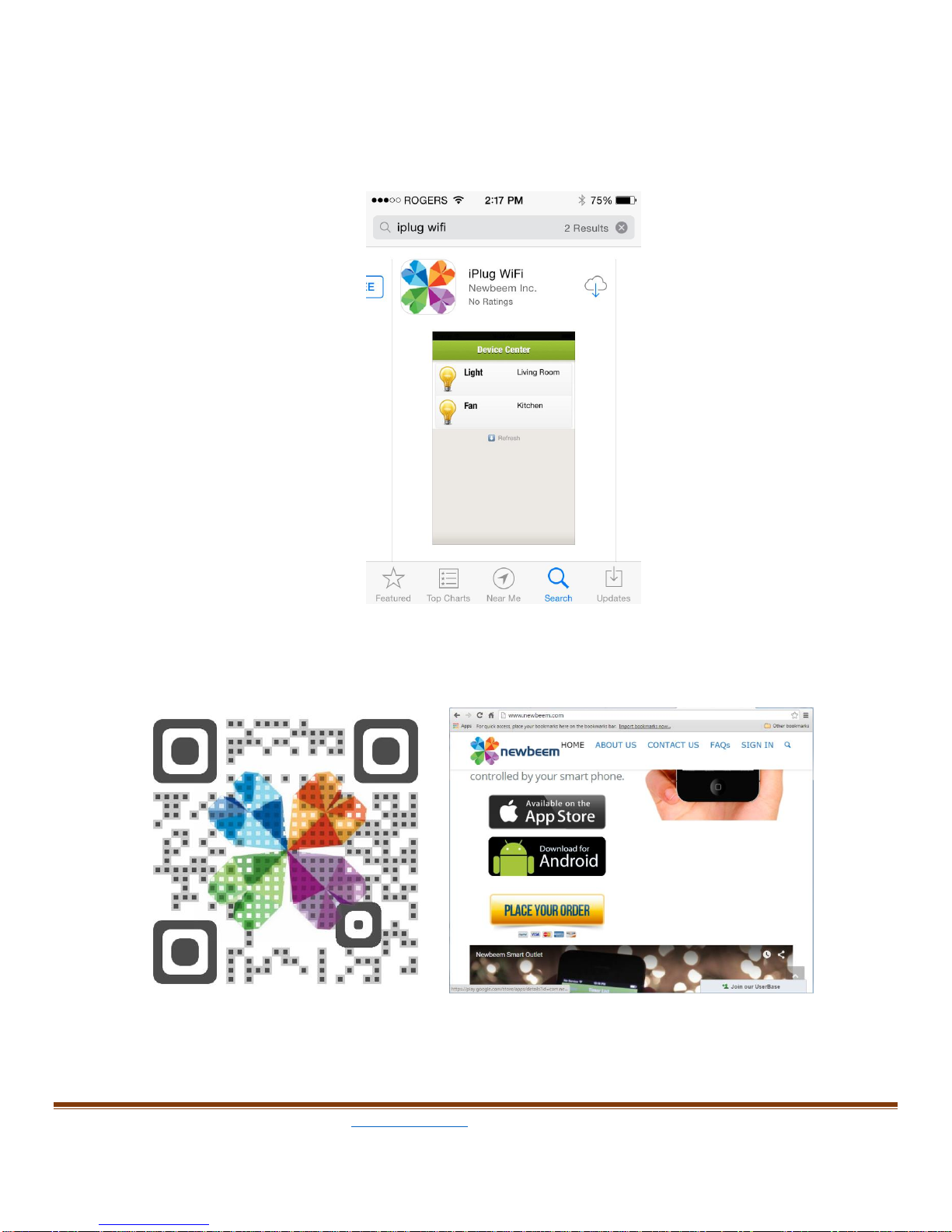
a. For iOS devices, search “iplug Wi-Fi” or “newbeem” in the Apple store
and install.
b. For Android devices: Scan the QR code below and find the Android
download button on www.newbeem.com ;
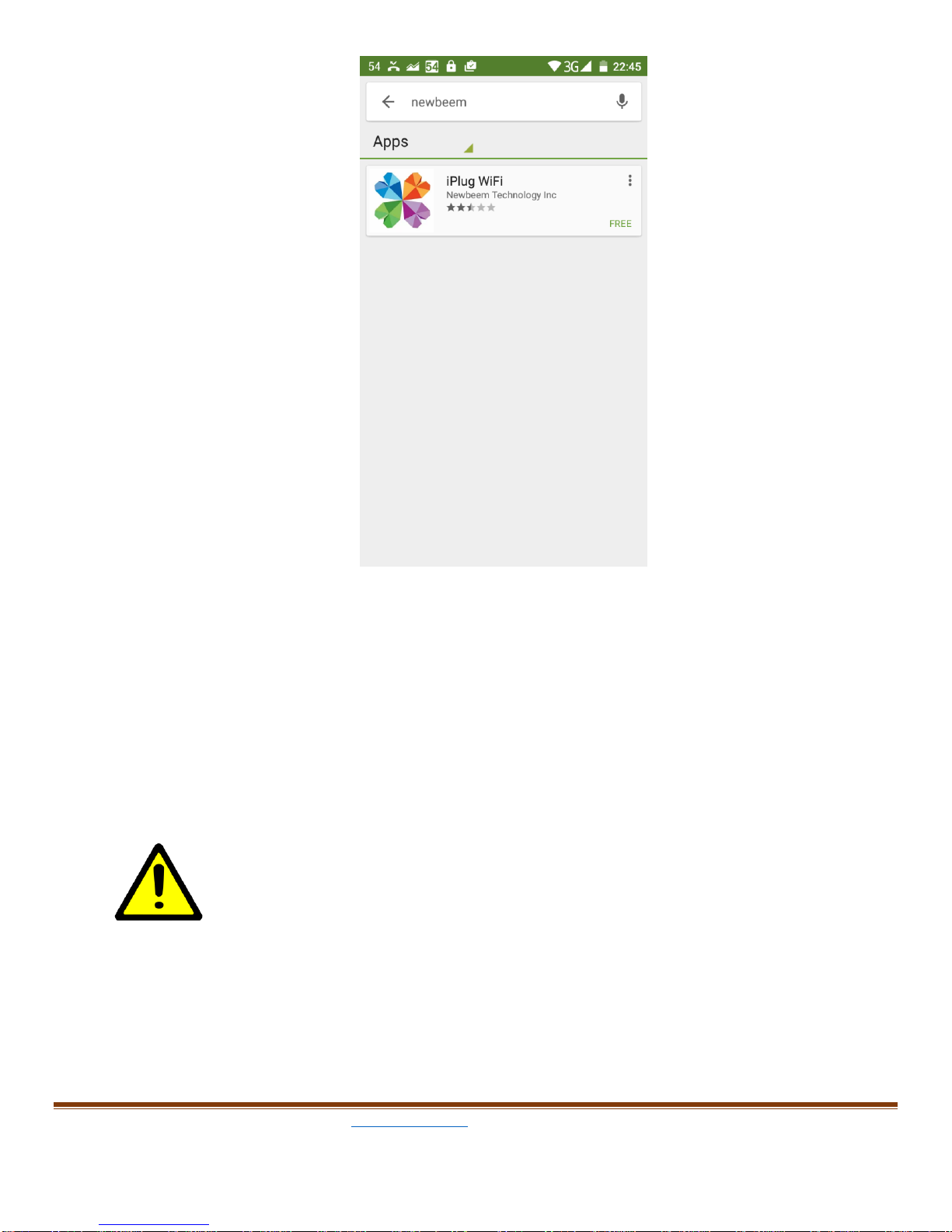
or search “newbeem” on Google Play, and download from Google Play.
2. Install hardware
Plug your smart outlet into any wall outlet, wait for 20 seconds, you will see
the red LED indicator light turns on. If the red LED does not turn on, please
use a tooth stick or a pen to press and hold the reset button for 15 seconds
then release, the red LED light should turn on.
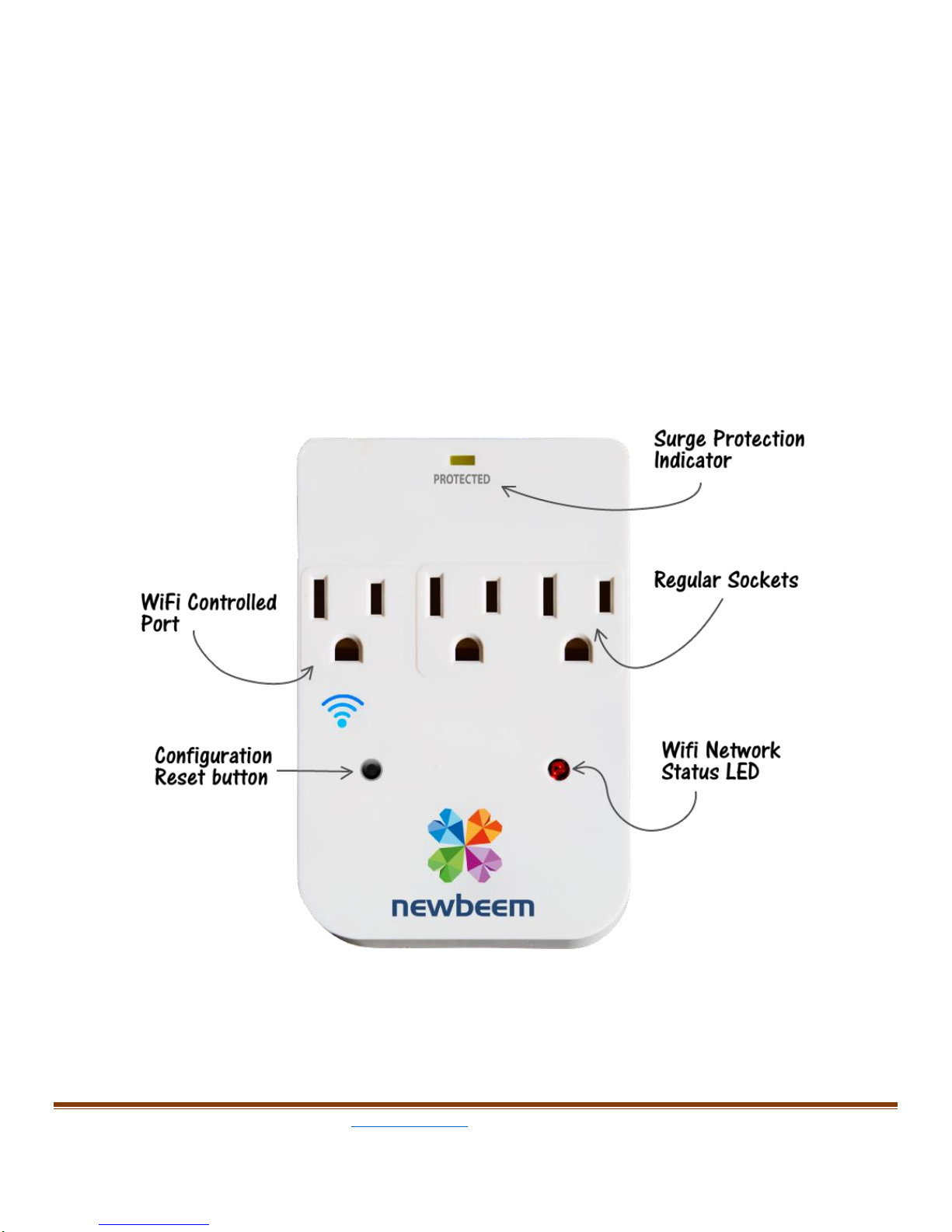
Plug in a lamp in the Wi-Fi socket of the outlet.(with a Wi-Fi icon)
The Wi-Fi controlled outlet (the left side outlet with a Wi-Fi symbol
under it) maximum power output is 200W, check the device or appliance
power rating before you plug in, Do Not plug in a device or an appliance
which will consume more than 200W power. This smart outlet was intently
designed for lighting system because its dimmer functions.
3. Wi-Fi configuration
A. IOS devices:
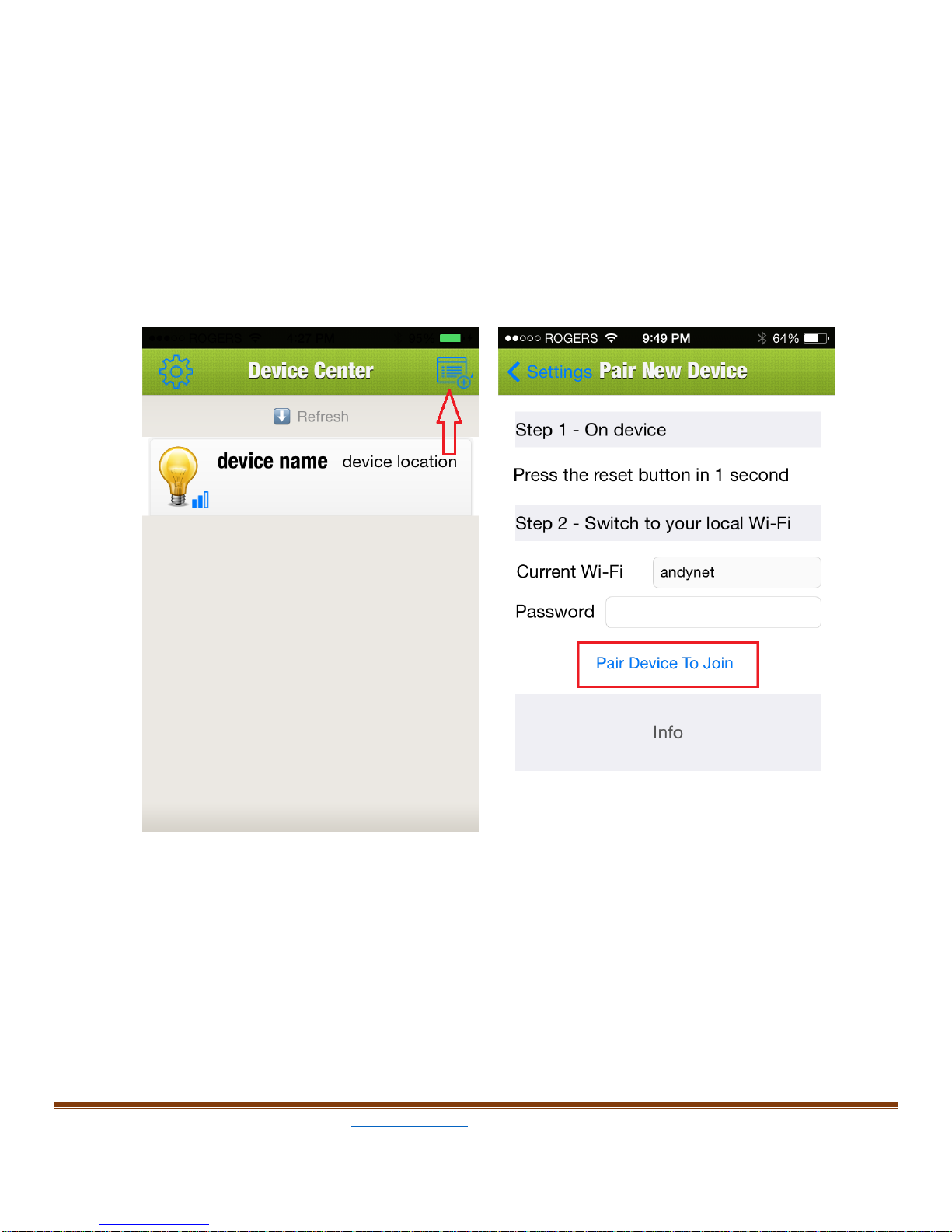
Run the “iPlug” app on your device, the “Device Center” page will show up
first, this will allow you to configure all smart outlets which have plugged in
wall outlet.
“Smart Link”One button configuration:
Tap the quick device configure icon at the right top of screen, the “Pair
new device” page will show up, your home network SSID will be filled in
the WI-FI field automatically, type in your home network password, press
the reset button on the outlet for one second then release, then tap the
“Pair Device To Join” button in red block, your smart outlet will
automatically join in your home network.
B. Android devices:
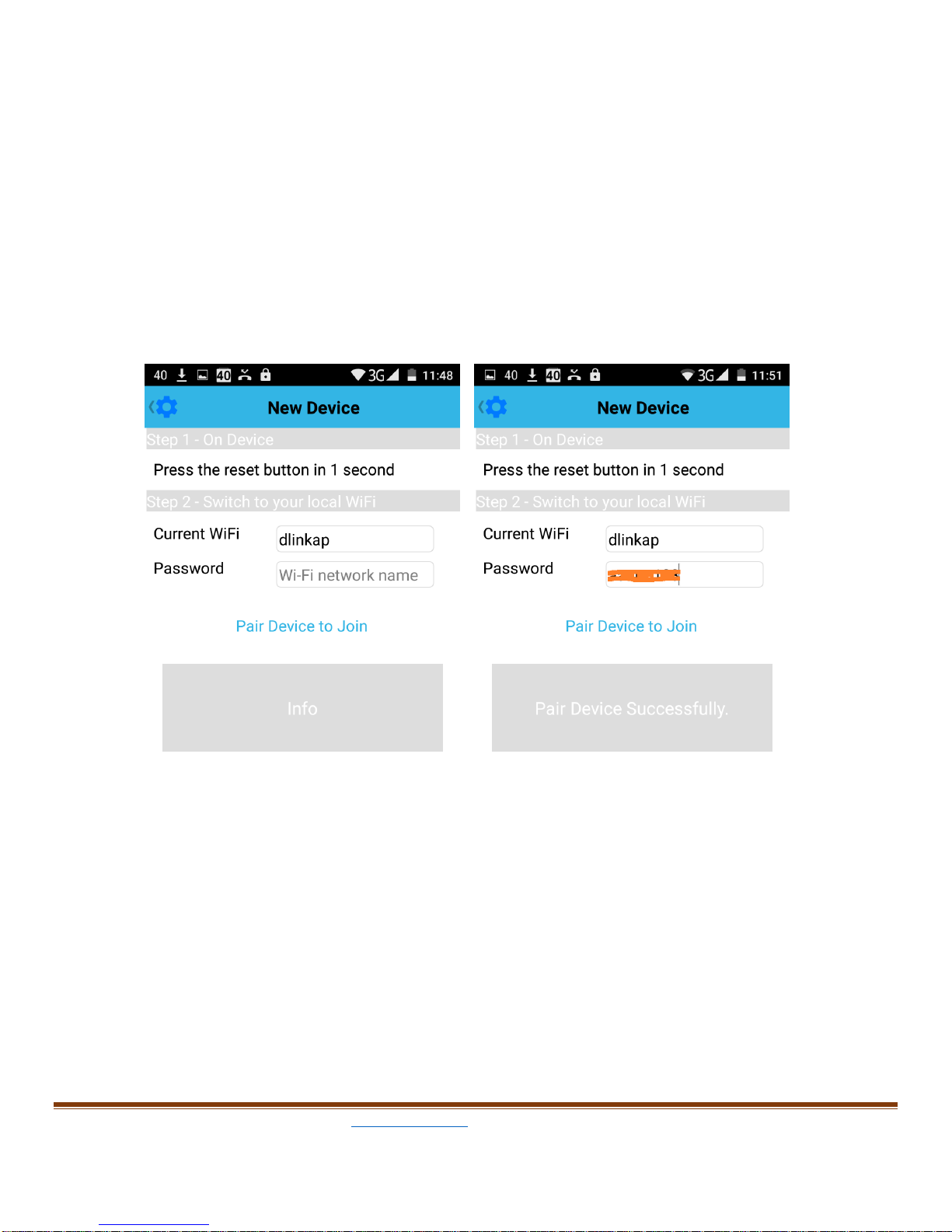
The new device page will show up with the instruction of connecting your
home wifi network.
Type in your home network password in the Password field, Press the
reset button on the smart outlet for 1 second and release, then tap the
“Pair Device to Join”below the password, Pair successfully will show
up in 2 minutes after following the instructions on screen.
4. Smart Outlet Operation
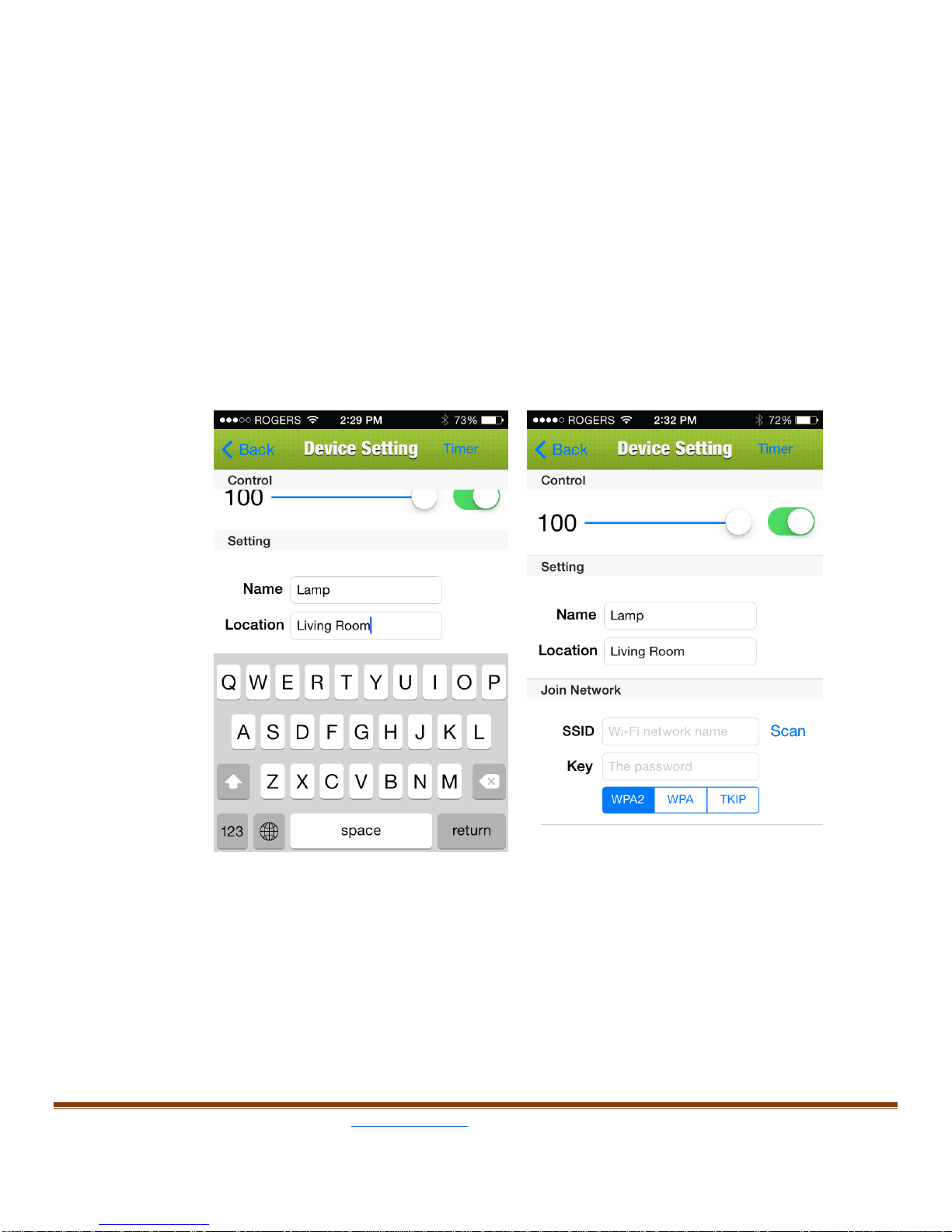
a. Tap the device name, the “Device Setting”page will open up. Type in the
new device name and location in Name and Location field then return.
The app may require upgrading the firmware if there is an update. On the
top of this page, you can turn on/off your lamp by flipping the dot on the
right side and you can adjust the brightness of the light by sliding the
round dot on the brightness control line.
b. Set timer
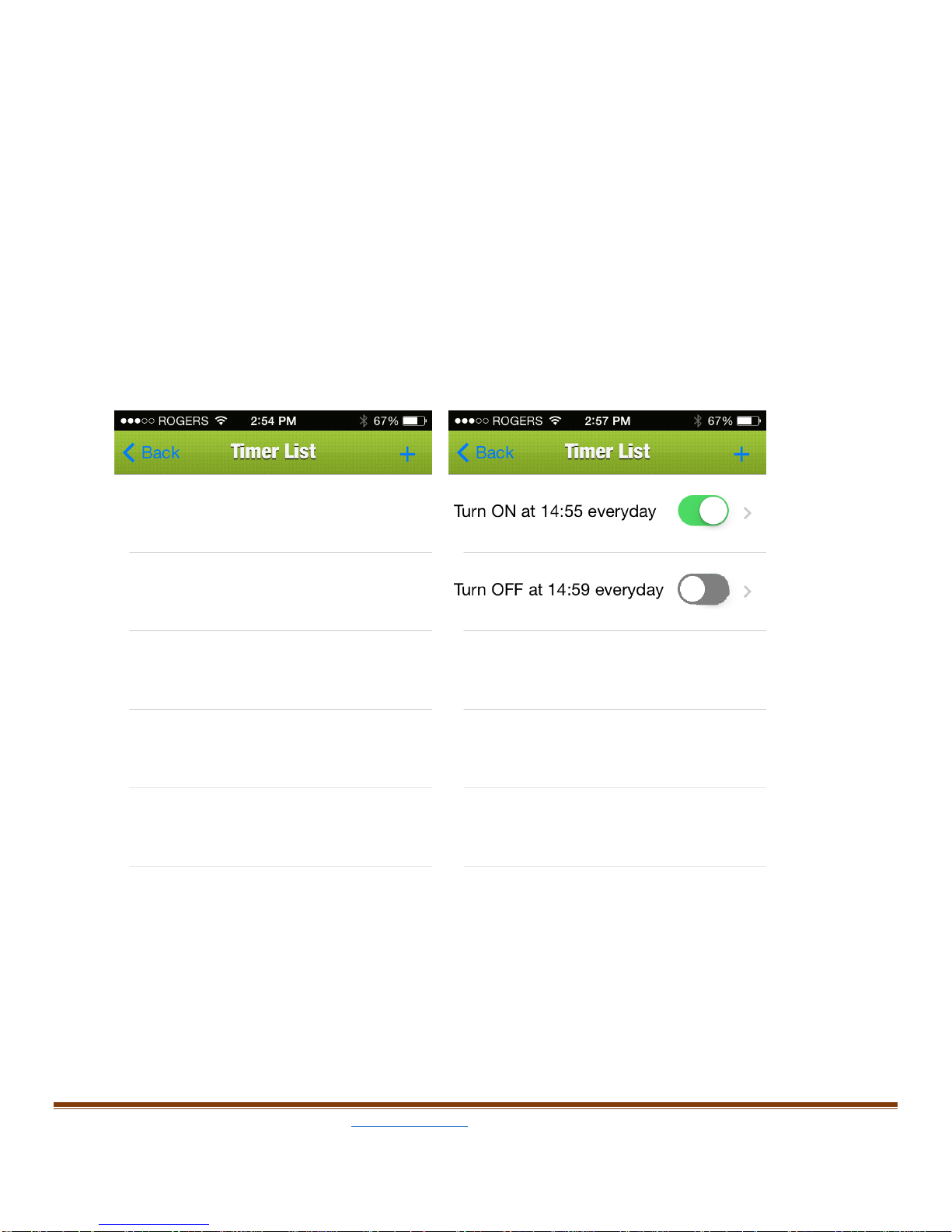
On device setting page, press “Timer” on right top of the screen (a clock icon)
next to the device setting, it will show the “Timer List”page; from there user
can add a timer by pressing “+” next to Timer List. Once “+” is pressed, it will
show another page called “Timer”, to set the timer, just change Start time
and End time, device ON or OFF at that time, (flip the dot next to the time)
then select the repeat frequency.
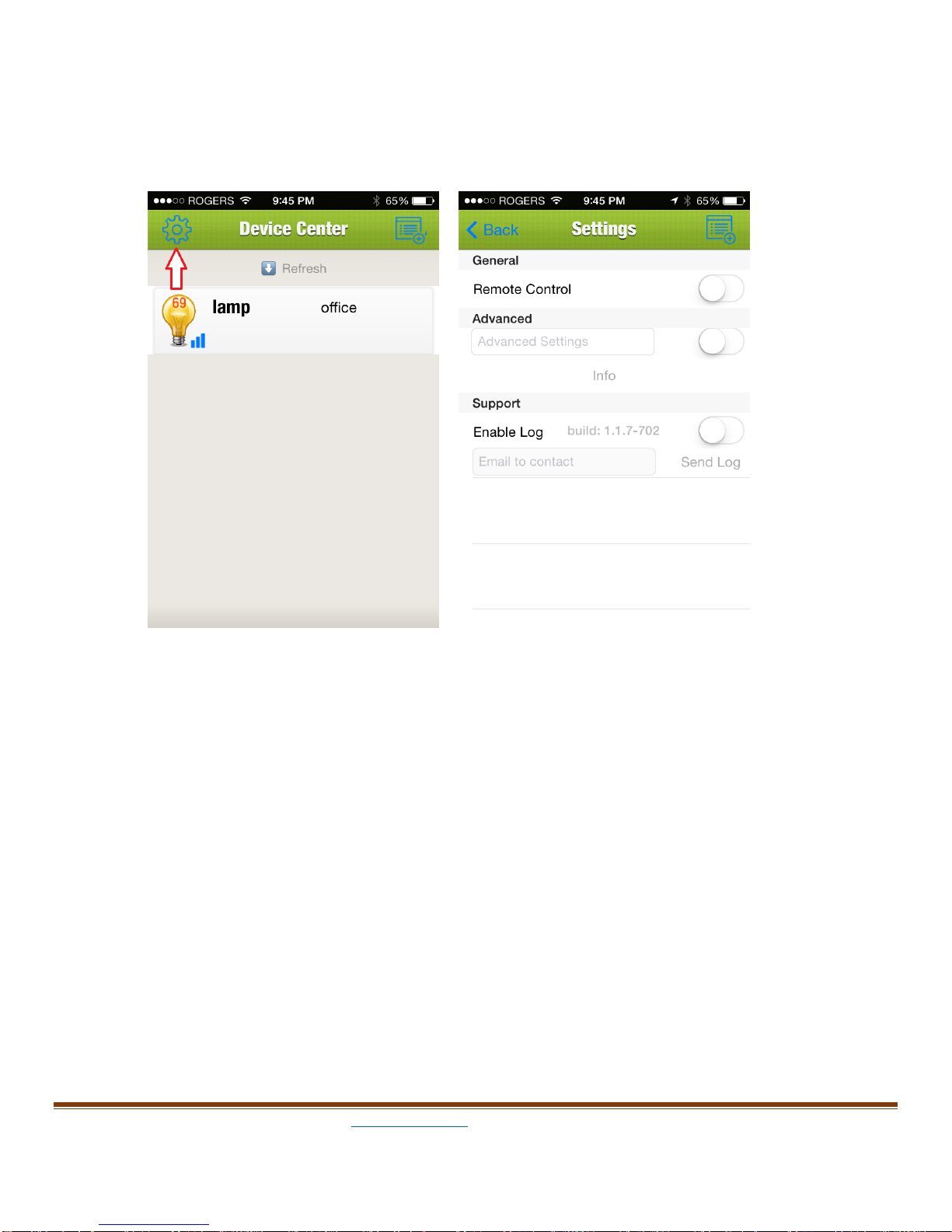
c. Remote control
Tap the setting icon on Device Center page (teeth wheel icon), the
setting page will show up.
Flip the round dot next to the “Remote Control” to right side will enable
the remote control feature.
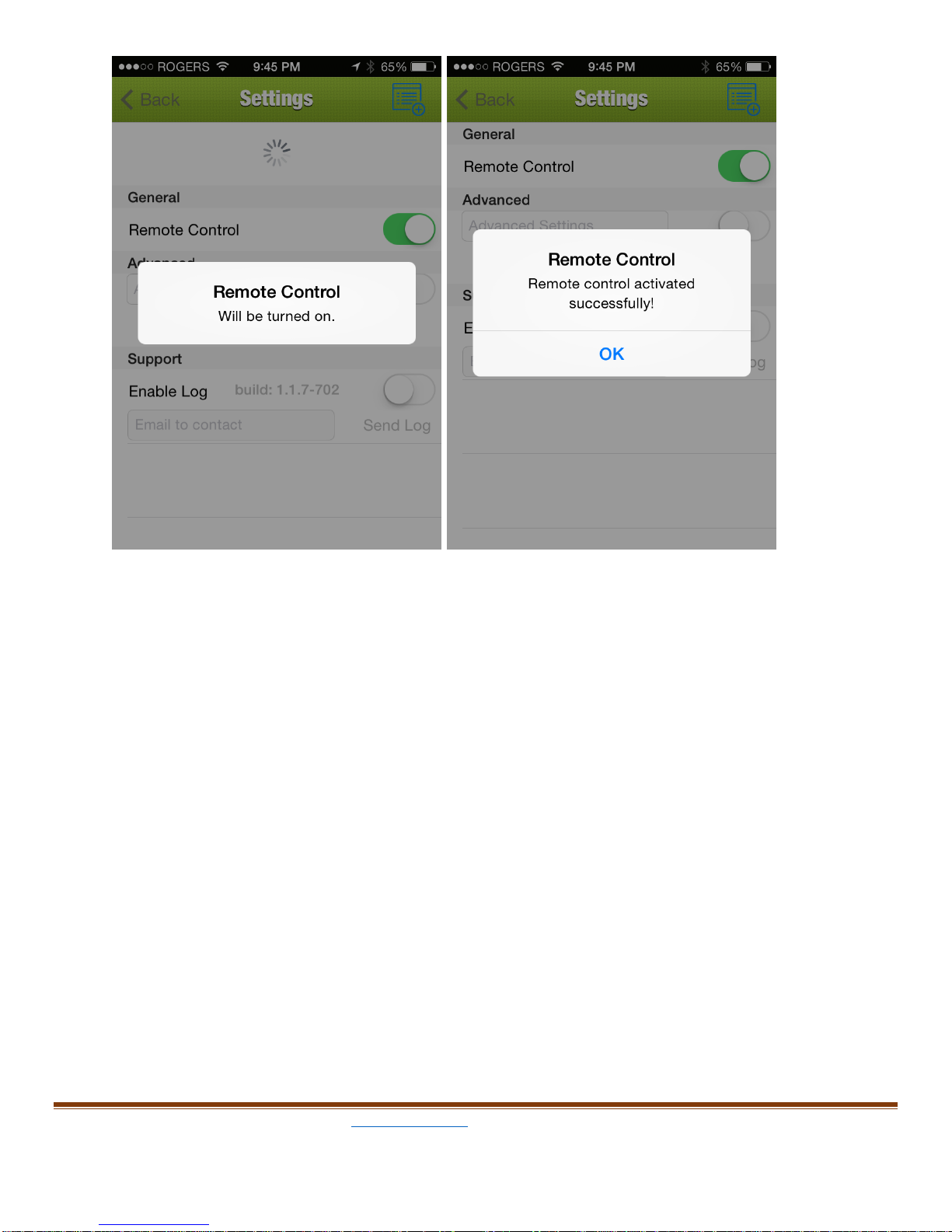
Once the remote control feature is enabled, user can control the smart
outlet from anywhere in the world using wifi or cellphone network.
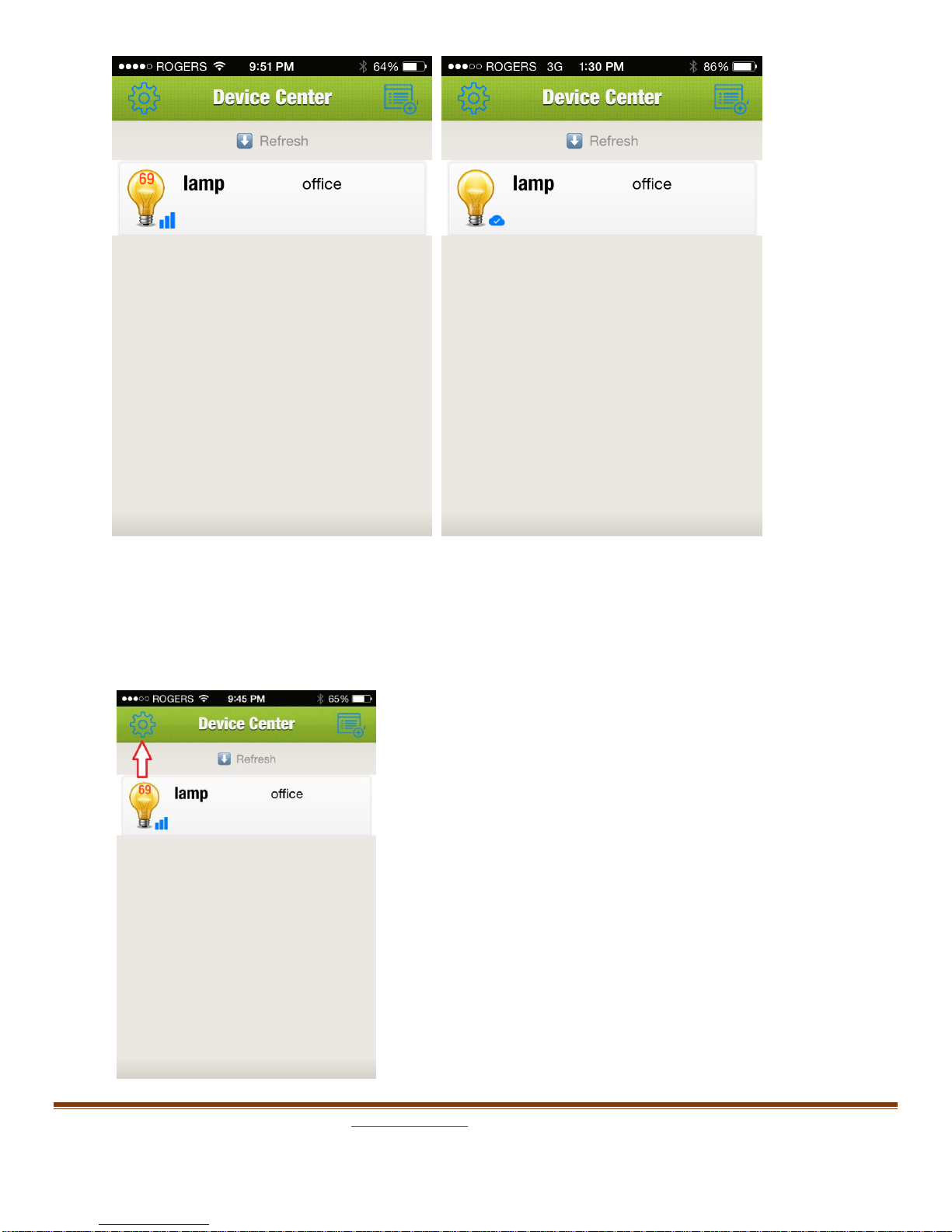
The symbol under the light bulb will tell the network status, picture
below on left shows device is on a local network(a wifi symbol), and
picture on right shows the device is remotely controlled(a cloud symbol).
The number on the light bulb tells the brightness setting right now. Fullly
on is 100 which will not display.
d. Advanced setting
Advance setting can set the user local sunrise and sunset time, also allow
user to set easy ON/OFF feature.
On Device Center page, tap setting icon agin,
the settings page will show up,
Other manuals for Smart Outlet
1