NEC L50W LED User manual

Projector
L50W
User’s Manual
Model No.
NP-L50W

2nd edition November 2011
• DLP and BrilliantColor are trademarks of Texas Instruments.
• IBM is a trademark or registered trademark of International Business Machines Corporation.
• Macintosh, iPod, and PowerBook are trademarks of Apple Inc., registered in the U.S. and other
countries.
• Microsoft, Windows, Windows Vista, and PowerPoint are either a registered trademark or trade-
mark of Microsoft Corporation in the United States and/or other countries.
• Adobe, Adobe PDF, Adobe Reader, and Acrobat are either registered trademarks or trademarks of
Adobe Systems Incorporated in the United States and/or other countries.
• MicroSaver is a registered trademark of Kensington Computer Products Group, a division of ACCO
Brands.
• HDMI, the HDMI Logo and High-Denition Multimedia Interface are trademarks or registered
trademarks of HDMI Licensing LLC.
• Blu-ray is a trademark of Blu-ray Disc Association
• SDHC, SD, microSD and microSDHC logo is a trademark of SD-3C, LLC.
• Linux is a registered trademark of Linus Torvalds in the U.S. and other countries.
• Other product and company names mentioned in this user’s manual may be the trademarks or
registered trademarks of their respective holders.
• GPL/LGPL Software Licenses
The product includes software licensed under GNU General Public License (GPL), GNU Lesser Gen-
eral Public License (LGPL), and others.
For more information on each software, see “readme.pdf” inside the “about GPL&LGPL” folder on
the supplied CD-ROM.
NOTES
(1) The contents of this user’s manual may not be reprinted in part or whole without permission.
(2) The contents of this user’s manual are subject to change without notice.
(3) Great care has been taken in the preparation of this user’s manual; however, should you notice any
questionable points, errors or omissions, please contact us.
(4) Notwithstanding article (3), NEC will not be responsible for any claims on loss of prot or other
matters deemed to result from using the Projector.

i
English ...
Important Information
Safety Cautions
Precautions
Please read this manual carefully before using your NEC L50W projector and keep the manual handy for
future reference.
CAUTION
To turn off main power, be sure to remove the plug from power outlet.
The power outlet socket should be installed as near to the equipment as possible, and should be
easily accessible.
CAUTION
TO PREVENT SHOCK, DO NOT OPEN THE CABINET.
THERE ARE HIGH-VOLTAGE COMPONENTS INSIDE.
REFER SERVICING TO QUALIFIED SERVICE PERSONNEL.
This symbol warns the user that uninsulated voltage within the unit may be sufcient to cause
electrical shock. Therefore, it is dangerous to make any kind of contact with any part inside of
the unit.
This symbol alerts the user that important information concerning the operation and mainte-
nance of this unit has been provided.
The information should be read carefully to avoid problems.
WARNING: TO PREVENT FIRE OR SHOCK, DO NOT EXPOSE THIS UNIT TO RAIN OR MOISTURE.
DO NOT USE THIS UNIT’S PLUG WITH AN EXTENSION CORD OR IN AN OUTLET UNLESS ALL
THE PRONGS CAN BE FULLY INSERTED.
DOC Compliance Notice (for Canada only)
This Class B digital apparatus meets all requirements of the Canadian Interference-Causing Equipment
Regulations.
Machine Noise Information Regulation - 3. GPSGV,
The highest sound pressure level is less than 70 dB (A) in accordance with EN ISO 7779.
Disposing of your used product
EU-wide legislation as implemented in each Member State requires that used electrical and
electronic products carrying the mark (left) must be disposed of separately from normal house-
hold waste. This includes projectors and their electrical accessories. When you dispose of such
products, please follow the guidance of your local authority and/or ask the shop where you
purchased the product.
After collecting the used products, they are reused and recycled in a proper way. This effort will
help us reduce the wastes as well as the negative impact to the human health and the environ-
ment at the minimum level. The mark on the electrical and electronic products only applies to the
current European Union Member States.
WARNING TO CALIFORNIA RESIDENTS:
Handling the cables supplied with this product will expose you to lead, a chemical known to the State of
California to cause birth defects or other reproductive harm. WASH HANDS AFTER HANDLING.

ii
English ...
Important Information
RF Interference (for USA only)
WARNING
The Federal Communications Commission does not allow any modications or changes to the unit
EXCEPT those specied by NEC Display Solutions of America, Inc. in this manual. Failure to comply with
this government regulation could void your right to operate this equipment. This equipment has been test-
ed and found to comply with the limits for a Class B digital device, pursuant to Part 15 of the FCC Rules.
These limits are designed to provide reasonable protection against harmful interference in a residential
installation. This equipment generates, uses, and can radiate radio frequency energy and, if not installed
and used in accordance with the instructions, may cause harmful interference to radio communications.
However, there is no guarantee that interference will not occur in a particular installation.
If this equipment does cause harmful interference to radio or television reception, which can be deter-
mined by turning the equipment off and on, the user is encouraged to try to correct the interference by one
or more of the following measures:
• Reorient or relocate the receiving antenna.
• Increase the separation between the equipment and receiver.
• Connect the equipment into an outlet on a circuit different from that to which the receiver is connected.
• Consult the dealer or an experienced radio / TV technician for help.
For UK only: In UK, a BS approved power cord with moulded plug has a Black (ve Amps) fuse installed for
use with this equipment. If a power cord is not supplied with this equipment please contact your supplier.
Important Safeguards
These safety instructions are to ensure the long life of your projector and to prevent re and shock. Please
read them carefully and heed all warnings.
Installation
• Do not place the projector in the following conditions:
- on an unstable cart, stand, or table.
- near water, baths, or damp rooms.
- in direct sunlight, near heaters, or heat radiating appliances.
- in a dusty, smoky or steamy environment.
- on a sheet of paper or cloth, rugs or carpets.
WARNING
• Do not use any other object than the projector’s sliding lens cover to cover the lens while the projector is
on. Doing so can cause the object to get extremely hot, and possibly resulting in a re or damage due to
the heat emitted from the light output.
• Do not place any objects, which are easily affected by heat, in front of the projector lens. Doing so could
lead to the object melting from the heat that is emitted from the light output.

iii
English ...
Important Information
Fire and Shock Precautions
• Ensure that there is sufcient ventilation and that vents are unobstructed to prevent the build-up of heat
inside your projector. Allow at least 4 inches (10cm) of space between your projector and a wall.
• Do not try to touch the ventilation outlet as it can become heated while the projector is turned on and im-
mediately after the projector is turned off.
• Prevent foreign objects such as paper clips and bits of paper from falling into your projector. Do not at-
tempt to retrieve any objects that might fall into your projector. Do not insert any metal objects such as a
wire or screwdriver into your projector. If something should fall into your projector, disconnect it immedi-
ately and have the object removed by a qualied service personnel.
• Do not place any objects on top of the projector.
• Do not touch the power plug during a thunderstorm. Doing so can cause electrical shock or re.
• The projector is designed to operate on a power supply of 100-240V AC 50/60 Hz. Ensure that your power
supply ts this requirement before attempting to use your projector.
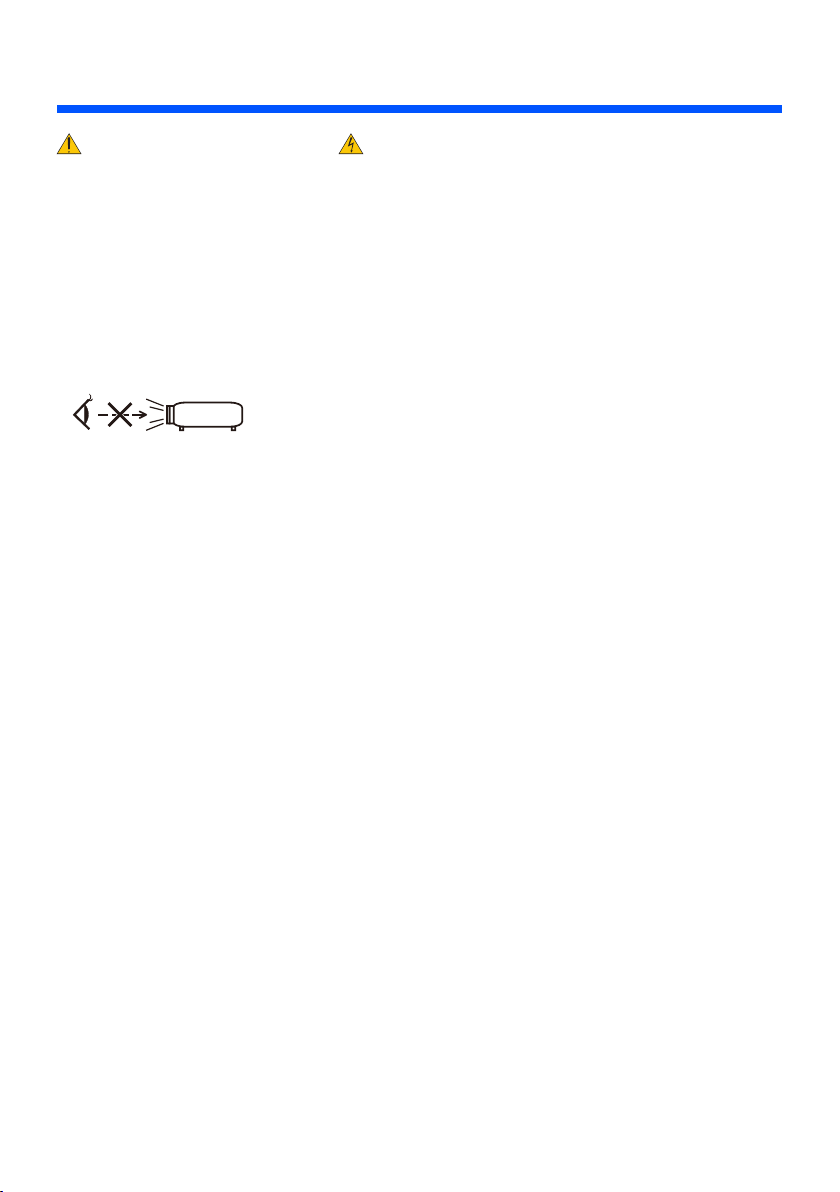
• Do not look into the lens while the projector is on. Serious damage to your eyes could result.
• Keep any items (magnifying glass etc.) out of the light path of the projector. The light path being projected
from the lens is extensive, therefore any kind of abnormal objects that can redirect light coming out of the
lens, can cause unpredictable outcome such as a re or injury to the eyes.
• Do not block the light path between the light source and the lens with any objects. Doing so could cause the
object to catch on re.
• Handle the power cord carefully. A damaged or frayed power cord can cause electric shock or re.
- Do not use any power cord other than the one supplied.
- Do not bend or tug the power cord excessively.
- Do not place the power cord under the projector, or any heavy object.
- Do not cover the power cord with other soft materials such as rugs.
- Do not heat the power cord.
- Do not handle the power plug with wet hands.
• Turn off the projector, unplug the power cord and have the projector serviced by a qualied service per-
sonnel under the following conditions:
- When the power cord or plug is damaged or frayed.
- If liquid has been spilled into the projector, or if it has been exposed to rain or water.
- If the projector does not operate normally when you follow the instructions described in this user’s
manual.
- If the projector has been dropped or the cabinet has been damaged.
- If the projector exhibits a distinct change in performance, indicating a need for service.
• Disconnect the power cord and any other cables before carrying the projector.
• Turn off the projector and unplug the power cord if the projector is not to be used for an extended period
of time.
• Do not send the projector in the soft case by parcel delivery service or cargo shipment. The projector inside
the soft case could be damaged.

iv
English ...
Important Information
Remote Control Precautions
• Handle the remote control carefully.
• If the remote control gets wet, wipe it dry immediately.
• Avoid excessive heat and humidity.
• Do not short, heat, or take apart battery.
• Do not throw battery into re.
• If you will not be using the remote control for a long time, remove the battery.
• Dispose of used battery according to your local regulations.
• Do not place the battery upside down.
NOTE:
* Keep the coin cell battery out of reach of children so as not to allow them to swallow the cell battery.

v
English ...
Important Information
About High Altitude mode
• Set [Fan Mode] to [High] when using the projector at altitudes approximately 2500 feet/760 meters or
higher.
• Using the projector at altitudes approximately 2500 feet/760 meters or higher without setting to [High]
can cause the projector to overheat and the projector could shut down. If this happens, wait a couple min-
utes and turn on the projector.
About Copyright of original projected pictures:
Please note that using this projector for the purpose of commercial gain or the attraction of public attention
in a venue such as a coffee shop or hotel and employing compression or expansion of the screen image with
the following func tions may raise concern about the infringement of copyrights which are protected by copy-
right law. [Aspect Ratio], [Keystone], [D-ZOOM] feature and other similar features.

1... English
Table of Contents
Table of Contents...............................1
Usage Notice.....................................2
Precautions.........................................2
Introduction........................................4
Product Features ................................4
Package Overview..............................5
Product Overview ...............................6
Projector ................................................. 6
Connection Ports.................................... 7
Control Panel.......................................... 8
Remote Control ...................................... 9
Battery Installation................................ 11
Installation .......................................12
Connecting the Projector ..................12
Connect to Computer/Notebook...........12
Connect to Video Sources.................... 13
Powering On/Off the Projector..........14
Powering On the Projector ................... 14
Powering Off the Projector ................... 15
Warning Indicator ................................. 16
Adjusting the Projected Image..........17
Adjusting the Height of Projector
Image ................................................... 17
Adjusting the Projector Focus .............. 18
Adjusting Projection Image Size........... 18
User Controls...................................19
On Screen Display............................19
How to operate .................................... 19
Menu Tree ........................................... 20
IMAGE.................................................. 22
IMAGE | Advanced ............................... 24
SCREEN .............................................. 26
SETTING.............................................. 27
SETTING | Signal (RGB)...................... 29
SETTING | Advanced ........................... 30
OPTIONS ............................................. 31
OPTIONS | Information ........................ 33
OPTIONS | Advanced .......................... 34
Using Multimedia ..............................35
How to operate .................................... 36
Multimedia Menu Tree ......................... 37
Supported Formats .............................. 38
Using the Projector as a Storage
Device...............................................40
Projecting Your Computer’s Screen
Image from the Projector via the USB
Cable (USB Display).........................41
Appendices......................................42
Troubleshooting ................................42
Specications....................................46
Compatibility Modes .........................48
Analog RGB ......................................... 48
Component........................................... 48
HDMI .................................................... 49
Composite Video .................................. 49
Tripod Stand Installation ...................50
Cabinet Dimensions..........................51
Pin Assignments of D-Sub
COMPUTER Input Connector...........52
Troubleshooting Check List...............53
TravelCare Guide..............................55

2
English ...
Usage Notice
Precautions
Follow all warnings, precautions and maintenance as recom-
mended in this user’s guide to maximize the life of your unit.
■ Warning- Turn on the projector rst and then the signal
sources.
Turkish RoHS information relevant for Turkish market
EEE Yonetmeliğine Uygundur.
High gain type screens are not optimal for use with this
projector. The lower the screen gain (i.e., screen gain on the
order of 1), the better the appearance of the projected image.

3... English
Usage Notice
Do:
■Turn off the product before cleaning.
■Use a soft cloth moistened with mild detergent to clean the
cabinet.
■Disconnect the power plug from AC outlet if the product is not
being used for a long period of time.
■If the lens is soiled, use a commercially available cleaning cloth
for lens.
Do not:
■Use abrasive cleaners, waxes or solvents to clean the unit.
■Use under the following conditions:
- Extremely heat, cold or humidity.
- In areas susceptible to excessive dust and dirt.
- In direct sunlight.
- Apply excessively strong pressure against the lens.
This manual suits for next models
1
Table of contents
Other NEC Projector manuals

NEC
NEC GT1150 Series User manual

NEC
NEC MultiSync MT1055 Installation and user guide

NEC
NEC NP100 - SVGA DLP Projector User manual

NEC
NEC NP4100W - WXGA DLP Projector User manual

NEC
NEC GT5000 Series Use and maintenance manual

NEC
NEC NP500WS User manual

NEC
NEC LT75Z - MultiSync SVGA DLP Projector Assembly instructions

NEC
NEC VT676 Series User manual

NEC
NEC L102W User manual

NEC
NEC NP-P451X User manual