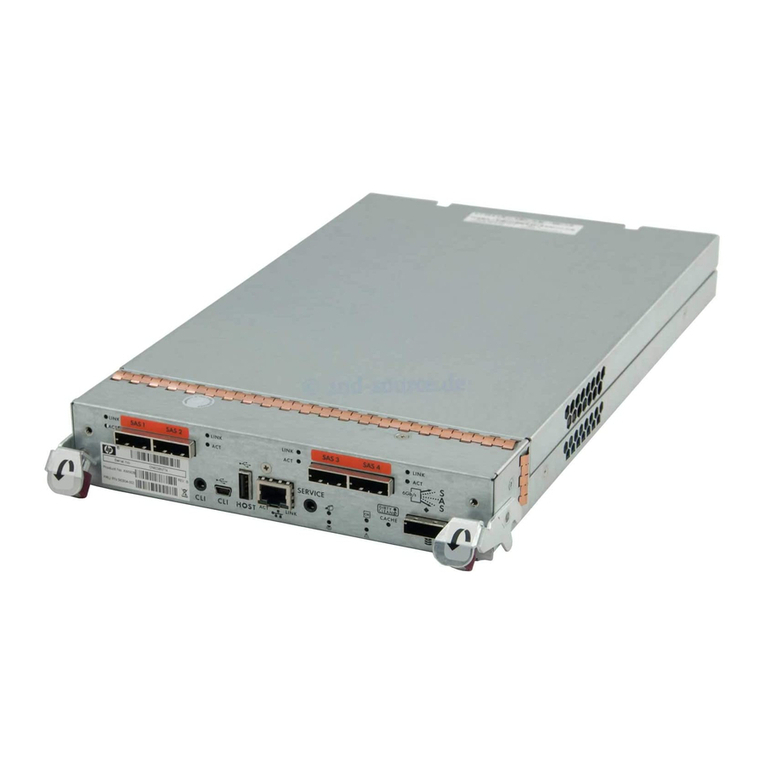
NEC NF2300-SR412E User manual

NF2300-SR412E/SR413E/SR414E/SR422E
Disk Array Unit
User's Guide
NOTE:
Read this manual carefully before using the unit. Keep this
manual nearby as a handy reference and refer to the
"CAUTION" and "WARNING" statements whenever necessary.
NEC CONFIDENTIAL AND PROPRIETARY
A
ll rights reserved by NEC Corporation. This document must be
used solely for the purpose for which it was furnished by NEC
Corporation. No part of this document may be reproduced or
disclosed to others, in any form, without the prior written
permission of NEC Corporation.
856-850305-101-A

FEDERAL COMMUNICATIONS COMMISSION
RADIO FREQUENCY INTERFERENCE STATEMENT
NOTE: This equipment has been tested and found to comply with the limits for a Class A
digital device, pursuant to Part 15 of the FCC Rules. These limits are designed to
provide reasonable protection against harmful interference when the equipment is
operated in a commercial environment. This equipment generates, uses, and can radiate
radio frequency energy and, if not installed and used in accordance with the instruction
manual, may cause harmful interference to radio communications. Operation of this
equipment in a residential area is likely to cause harmful interference in which case the
user will be required to correct the interference at his own expense.
Warning
This is a Class A product. In domestic environment this product may cause radio
interference in which case the user may be required to take adequate measures.

i
Safety Precautions
Before using this unit, read this manual carefully and keep cautions in order to use this
unit safely and correctly and to avoid to be a cause of damage to the body or properties.
Keep this manual to see whenever it is necessary.
The following symbols are used in this manual so that you can easily understand how to
operate the unit safely and correctly.
WARNING Indicate there is a risk of death or serious wound.
CAUTION Indicate there is a risk of burn or injury.
Risks and necessary actions to reduce risks are indicated individually by the following
symbols.
Indicates the risk of smoke emission or fire outbreak.
Indicates the risk of electric shock.
Indicates the danger of an injury due to harmful material.
Indicates instructions to keep a device away from inflammable object.
Indicates notice of general prohibition.
Indicates required general actions for operators.
Indicates instructions to pull the plug of a power cord from outlet and to off
main circuit breaker.

ii
Notes on Use
The following includes information necessary for proper and safe operation of the disk
array unit.
WARNING
Do not use the disk array unit in an area with much moisture or water usage. If so,
a fault, electrical shock, or fire may occur.
Do not use the disk array unit in an area where inflammable gas and/or
combustible substance are placed. If so, fire or explosion may occur.
Do not concentrate power cords only to some AC outlets. If so, fire may occur.
Do not put a heavy substance on a power cord. If so, the coating of the power
cord may be broken, fire may occur, and/or you may be electrically shocked.
Do not install the disk array unit in an area of much moisture or dust. Remove dust
adhering to AC outlets and the plugs of power cords, if any. If dust remains
adhering to an AC outlet and/or plug, fire may occur.
Do not connect the plug of a power cord to an AC outlet with a wet hand. If so, you
may be electrically shocked.
While the disk array unit can accept the power of 100 - 240 VAC (50/60 Hz), the
power cord coming with the disk array unit can only accept 100 – 120 VAC. Use
100 – 120 VAC (50/60 Hz) when the attached power cord is used. Using power of
different voltage may cause electric shock, smoke, and/or fire to occur.
The LAN card of the disk array unit contains lithium battery. Do not remove the
lithium battery. The lithium battery may explode when it is brought close to fire or
immersed in water. Dispose of the LAN card according to local ordinance. Contact
your local government for details.
If the disk array unit does not operate normally due to the life of the lithium
batteries, contact your service representative. Do not disassemble the LAN card,
or replace or charge battery by yourself.

iii
CAUTION
Do not install the disk array unit and the host systems on unstable places. If so,
some substances may be dropped to cause you to be injured.
Do not install the disk array unit and the power cords in an area with direct sunshine
or near an apparatus generating heat such as a heater. If so, a fault may occur.
Further, the coating of the power cord may be melted to cause fire or electric shock
to occur.
Insert the plug of a power cord to an AC outlet securely. Any power cord shall be
routed with sufficient margin to avoid excess force from being given to the plugs of
the power cord or the power cord itself. If a power cord is removed from the AC
outlet during operation, data may be lost and/or a fault may occur.
To prevent electric shocks, connect a power cord to an AC outlet with earth
terminal. Connection of the earth line to a gas tube is extremely dangerous. Never
do it.
Connect or remove a peripheral device from the disk array unit after turning off all
the powers of the disk array unit and peripherals and pulling out the power cords
from the AC outlets. If not, some units may be broken and/or you may be electrically
shocked.
To carry or reinstall the disk array unit, disconnect all cables and power cords
beforehand. If not, some units may be broken, you may be electrically shocked,
and/or a fire may occur.
Handle optical fibers carefully and gently.
The minimum bending radius of optical fiber shall be 30 mm.
Dust and/or dirt may attenuate the optical power of optical fiber to cause data errors
to occur. Clean any optical fiber cable whenever it is inserted into the mating
connector in the following procedure.
1. Blow parts cleaning gas (e.g. air splay) to the connector of the optical fiber cable
for several seconds.
2. Wipe the connector with non-woven cloth soaked with alcohol for several times.
3. Blow the parts cleaning gas to the connector again.
To install the unit in a rack, observe the following guidelines.
1. TMRA – If installed in a rack, consideration should be given to installing the
equipment in an environment compatible with the TMRA.
2. Reduced Air Flow – Installation in a rack should be such that the amount of air flow
required for safe operation of the equipment is not compromised.
3. Mechanical loading – Mounting of the equipment in the rack should be such that a
hazardous condition is not achieved due to uneven mechanical loading.
4. Circuit Overloading – Consideration should be given to the connection of the
equipment to the supply circuit and the effect that overloading the circuits might
have on overcurrent protection and supply wiring. Appropriate consideration of
equipment nameplate ratings should be used when addressing this concern.
5. Reliable Earthing – Reliable earthing of rack-mounted equipment should be
maintained. Particular attention should be given to supply connections other than
direct connections to the branch circuit (e.g., use of power strips).

iv
Indication on Safety
Warning labels are put on parts possibly be dangerous and/or surroundings in the disk
array unit. They are intended to always make you conscious of possible dangers when you
handle the disk array unit. (Do not peel off the labels or do not make them dirty.) If any of
the labels is not put on the proper position, is peeled off a little, or is dirty to make it
unreadable, contact your sales agent or maintenance engineer.

v

vi

vii

viii
This manual suits for next models
3
Table of contents
Other NEC Disk Array System manuals


Popular Disk Array System manuals by other brands
Fujitsu
Fujitsu ETERNUS DX60 S2 Maintenance manual
Accom
Accom WSD/2XTREME user guide
HP
HP Compaq Presario,Presario 4400 Quickspecs

ATTO Technology
ATTO Technology Diamond Storage Array V-Class Installation and operation manual

National Instruments
National Instruments RMX-8268 installation guide

Overland Tandberg
Overland Tandberg SnapServer DX1 instructions