Naxa NTS-2420 User manual

User Manual
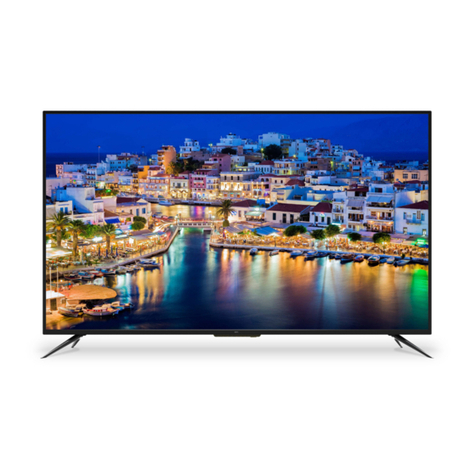
SMART TV LED 24"
NTS-2420

2

3
IMPORTANT INSTRUCTIONS
SAFETY INFORMATION
CAUTION
RISK OF ELECTRIC SHOCK
DO NOT OPEN
The lightning ash and arrow
head within the triangle is a
warning sign alerting you of
“dangerous voltage” inside
the product.
The exclamation point within
the triangle is a warning sign
alerting you of important
instructions accompanying
the product.
CAUTION: TO REDUCE THE RISK OF
ELECTRIC SHOCK. DO NOT REMOVE
COVER (OR BACK). NO USER SERVICE-
ABLE PARTS INSIDE. REFER SERVICING
TO QUALIFIED SERVICE PERSONNEL.
WARNING - TO REDUCE THE RISK OF FIRE, ELECTRIC SHOCK, OR
SERIOUS PERSONAL INJURY:
• If the following pictogram is not on the product: , then it is a class 1 apparatus. It
must be connected to an electrical power supply base that is connected to protective
earth.
• If the cord is damaged, have it repaired by the manufacturer, its service, or a similarly
qualied person in order to avoid any hazard.
• The cord should always be readily accessible.
• The apparatus shall not be exposed to dripping or splashing water or liquids, and no
objects lled with liquids, such as ower vases, shall be placed on the product.
• The normal ventilation of the product shall not be impended for intended use.
• Always leave a minimum distance of 10 cm around the unit to ensure sufcient venti-
lation.
• Naked ame sources, such as candles, should not be placed on top of the device.
• The device is intended for use only in a temperate climate.
• Situate this product away from heat sources, such as radiators, heat registers, stoves,
or other appliances (including ampliers) that produce heat.
• Clean the product only as recommended by the manufacturer (see “Maintenance”
section for details). Unplug the power plug from the wall outlet before cleaning.
• Unplug the power plug from the wall outlet when left unused for an extended period of
time.
• Prevent onjects/liquids from falling or spilling on the product.
• Operate the product only with the supplied power cord. Route power cords so they
are not likely to be walked on or pinched by items placed upon or against them, paying
particular attention to plugs, convenience receptacles, and the point where they exit
from the product.
• Where the MAINS plug or an appliance coupler is used as the disconnect device, the
disconnect device shall remain readily operable.

4
IMPORTANT INSTRUCTIONS - Continued
• Do not operate this product under the following conditions:
- When the power-supply cord or plug is damaged.
- If liquid has been spilled into or objects have fallen onto the product.
- If the product has been exposed to rain or water.
- If the product does not operate when used according to the operation instructions.
- If the product has been dropped or damaged in any way.
• Do not attempt to service the product; take it to the electronics repair shop of your
choice for any servicing repairs.
• Do not overload wall outlers, extension cords, or integral convenience receptacles.
• Connect this product to the power outlet which is connected to protective earth.
• The TV can be placed in a cabinet, but ensure it has at least 5 cm (2”) clearance in all
directions.
CAUTION - TO REDUCE THE RISK OF SERIOUS PERSONAL INJURY
OR PRODUCT/PROPERTY DAMAGE:
• This product is intended solely for non-commerical, non-industrial, personal use as a
television. Do not use this product for any other purpose.
• Do not subject this product to violent shocks, extreme temperatures, or lengthy peri-
ods of direct sunlight.
• Keep this product away from magnetic objects, motors, and transformers.
• Do not use outdoors in inclement weather.
• Do not use this product while driving; this is dangerous and is illegal in some areas.
• CAUTION, to avoid accident, this appliance must be xed properly on the oor or on
the wall, according to the instructions for installation.
• The ventilation should not be impeded by covering the ventilation openings with
items, such as newspapers, table-cloths, curtains, etc.
Never put this proudct onto an unstable area. The TV may fall, causing injuries or
death or persons. Many injuries, in particular for children, could be avoided by taking
simple precautions, such as:
• Use appropriate furniture or bases recommended by the TV manufacturer.
• Use only furniture able to support the full weight of the TV without any danger.
• Ensure the television doesn’t exceed the edge of any surface it is placed on.
• Never place the television on elevated furniture, such as a cupboard or bookcase,
without rst xing the furniture in place and bracing the television with appropriate sup-
port.
• Do not place the TV on fabric or any other material that could be placed between the
TV itself and the furniture it is placed on.
• Explain to children the potential hazards they could be exposed to by climbing furni-
ture to access the TV.
• If your TV is to be moved, apply the same considerations to its new intended location.

5
IMPORTANT INSTRUCTIONS - Continued
BATTERY HANDLING AND USAGE
CAUTION - DANGER OF EXPLOSION IF BATTERY IS INCORRECTLY
REPLACED OR NOT REPLACED BY THE SAME TYPE OF BATTERY
• The battery should not be exposed to excessive heat, such as sunshine, re, or
similar.
• Different types of batteries, new, and used batteries, should not be mixed.
• The battery must be installed according to the polarity, as indicated.
• If the battery is worn, it must be removed from the product.
• The battery must be disposed of safely. Always use the collection bins provided
(check with your dealer) to protect the environment.
• Keep batteries away from children and pets. Only adults should handle batteries.
• Never throw batteries into a re or expose them to re or other heat sources.
Follow the battery safety and usage instructions.

6
TABLE OF CONTENTS
ACCESSORIES ...........................................................................8
INTRODUCTION .........................................................................9
FEATURES ..................................................................................9
BASIC FUNCTIONS ....................................................................9
SPECIFICATIONS .....................................................................10
MOUNTING INSTRUCTIONS (Optional) .................................11
STAND MOUNTING ...................................................................11
WALL MOUNTING .....................................................................12
GENERAL DESCRIPTION ........................................................13
OVERVIEW OF BACK PANEL ..................................................13
OVERVIEW OF BUTTONS .......................................................14
OVERVIEW OF REMOTE CONTROL .......................................15
INSTALLING BATTERIES IN THE REMOTE CONTROL ..........17
EXTERNAL CONNECTION ......................................................18
ANTENNA CONNECTION .........................................................18
BASIC OPERATION .................................................................19
MENU OPERATION ..................................................................19
PICTURE ...................................................................................20

7
SOUND ......................................................................................22
FUNCTION ................................................................................23
TIME ..........................................................................................25
OPTION .....................................................................................26
LOCK .........................................................................................28
CHANNEL ..................................................................................29
NETWORK SETTING ................................................................32
INTERNET .................................................................................34

8
ACCESSORIES
Please make sure the following items are included with your LED TV. If any of the fol-
lowing items are missing, contact your dealer.
Remote Control
TV Set
stand
Adaptor
4 pcs
User Manual

9
INTRODUCTION
FEATURES
• TV adopts 24” TFT LED display screen
• Zero X radiation complies to green environment protection requirement
• Connect to computer directly to realize TV/monitor combo
• USB 2.0
• 16:9 wide screen
• Auto tuning and ne tuning
• HDMI input
• Component Compatible (480i; 480P; 576i; 576P; 720P; 1080i; 1080P)
• Programmable sleep timer
• Wide range voltage input
• No-signal automatic power off
BASIC FUNCTIONS
Input terminals used for external equipment connection:
• 1 x RF input
• 1 x USB input
• 2 x HDMI inputs
• 1 x COMPONENT input
• 1 x AV input
• 1 x OPTICAL output
• 1 x Headphone output
• 1 x RJ-45 NET

10
INTRODUCTION - Continued
SPECIFICATIONS
Model No. NTS-2420
Model Title 24” SMART TV LED NETFLIX
Resolution 1366 x 768
Color Number 16.7M
Contrast 3000:1
Ratio 16:9
Lifetime 25,000 Hours
TV Rated Voltage DC 12V 4A
Adaptor Output: DC 12V 4A
Consumption < 48W
Dimensions 550 (W) x 149 (D) x 354 (H) mm
Weight Approx. 3.6 Kg
Base 2 Pcs, Removable
Operating Temperature 0° C to 45° F
Remote Control Rated Voltage DC 1.5V x 2 (Battery Not Included)
Loudspeaker 2 x 3W
Inputs RF, HDMI, YPbPr, AV, Audio, USB, Audio L/R
Outputs Headphone, OPTICAL
Compatible Multimedia Formats via USB Music: MP3, AAC
Photos: JPEG, BMP, PNG
Processor Dual Core KK-6486
RAM 768MB DDR III
Firmware Linux
Internal Memory 4 GB
Wireless Connectivity Wi-Fi (802.11 b/g/n)
NOTE: Specications are subject to change without prior notice.
The terms HDMI and HDMI High-Denition Multimedia Interface, and the HDMI logo are trade-
marks or registered trademarks of HDMI Licensing LLC in the United States and other countries
To avoid possible hearing damage, do not listen at high audio volume
for prolonged periods of time.
Other manuals for NTS-2420
2
Table of contents
Other Naxa LED TV manuals