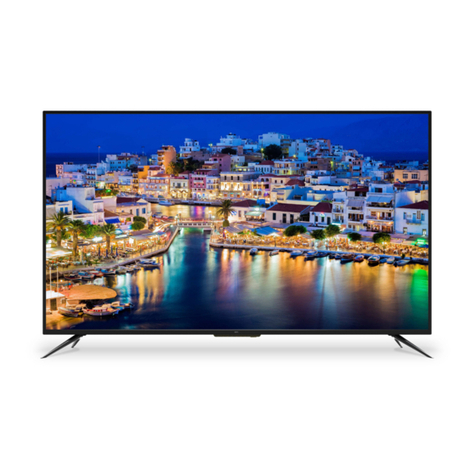
Naxa NT-5003 User manual

MODELNO.:NT-5003
50" CLASS LEDHDTV

2
FCC NOTICE
This device complies with Part 15 of the FCC Rules. Operation is subject to the following two condi-
tions: (1) this device may not cause harmful interference, and (2) this device must accept any interfer-
ence received, including interference that may cause undesired operation.
WARNING: Changes or modications to this unit not expressly approved by the party responsible for
complaince could void the user’s authority to operate the equipment.
NOTE: This equipment has been tested and found to comply with the limits for a Class B digital de-
vice, pursuant to Part 15 of the FCC Rules. These limits are designed to provide reasonable protec-
tion against harmful interference in a residential installation. This equipment generates, uses, and can
radiate radio frequency energy and, if not installed and used in accordance with the instructions, may
cause harmful interference to radio communications.
However, there is no guarantee that interference will not occur in a particular installation. If this equip-
ment does cause harmful interference to radio or television reception, which can be determined by
turning the equipment o and on, the user is encouraged to try to correct the interference by one or
more of the following measures:
• Reorient or relocate the receiving antenna.
• Increase the separation between the equipment and receiver.
• Connect the equipment into an outlet on a circuit dierent from that to which the receiver is connect-
ed.
• Consult the dealer or an experienced radio/TV technician for help.
SUPPORT
If you have problems with your device, please consult the instructions in this manual. Please also visit
us on the web at www.naxa.com to get up to the minute news, alerts, and documentation for your
device. For additional assistance, please contact Naxa Technical Support.
NAXA Technical Support
2320 East 49th St.
Vernon, CA 90058
Tel: (323)-583-8883
http://www.naxa.com/naxa_support/
Made in China

3
WARNING
To prevent re and/or electric shock, do not use this plug with an extension cord, receptacle,
or other outlet unless the blades can be fully inserted to prevent blad exposure. Do not expose
this appliace to rain or moisture.
IMPORTANT SAFETY INSTRUCTIONS
• Read these instructions.
• Keep these instructions.
• Heed all warnings.
• Follow all instructions.
• Please, unplug the TV power cord when the following conditions occur:
- When there is a thunderstorm (Please, pull out the power cord and antenna).
- When cleaning the TV set.
- When the TV set is not used for a long time.
• Do not use corrosive depurative when cleaning the TV set.
• Do not put the TV set under direct sunlight or near heat.
• Do not put a heat source, such as a candle or heater, on top of or near the TV set.
• Leave plenty of space (at least 10 cm) around the TV set for ventillation.
• Place the TV set away from where it can be ruined by rain or water (such as near a window).
• Do not put a container with liquid (such as a vase) on top of the TV set.
• Do not move the TV set when the power is on.
• Do not touch, push, or scratch the surface of the TV set with hard materials or items.
• When TV surfaces are dirty, please use a wet cotton cloth or soft cloth with non-corrosive
cleaners to clean it carefully. Do not use acetone, toluene, or alcohol to clean the TV set.
• Be aware and careful of moisture, which can damage inner electronic components.
• When condensed moisture is present, the TV screen may appear blurry or spotty.
• It is recommended that a technician install the TV set on a wall, if such placement is desired.
• An incorrect wall installation will be unsafe and hazardous.
• Do not let children climb on or play around the TV set to avoid falls, collisions, damages, and
injuries.
• Do not hit the TV panel with hard objects to prevent damages.
• Do not cover the tV set with blankets or other objects when it is connected to a power source
to prevent overheating and re.
• Batteries shall not be exposed to excessive heat, such as sunshine, re, or the like.
• Mains plug is used as disconnect device from the mains, the disconnect device shall remain
readily operate.
• Apparatus with class 1 construction shall be connected to a mains socket outlet with a protec-
tive earthing connection.

4
SAFETY
Please, immediately pull out the AC power plug if there
is an abnormal sound or smell or the LED TV has sound
but no picture, and contact after sales support.
The LED TV should be kept free from rain,
moisture and dust to prevent electrical shock
and short circuits. Do not cover the ventillation
openings with table clothes, curtains, newspa-
pers, etc.
The LED TV should be kept free from high
temperature heating sources or direct sunlight.
Good ventillation is required. Allow 10 cm be-
tween the LED TV and other appliances or built-
in cabinet walls.
When you wipe the front cabinet, please make
sure the power plug is pulled out and use a soft,
dry, lint-free cloth and handle it with care. Do not
repeatedly wipe the panel, nor scrape, tap, or
strike the panel with a hard object.
Do not wipe the LED TV with any petrol, chem-
ical or alcohol based solvents as it will lead to
product damage of the panel and cabinet.

5
SAFETY
Do not place the LED TV on an unstable surface.
Do not place the power cord or other cables across
a walkway in case it is trampled on. Do not overload
the power cord or power socket. When the power
plug is used to disconnect and connect the device, it
should be placed easily into the power source.
Do not disassemble the back cover, as it contains
high voltages inside and will cause electric shock.
adjustments, maintenance, and checks.
The TV set should not be subjected to water droplets, vapor,
candles, on or near the LED TV. Please, pull out the power
plug and contact after sales support if there are abnormal
objects or water in the TV.
Pull out the power cord and antenna cable during
electrical storms so the LED TV is not damaged by
electrical surges. Keep all people away from the an-
tenna cable during electrical storms.

6
Introduction 7
Features 7
Specications 8
Accessories 9
General Description 9-12
Overview of Front & Back Panel 9
Overview of Back Panel 10
Overview of Remote Control 11
Installing Batteries in Remote Control 12
Antenna Connection 12
External Connection 13-19
Connecting VCR 13
Connecting DVD Player/Set-Top Box 14
Connecting Digital Audio System 15
Connecting USB 16
Connecting DVD Player/Set-Top Box via HDMI 17
Connecting PC 18
Connecting a Headphone 19
Supporting Signals 19
Basic Operation 20
Turning the TV On and O 20
OSD Menu Operation 21-28
INPUT SOURCE SELECTION 21
BASIC OPERATION 21
FIRST TIME INSTALLATION 21
PICTURE 22
SOUND 23
TIME 24
SETUP 24-25
LOCK 26
CHANNEL 27
PC SETTINGS 28
USB Operation 28-29
Troubleshooting 30
Picture Defects and the Reason 31

7
•TV adopts TFT LED display screen
• HDTV compatible (480i, 480p, 576i, 576p, 720p, 1080i, 1080p)
• Support American TV Standard 8VSB/Free 64/256QAM, NTSC System, ATSC System
• Connect to computer directly to realize TV/monitor combo
• Zero X radiation complies to green environment protection requirement
•Advanced Chrome Processing
• Closed Captioning/Program Control
• SAP/STEREO/MONO; ATSC
• HDMI Input
• USB Input
Input terminals used for external equipment connection:
Computer VGA/PC Input x 1
AV Input x 1
Antenna Input x 1
YPbPr Input x 1
PC Audio Input x 1
HDMI Input x 3
USB Input x 1
Output terminals used for external equipment connection:
Earphone Output x 1
Coaxial Output x 1
Audio L/R Output x 1

8
NOTE:
all data and dimensions are approximations.
Display Screen Type Color Active Matrix LED Display
Model NT-5003
Maximum Resolution 1920 x 1080
Image Control Fine Digital Control
Power Supply AC 100-240V ~50/60Hz
TV Receiver System NTSC System, ATSC System
Frequency Range Antenna: 2~69, Cable: 2~125
Antenna Input Impedance 75Ohms (Unbalance)
Sound Output 2 x 8W
Power Supply (Remote Control) DC 3V (Two AAA Batteries)
Power Consumption 90W
Dimensions (LxWxH) 44.5 x 9.6 x 28.2 in.
Weight (Net Weight) 9.4 kg
Operation Environment Temperature 0°C-40°C

9
Overview of front andbackpanel
1
2
3
4
5
6
Please make sure that the following items are included with your LED TV. If any of the follow-
ing items are missing, contact your dealer.
1. Remote control sensor/power indicator.
2. VOL +/-: Press to increase/decrease the volume. In the
on-screen menu, use to move left/right.
3. CH +/-: Press to change channels. In the on-screen
menu, use to move up/down.
4. MENU: Press to view on-screen menu of your TV.
5. SOURCE: Toggle between all the available input sourc-
es.
6. STANDBY: Press to toggle between normal and standby
mode.

10
7
8
9
10
6
COAX
OUT
RL
IN
CVBS /Y Pb
IN
Pr
HDM I 1
AC 100- 240V ~
50/6 0H z (ARC)
COAX
OUT
RL
IN
CVBS/Y Pb
IN
Pr HDMI 1
AC 100-240V~
50/60Hz
1 2 3 4 5 6
(ARC)
1. Power Input (AC)
2. EARPHONE: Connects to phone for private listening.
3. COAXIAL: Connect to a digital audio device.
4. AUDIO L/R: Audio input for external devices, such as a
camcorder or VCR.
5. Y(CVBS)/Pb/Pr: Connect video.
6. HDMI 1/2/3: Connect to the HDMI jack of a device with
HDMI output.
7. VGA/PC IN: Connect to the video output jack on your
PC.
8. PC AUDIO: Audio input for external devices.
9. ANTENNA INPUT: Connect to an antenna or cable
NTSC & ATSC.
10. USB (TV): USB Input
RL
OUT
11
11. Audio L/R Output: Connect a digital audio device.
Table of contents
Other Naxa LED TV manuals