NanoEnTek JuLi BR User manual
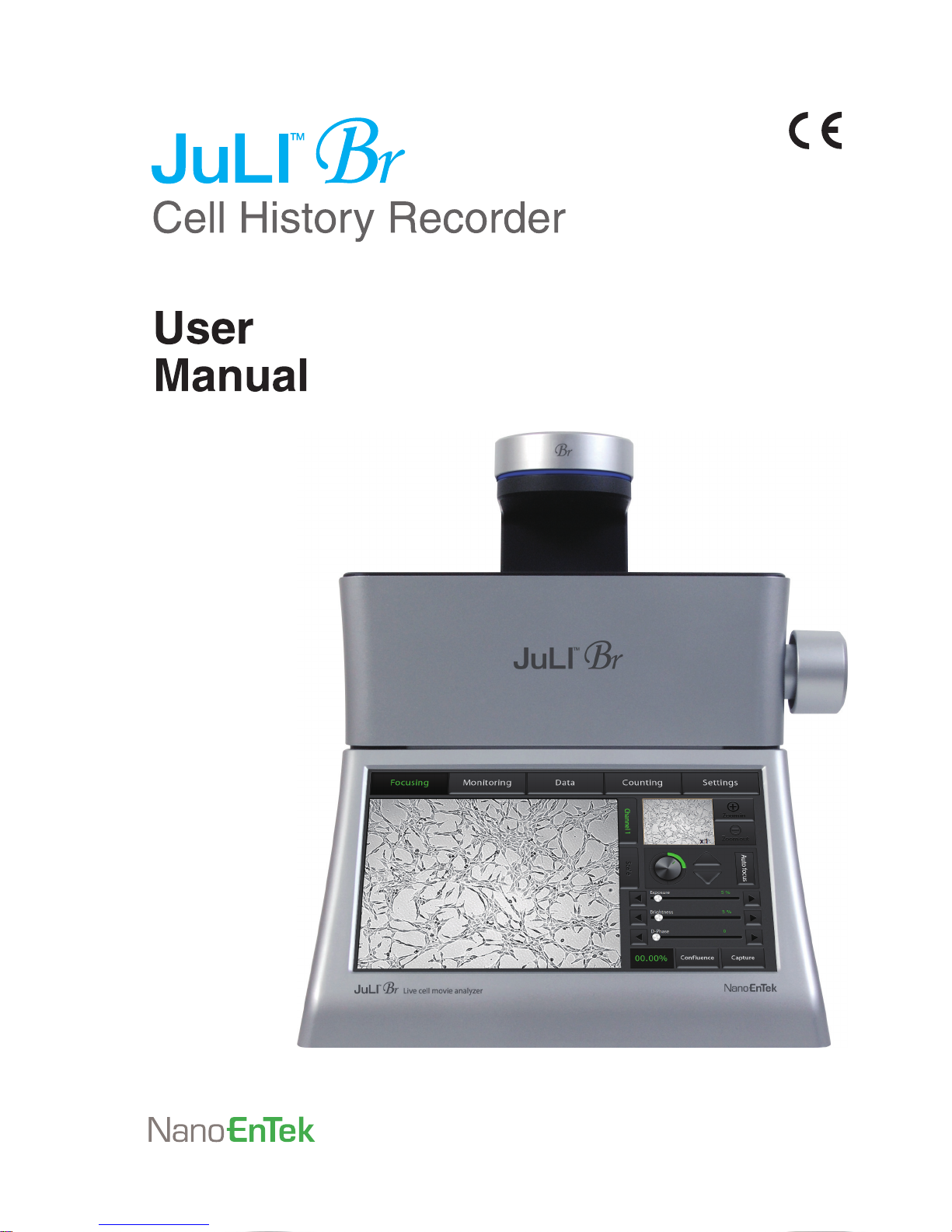

Table of contents
Product components 3
Product overview 4
Installation 5-6
Description 7-12
Operation 13-51
Focusing 13-19
Adjust the focus 13-14
Auto focus 15
ROI Auto focus 16
Confluence 17-18
Capture 19
Monitoring 20-23
Data 24-32
Open data 24-26
Screenshot 27
Save to USB 28-29
Rename 30
Delete 31-32
Counting 33-36
Settings 37-39
Set up parameter 37
Update date & time 38
Control LED power 38
Update software & firmware 38
Check the disk space 39
PC software 40-51
Introduction 40
Installation 40-41
Function guide 42
Home 43
Open data 44-45
Confluence 46
Edit movie file 47
Dual view 48-49
Create dual movie 50
Export data 51
Cleaning & maintenance 52
Troubleshooting 53-55
Warranty 56
Safety precaution 57-58
Product specifications 59
Technical support 60
2

Product components
JuLI™ Br is shipped with the following components.
Please check all components listed below when an instrument was delivered.
If any items are missing or damaged, contact your local distributor or e-mail
· Model JULI-BRSC <Scope unit> is only used in conjunction with the <Station unit>.
Scope unit
JULI-BRSC
1 EA
USB drive
4 GB
1 EA
Station unit
JULI-BRST
1 EA
User manual
1 EA
Power cord
4 pcs/set, for U.S./Canada/
Taiwan/Japan, Europe or UK
1 SET
Quick manual
1 EA
Connection cable
3 M
1 EA
JuLITM Br, Cell History Recorder ©2012 NanoEnTek Inc. 3

Product overview
An increasing number of researchers are using live-cell imaging to study
cellular functions. The JuLI™Br, a smart Bright-cell movie analyzer,
was designed for a variety of biological experiments.
JuLI™Br uses state-of-the-art optics to get live-cell images from
various cell culture dishes. It is able to detect the quantified cell confluence
results with low variation and make growth curve using image based analysis.
JuLI™Br is able to capture sequential time-lapse bright images which can be converted
to movie files (.avi) automatically. The compact design allows you to install the system
in your cell-culture incubator easily. It can be used to compare control and experimental
samples using dual systems (*optional), concurrently.
Features of JuLI™ Br,
live cell movie analyzer
Compatible with cell-culture incubator
: Operate inside cell-culture incubator with compact & compatible design
Time-lapse image capture & recording movie
: Sequential time-lapse images are stored and can be converted to movie file automatically
Automated quantitative cell confluence analysis
: Quantified cell confluence results with low variation and growth curve
10.1” color LCD touch screen
: Easy-to-use system control
Semi-automated focusing through LCD
: Focus adjustment using focus interface on LCD with knob
Dual system (*Optional)
: Compare the control & experimental data at the same time
4

Installation
Installing
JuLI™ Br
Live-cell images from various cell culture dishes are directly
captured in a cell culture incubator. This compact design allows
an instrument to be installed in an incubator and prevents
contamination by maintaining a sterile environment. Also, the
easily-viewed display allows quick and convenient use in a cell
culture incubator while capturing time lapse images.
IMPORTANT
JuLI
™
Br is optimized into standard size of cell culture incubator.
It is recommend that the temperature should be stabilized in case of small size incubator
before using the instrument.
Avoid exposing JuLI™ Br to UV light.
UV light may degrade components, including plastic. Damage from UV exposure is not
covered under the manufacturer’s warranty.
Always wipe surfaces with ethanol-soaked paper towels, not directly spray ethanol
anywhere on JuLI™ Br.
Dimensions of Scope unit
Width
Depth
Height
Weight
Size
300 mm
190 mm
188 mm
4 kg
Cell culture incubator
JuLITM Br, Cell History Recorder ©2012 NanoEnTek Inc. 5

1. Place the instrument on a flat, dry and level surface after
unpacking the instrument. Allow at least 10 cm (4 inches) of
free space at the back of JuLI™Br for proper ventilation and
prevention of overheating of electronic components.
2. Plug the supplied power cord into JuLI™ Br.
3. Connect scope unit to station unit using supplied
connection cable.
(*For dual monitoring, 2nd scope unit also should be connected to station unit. )
4. Plug the power cord into the electrical outlet. Be sure to only
use the power cord supplied with the instrument. Powering the
instrument with an unapproved power cord may damage the
instrument.
5. When JuLI™ Br is ready to use, start JuLI™ Br by pressing
the Power button on the station unit.
Installation
Installing
JuLI™ Br
2. 3. 3.
IMPORTANT
Connect to the 2nd scope unit after connecting to the 1st scope unit completely
6
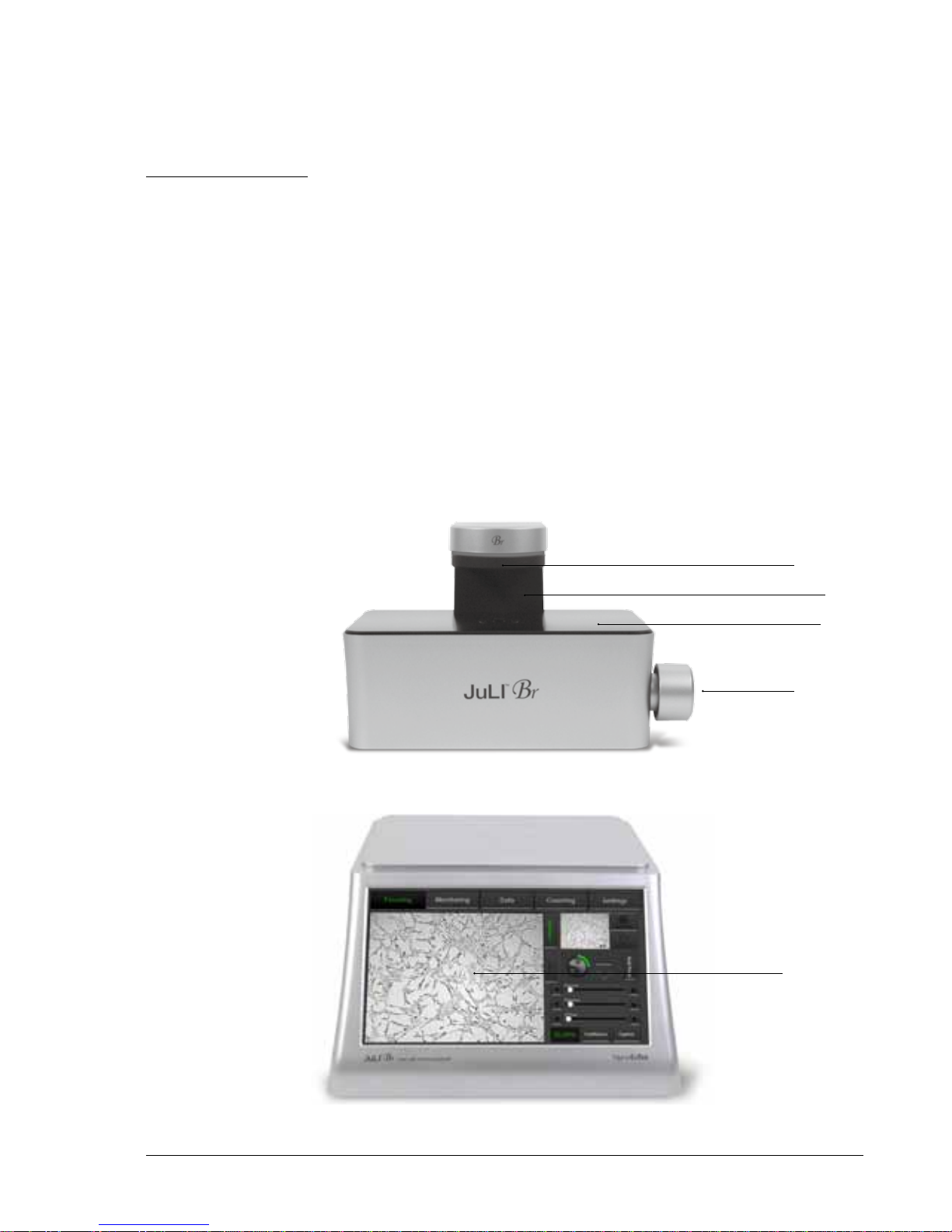
Description
Front view <Station unit>
LCD touch screen
: located at the front of the instrument, it contains buttons for
necessary functions and displays bright field images.
<Scope unit>
Focus knob
: is used to adjust the image quality to obtain better bright cell images.
Stage
: place sample here.
White LED
: provides bright image viewer.
White LED
Stage
< Scope unit >
< Station unit >
Neck
Focus knob
LCD
touch screen
JuLITM Br, Cell History Recorder ©2012 NanoEnTek Inc. 7
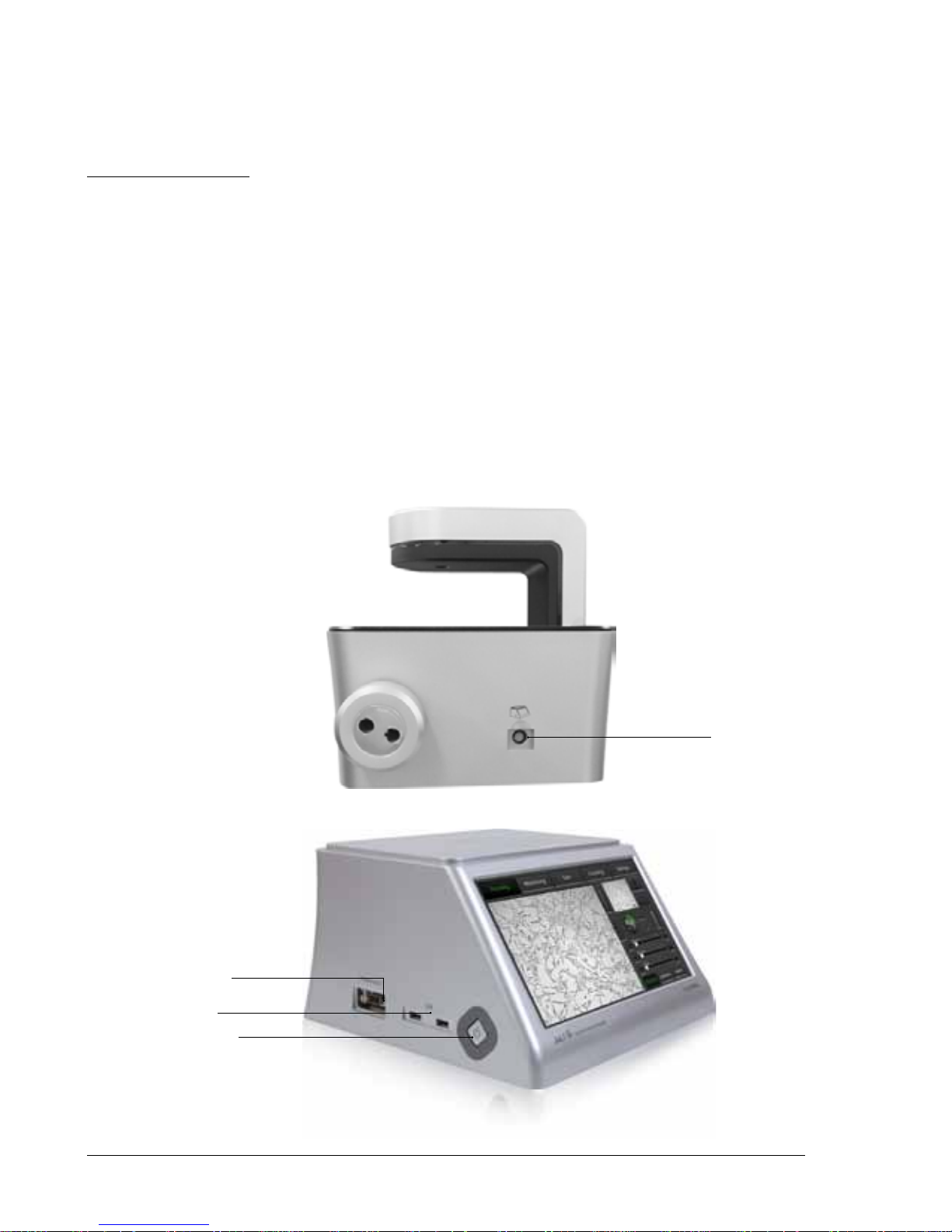
Description
Side view <Station unit>
Power button
: turn an instrument on and off by pressing the Power button.
USB Port
: insert a USB drive to save and transport images to PC.
Display port
: connect to external monitor.(resolution: 1366 X 768 pixels)
: make sure to turn off an instrument before connecting.
<Scope unit>
Connection port
: port to connect scope unit with station unit .
< Scope unit >
< Station unit >
Connection port
USB port
Display port
Power button
8

Description
Rear view <Station unit>
Power inlet
: connects JuLI™ Br to an electrical outlet using the supplied
power cord and the appropriate plug (based on the electrical outlet
configuration in your country).
On/off switch
: the main power switch. It is not necessary to use the on/off switch for
day-to-day operation of the instrument.
Connection port
: port to connect scope unit with station unit.
<Scope unit>
Fan
: machinery cooling system.
< Scope unit >
< Station unit >
Fan
Power inlet
On/off switch
Connection port
JuLITM Br, Cell History Recorder ©2012 NanoEnTek Inc. 9

The user interface of JuLI™ Br, Live cell movie analyzer provides
new tools to expand cellular research through proprietary
software. Insightful data can be acquired, such as proliferation
assays.
Description
User
interface
Focusing menu
User
interface
Monitoring menu
Zoom in
Navigation
Zoom out
Auto focus
Focus
interface
Exposure
Brightness
D-Phase
Capture
Confluence
Focusing menu
Graph
Scope unit
channel
Monitoring
setting
Monitoring data
infomation
Monitoring
movie
REC. button Stop button
Monitoring menu
Scope unit channel
Sacle bar
10
Table of contents
Other NanoEnTek Voice Recorder manuals