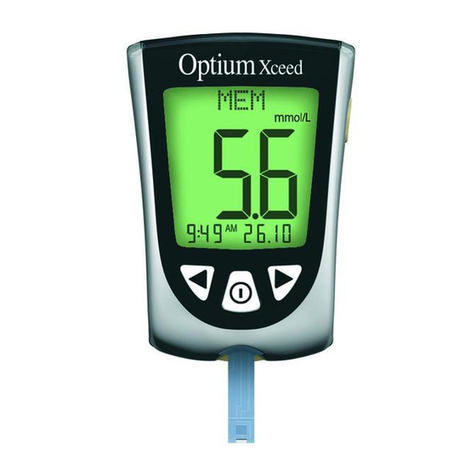
MyStar Extra User manual

SAP-Nummer 521873
Sprachvariante 103
Erstellversion 4
Packmittel erstellt am 24.09.2013 / Keim
Packmittel geändert am 09.10.2013 / Perleth
Abmessungen Format (B x H) 101,6 x 139,7 mm
Farbe Cyan Magenta
Yellow Black
BLOOD GLUCOSE MONITORING SYSTEM
OWNER’S GUIDE

b
CAUTION: Please read all the instructions provided in this
Owner’s Guide and practice the testing procedures before using
the MyStar Extra® Blood Glucose Monitoring System. Self blood
glucose monitoring should be done under the guidance of a
healthcare professional.
Key Features of MyStar Extra®:
No Coding Required: The MyStar Extra® doesn’t require you
to enter a calibration code. Insert a BGStar® Test Strip and you
are ready to test.
Pre/Post-Meal Tagging: After you test, your result is tagged
with the mealtime. You can organize your data and see how
your test results change before meals, after meals, and when
fasting.
Estimate A1c: Use the estimated A1c (~A1c) tool to facilitate
a meaningful dialogue between patients and the healthcare
professional in between laboratory haemoglobin A1C tests.
1
©2013 Sanofi.
Meter Firmware ©2013 AgaMatrix, Inc. All rights reserved. All trademarks and/or copyrights are
the property of their respective owners. For patent information, see
www.agamatrix.com/patents.
Date of revision: September 2013
<MAT>521873
Toll-Free, 24-Hour Customer Service: 08000 35 25 25
In case of emergency, contact your healthcare professional or
emergency medical response.
Blood Glucose Monitoring System
MDSS GmbH
Schiffgraben 41
30175 Hannover, Germany
Distributed by:
Sanofi UK,
One Onslow Street,
Guildford, Surrey, GU1 4YS
Manufacturer:
AgaMatrix, Inc.
7C Raymond Avenue
Salem, NH 03079, USA

2
Contents
CHAPTER PAGE
Important Information About Your MyStar
Extra® Blood Glucose Monitoring System
Important Safety Instructions
Getting Started
About the MyStar Extra® Blood Glucose
Monitoring System
Important Disinfection Procedures
Important Health-Related Information
MyStar Extra® Meter Basics
Setting the Time and Date
Performing a Control Solution Test
How to Test Your Blood Glucose Level
Data Management Features
1 24
2 26
3 27
4 28
5 18
6 22
7 24
8 26
9 28
10 36
11 50
Logbook
11.1 51
Averages
11.2 55
Estimated A1c (~A1c)11. 3 58

3
CHAPTER PAGE
Batteries
Display Messages
Error Messages and Troubleshooting
Caring for Your MyStar Extra® Meter and
Lancing Device
MyStar Extra® Meter Specications
Symbols
12 71
13 74
14 78
15 87
16 88
17 90

4
Important Information About Your MyStar
Extra® Blood Glucose Monitoring System
CHAPTER
1
The MyStar Extra® System should be used:
[1] As indicated for single-patient use for self testing (over the counter
[OTC]) by persons with diabetes, as an aid to monitor the eectiveness
of diabetes control.
[2] For measuring blood glucose levels from fresh capillary whole
blood samples taken from the ngertip.
[3] For in vitro (i.e. outside of the body) diagnostic use only.
[4] With BGStar®Test Strips and Control Solution only. Do not use
other brands of test strips and control solution with this meter. This
may produce inaccurate results. BGStar®Test Strips are designed for
use with the Sano family of meters.
Do not use the MyStar Extra® System for:
[1] The diagnosis of diabetes.
[2] Testing the glucose levels of neonates (children younger than
4 weeks of age).
[3] Testing the glucose levels of pregnant women.
[4] Testing glucose levels of arterial or venous blood.
[5] Testing glucose from sites other than the ngertip.
Important Information About Your MyStar Extra® Blood Glucose Monitoring System

5
Important Information About Your MyStar Extra® Blood Glucose Monitoring System
Test site:
The MyStar Extra® System requires only a small droplet of blood
(0.5 microliters), about the size of a pinhead, to perform a glucose
test. Test using blood from the tip of any nger.
CAUTION: To ensure accurate results, wash your hands with warm,
soapy water and dry before and after every test. Unwashed hands
may lead to inaccurate results. Make sure there is no grease, oil, or
lotion on the ngertip. Use lancets only once. Do not use any lancet
or lancing device that has been used by another person.
The MyStar Extra® Blood Glucose Meter has small parts, store meter
away from children.

6
Important Safety Instructions
The meter and lancing device are for single-patient use. Do not
share them with anyone, including other family members! Do not
use on multiple patients!
All parts of the kit are considered biohazardous and can potentially
transmit infectious diseases, even after you have performed
disinfection.
For important instructions for disinfecting your meter and lancing
device, please read Chapter 5.
CHAPTER
2
Important Safety Instructions

7
Getting Started
Getting Started
Your MyStar Extra® Blood Glucose Monitoring System MyStar
Extra® System) Kit contains:
• MyStar Extra® Blood Glucose Meter (Referred to as “MyStar Extra®
Meter” or “the meter”)
• Two pre-installed CR2032, 3 volt lithium batteries
• One Lancing Device with Cap
• Three bags of 10 33 gauge Lancets
• One Vial of 25 count BGStar® Blood Glucose Test Strips
• BGStar® Control Solution (control solution)
• MyStar Extra® Owner’s Guide
• One Set of Flashcards
• One Warranty Card
• One MyStar Extra® Compact Carrying Case
Dispose of packing material properly after unpacking your MyStar
Extra® System Kit.
Store the MyStar Extra® Blood Glucose Meter in the Carrying Case
when not in use.
IMPORTANT: To ensure accurate use of meter, check the time, date,
and units of measure.
For step-by-step instructions on changing the time and date settings,
please refer to Chapter 8.
CHAPTER
3

8About the MyStar Extra® Blood Glucose Monitoring System
About the MyStar Extra® Blood
Glucose Monitoring System
CHAPTER
4
The MyStar Extra® Blood Glucose Monitoring System is made up of
the MyStar Extra® Blood Glucose Meter, BGStar® Test Strips, BGStar®
Control Solution, and a lancing system.
About the MyStar Extra® Meter
(1) Display: Glucose test results,
icons, calculations, and error messages
appear here.
(2) CHECK ( ) Button: Use the
CHECK button to activate and
deactivate the meter, access the
settings menu, conrm a selection,
navigate between modes and activate
the backlight.
(3) UP ( ) Arrow Button:
Use the UP arrow button to scroll
backward through options.
(4) DOWN ( ) Arrow Button:
Use the DOWN arrow button to scroll
forward through options.
(5) MEALTIME ( ) Button: Use the MEALTIME button to select
mealtime tags for readings.
Other manuals for Extra
3
Table of contents
Other MyStar Blood Glucose Meter manuals