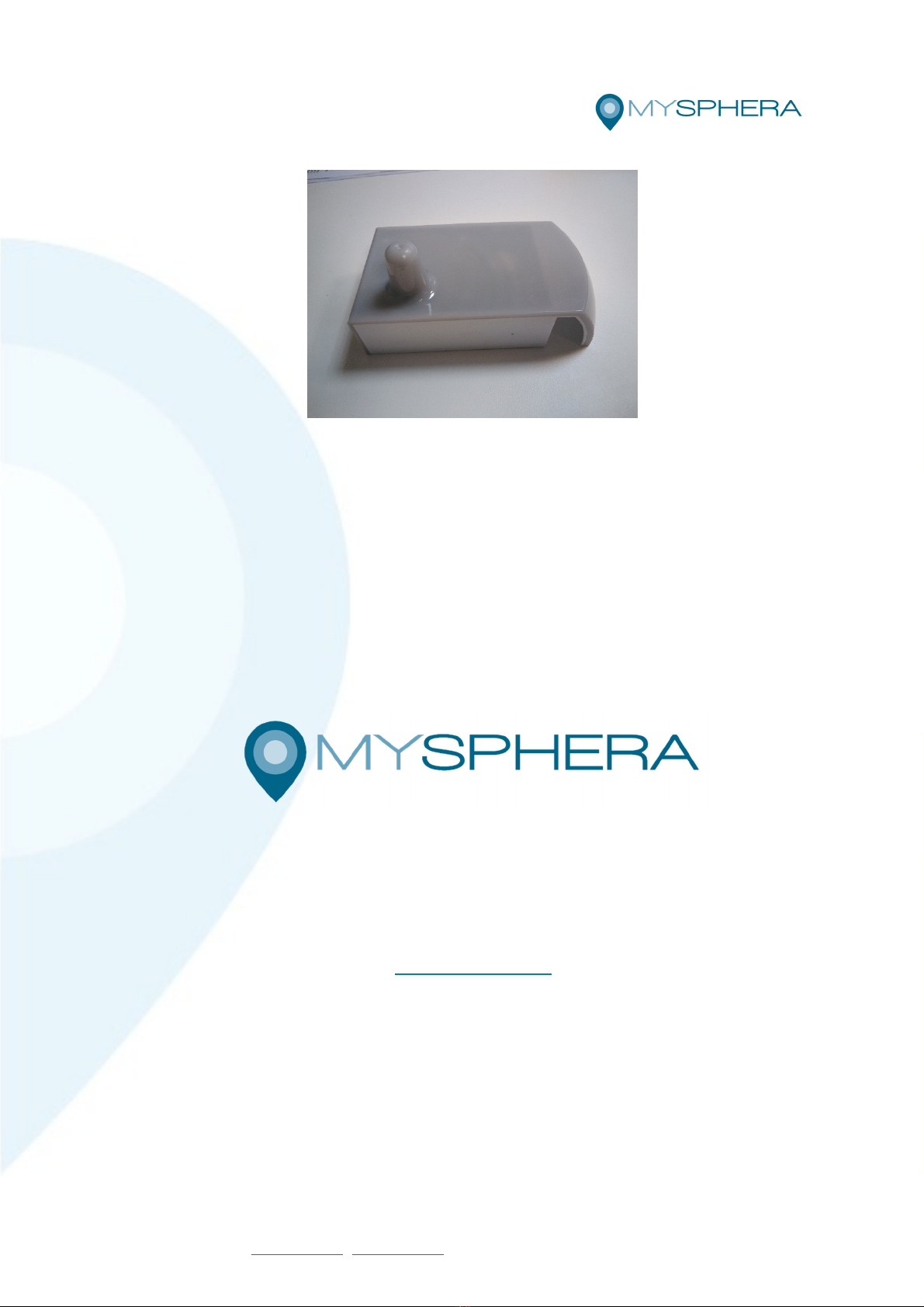
Mysphera RDRDS20303 User manual
MYSPHERA • Ronda Auguste y Louis Lumiere 23, Nave 13 • 4 980 Parque
Tecnológico de Valencia • Paterna, Valencia • Spain
Telf.: +34 9 182 71 77 • info@mysphera.com • www.mysphera.com
Pág. 1
User manual
RDRDS20303
Reader HID
Mysphera S.L.
Parque Tecnológico de Valencia
Ronda Auguste y Louis Lumiere, 23 – ave 13,
46980 Paterna (Valencia)
www.mysphera.com
Telf.: +34 96 182 71 77 / Ext. 112
Fax +34 96 182 94 15

MYSPHERA • Ronda Auguste y Louis Lumiere 23, Nave 13 • 4 980 Parque
Tecnológico de Valencia • Paterna, Valencia • Spain
Telf.: +34 9 182 71 77 • info@mysphera.com • www.mysphera.com
Pág. 2
Modified December 2019
© 2019 Mysphera S.L. ("MYSPHERA") all rights reserved.
Any type of exploitation and, in particular, the reproduction, distribution, public
communication and / or transformation, in whole or in part, by any means, of this document
without the prior express written consent of MYSPHERA is prohibited.
The warranty and repair services linked to the product will not apply if the product has
been repaired, modified or altered, except that such repair, modification or alteration
has been authorized in writing by MYSPHERA; or it is not possible to determine the
product serial number.
MYSPHERA PROVIDES THIS "AS IS" MA UAL, WITHOUT WARRA TIES OF A Y
KI D, OR EXPRESS OR IMPLIED, I CLUDED, BETWEE OTHER, THE IMPLIED
WARRA TIES OR CO DITIO S OF MERCHA TABILITY OR FITI G A PARTICULAR
PURPOSE.
EITHER MYSPHERA, OR ITS PERSO EL OR AGE TS, WILL BE LIABLE FOR
A Y I DIRECT, SPECIAL, ACCIDE TAL OR CO SEQUE TIAL DAMAGES
(I CLUDI G THOSE DERIVED FROM LOSS OF BE EFITS, LOSS OF COMMERCIAL
OPPORTU ITIES, IMPOSSIBILITY OF USI G THE COMMITTEE OF THE
COMMITTEE, THE BUSI ESS U IT A D OTHER DAMAGES OF A SIMILAR ATURE),
EVE WHE MYSPHERA HAS BEE I FORMED OF THE POSSIBILITY THAT SUCH
DAMAGES HAVE TO PLACE AS A RESULT OF A Y DEFECTS OR ERRORS I THIS
MA UAL OR I THE PRODUCT.
THE SPECIFICATIO S A D I FORMATIO RELATI G TO THE PRODUCTS
CO TAI ED I THIS MA UAL ARE MADE AVAILABLE TO THE OW ER FOR
EXCLUSIVELY I FORMATIO AL PURPOSES; BOTH ARE SUBJECT TO CHA GE AT
A Y TIME WITHOUT PRIOR OTICE A D A COMMITME T U DERTAKE BY
MYSPHERA SHOULD OT BE CO SIDERED.
MYSPHERA DOES OT ASSUME A Y RESPO SIBILITY OR OBLIGATIO I
RELATIO TO THOSE ERRORS OR IMPRECISIO S THAT THIS MA UAL MAY
CO TAI , I CLUDI G THE PRODUCTS A D THE SOFTWARE THAT ARE
DESCRIBED I IT.
Trademarks and permits:
The names of products and companies that appear in this manual may or may not be
registered trademarks or be linked to copyright held by their respective owners; its use
is carried out exclusively for identification and explanation purposes and for the benefit
of the product owner, without any intention of infringing the indicated rights.
Changes History
Product name Reader HID
Product ID RDRDS20303 Date version: December 2019
Nº Total pages 12
Version Changes Date of change
0.1 Initial version 07/09/2018
1.0 1st version 13/05/2019
1.1 En lish version 09/12/2019
MYSPHERA • Ronda Auguste y Louis Lumiere 23, Nave 13 • 4 980 Parque
Tecnológico de Valencia • Paterna, Valencia • Spain
Telf.: +34 9 182 71 77 • info@mysphera.com • www.mysphera.com
Pág. 3
Used simbols in this uide:
Simbol Description
USB.
Electric risk.
Warnings:
• The product label is located on the bottom of the product.
• To reduce the risk of fire or electric shock, do not expose the product to rain or
moisture.
• Do not place open flame sources, such as burning candles on the product, or in
its vicinity.
• Do not expose this product to dripping or splashing.
• This product must be used indoors. It is not designed or tested for outdoor use.
• Operating temperature range: -5ºC to 45ºC
Precautions:
• Do not make unauthorized alterations to this product; doing so may compromise
security, compliance with standards, system performance and may void the
warranty.
Important Instructions:
• Read these instructions.
• Keep these instructions.
• Observe the warnings.
• Follow all instructions.
• Do not use this appliance near water.
• Perform the installation according to the manufacturer's instructions.
• Do not place it near any heat source, such as radiators, heating grilles, stoves or
other appliances (including amplifiers) that produce heat.
• Use only accessories specified by the manufacturer.

MYSPHERA • Ronda Auguste y Louis Lumiere 23, Nave 13 • 4 980 Parque
Tecnológico de Valencia • Paterna, Valencia • Spain
Telf.: +34 9 182 71 77 • info@mysphera.com • www.mysphera.com
Pág. 4
Contents
Contents
Contents ........................................................................................................................... 4
Contents ........................................................................................................................... 4
1. Introduction ............................................................................................................ 5
1.1. Package contents ............................................................................................... 5
1.2. Usage requirements ........................................................................................... 5
2. Product description ................................................................................................ 5
2.1. Version ............................................................................................................... 5
2.2. Identification ....................................................................................................... 5
3. Instalation ............................................................................................................... 6
4. Intended use .......................................................................................................... 7
4.1. Light indicator ..................................................................................................... 8
4.2. Recommendations for use .................................................................................. 8
5. Maintenance and cleaning...................................................................................... 9
6. Storage and devices removal ................................................................................. 9
6.1. Storage ............................................................................................................... 9
6.2. 6.2. Reader HID removal .................................................................................... 9
7. Incidents solution ..................................................................................................10
7.1. Usual incidents ..................................................................................................10
8. Safety information .................................................................................................10
8.1. Electric safety ....................................................................................................10
8.2. Other safety considerations ...............................................................................10
8.3. Information about radiofrecuency .......................................................................11
8.3.1. Radiolectric devices manufacturing ............................................................11
9. Declaration of conformity .......................................................................................11
9.1. CE Mark ............................................................................................................11
9.2. FCC Mark ..........................................................................................................11
9.3. Updating device .................................................................................................12
10. Recycling ..............................................................................................................12
11. Authorized distributors ...........................................................................................12
MYSPHERA • Ronda Auguste y Louis Lumiere 23, Nave 13 • 4 980 Parque
Tecnológico de Valencia • Paterna, Valencia • Spain
Telf.: +34 9 182 71 77 • info@mysphera.com • www.mysphera.com
Pág. 5
1. Intro uction
1.1. Package contents
• Reader HID.
• USB cable 1.8m-2m.
1.2. Usage requirements
• USB 2.0 port. Limitated power to 15 W.
• S.O. Up Windows XP.
• S.O. Up Linux kernel version 2.4.
2. Pro uct escription
The Reader HID allows the identification of wristbands easily. Place a bracelet on the reader
and it will write its unique identifier on the screen.
The Reader HID works like a computer keyboard, so it is not necessary to install any
additional software.
2.1. Version
Product: RDRDS20303
Case : 2.1.1 Cover, base, separators and plugs
Hardware: 3.1.0 Hardware based on SoLA31B BLE with double chip
Firmware: 3.0.0 Firmware dual CC2540+CC2541
2.2. Identification
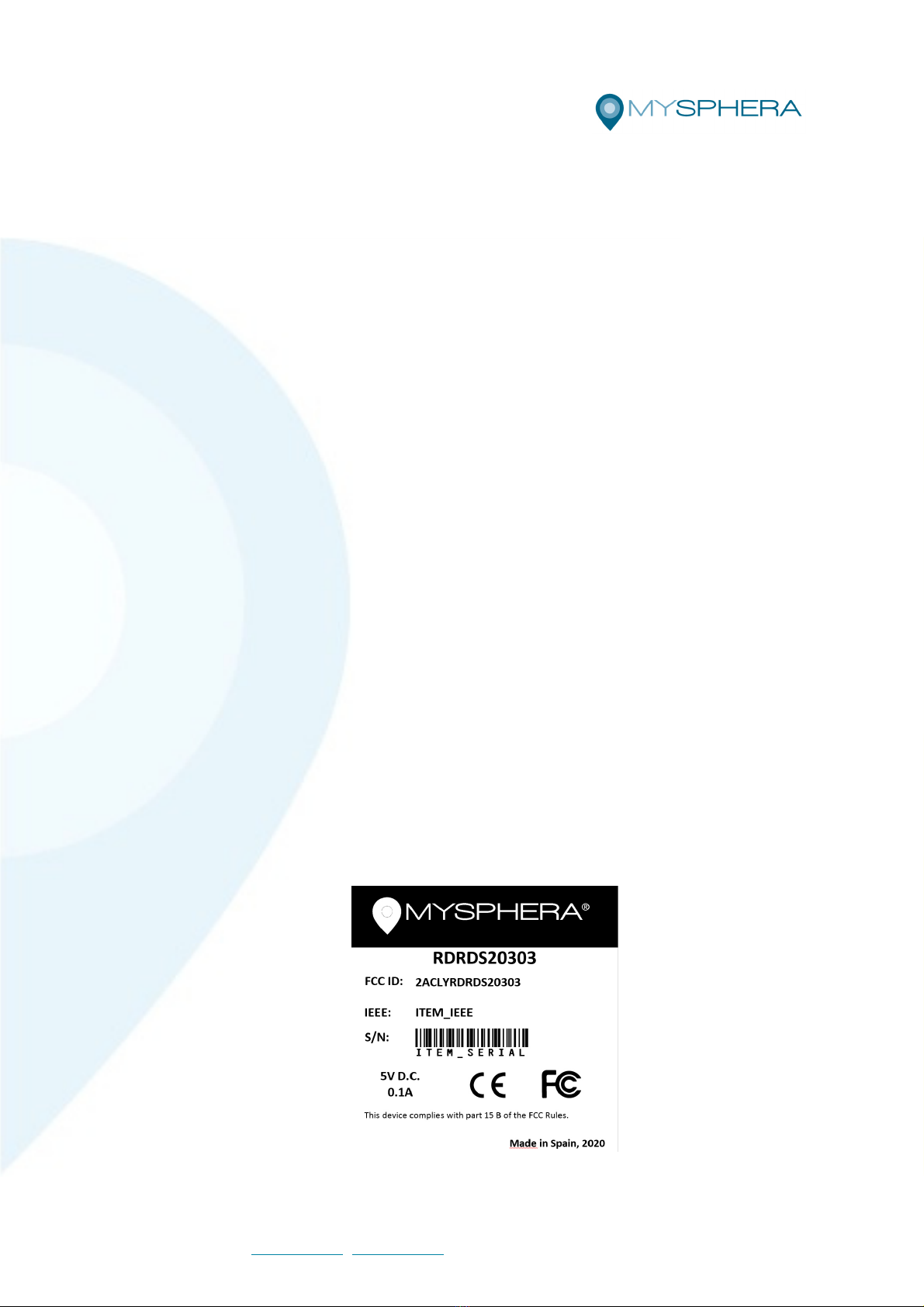
Label on bottom of the device and in the package.
- Ilustration 1 – I entification Rea er HID
MYSPHERA • Ronda Auguste y Louis Lumiere 23, Nave 13 • 4 980 Parque
Tecnológico de Valencia • Paterna, Valencia • Spain
Telf.: +34 9 182 71 77 • info@mysphera.com • www.mysphera.com
Pág. 6
- Product identifier code:
o Start with 3 letters indicating type / family of the product.
o Followed by 2 letters indicating the type of interface and / or communication
of the product.
o Followed by 1 digit indicating version of the enclosures / enclosures /
mechanical encapsulation.
o Followed by 2 digits indicating the hardware version.
o Finishing with 2 digits that indicate the firmware version.
- IEEE adress: 12-digit alphanumeric MAC identification, unique for each device /
product manufactured.
- S / : Serial number of the hardware used in that product.
o Internal product accounting code.
o Hardware manufacturing number.
- Electrical characteristics of use.
- Certification and marking symbols: CE and FCC
- Place and year of manufacture.
3. Instalation
The Bracelet Reader is a device with USB power. You need a USB cable type A-B to
connect to a computer.
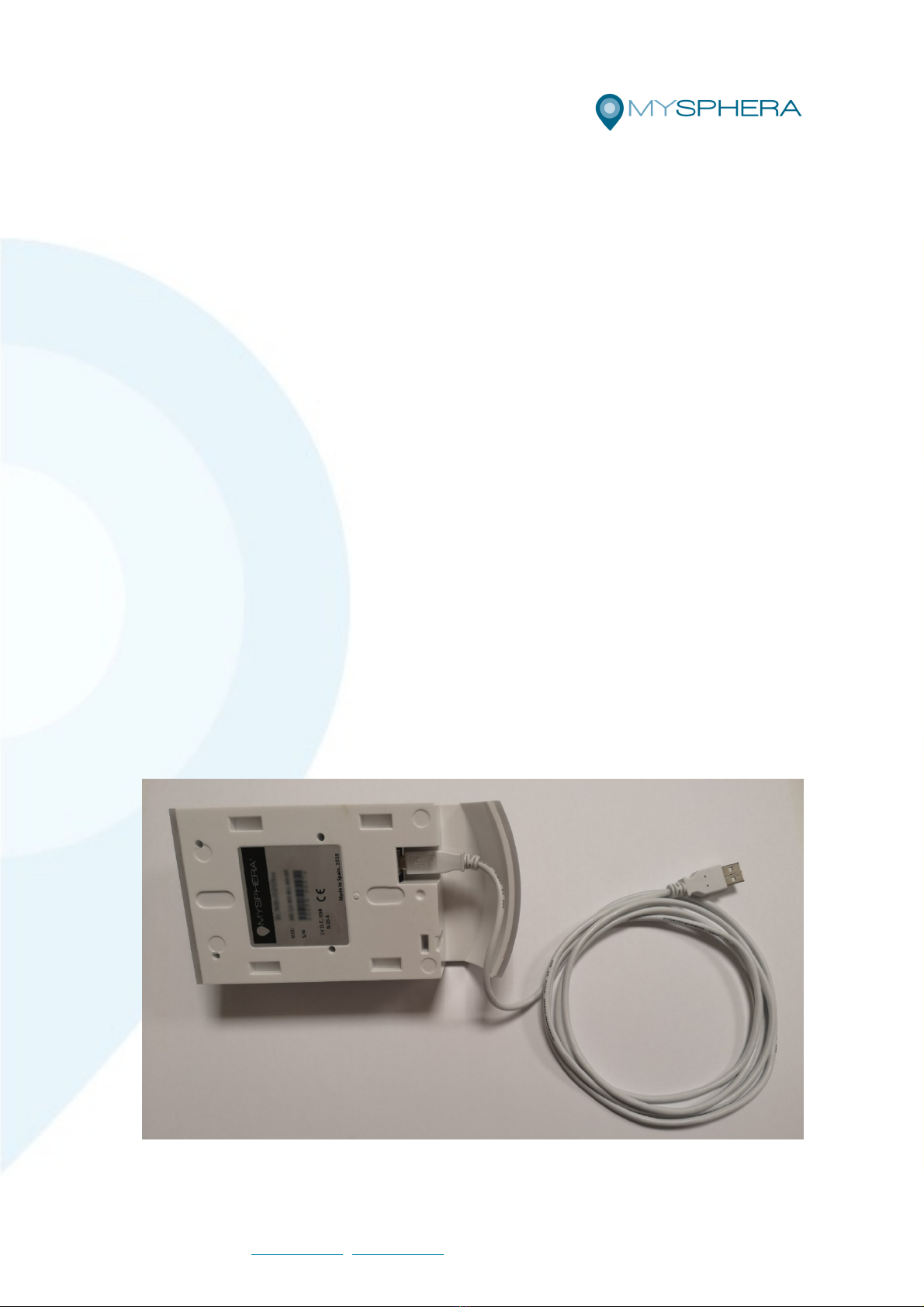
To start using your Wristband Reader, connect the USB cable to the bottom of the reader,
as shown in the figure, allowing the cable to exit through the side hole. Connect the other
end of the cable to any USB port on the computer. The device will be detected by your
operating system and will be installed automatically, being ready for use. The blue indicator
light indicates that the device has been correctly installed.
Ilustration 2 – USB cable connection
To disconnect the Wireless Gateway simply disconnect the USB cable.
MYSPHERA • Ronda Auguste y Louis Lumiere 23, Nave 13 • 4 980 Parque
Tecnológico de Valencia • Paterna, Valencia • Spain
Telf.: +34 9 182 71 77 • info@mysphera.com • www.mysphera.com
Pág. 7
4. Inten e use
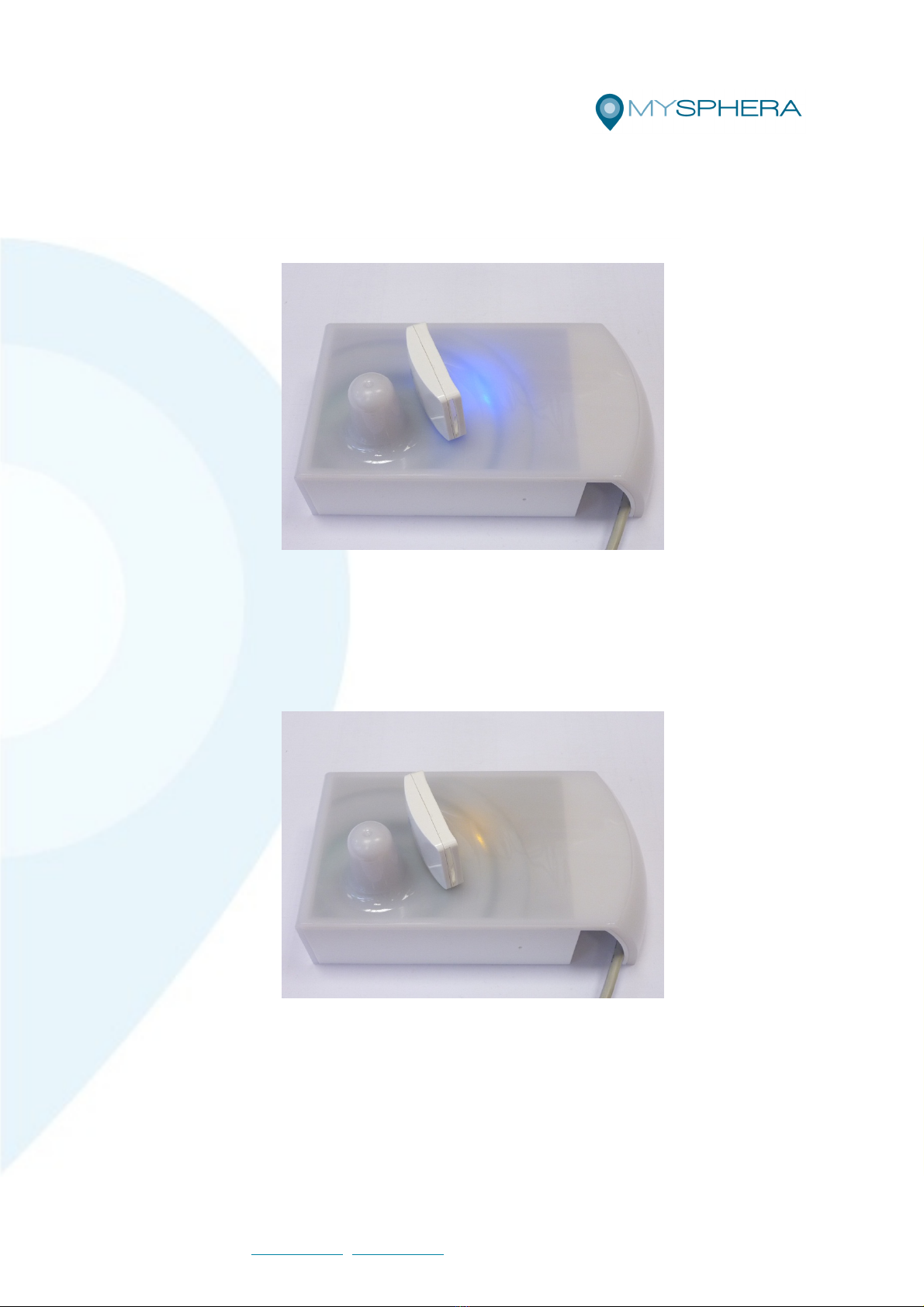
To identify a bracelet once the reader is installed, it should only be placed on the cover of
the device so that it is close to the antenna, as shown in the following figure.
Ilustration 3 – Rea er rea y (Blue light)
Make sure that the cursor on the screen of the computer in which the reader is connected
is located in the place you want to write the identifier of the bracelet you wish to identify.
The reader works like a keyboard and will write where the cursor is positioned.
When the bracelet is detected the indicator light will turn yellow. Be patient, some reading
may take a few seconds.
Ilustration 4 – Bracelet etecte : blocke rea er (Yellow light)
If a correct reading is determined, the reader will write as text the unique identification
number of the detected bracelet, in the position where the cursor is on the screen, the device
being locked until the bracelet is removed. This is so to avoid repeated reading of the same
device. Both the blocking and the yellow light indication will remain until the bracelet is
removed. At that time the reader will return to the initial state.
In the event that the bracelet has an almost exhausted battery, the reader will notify you by
writing the following text on the screen: “Low battery”
MYSPHERA • Ronda Auguste y Louis Lumiere 23, Nave 13 • 4 980 Parque
Tecnológico de Valencia • Paterna, Valencia • Spain
Telf.: +34 9 182 71 77 • info@mysphera.com • www.mysphera.com
Pág. 8
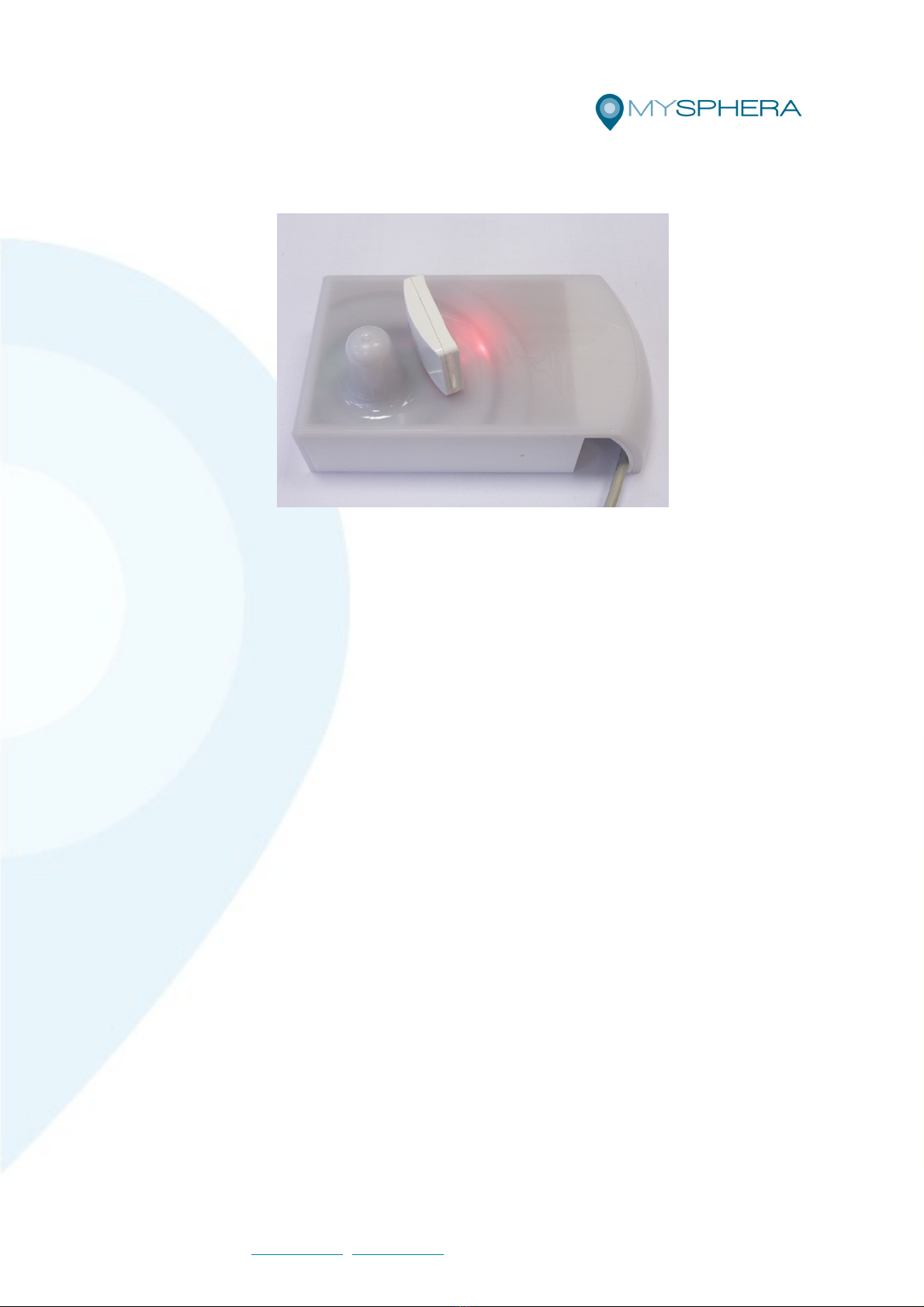
In this case, the indicator light will illuminate in red indicating this situation, until the bracelet
is removed from above the reader.
Ilustration 5 – Rea er in icating a bracelet with a low battery (Re light)
To avoid unwanted readings, keep the wristbands about 20 cm away from the device. Move
the bracelet closer to the device only at the time you wish to read.
If you need to read the same bracelet several times in a row, follow the steps described,
and then remove the bracelet until the reader returns to the initial state (blue indicator light
without flickering). At that time you can reread the same bracelet.
4.1. Light indicator
The states of the reader HID indicator light are summarized below:
• • Ready (Blue): The reader is ready to read bracelets.
• • Locked (Yellow): The reader has read a bracelet successfully and is locked. You
will not read any more bracelets until the read bracelet is removed.
• • Low battery (Red): The detected bracelet has a low battery and must be removed
for battery replacement.
4.2. Recommendations for use
To facilitate the reading of bracelets, it is advisable to take into account some
considerations:
1. 1. Place the desired bracelet as close as possible to the reader's antenna.
2. 2. Place the bracelet with the screen printing facing up or towards the antenna to
improve reception.
MYSPHERA • Ronda Auguste y Louis Lumiere 23, Nave 13 • 4 980 Parque
Tecnológico de Valencia • Paterna, Valencia • Spain
Telf.: +34 9 182 71 77 • info@mysphera.com • www.mysphera.com
Pág. 9
5. Maintenance an cleaning
o special cleaning products are needed for cleaning this device. Dampen a cloth with
water and run it across the surface.
Do not immerse or clean the device with pressurized water, as it is not waterproof.
Do not clean the equipment when it is turned on.
Do not use solvents.
This device does not require special maintenance.
6. Storage an evices removal
6.1. Storage
• When the wireless gateway is not used, it should be stored in a clean and dry area.
Otherwise it can become a source of pollution.
• Store the wireless gateway under the following conditions:
• • Temperature: -10 ° C to 50C ° (14 ° F to 122 ° F)
• • Relative humidity: 20% to 80% (no condensation)
6.2. Reader HID removal
DO OT OPE A Y READER HID
In case of failure or at the end of the use of the reader HID, it must be returned to the
manufacturer for replacement and / or repair or removal from the market.
Contact MYSPHERA before disposing of the wireless gateway. This product should not be
treated as household waste.
By ensuring that this product is disposed of correctly, it will help avoid possible negative
consequences for the environment and human health, which could otherwise be caused by
improper handling of the waste from this product.
MYSPHERA • Ronda Auguste y Louis Lumiere 23, Nave 13 • 4 980 Parque
Tecnológico de Valencia • Paterna, Valencia • Spain
Telf.: +34 9 182 71 77 • info@mysphera.com • www.mysphera.com
Pág. 10
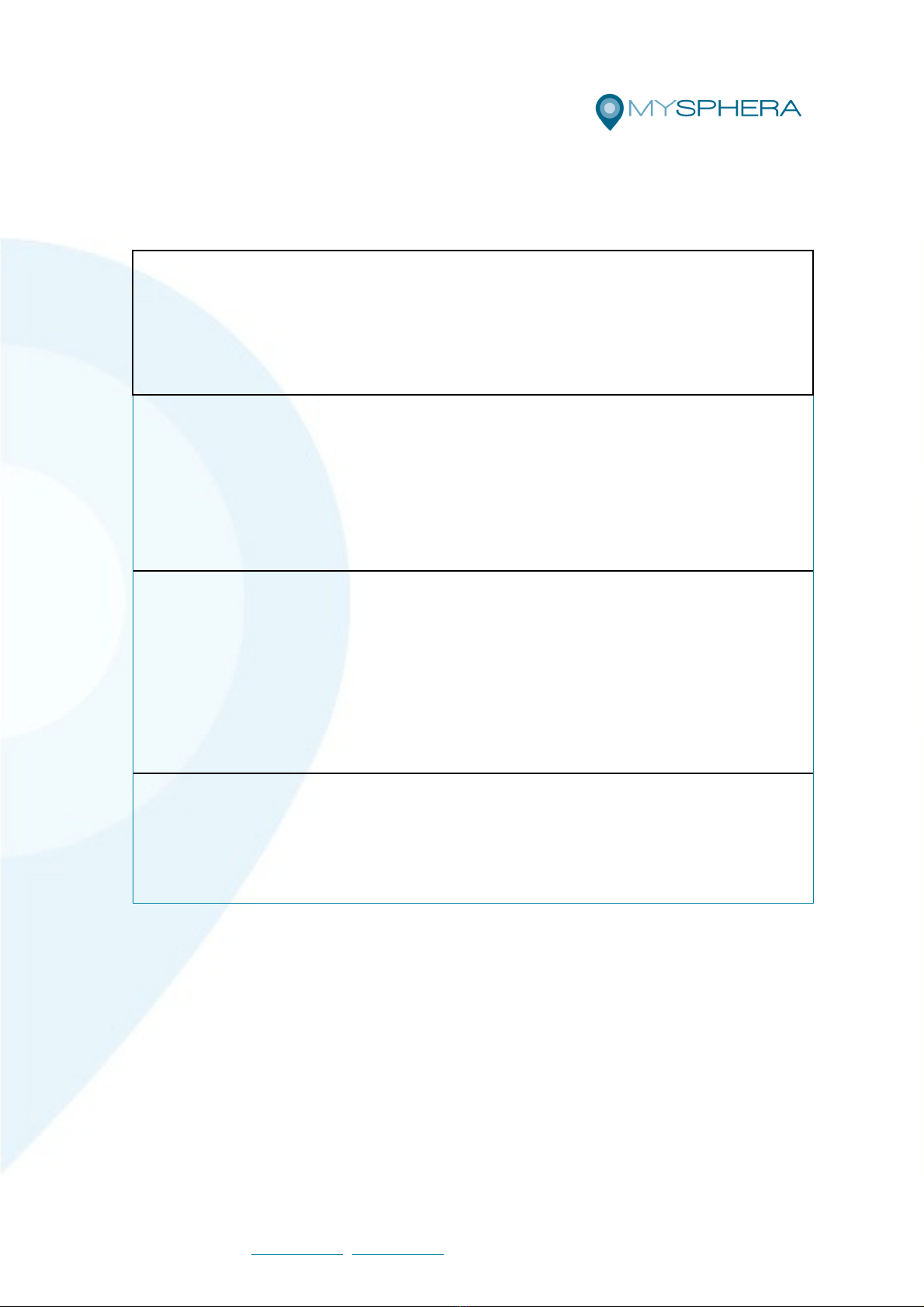
7. Inci ents solution
7.1. Usual incidents
PROBLEM
The rea er oes not etect a particular bracelet.
SOLUTIO
Try changing the position bracelet and bringing it closer to the antenna. If the bracelet is still not
detected, it probably has run out of battery and will have to be replaced.
PROBLEM
There is no bracelet on the evice an it is still locke .
SOLUTIO
Check that there is no bracelet near the reader.
ormally the device should be unlocked in a maximum time of 10 seconds since the bracelet was
removed. Once this limit is exceeded, if the device is still blocked, you must disconnect it and
reconnect it.
PROBLEM
When the rea er in icates "Low battery" the message rea is "Baea baa".
SOLUTIO
There is no problem with the reader. The unique identifiers of the bracelets that are expected in
each reading are based on hexadecimal characters, that is, the characters
0 1 2 3 4 5 6 7 8 9 A B C D E F
If the software used to process the reading of these identifiers filters these characters, it will not
allow the correct writing of the message.
PROBLEM
The i entification number appears with special symbols.
SOLUTIO
The Bracelet Reader may interfere with other keyboards connected to the computer. Check that
there is no key pressed on any of those keyboards and that the Lock key. Shift is deactivated
8. Safety information
8.1. Electric safety
Product protected against short circuits.
It does not emit electric shocks.
8.2. Other safety considerations
Product not designed or intended for uses other than its installation in stable places and
with the ability to detect movement.
Table of contents
Other Mysphera Gateway manuals


Popular Gateway manuals by other brands

LST
LST M500RFE-AS Specification sheet

Kinnex
Kinnex Media Gateway quick start guide

2N Telekomunikace
2N Telekomunikace 2N StarGate user manual
Mitsubishi Heavy Industries
Mitsubishi Heavy Industries Superlink SC-WBGW256 Original instructions

ZyXEL Communications
ZyXEL Communications ZYWALL2 ET 2WE user guide

Telsey
Telsey CPVA 500 - SIP Technical manual