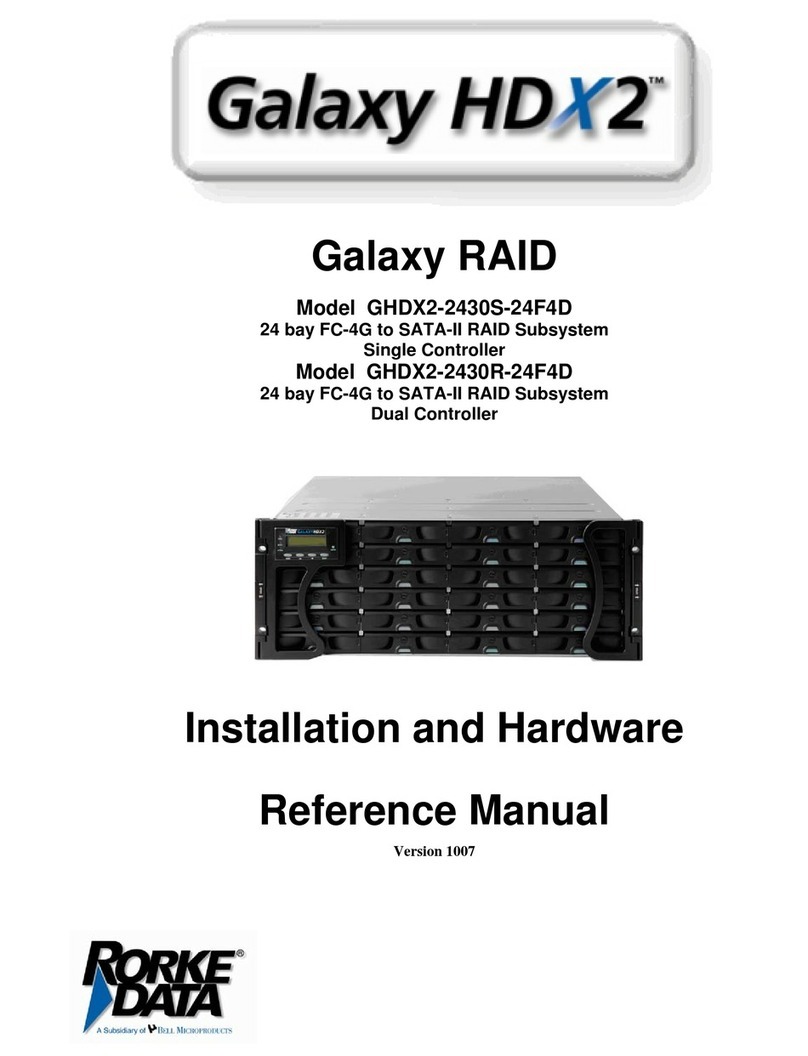
Mylex DAC960PTL-0 User manual

AcceleRAID
Installation Guide
AcceleRAID 200™
(DAC960PTL-0)
AcceleRAID 250™
(DAC960PTL-1)
PCI to Ultra2 SCSI
RAID Controllers
Part Number 775007-00
© Copyright 1998 Mylex Corporation.
All Rights Reserved.
All contents of this manual are copyrighted by Mylex
Corporation. The information contained herein is the
exclusive property of Mylex Corporation and shall not be
copied, transferred, photocopied, translated on paper, film,
electronic media, or computer-readable form; or otherwise
reproduced in any way, without the express written
permission of Mylex Corporation.

Greetings
Thank you for purchasing the Mylex AcceleRAID controller. This manual describes the
installation of the Mylex AcceleRAID controllers. Requests for technical information
about this and other Mylex Corporation products should be made to your Mylex
authorized reseller or Mylex marketing representative.
Please Notice
Mylex is a registered trademark, and AcceleRAID and DAC960PTL are a trademarks of
Mylex Corporation.
Microsoft, MS-DOS and Windows are registered trademarks of the Microsoft
Corporation. Novell is a registered trademark of Novell corporation. UnixWare is a
registered trademark of Santa Cruz Operations. Other names that are trademarks may be
used herein for the purpose of identifying the products or services of their respective
owners.
Unless otherwise noted, companies, names and data used in examples herein are fictitious.
Our Policy
Although reasonable efforts have been made to assure the accuracy of the information
contained herein, this publication could include technical inaccuracies or typographical
errors. Mylex Corporation expressly disclaims liability for any error in this information,
and for damages, whether direct, indirect, special, exemplary, consequential or otherwise,
that may result from such error, including but not limited to loss of profits resulting from
the use or misuse of the manual or information contained therein (even if Mylex
Corporation has been advised of the possibility of such damages). Any questions or
comments regarding this document or its contents should be addressed to Mylex
Corporation at the address shown on the cover.
The following paragraph does not apply to the United Kingdom or any country where such
provisions are inconsistent with local law:
MYLEX CORPORATION PROVIDES THIS PUBLICATION “AS IS” WITHOUT
WARRANTY OF ANY KIND, EITHER EXPRESS OR IMPLIED, INCLUDING, BUT
NOT LIMITED TO, THE IMPLIED WARRANTIES OF MERCHANTABILITY OR
FITNESS FOR A PARTICULAR PURPOSE.
Some states do not allow disclaimer of express or implied warranties or the limitation or
exclusion of liability for indirect, special, exemplary, incidental or consequential damages
in certain transactions; therefore, this statement may not apply to you. Also, you may have
other rights which vary from jurisdiction to jurisdiction.
Information in this publication is subject to change without notice and does not represent a
commitment on the part of Mylex Corporation. Changes may be made periodically to the
information herein; these changes will be incorporated in new editions of the publication.
Mylex Corporation reserves the right to make improvements and/or changes at any time in
the product(s) and/or program(s) described in this publication.
It is possible that this publication may contain reference to, or information about, Mylex
Corporation products (machines and programs), programming or services that are not
announced in your country. Such references or information must not be construed to mean
that Mylex Corporation intends to announce, provide, or make available such Mylex
products, programming, or services in your jurisdiction.

About This Manual
This installation guide covers hardware set-up and configuration procedures
necessary for the installation of Mylex AcceleRAID PCI to Ultra SCSI
RAID controllers.
Chapter 1 describes the controllers, standard package contents, and user-
supplied items necessary for installation.
Chapter 2 describes steps to be performed prior to controller installation.
Chapter 3 describes the physical installation of the controller.
Chapter 4 describes controller start-up and the BIOS resident utilities.
Appendix A describes hardware and environmental specifications.
Appendix B describes error messages and how to correct problems causing
errors.
Appendix C provides regulatory information.
Conventions
Throughout the manual, the following conventions are used to describe user
interaction with the product:
prompt This style of type indicates screen display messages
Enter Press the key labeled “Enter” (or “Delete”, etc.)
☛Note
Supplementary information that can have an effect on
system performance
mCaution
Notification that a proscribed action has the potential
to adversely affect equipment operation, system
performance, or data integrity
,WARNING
Notification that a proscribed action will definitely
result in equipment damage, data loss, or personal
injury


Manual No. 775007 v
Contents
Chapter 1
Introduction
Product Description........................................................................... 1-1
Controller Features and Functions............................................. 1-2
Operating System Support................................................................ 1-3
Standard Package Contents ............................................................. 1-3
Hardware.................................................................................... 1-3
Software..................................................................................... 1-3
User-supplied Items .......................................................................... 1-4
Chapter 2
Preinstallation Planning
SCSI Termination............................................................................. 2-2
AcceleRAID 200 Termination..................................................... 2-2
AcceleRAID 250 Termination..................................................... 2-4
SCSI Cabling..................................................................................... 2-6
SCSI Drive Preparation..................................................................... 2-8
Chapter 3
Installation
This chapter describes: ..................................................................... 3-1
Before You Begin.............................................................................. 3-1
Connectors and Jumpers .................................................................. 3-2
Installing the Controller...................................................................... 3-3
Chapter 4
Controller Start-up
Procedural Overview......................................................................... 4-1
Controller Start-up............................................................................. 4-2
BIOS Start-up Sequence............................................................ 4-2
BIOS Configuration Utility .......................................................... 4-3
Other BIOS Options ................................................................... 4-3
Additional Steps to Set Up an Array.................................................. 4-6
Device Drivers............................................................................ 4-6
Global Array Manager (GAM)..................................................... 4-6
What to Check in Case of Problems.................................................. 4-6

vi AcceleRAID Installation Guide
Appendix A
AcceleRAID Specifications
General Hardware Specifications...................................................... A-1
AcceleRAID................................................................................ A-1
Environmental Specifications............................................................. A-2
DAC960PTL Block Diagram.............................................................. A-3
Appendix B
AcceleRAID Error Messages
Error Messages ................................................................................. B-1
Start-up Error Messages............................................................ B-1
Drive Check Error Messages...................................................... B-1
Aborted Installation............................................................................ B-2
NVRAM Error ............................................................................. B-2
System Reboot or Power Down......................................................... B-3
Appendix C
Regulatory Information
FCC Class B Compliance.......................................................... C-1
FCC Declaration of Conformity.................................................. C-2
Community of Europe................................................................ C-3
Underwriters Laboratories......................................................... C-4
Glossary

Manual No. 775007 1-1
Chapter 1
Introduction
This chapter describes:
• Product description
• Standard package contents
• User supplied items
Figure 1-1. AcceleRAID Disk Array Controllers
Product Description
The Mylex AcceleRAID™ 200 (DAC960PTL-0™) and AcceleRAID™ 250
(DAC960PTL-1™) controllers are I2O ready, half-length, PCI to Ultra2
SCSI RAID controllers designed to add RAID capability to SCSI channels
that are resident on a system board. Mylex AcceleRAID controllers supply
the necessary signals that enable SCSI Interrupt Steering Logic (SISL)
hardware to capture and control the embedded SCSI channels(s) on the
system board. This feature implements RAID capabilities on the system
board resident SCSI channels.
The AcceleRAID 200 controller must reside in a PCI slot specifically pre-
configured to support SISL. The AcceleRAID 250 may reside in the
dedicated slot, or in any other PCI slot. System boards that support the
AcceleRAID controllers include the Intel®N440BX server board.
AcceleRAID 200 AcceleRAID 250

Product Description
1-2 AcceleRAID Installation Guide
Controller Features and Functions
AcceleRAID 200 Features:
• SISL to implement RAID on system board resident SCSI channels
• Support for Wide and Narrow Ultra2 SCSI LVD, and most other SCSI
drive types
☛Note
Supported SCSI drive types include SCSI-1, Fast
SCSI, Wide Fast SCSI, Ultra SCSI, Wide Ultra SCSI,
and Wide Ultra2 SCSI.
• Full support of RAID plug-and-play, for I2O compliant system boards
• Supports RAID levels 0, 1, 3, 5, 0+1, 10, 30, 50, and JBOD on
embedded SCSI controller(s)
• On-board, high performance RISC processor and EDO ECC DRAM
cache for high speed, fault tolerant I/O transfers
• 512KB, 8-bit flash EEPROM for BIOS and code supports future
enhancements through firmware upgrades
AcceleRAID 250 Features
Includes all of the features of the AcceleRAID 200, plus the following:
• An additional Wide Ultra2 SCSI RAID LVD channel on the controller
to extend the number of channels on the system board
• Ability to operate in an ordinary (not specifically configured) PCI slot
as a single channel controller
☛Note
The AcceleRAID 250 will work as a single-channel,
Wide Ultra2 SCSI LVD RAID controller with a
system board that has an available PCI slot.
A specially configured, dedicated PCI slot is required
to enable SISL, which allows the controller to add
RAID capability to the system board’s built-in SCSI
channels.

Introduction
Manual No. 775007 1-3
Operating System Support
MS-DOS 5.x, 6.x, and above are supported using drivers that reside in the
AcceleRAID BIOS. Many other popular operating systems are supported
using software drivers in the Disk Array Controller Software Kit that is
included with the AcceleRAID controller (see the Disk Array Controller
Software Kit Installation Guide and User Manual – P/N 771929)
Standard Package Contents
The following items are supplied with the standard shipping package:
Hardware
• AcceleRAID 200 or AcceleRAID 250 Disk Array Controller with
documentation
Software
• Disk Array Controller Configuration (DACCF) utility with
documentation
• Disk Array Controller Software Kit (OS drivers, and GAM Server)
with documentation
• Global Array Manager (GAM client) with documentation
Figure 1-2. Standard Package Contents
User Manuals Software
Utilities &
Drivers
GAM Client
Software &
User Manual
AcceleRAID
C
ontroller

User-supplied Items
1-4 AcceleRAID Installation Guide
User-supplied Items
The following user-supplied items are required to perform this installation:
• Compatible host system with a PCI slot prewired for SCSI Interrupt
Steering Logic control of the embedded SCSI channel(s)
• Network operating system software (as required
• Static grounding strap or electrostatic discharge (ESD) safe work area
• Disk array enclosure (or equivalent) and SCSI disk drives
☛Note
The supported SCSI drive types include Ultra2 SCSI
with LVD as well as the following single-ended SCSI
types: SCSI-1, Fast SCSI, Wide Fast SCSI, Ultra
SCSI, and Wide Ultra SCSI.
• SCSI cables to connect between the system board SCSI connectors and
disk drives (and if an AcceleRAID 250 is installed, between the
AcceleRAID controller and disk drives).
Figure 1-3. AcceleRAID 250 External Connector (0.8mm UHD Centronics 68F):
68-Pin Very High Density Cable Interconnect (VHDCI)
Figure 1-4. AcceleRAID 250 Internal Connector (HD DB68F):
68-Pin High Density
This manual suits for next models
3
Table of contents
Other Mylex Computer Hardware manuals

Mylex
Mylex AcceleRAIDTM 352 PCI to Ultra 160 SCSI RAID Controller AcceleRAID... User manual

Mylex
Mylex eXtremeRAID User manual

Mylex
Mylex DAC960PG User manual

Mylex
Mylex MT1386 Operating instructions

Mylex
Mylex DAC960PG User manual

Mylex
Mylex eXtremeRAID 1100 User manual

Mylex
Mylex AcceleRAID 200 User manual

Mylex
Mylex DAC960PG User manual
Popular Computer Hardware manuals by other brands

EMC2
EMC2 VNX Series Hardware Information Guide

Panasonic
Panasonic DV0PM20105 Operation manual

Mitsubishi Electric
Mitsubishi Electric Q81BD-J61BT11 user manual

Gigabyte
Gigabyte B660M DS3H AX DDR4 user manual
Raidon
Raidon iT2300 Quick installation guide

National Instruments
National Instruments PXI-8186 user manual