
Murideo MU-M4SOL User manual

Test Device
Model MU-M4SOL
User’s Manual
Revision A16
-++

Murideo | MSolutions User’s Manual
Page 2 of 130
Murideo Sales:
Murideo Info:
Phone number:
605-274-6055
The information contained in this document, or any addendum or revision thereof is proprietary of Media Solutions Ltd. And is subject to
all relevant copyright, patent and other laws and treaties protecting intellectual property, as well as any specific agreement protecting
Media Solutions Ltd. Rights in the aforesaid information. Any use of this document or the information contained herein for any purposes
other than those for which it was disclosed is strictly forbidden.
Media Solutions Ltd. Reserves the right, without prior notice or liability, to make changes in equipment design or specifications.
Media Solutions Ltd. Assumes no responsibility for the use thereof nor for the rights of third parties, which may be affected in any way by
the use thereof.
This document may contain flaws, omissions or typesetting errors; no warranty is granted, nor liability assumed in relation thereto unless
specifically undertaken in Media Solutions Ltd.’s sales contract or order confirmation.
Information contained herein is periodically updated and changes will be incorporated into subsequent editions. If you have encountered
an error, please notify Media Solutions Ltd.
All specifications are subject to change without prior notice.
© Copyright Media Solutions Ltd., 2019. All rights reserved worldwide.

Murideo | MSolutions User’s Manual
Page 3 of 130
Revision History
Revision
Date
Description
A1
November 2016
First issue
A2
February 2017
General update
A3
March 2017
•Explanation of HDBaseT Link classes
•How to connect the test device for EDID
•Description of test cases
•USB connectivity indicator
A4
April 2017
Cable certification –report generator
A5
July 2017
GUI screenshots update
A6
November 2017
Tx and Rx FW upgrade added
A7
January 2018
GUI-related updates
A8
January 2018
Physical/Mechanical measurement update
A9
April 2018
Model MS104B replaces model MS102TD
A10
Jul 2018
•Wi-Fi Client GUI updated
•New DC Resistance module
A11
Nov 2018
Date/Clock settings added
A12
June 2019
•GUI modifications
•Local PDF certification report
A13
September 2019
New HDMI Cable Tester module
A14
November 2019
HDMI Generator update
A15
March 2020
Adding a logo to certification report & remove PDF Creator
Application
A16
May 20
Adding Network capabilities

Murideo | MSolutions User’s Manual
Page 4 of 130
Table of Contents
1. INTRODUCTION .......................................................................................................................................6
1.1 MU-M4SOL MODELS ...............................................................................................................................8
1.2 STANDARD MODULES .................................................................................................................................8
1.3 OPTIONAL ADD-ON MODULES .....................................................................................................................9
2. PRODUCT DESCRIPTION ........................................................................................................................10
2.1 OVERVIEW..............................................................................................................................................10
2.2 MODELS.................................................................................................................................................11
2.3 SUBSYSTEMS ...........................................................................................................................................12
2.4 HDBASETSUPPORT .................................................................................................................................13
3. INSTALLATION .......................................................................................................................................14
3.1 UNPACKING THE UNIT...............................................................................................................................14
4. OPERATING THE TOUCHSCREEN ............................................................................................................16
4.1 TEST SETUP.............................................................................................................................................16
4.1.1 MU-M4SOL Test Setup.................................................................................................................... 16
4.1.2 Connection to System Under Test (SUT).........................................................................................18
4.2 PERFORMING THE TESTS............................................................................................................................19
4.2.1 Main Screen ....................................................................................................................................19
4.2.2 Information Menu ..........................................................................................................................20
4.2.3 HDBaseT Analyzer...........................................................................................................................21
4.2.3.1 Basic Analysis .........................................................................................................................................22
4.2.3.2 Performance Management....................................................................................................................23
4.2.3.3 Configuration .........................................................................................................................................25
4.2.4 Tools................................................................................................................................................27
4.2.4.1 HDMI Generator ....................................................................................................................................28
4.2.4.2 EDID Analyzer.........................................................................................................................................30
4.2.4.3 Certification Report................................................................................................................................31
4.2.4.4 Log Analyzer...........................................................................................................................................37
4.2.4.5 HDBaseT Firmware Update....................................................................................................................40
4.2.4.6 DCR - DC Resistance Testing...................................................................................................................42
4.2.4.7 HCT - HDMI Cable Testing ......................................................................................................................46
4.2.5 IP Network Analyzer .......................................................................................................................51
4.2.5.1 Enabling license......................................................................................................................................51
4.2.5.2 IP Module information...........................................................................................................................55
4.2.5.3 IP Module Report...................................................................................................................................58
4.3 SYSTEM SETUP.........................................................................................................................................59
4.3.1 System Upgrade..............................................................................................................................60
4.3.2 System Reboot................................................................................................................................60
4.3.3 System Settings...............................................................................................................................61
4.3.3.1 Date/Clock Settings................................................................................................................................62

Murideo | MSolutions User’s Manual
Page 5 of 130
4.4 SHUTDOWN ............................................................................................................................................63
5. OPERATING THE WI-FI CLIENT ...............................................................................................................64
5.1 CONNECTING THE WI-FI DEVICE .................................................................................................................64
5.2SYSTEM INITIALIZATION .............................................................................................................................66
5.3 PERFORMING THE TESTS............................................................................................................................67
5.3.1 Main Screen ....................................................................................................................................67
5.3.2 Information Menu ..........................................................................................................................67
5.3.3 HDBaseT Analyzer...........................................................................................................................69
5.3.3.1 Basic Analysis .........................................................................................................................................70
5.3.3.2 Performance Management....................................................................................................................72
5.3.3.3 Configuration .........................................................................................................................................74
5.3.4 Tools................................................................................................................................................77
5.3.4.1 HDMI Generator ....................................................................................................................................78
5.3.4.2 EDID Analyzer.........................................................................................................................................81
5.3.4.3 Certification report ................................................................................................................................82
5.3.4.4 Log Analyzer...........................................................................................................................................89
5.3.4.5 HDBaseT Firmware Update....................................................................................................................91
5.3.4.6 DC Resistance Unbalance Testing ..........................................................................................................93
5.3.4.7 HDMI Cable Testing................................................................................................................................96
5.3.5 IP Network Analyzer .....................................................................................................................101
5.3.5.1 Enabling license....................................................................................................................................101
5.3.5.2 IP Module information.........................................................................................................................105
5.3.5.3 IP Module Report.................................................................................................................................109
5.4 SYSTEM SETUP.......................................................................................................................................110
5.4.1 System Upgrade............................................................................................................................111
5.4.2 System Reboot..............................................................................................................................112
5.4.3 System Settings.............................................................................................................................113
5.4.3.1 Date/Clock Setting ...............................................................................................................................114
5.5 SHUTDOWN ..........................................................................................................................................114
6. USE CASES ...........................................................................................................................................115
6.1 CABLE TEST...........................................................................................................................................115
6.2 CRIMPING QUALITY TEST.........................................................................................................................116
6.3 INCONSISTENT VIDEO DROPS –I(SOURCE SIDE) ..........................................................................................116
6.4 INCONSISTENT VIDEO DROPS –II (SINK SIDE) ...............................................................................................117
6.5 THIRD-PARTY PRODUCT INFORMATION ......................................................................................................117
APPENDIX A GLOSSARY...........................................................................................................................119
APPENDIX B SPECIFICATION....................................................................................................................120
APPENDIX C ORDERING INFORMATION ..................................................................................................121
APPENDIX D (ONLY FOR FW 2.00.30 AND BELOW) GENERATING AN HDBASET CERTIFICATION REPORT .122

Murideo | MSolutions User’s Manual
Page 6 of 130
1. Introduction
This document is intended as a guide for installation and operation of the MU-M4SOL HDBaseT
Test Device from Media Solutions Ltd.
The MU-M4SOL test device provides an elegant solution for in-the-field testing of HDBaseT-based
communications systems and cabling.
Use the MU-M4SOL device to test and certify the HDBaseT performance and link quality of CATx
cabling before performing installations. In addition, the MS-TestPro’s built-in monitoring, logging,
and diagnostics capabilities allow for quick, efficient analysis and troubleshooting.
Figure 1: The MU-M4SOL HDBaseT Test Device
MU-M4SOL is the ultimate testing device for installers, developers, and integrators. The device is
supplied with HDBaseT transmitter, receiver, and PoH (Power over HDBaseT) functionality,
providing a highly-efficient testing platform for HDBaseT source and sink nodes, powered devices,
and CATx cabling intended for use in HDBaseT networks.
NOTE
The MU-M4SOL requires use of CAT5e (or higher quality) cable –referred to in this manual as CATx cabling.
The HDBaseT standard supports a cable length range of 20 to 100 meters (66to 328 feet).

Murideo | MSolutions User’s Manual
Page 7 of 130
Why do you need the MU-M4SOL HDBaseT test device?
You have finished wiring the audiovisual system and have connected the audio/visual devices over
the HDBaseT link. You can see the picture and hear the sound. Everything is OK, right?
No! A link test is essential in guaranteeing perfect performance. You certainly do not want to come
back to perform the installation again.
When you connect the test device and see error levels in the red zone –even if the link is up and you
see a picture in your display –the probability of a link failure is high. Any EMC interference, caused
by switching on lights or an air conditioning unit, can cause a transmission breakdown and a drop in
the video link.
With the MU-M4SOL test device, you can identify faulty cabling and systems before installing them,
saving time and money.
Figure 2: Faulty Link
Error levels
in red zone
Murideo | MSolutions User’s Manual
Page 8 of 130
1.1 MU-M4SOL Models
Users can choose between two MU-M4SOL models:
◼Wi-Fi Client Model, with 3.5”screen, built-in HDMI pattern generator, and Wi-Fi interface for
browser-based management (MS103TDs)
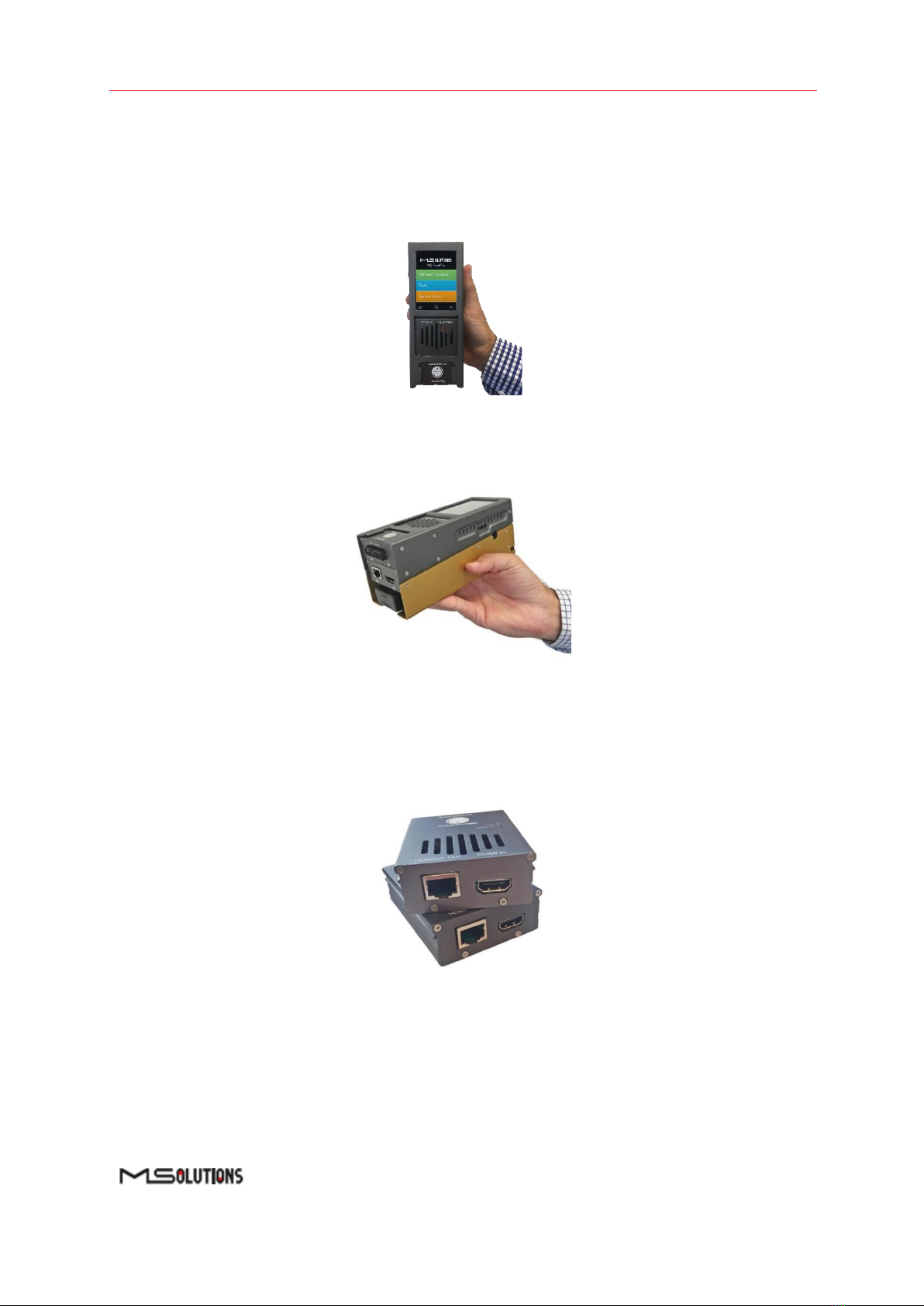
Figure 3: MS103TDs
◼Battery based Wi-Fi Client Model, with 3.5”screen, built-in HDMI pattern generator and Wi-Fi
interface for browser-based management (MS104B)
Figure 4: MS104B
1.2 Standard Modules
◼The HDBaseT Tester is supplied with Spec 1.0 Tx and Rx Modules that can be used with either of
the above-mentioned tester models.
Figure 5: HDBaseT Spec 1.0 Tx/Rx Modules

Murideo | MSolutions User’s Manual
Page 9 of 130
1.3 Optional Add-On Modules
◼The HDBaseT Spec 2.0 Modules (Tx and Rx units) are available as an optional add-on that can be
used with any of the above-mentioned tester models.
Figure 6: HDBaseT Spec 2.0 Tx/Rx Modules
◼The DCR (DC Resistance) and Looper Modules are available as optional add-ons that can be
used with any of the above-mentioned testers.
Figure 7: DC Resistance and Looper Modules
◼The HDMI Cable Tester and Looper Modules are available as optional add-ons that can be used
with any of the above-mentioned testers.
Figure 8: HDMI Cable Tester and Looper Modules

Murideo | MSolutions User’s Manual
Page 10 of 130
2. Product Description
2.1 Overview
The basic MU-M4SOL HDBaseT test device is composed of 3 units:
◼Main unit –the MU-M4SOL chassis –containing a power supply, USB connector, and
3.5-inch touch screen.
◼HDBaseT transmitter module –for transmitting HDBaseT traffic to sink devices, such as
projectors or television sets
◼HDBaseT receiver module –for receiving HDBaseT traffic from source devices, such as a PCs,
set-top box (STB), DVD or Blu-ray player.
Table of contents
Other Murideo Test Equipment manuals


