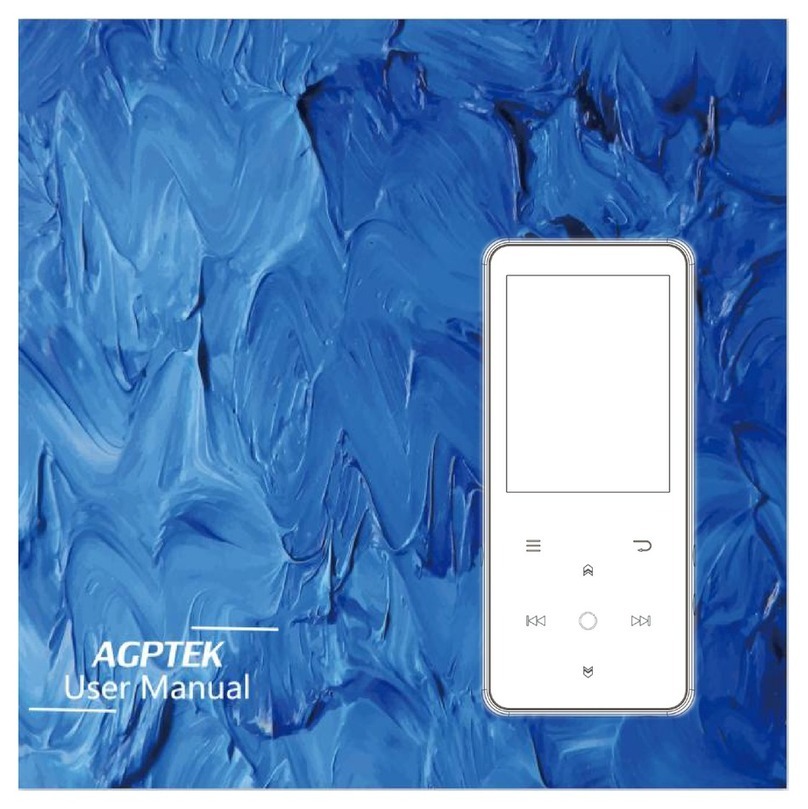
MSI Mega Player 536 User manual

User’s Manual
MSI
MEGA PLAYER 536
User’s Guide

2
Table of Contents
Safety Instructions ...............................................................................................4
Chapter 1. Introduction.......................................................................................5
How to Use This Guide ................................................................................6
Unpack..........................................................................................................7
Chapter 2. Getting Started ..................................................................................8
Overview......................................................................................................8
LCD Display...............................................................................................10
Main Menu.................................................................................................10
Normal Playback Mode..............................................................................11
Li-ion Battery Recharge .............................................................................12
Battery Consuming Reference....................................................................12
Hold Switch................................................................................................12
Chapter 3. Utility Installation ........................................................................... 13
Connect MEGA PLAYER 536 to Your Computer......................................13
Install Utilities............................................................................................13
Copy songs with Windows Media Player 9................................................14
Synchronize songs with Windows Media Player 10...................................15
Firmware Recovery or Updating................................................................16
Safety Remove MEGA PLAYER 536 from Computer ..............................17
Chapter 4. Basic Usage ...................................................................................... 19
Using Touch Button....................................................................................19
Using Navigation Buttons ..........................................................................20
Using Exit/Submenu Button.......................................................................20
Power On....................................................................................................20
Power Off ...................................................................................................20
Music/Voice Playback ................................................................................21
Adding songs to Playlist.............................................................................22
Deleting songs in Playlist ...........................................................................22
Setting SRS(WOW) Enhancement Effect ..................................................23
Setting EQ ..................................................................................................24
Setting Repeat Mode ..................................................................................24
Viewing Photos...........................................................................................25
Slideshow ...................................................................................................26
Rotating Photos ..........................................................................................26
Playing Video .............................................................................................27

3
FM Radio Mode (Optional)........................................................................28
File Browser...............................................................................................29
Setting.........................................................................................................31
Setting Record Quality ...............................................................................31
Setting Record File Type............................................................................32
Setting Slide Interval..................................................................................33
Setting Slide Repeat ...................................................................................33
Setting Power Off.......................................................................................34
Setting Backlight Off..................................................................................35
Setting Language........................................................................................36
Setting Date and Time ................................................................................36
Setting Brightness.......................................................................................37
Resetting to original setting........................................................................38
Device Information.....................................................................................39
Encoding MP3 Directly from CD...............................................................39
Microphone Recording...............................................................................40
Radio Broadcast Recording (Option) .........................................................41
Language Learning Function......................................................................42
Reset Button ...............................................................................................43
Appendix A. Specifications................................................................................ 44
Appendix B. Utility CD...................................................................................... 45
Install Firmware Recovery Utility...........................................45
Install Windows Media Player Plug-In....................................45
Install Adobe Acrobat Reader..................................................45
Read MEGAPLAYER 536 User Manual................................45

4
Safety Instructions
1. Always read the safety instructions carefully.
2. Keep this User’s Guide for future reference.
3. Keep this equipment away from humidity.
4. Never pour any liquid into the opening that could damage or cause
electrical shock.
5. If any of the following situations arises, get the equipment checked by a
service personnel:
•Liquid has penetrated into the equipment.
•The equipment has been exposed to moisture.
•The equipment has not worked well or you can not get it work
according to User’s Guide.
•The equipment has been dropped and been damaged.
6. If any failure occurred to MEGA PLAYER 536, use a clip or a pin to
click the Reset button on the back side, and then slide the Power switch
once to power on the system.
7. Do not change the default folders in the MEGA PLAYER 536, or the
device might function abnormally.
8. Do not format the built-in hard disk.

5
Chapter 1. Introduction
Congratulations on becoming a new user of MEGA PLAYER 536. The new
MEGA PLAYER 536 will improve the convenience of listening music, viewing
photos, videos and sharing date. We are proud to tell our users that MEGA
PLAYER 536 is thoroughly tested and certified by our reputation for
unsurpassed dependability and customer satisfaction.
MEGA PLAYER 536 is a high performance portable digital audio/video player
and a photo browser that enables users not only to play MP3, WMA, WMA with
DRM audio files or M-JPEG video files, show JPEG graphic files, listen to the
FM radio broadcast (FM radio is an optional function), and record voice, FM
program or directly record whenever needed, but also to store personal data in
the memory of this device.
Here are the major features:
Digital Audio Player – supports MP3,WMA and WMA with DRM audio
files playback.
Video Player – supports M-JPEG format and the smaller the 320x240
pixels video files.
Photo Browser – supports JPEG graphic files and provides slideshow
function.
FM Radio (optional) – the FM Radio module, while optional, receiving
FM Radio function will be plus in MEGA PLAYER 536.
Voice Recorder – provides synchronous recording function for voice.
Radio Program / CD Direct Recording – provides synchronous
recording function for FM or directly from a CD player, recorded files will
be stored in MP3 or WAV format.

6
Language Learning Function – enables users to repeat particular section
during normal playback. With this function, users will be able to pay
attention on the repeated playback to learn language.
EQ and SRS effect – you are able to select SRS effect or one of EQ mode
to enjoy your music listening.
SD/ MMC Card – supports SD/ MMC card, plug the card into slot to read
the files inside.
Photo Bank – you can transfer the data from the digital camera to the
internal HDD. Especially when your digital camera memory is full and you
want to release the space, it is a helpful function.
USB Flash Disk – allows users to store data needed in MEGA PLAYER
536. (The capacity depends on the model you bought.)
How to Use This Guide
This User’s Guide provides instructions and illustrations on how to install and
operate your MEGA PLAYER 536. We assume that those users whose
operating system is at least Windows ME / 2000 / XP are familiar with their OS,
and are capable to follow the step-by-step instructions to install the driver of
MEGA PLAYER 536. For users who are not able to manage the operating
system properly, it is suggested to learn more about Microsoft Windows by
referring to your Microsoft Windows manual before installing the provided
utility.
Chapter 1, Introduction, tells you the descriptions of all the accessories of
MEGA PLAYER 536. Please check if you have all the accessories included
when you open the packing box. If any item is damaged or missing, please
contact the vendor where you purchased MEGA PLAYER 536 directly.

7
Chapter 2, Getting Started, introduces the function keys on MEGA PLAYER
536, the LCD Display status in different mode.
Chapter 3, Utility Installation, describes how to install MEGA PLAYER 536
and the specially designed utility for your new MEGA PLAYER 536.
Chapter 4, Basic Usage, describes how to use MEGA PLAYER 536 in various
ways. It is recommended to read this chapter carefully before using MEGA
PLAYER 536.
Appendix A, Specification, provides the specification and accessories of
MEGA PLAYER 536.
Appendix B, Utilities CD
Unpack
Please unpack your MEGA PLAYER 536 and check that the following
accessories are complete with nothing missing.
MEGA PLAYER 536 (Portable DigitalAudio Player)
Earphone
USB Regular Cable
USB Host Cable
Driver Disk (User’s Manual included)
Quick Starting Guide
Power Adaptor
Line-in Cable

Chapter 2. Getting Started
Overview
1. MIC Internal Microphone.
2. Record/Repeat A->B Press to record voice or enable the A to B repeat
function.
3. SD/ MMC Card Slot Plug SD or MMC card to read and manage the
files.
4. Line-In Jack Plug the external Line-In device here.
5. Earphone Jack Plug the supplied earphone here.
6. LED Indicator Indicate the device status.
7. Display Window Read status and information at this window.
8. Exit/Submenu Button
Press it to exit from menu.
Down and hold it for two seconds to display the
8

options available.
9. Left/Previous/Rewind Button
Press it to go the previous track.
Press and hold to move back within a track.
10. Up/Volume Up Button
Press it to select menu items.
Press it to increase volume level.
11. Play/Pause/Enter Button
Press it to play the selection of track. While
playing press the button to pause and press it
again to resume the track.
Press it to confirm the item selection.
12. Right/Forward Button
Press it to go the next track.
Press and hold to move fast-forward within a
track.
13. Down/Volume Down Button
Press it to select menu items.
Press it to decrease volume level.
14.Power/Hold Push to Power position to power on.
Push and hold to Power position to power off.
Switch to hold position to prevent any miss
touching while MEGA PLAYER 536 is
recording or playing. Switch to the middle to
unlock the prevention.
15.USB Connecter Connect one end of the supplied USB extension
cable here.
9

-Connect USB Host cable to DSC or USB
flash disks.
-Connect regular USB cable to computers.
16.DC Connecter Connect to the power adapter.
LCD Display
Main Menu
1. Music Play music
2. Multi-Media Play multimedia files
3. File Browser Management files
4. Record Play recorded voice, music and radio.
5. Radio Listen to the radio (Optional)
6. Setting Adjust setting values of the device
10
Table of contents
Other MSI MP3 Player manuals
MSI
MSI Mega Player P200 User manual

MSI
MSI P580 User manual

MSI
MSI Mega Player 538 User manual

MSI
MSI Mega Player 540 User manual

MSI
MSI MegaStick 520 User manual
MSI
MSI Mega Player 522 User manual

MSI
MSI MEGA STICK 527 User manual

MSI
MSI Mega Player 521 256MB User manual

MSI
MSI Mega Player P310 512MB User manual

MSI
MSI Mega Player 515 Lite User manual