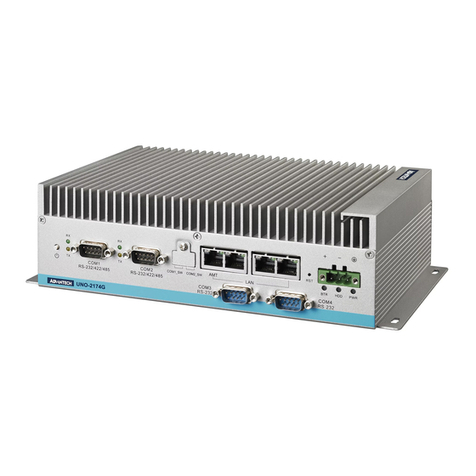
MSI MS-9A59 User manual

MS-9A59
Industrial Data Machine

ii
▍Preface
Copyright Notice
The material in this document is the intellectual property of MICRO-STAR IN-
TERNATIONAL. We take every care in the preparation of this document, but no
guarantee is given as to the correctness of its contents. Our products are under
continual improvement and we reserve the right to make changes without notice.
Trademarks
All trademarks are the properties of their respective owners.
Revision
Revision Date
V1.1 2017/8
Technical Support
If a problem arises with your system and no solution can be obtained from the
user’s manual, please contact your place of purchase or local distributor. Alterna-
tively, please try the following help resources for further guidance.
■Visit the MSI website for technical guide, BIOS updates, driver updates,
and other information:
http://www.msi.com/service/download/
■Contact our technical sta at:
http://support.msi.com/

iii
MS-9A59
Safety Instructions
■Always read the safety instructions carefully.
■Keep this User’s Manual for future reference.
■Keep this equipment away from humidity.
■Lay this equipment on a reliable at surface before setting it up.
■The openings on the enclosure are for air convection hence protects the
equipment from overheating. DO NOT COVER THE OPENINGS.
■Make sure the voltage of the power source and adjust properly 110/220V
before connecting the equipment to the power inlet.
■Place the power cord such a way that people can not step on it. Do not
place anything over the power cord.
■Always Unplug the Power Cord before inserting any add-on card or mod-
ule.
■All cautions and warnings on the equipment should be noted.
■Never pour any liquid into the opening that could damage or cause elec-
trical shock.
■If any of the following situations arises, get the equipment checked by ser-
vice personnel:
◯The power cord or plug is damaged.
◯Liquid has penetrated into the equipment.
◯The equipment has been exposed to moisture.
◯The equipment does not work well or you can not get it work according
to User’s Manual.
◯The equipment has dropped and damaged.
◯The equipment has obvious sign of breakage.
■DO NOT LEAVE THIS EQUIPMENT IN AN ENVIRONMENT UNCON-
DITIONED, STORAGE TEMPERATURE ABOVE 60oC (140oF), IT MAY
DAMAGE THE EQUIPMENT.
警告使用者:
這是甲類資訊產品,在居住的環境中使用時,可能會造成無線電干擾,在這種情
況下,使用者會被要求採取某些適當的對策。

iv
▍Preface
Chemical Substances Information
In compliance with chemical substances regulations, such as the EU REACH
Regulation (Regulation EC No. 1907/2006 of the European Parliament and the
Council), MSI provides the information of chemical substances in products at:
http://www.msi.com/html/popup/csr/evmtprtt_pcm.html
Battery Information
European Union:
Batteries, battery packs, and accumulators should
not be disposed of as unsorted household waste.
Please use the public collection system to return,
recycle, or treat them in compliance with the local
regulations.
Taiwan:
For better environmental protection, waste batteries
should be collected separately for recycling or
special disposal.
California, USA:
The button cell battery may contain perchlorate material and requires
special handling when recycled or disposed of in California.
For further information please visit:
http://www.dtsc.ca.gov/hazardouswaste/perchlorate/
Danger of explosion if battery is incorrectly replaced. Replace only with
the same or equivalent type recommended by the manufacturer.

v
MS-9A59
CE Conformity
Hereby, Micro-Star International CO., LTD declares that this device
is in compliance with the essential safety requirements and other
relevant provisions set out in the European Directive.
FCC Radio Frequency Interference
Statement
This equipment has been tested and found to comply with the
limits for a Class A digital device, pursuant to Part 15 of the
FCC Rules. These limits are designed to provide reasonable
protection against harmful interference when the equipment is operated in a
commercial environment. This equipment generates, uses and can radiate radio
frequency energy and, if not installed and used in accordance with the instruction
manual, may cause harmful interference to radio communications. Operation of
this equipment in a residential area is likely to cause harmful interference, in
which case the user will be required to correct the interference at his own ex-
pense.
NOTICE 1
The changes or modications not expressly approved by the party responsible for
compliance could void the user’s authority to operate the equipment.
NOTICE 2
Shielded interface cables and AC power cord, if any, must be used in order to
comply with the emission limits.
VOIR LA NOTICE D’INSTALLATION AVANT DE RACCORDER AU RESEAU.
This device complies with Part 15 of the FCC Rules. Operation is subject to the
following two conditions:
1. this device may not cause harmful interference, and
2. this device must accept any interference received, including interference
that may cause undesired operation.
WEEE Statement
Under the European Union (“EU”) Directive on Waste Electrical and
Electronic Equipment, Directive 2002/96/EC, which takes eect on
August 13, 2005, products of “electrical and electronic equipment”
cannot be discarded as municipal waste anymore and manufacturers of covered
electronic equipment will be obligated to take back such products at the end of
their useful life. MSI will comply with the product take back requirements at the
end of life of MSI-branded products that are sold into the EU. You can return
these products to local collection points.

vi
▍Preface
CONTENTS
Copyright Notice .................................................................................ii
Trademarks .........................................................................................ii
Revision ..............................................................................................ii
Technical Support ...............................................................................ii
Safety Instructions ............................................................................. iii
Chemical Substances Information ..................................................... iv
Battery Information.............................................................................iv
CE Conformity.....................................................................................v
FCC Radio Frequency Interference Statement...................................v
WEEE Statement ................................................................................v
Chapter 1 Overview������������������������������������������������������������������������������� 1-1
Packing Contents............................................................................ 1-2
System Overview ............................................................................ 1-3
System Specications..................................................................... 1-8
Motherboard Jumper..................................................................... 1-10
Chapter 2 System Setup ����������������������������������������������������������������������� 2-1
Installation Tools.............................................................................. 2-2
Removing the Cover ....................................................................... 2-3
Installing TPM Module..................................................................... 2-4
Installing the WLAN Card (Optional)............................................... 2-6
Installing the mSATA Card .............................................................. 2-8
Installing the LVDS Cable (Optional)............................................... 2-9
Installing the 2.5” SSD / HHD ........................................................2-11
Installing the WLAN Antenna (Optional) ....................................... 2-14
Installing the Wall Mount Brackets................................................ 2-15
Wall Mount the PC - VESA Mound................................................ 2-17
Wall Mount the PC - Rail Mount.................................................... 2-18
Chapter 3 BIOS Setup ��������������������������������������������������������������������������� 3-1
Entering Setup ................................................................................ 3-2
The Menu Bar ................................................................................. 3-4
Main ................................................................................................ 3-5

vii
MS-9A59
Advanced .................................................................................................3-6
Boot........................................................................................................3-12
Security ..................................................................................................3-14
Chipset...................................................................................................3-18
Power.....................................................................................................3-19
Save & Exit ............................................................................................3-21
Appendix WDT & GPIO ��������������������������������������������������������������������������������� A-1

viii
▍Preface

Thank you for choosing the 9A59, an excellent
industrial data machine from MSI.
The MS-9A59 eliminates the noise and the risk of
fan’s failure by wide heatsink as fanless solution. Fur-
thermore, it supports VESA wall-mount interface for
various scenarios like digital signage, kiosk, industrial
control, and POS with aordable expenditure, which
not only meets the demand of Industrial applications
but also fullls the needs of companies, governments,
and institutes for general applications.
Chapter 1
Overview

1-2
▍Overview
MS-9A59
Packing Contents
MS-9A59 Industrial Data Machine
Power Adapter
Power Cord
Wall Mounting Brackets SATA Power & Signal Cable
Driver/Utility Disc Phoenix Terminal Plugged
■Please contact us immediately if any of the item is damaged or miss-
ing.
■The picture is for your reference only and your packing contents may
slightly vary depending on the model you purchased.
Table of contents
Other MSI Industrial PC manuals