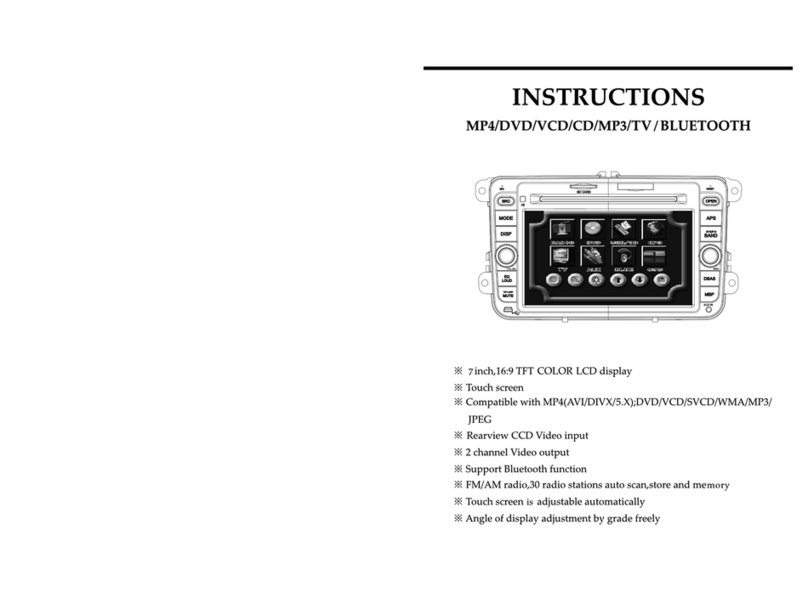
Mopar 82208655AB User manual

VP2DJF-19A016-EB 4/30/04 Page 1 of 7
• Marker • Utility knife • Drill motor • 8mm socket • Socket wrench • Non-metal trim stick
• Phillips screwdriver • 10mm socket • Wire pulling tool • 7mm socket • 3/8" Drill Bit
• Foam tape • 2 1/4 " Holesaw
Read entire instructions thoroughly before starting.
TOOLS REQUIRED:
CONTENTS:
MINI-VANS (RG)
INSTALLATION INSTRUCTIONS
DVDREAR SEAT VIDEO SYSTEM
5
17
18
Item Qty. Description
1 1 Mounting Bracket
2 1 Foam Block
3 3 Self Drilling Screw
4 1 Overhead Harness
5 12 Tie Strap
6 1 Climate Control Cover
7 2 Climate Control Screws
8 1 Screen Console
9 4 Hex Screw
10 1 Power Harness
11 1 Aux. Harness
12 1 DVD Player
13 4 AAA Batteries (not shown)
14 2 Headphones
15 1 DVD Remote
16 1 Owners Manual (not shown)
17 1 Installation Instructions
18 1 Paper Template
19 1 Aux. Module
20 2 Aux. Module Template
8
14 9
3
15
11
7
6
4
2
1
20
19
12
10

VP2DJF-19A016-EB 4/30/04 Page 2 of 7
A – Mounting Bracket Installation:
1) Disconnect negative battery cable and isolate.
2) Remove climate control head, if equipped.
3) Remove center dome light, if equipped. Using a
flat bladed tool, pry off the lamp lens. Remove
lens and dome light carefully to avoid damage to
the headliner.
4) Remove two headliner retaining clips.
5) Using the installation template provided (Item 18)
secure it to the headliner using retaining clips in
referenced locations.
6) Following the instructions on the template, mark
and cut opening in headliner.
7) Using hands, separate headliner from plastic
headliner bracket. Remove headliner bracket.
It will not be re-used. Remove the center 1/4"
screw from the existing overhead bracket.
8) Position foam block (Item 2) to mounting
bracket as shown.
9) Fit rear end of mounting bracket into roof bow
behind headliner. Use screwdriver to confirm
hole alignment. Lightly tap the bracket
rearward to ensure fit to roof bow.
10) Install three self drilling screws (Item 3) through
forward most mounting bracket holes, into front
roof bow.
11) Install rear headliner retaining clip into rear hole,
through bracket.
Trim Out
Headliner Bracket
Mounting Bracket
Foam Block
Roof Bow
Screwdriver
Front
Front
Locate and use the
Paper Template (Item
#18) to carefully mark
and cut the
headliner opening.

VP2DJF-19A016-EB 4/30/04 Page 3 of 7
DUE TO THE SIDE CURTAIN AIR BAG OPTION IN 2005+
MY RG MINIVAN, PLEASE FOLLOW INSTRUCTIONS TO
PROPERLY ROUTE WIRING OF THE REAR SEAT VIDEO
SYSTEM. FAILURE TO FOLLOW INSTRUCTIONS MAY
CAUSE MALFUNCTION OF SIDE CURTAIN AIRBAG AND
OCCUPANT INJURY DURING VEHICLE IMPACT.
C - Overhead Wiring Harness Routing:
1) Remove left (driver’s side) A-pillar trim.
2) Disconnect and remove left sun visor (two T25
screws).
3) Remove left sun visor clip (one T20
screw).
4) Carefully disconnect and remove
overhead console or dome lamp.
Make sure the overhead harness remains clear of visor/
clip fasteners. The use of a metal wire to help with
harness routing may be needed.
5) Route Overhead Wiring Harness
(item 4) with all black overhead connector over
top of headliner as shown.
6) Route harness rearward to screen mounting
bracket opening leaving approx. 4” (100mm).
Information
Center Bezel
Radio
Lower Radio
Panel
HVAC
Bezel
Front
Bin or CD
Player
B - Radio and Trim Removal:
1) Remove the I/P center stack cubby bin.
2) Remove lower radio panel using a non-metal
trim stick.
3) Remove and disconnect the HVAC switch bezel.
4) Remove and disconnect the radio.
5) Remove the under the radio bin or CD player.
NOTE:
ADVERTENCIA:
Overhead
Harness
Black
Connector
Left A-Pillar
Overhead
Harness
WARNING:

VP2DJF-19A016-EB 4/30/04 Page 4 of 7
Align To
Trim
1) Using the template provided, prepare and align it
to the left rear trim as indicated.
2) Using a center punch or scribe, pierce the
template and mark the trim panel for hole
locations. Draw a line between the top and
bottom holes for future cutting.
D - Auxiliary Harness and Module Installation:
Stay clear of airbag tether in the A-pillar and side
curtain airbag in the headliner.
7) Route lower portion of the overhead wiring
harness down the left A-pillar as shown.
8) Feed lower portion of wiring harness down
inside instrument panel (I/P) keeping between
left A-pillar and I/P top cover.
Keep harness away from any sharp edges, heat sources
or moving parts.
9) Route harness across the inside of knee bolster
bracket and into DVD opening.
10) Secure wiring harness to I/P and A-pillar using
tie straps.
11) Plug connector into the DVD player (Item 12).
CAUTION:
NOTE:
Metal Knee
Bolster Bracket
Overhead
Harness
Overhead
Harness
Overhead
Harness

VP2DJF-19A016-EB 4/30/04 Page 5 of 7
5) Route the all black connector on the aux. harness
through the cut out in the trim along the sills
behind the left drivers kick panel.
3) Using the 3/8" drill bit and 2 1/4" holesaw, cut the
trim as indicated on the template.
Pull seat belt away from the cutting area to avoid
damage.
CAUTION:
4) Using a utility knife, cut through the plastic at
indicated lines.
Black
Connector

VP2DJF-19A016-EB 4/30/04 Page 6 of 7
Phillips Screws Screen Console
Overhead Harness
Connector
Trim Clips
Screen Console
6) Route the aux. module harness and overhead
harness, through the bottom of the instrument
panel to the DVD/CD opening.
5) Install four screws (Item 9) through screen
console fold-out area into mounting bracket.
6) Reinstall dome lamp (if equipped).
1) Install the climate control head, if equipped, in
overhead screen console using two supplied
screws (Item 7).
2) Connect overhead harness to video connector
in screen console (Item 8). Connect climate
control connector, if equipped.
3) Wrap connection(s) with foam tape to prevent
rattling.
4) Guide screen console trim clips into mounting
bracket openings.
The climate control cover (Item 6) is supplied for
use in vehicles without overhead climate. Take
caution while installing cover to avoid scratches
NOTE:
E - Screen Console and Dome Lamp Installation:

VP2DJF-19A016-EB 4/30/04 Page 7 of 7
Place Rear Seat Video Entertainment System Owner's
Manual (Item 16) in the vehicle glove box.
NOTE:
1) Install batteries (Item 13) to both headphones.
2) Turn on ignition. Unit will power up.
G – Operation Test:
3) Insert a known good DVD disc / depress play
button.
4) Slowly remove plastic cover from the display
screen.
5) Adjust brightness buttons on display screen to a
good picture.
6) Verify function of headphones (Item 14) and
DVD remote (Item 15).
to the power point and insert the connection in
between the power point and the vehicle
harness.
3) Wrap the inline connections in foam to prevent
rattling.
4) Install the 8-way aux. connector, the 16-way
radio connector, and the 12-way overhead
connector into the DVD player. Loop up the tie
strap any excess harness in opening.
5) Install DVD player into charger opening and
reinstall trim panels.
1) Route the 10-way connector and single orange
wire on the power harness from the DVD
opening to the radio opening. Plug the
connector into changer port on radio. Connect
the orange wire to the IGN wire on the 22-way
radio connector, cavity 2. Follow normal wiring
splice procedures.
2) Route the 3-way power point "T" connections
to the lower power point (with battery symbol)
in the cubby bin. Unplug the vehicle connection
F- Electrical Connections:
Power Point
"T" Connector
10-Way
Connector
Table of contents
Other Mopar Car Video System manuals

Mopar
Mopar K6862043 User manual

Mopar
Mopar DVD REAR SEAT VIDEO SYSTEM User manual

Mopar
Mopar DVD REAR SEAT VIDEO SYSTEM User manual

Mopar
Mopar 82210914AB User manual

Mopar
Mopar CHRYSLER PACIFICA User manual

Mopar
Mopar DVD REAR SEAT VIDEO SYSTEM User manual

Mopar
Mopar Journey User manual

Mopar
Mopar Dodge User manual