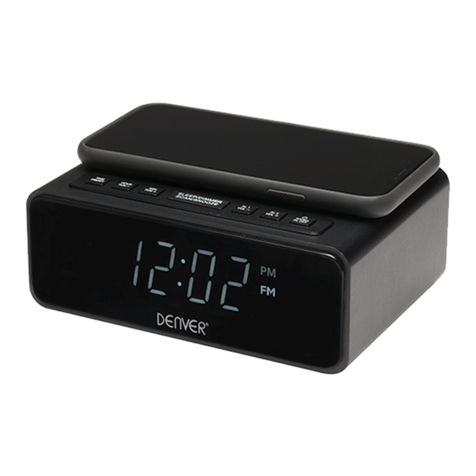
Medion E66519 User manual

CLOCK RADIO WITH
WIRELESS CHARGING
E66519
User Manual

Dok./Rev.-Nr. 44119 EN Aldi AU Final Cover 5006 3079
Overview .................................................................4
Device parts.............................................................6
About these operating instructions.......................9
Proper use ..............................................................13
Safety information ................................................ 14
Package contents.................................................. 26
Getting started ...................................................... 27
Settings..................................................................28
Volume................................................................... 29
Radio......................................................................30
Using the alarm ..................................................... 32
Dimmer ..................................................................39
Troubleshooting....................................................40
Cleaning................................................................. 42
Storing the device when not in use .....................42
Disposal.................................................................. 42
Technical specifications ........................................44
Service information ..............................................46
Legal Notice ...........................................................48
Contents

4
A
B
AL1
PM
NAP
AL2
FM
BT
AUX
SLEEP
56789 34 12
FUNCTION
SET
MEM/
MIC
AL1 AL2
- VOLUME +
SNOOZE/DIMMER
141516171819 13 12 11 10

5
C
FM ANT.
AUX
DC 9V
USB 5V/1A
USB 5V/1A
22 21 202324
6
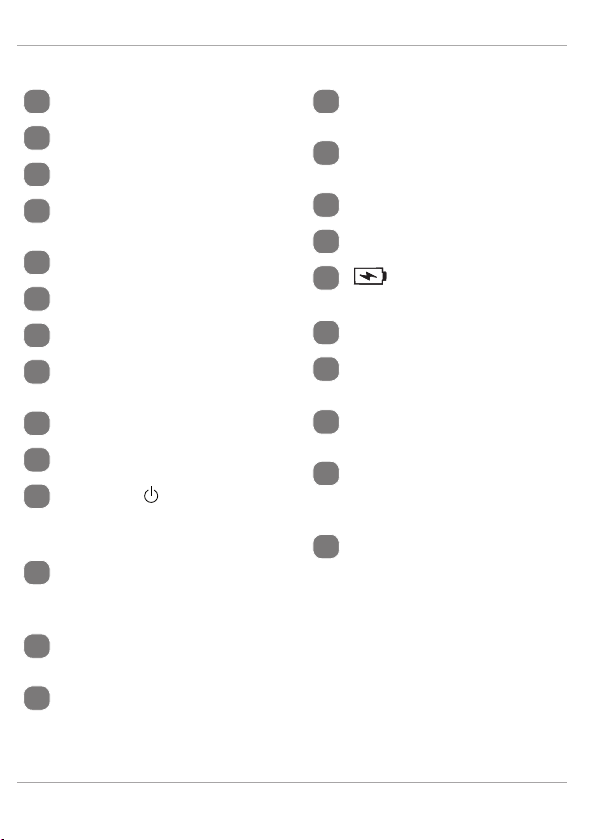
Device parts
1FM – FM operating mode
2BT – BT operating mode
3AUX – AUX operating mode
4SLEEP – Sleep timer
activated
5Time/frequency display
6AL2 – Alarm 2 activated
7NAP – Timer
8PM – PM display for time
(only in 12-hour format)
9AL1 – Alarm 1 activated
10 MIC – Microphone
11 FUNCTION – Select oper-
ating mode, switch device
to standby mode
12 SET, MEM/ – Set time,
store station, select stored
station
13 – Frequency selection/
time/next track
14 SNOOZE/DIMMER – Snooze
function/timer, dim display
15 Charging pad for wireless
charging of a smartphone
16 – Frequency selection/
time/previous track
17 AL2 – Set/call up alarm 2
18 AL1 – Set/call up alarm 1
19 – Charging pad stand-
by indicator
20 FM ANT. – Wire antenna
21 AUX – Jack for external
device
22 DC IN – Connection for
mains adapter
23 2x USB 5V/1A – Two
USB ports for charging
smartphones
24 Battery compartment

Contents
7
Contents
Overview............................................................... 4
Device parts .......................................................... 6
About these operating instructions..................... 9
Key to symbols ..........................................................9
Proper use ........................................................... 13
Safety information ..............................................14
Operating safety..................................................... 14
Power supply ...........................................................17
Mains adapter ......................................................... 18
Batteries................................................................... 19
Installation location ............................................... 21
Environmental conditions ....................................24
Repairs .....................................................................24
Legal requirements................................................25
Package contents ................................................26
Getting started ....................................................27
Inserting/replacing backup batteries.................27
Connecting the mains adapter.............................28
Settings............................................................... 28
Selecting the operating mode..............................28
Setting the time ......................................................28
Volume................................................................ 29
Radio................................................................... 30

Contents
8
Adjusting the aerial............................................... 30
Switching the radio on/off ................................... 30
Tuning the stations ............................................... 30
Station search ........................................................ 30
Storing and selecting stations.............................. 31
Using the alarm ...................................................32
Setting the alarm....................................................32
Activating/deactivating the alarm.......................33
Stopping the alarm / activating the snooze
function....................................................................33
Using the sleep timer.............................................34
Timer alarm .............................................................35
Bluetooth mode......................................................36
Control......................................................................37
Connecting an external playback device............38
Dimmer ............................................................... 39
Charging smartphones..........................................39
Troubleshooting................................................. 40
Cleaning.............................................................. 42
Storing the device when not in use................... 42
Disposal............................................................... 42
Technical specifications...................................... 44
Service information............................................ 46
Legal Notice ........................................................ 48

About these operating instructions
9
About these operating instructions
Thank you for choosing our product. We hope
you enjoy using this device.
Read the safety instructions and all other in-
structions carefully before using the device for the first
time. Note the warnings on the device and in the oper-
ating instructions.
Always keep the operating instructions close to hand.
If you sell the device or give it away, please ensure that
you also pass on these operating instructions. They are
an essential component of the product.
Key to symbols
If a block of text is marked with one of the warning sym-
bols listed below, the hazard described in that text must
be avoided to prevent the potential consequences de-
scribed there from occurring.
DANGER!
This keyword denotes a high-risk hazard situation which
will result in death or serious injury if it is not avoided.

About these operating instructions
10
WARNING!
This keyword denotes a medium-risk hazard situation
which can result in death or a serious injury if it is not
avoided.
CAUTION!
This keyword denotes a low-risk hazard situation
which can result in moderate or minor injuries if it is not
avoided.
NOTICE!
This keyword serves as a warning for possible damage
to property.
This symbol provides useful additional
information for assembling or operat-
ing the device.
Declaration of conformity (see "Decla-
ration of conformity" section): Products
that feature this symbol meet the re-
quirements of the EC directives.
• Bullet point/information on steps dur-
ing operation
Instruction to be carried out

About these operating instructions
11
Comply with the notes in the operating
instructions.
Protection class II
Electrical devices in protection class II
are devices that have double and/or
reinforced insulation throughout, and
do not have the option of connecting
a protective earth. The housing of an
electrical device in protection class II,
with surrounding insulating material,
may either form all of the additional or
reinforced insulation, or part of it.
Indoor use
Devices with this symbol are intended
solely for indoor use.
Fig. A
Fig. B
Polarity markings
In the case of devices with coaxial pow-
er connectors, these symbols indicate
the polarity of the connector. There are
two types of polarity: either positive
inside and negative outside (Fig. A), or
negative inside and positive outside
(Fig. B).
Table of contents
Other Medion Clock Radio manuals