
Medion Life X47006 User manual

Digital 3D Camcorder
Mode d'emploi
MEDION
®
LIFE
®
X
47006 (MD 86390)
Ins ruc ion manual
Bedienungsanlei ung

1
Table of contents
About this introduction ....................................... 5
Symbols and key words used in these instructions....................... 5
Proper use.................................................................................... 7
Safety instructions.............................................. 8
Information about 3D ................................................................ 12
System requirements ................................................................. 15
Before use ...................................................... 16
Checking the package contents ................................................. 16
Overview of the device ...................................... 17
Sides .......................................................................................... 20
Charging the batteries....................................... 21
Charging battery prior to first use .............................................. 21
Charging battery in charge cradle .............................................. 22
Charging battery in camcorder .................................................. 23
Start-up ........................................................ 24
Inserting the memory card......................................................... 24
Operation....................................................... 26
Switching on camcorder ............................................................ 26
Switching off camcorder ............................................................ 26

2
Selecting operating mode ..........................................................26
Recording videos ..............................................27
Setting the exposure correction..................................................27
Starting recording/zoom function/ terminating recording..........27
Display in video mode ................................................................29
Taking pictures.................................................30
Setting the exposure correction..................................................30
Taking picture/zooming .............................................................30
Display in photo mode ...............................................................32
Viewing recorded videos and photos .....................33
Exiting playback mode ...............................................................33
Video playback ...........................................................................34
Viewing photos ..........................................................................34
Deleting videos and photos.................................35
Deleting one file .........................................................................35
Terminating deletion ..................................................................35
Setup menu.....................................................37
Exiting menu ..............................................................................37
Language ...................................................................................37
Setting date and time .................................................................38
Formatting memory card/internal memory ................................38

3
Default settings.......................................................................... 39
Energy saving option ................................................................. 39
Frequency.................................................................................. 40
TV standard................................................................................ 40
Tones......................................................................................... 41
Settings in video mode...................................... 42
White balance ............................................................................ 42
Resolution.................................................................................. 42
Colour ....................................................................................... 43
Settings in photo mode ..................................... 44
White balance ............................................................................ 44
Resolution.................................................................................. 44
Colour ....................................................................................... 45
Date stamp ................................................................................ 45
Serial photo function ................................................................. 46
Connecting camcorder to TV set ................................................ 47
Connection via HDMI................................................................. 48
Connecting camcorder to computer ...................... 49
Installing the software ...................................... 50
DCF memory standard ............................................................... 51
Card drive .................................................................................. 51

4
Memory folder structure.............................................................52
Disposal..........................................................54
Maintenance and care .......................................55
Technical data .................................................56
ArcSoft Total Media™ HDCam 2.0 ..........................58

5
About this introduction
Read the safety instructions carefully before use. Note the
warnings on the device and in the operating instructions.
Always keep the operating instructions close to hand. If
you sell the unit or give it away, make sure you also hand
over these instructions and the guarantee card.
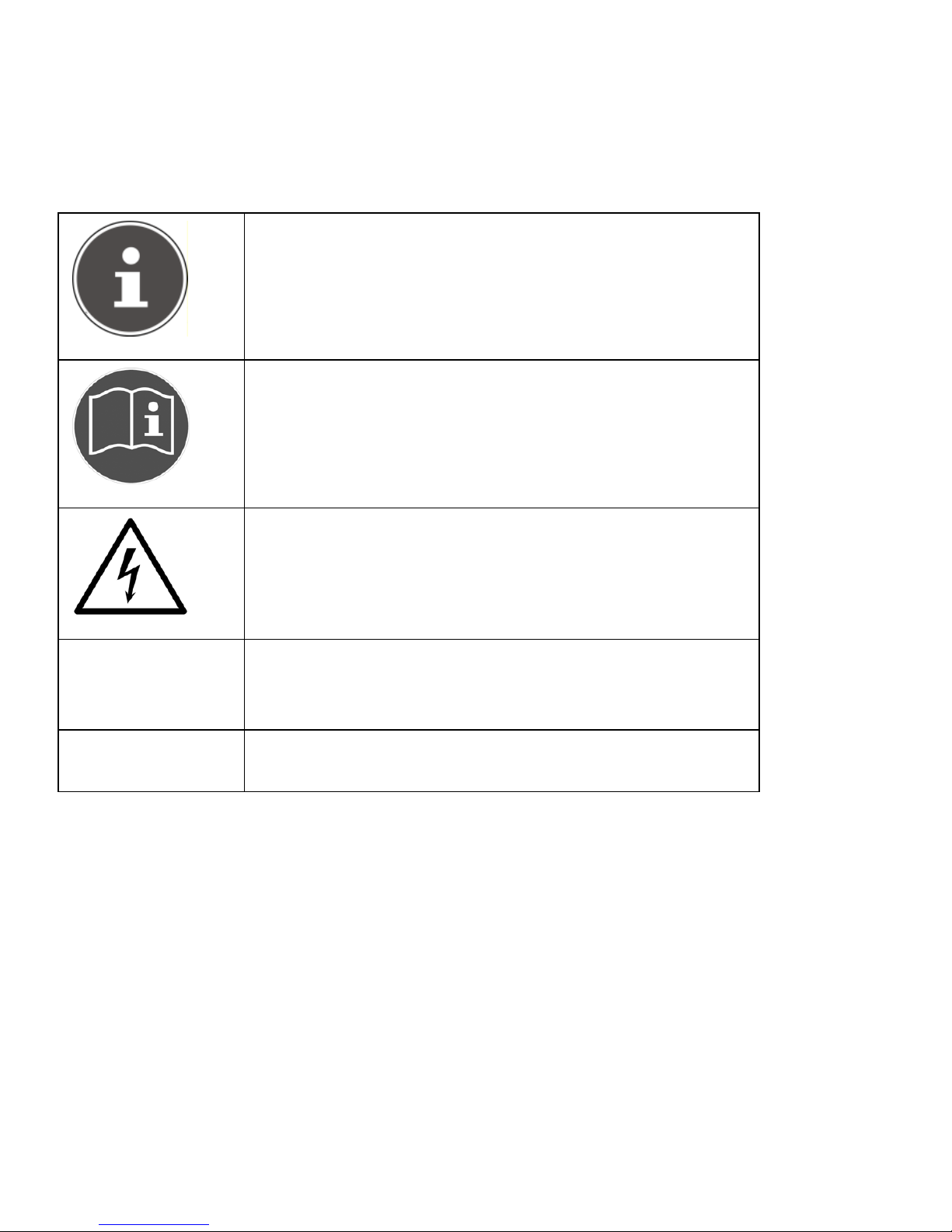
Symbols and key words used in these instructions
DANGER!
Warning: immediate mortal danger!
CAUTION!
Warning: possible mortal danger
and/or serious irreversible injuries
WARNING!
Please note the following guidelines to
avoid injuries and property damage!
CAUTION!
Please note the following guidelines to
avoid property damage!
6
NOTE!
Additional information on using the device
NOTE!
Observe the notes in the operating
instructions!
CAUTION!
Warning: danger of electric shock!
Bulleted item / information on operating
steps and results
Tasks to be performed

7
Proper use
This camcorder is designed for the recording of pictures and video
clips. Recorded pictures and videos can be transferred to a PC.
Alternatively, they can be viewed on a TV via the USB-AV or HDMI
interface. The camcorder is intended solely for private use and not for
commercial purposes. Improper use shall void any warranty and
liability on the part of the manufacturer.

8
Safety instructions
General
This unit is not intended for use by people (including children)
with reduced physical, sensory or mental abilities, unless they are
supervised by a person responsible for their safety or they have
been instructed on its use. Children should be supervised to
ensure they do not play with this unit.
Always adhere to the user instructions of the devices that you
connect to the camcorder.
DANGER!
Keep the plastic packaging out of the reach of
children as it can cause suffocation!
Preventing electric shock
Never open the camcorder casing or the charger cradle, except to
insert the battery.
Connect the charger cradle to a professionally installed AC 230 V ~
50 Hz mains socket.
To remove the power cord quickly and easily from the mains in an
emergency, the socket must be easily accessible and close to the
appliance.
Do not kink or crush the power cord.

9
Use only the charger supplied.
Take measures to prevent moisture or liquid from penetrating the
camcorder or the charger cradle.
Never touch the charger cradle with wet hands.
Never use the camcorder if the power cord is defective.
To avoid any danger, replace the charger cradle and its power cord
by a charger unit of the same type if either component is
damaged. In such a case, please contact our service centre.
In the event of a fault or malfunction, immediately switch off the
camcorder.
Protect the camcorder and charger cradle from rain and splash
water.
Do not place vessels containing liquids, such as vases, on or near
the appliance or the charger cradle and protect all parts of the
device from rain and splash water. The vessel might tip over, and
the liquid might impair the electrical safety of the product.
Risk of explosion
Never expose the batteries to excessive heat (sunlight, open fire,
etc.).
Do not throw batteries into a fire.
Never short-circuit the (rechargeable) batteries.
Do not dismantle (rechargeable) batteries.
This manual suits for next models
1
Table of contents
Other Medion Camcorder manuals

Medion
Medion Life P47010 User manual

Medion
Medion DIGITAL VIDEO CAMERA User manual

Medion
Medion MD 85733 User manual

Medion
Medion LIFE S47020 User manual

Medion
Medion Camcorder User manual

Medion
Medion Camcorder User manual

Medion
Medion LIFE User manual

Medion
Medion MD80566 User manual

Medion
Medion S89038 User manual

Medion
Medion S41004 User manual


Popular Camcorder manuals by other brands


Panasonic
Panasonic AG-HMC152EN operating instructions

Insignia
Insignia NS-DCC5HB09 - Camcorder - 720p user guide

MYDLINK
MYDLINK DCS-6100LH Quick installation guide

Sony
Sony video Hi8 Handycam CCD-TR555 operating instructions

SECURECOM
SECURECOM V-5014B installation guide

Panasonic
Panasonic HDC-SD100 operating instructions


