
Lyngdorf TDAI-2170 User manual

1
Owner´s manual TDAI-2170

2
Welcome
Congratulations on your purchase of the Lyngdorf Audio TDAI-2170 fully digital amplifier with RoomPerfect™.
With this purchase, you have joined the ranks of an elite group of people who believe that perfect sound
is more than a luxury. It’s a requirement. The TDAI-2170 will deliver an audio experience that will far
exceed your expectations. We thank you for placing your confidence in Lyngdorf Audio.
This manual will give you an overview of how to set up your system. Please read the manual carefully to
better understand the capabilities of your TDAI-2170. For more in-depth information about
the technologies used in Lyngdorf Audio products, please visit www.lyngdorf.com.

3
What’s in the box .......................................................4
Speaker setup guide ..................................................8
RoomPerfect™........................................................15
Installing the USB streaming audio driver ..................24
Menu walkthrough ...................................................25
1 RoomPerfect™.....................................................25
2 Voicing .................................................................25
3 Speaker Setup ......................................................25
4 Setup ...................................................................25
4.1 Inputs ...............................................................25
4.2 RoomPerfect™ setup ........................................28
4.3 Volume..............................................................30
4.4 Voicings.............................................................30
4.5 Display..............................................................30
4.6 HDMI.................................................................31
5 Advanced settings.................................................35
5.1 Auto off .............................................................35
5.2 Remote control ..................................................35
5.3 ICC ...................................................................35
5.4 Guided setup .....................................................36
5.6 Second Speaker Setup .......................................37
5.6 Outputs .............................................................37
5.7 Trigger mode .....................................................44
5.8 Lock setup.........................................................45
5.9 Software info .....................................................46
5.10 Factory reset ...................................................46
FAQ and recommendations.......................................47
RoomPerfect™ troubleshooting................................50
Cleaning and maintenance .......................................53
Serial Control Manual...............................................53
Technical assistance ................................................54
Specifications ..........................................................55
4
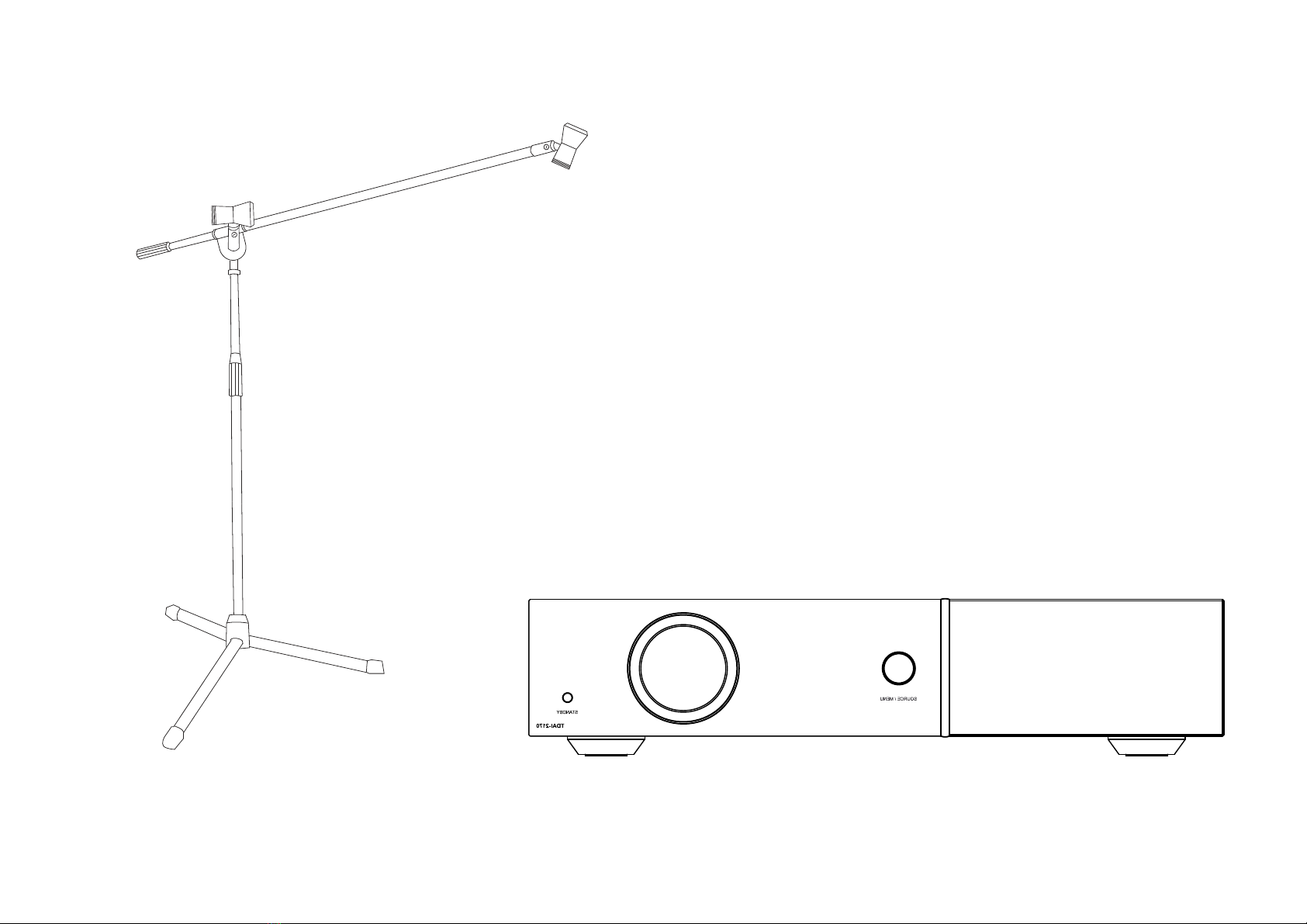
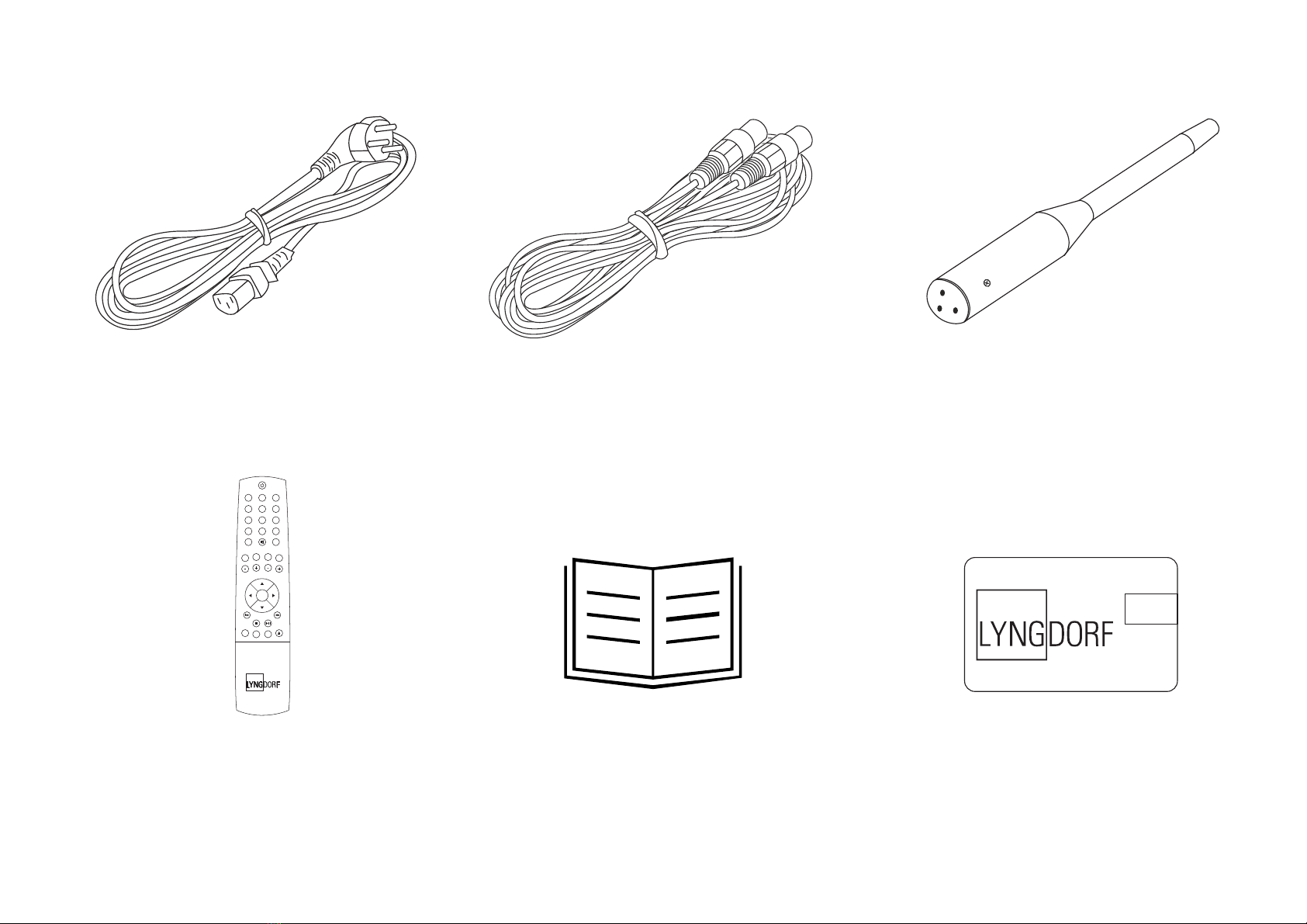
What’s in the box
Microphone stand
5
12 3
456
7
digital info
analog
A/B random repeat
AMP
channel
ENTER
volume
RCS CD TUNER
menu
8
0
9
Mains cord 8 m (26.25 feet) XLR – XLR cable Microphone
Quick start guide USB stickRemote control
6
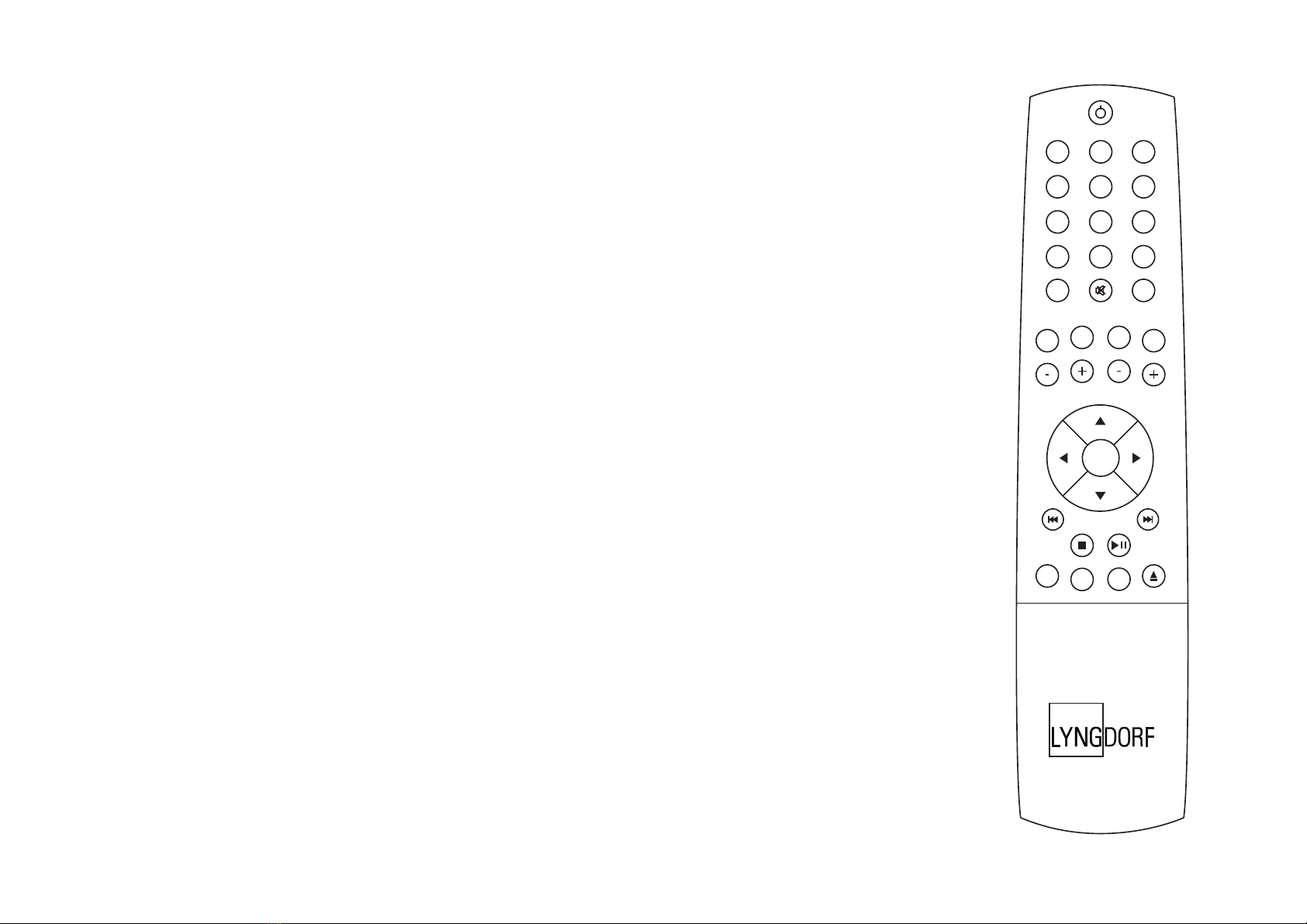
Remote control
- the most used buttons
1. Standby Turns the TDAI-2170 on and into standby.
2. Digital and Analog Selects, or if already active, cycles to the next input.
3. Channel -/+ Toggles between active inputs.
4. Up/Down Toggles between the available RoomPerfect™ filters. Increases
and decreases settings in the menu.
5. Left/Right Toggles between neutral and the available voicings.
Used to browse in the menu.
6. Info Shows information of level and type of input signal.
7. Menu Press to enter the menu. When in the menu press to go back or cancel.
Note: If the TDAI-2170 isn’t responding to the remote, press the AMP key and
try again. If that doesn´t work, check the batteries.
12 3
456
7
digital info
analog
A/B random repeat
AMP
channel
ENTER
volume
RCS CD TUNER
menu
8
0
9
26
7
4
5
3
1
7
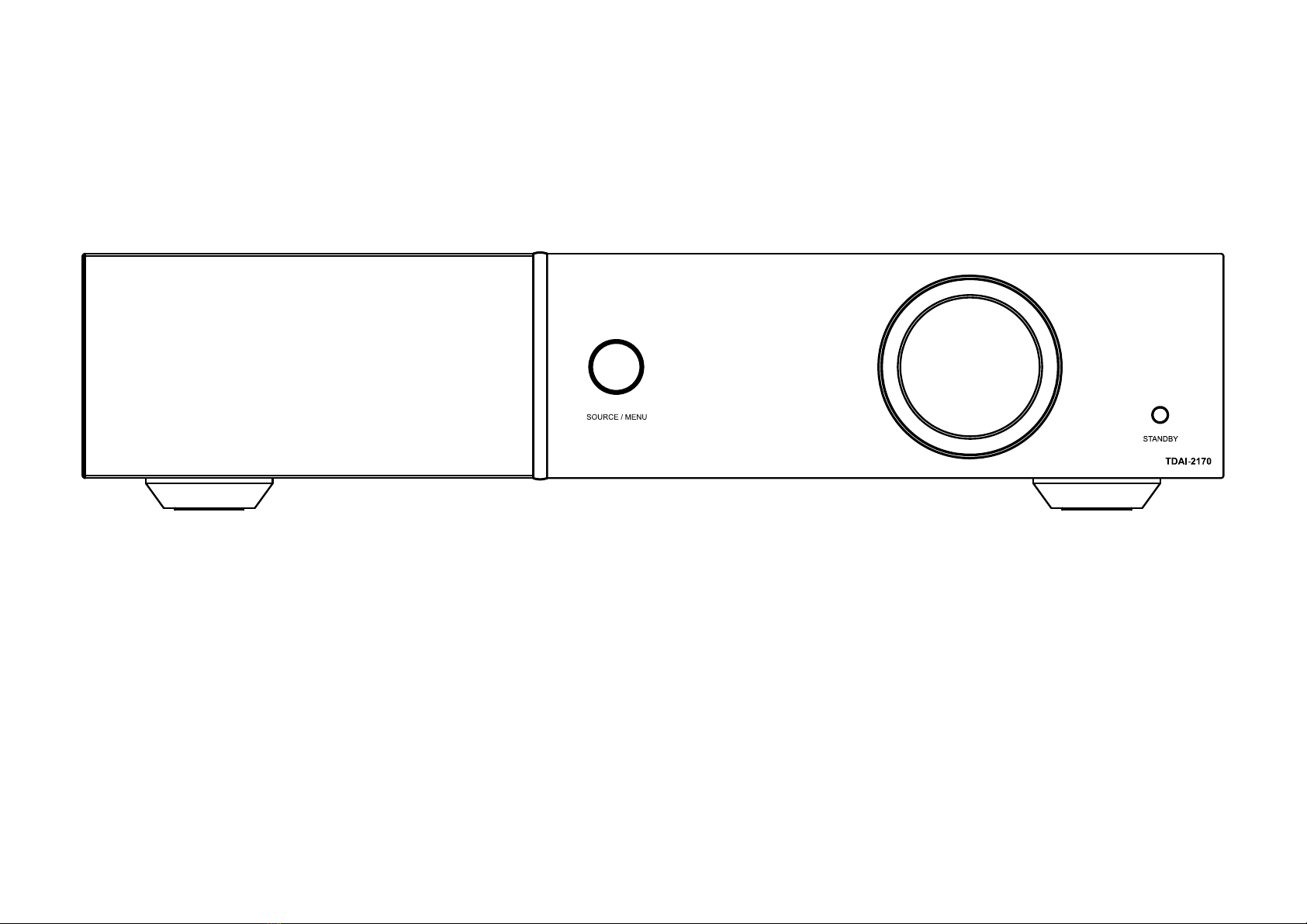
Front panel controls
123
1. Source/menu Press to mute and unmute.
Press and hold to access the menu, press to select a menu item, press and hold to exit a menu.
Rotate left and right to toggle between audio sources and browse while in the menu.
2. Volume wheel Adjust the volume with left or right rotation.
3. Standby button Turns the TDAI-2170 on and into standby.
8
Speaker setup guide
When starting up the TDAI-2170, you will be
prompted to start the setup guide. This tip sheet
will provide setup guide help.
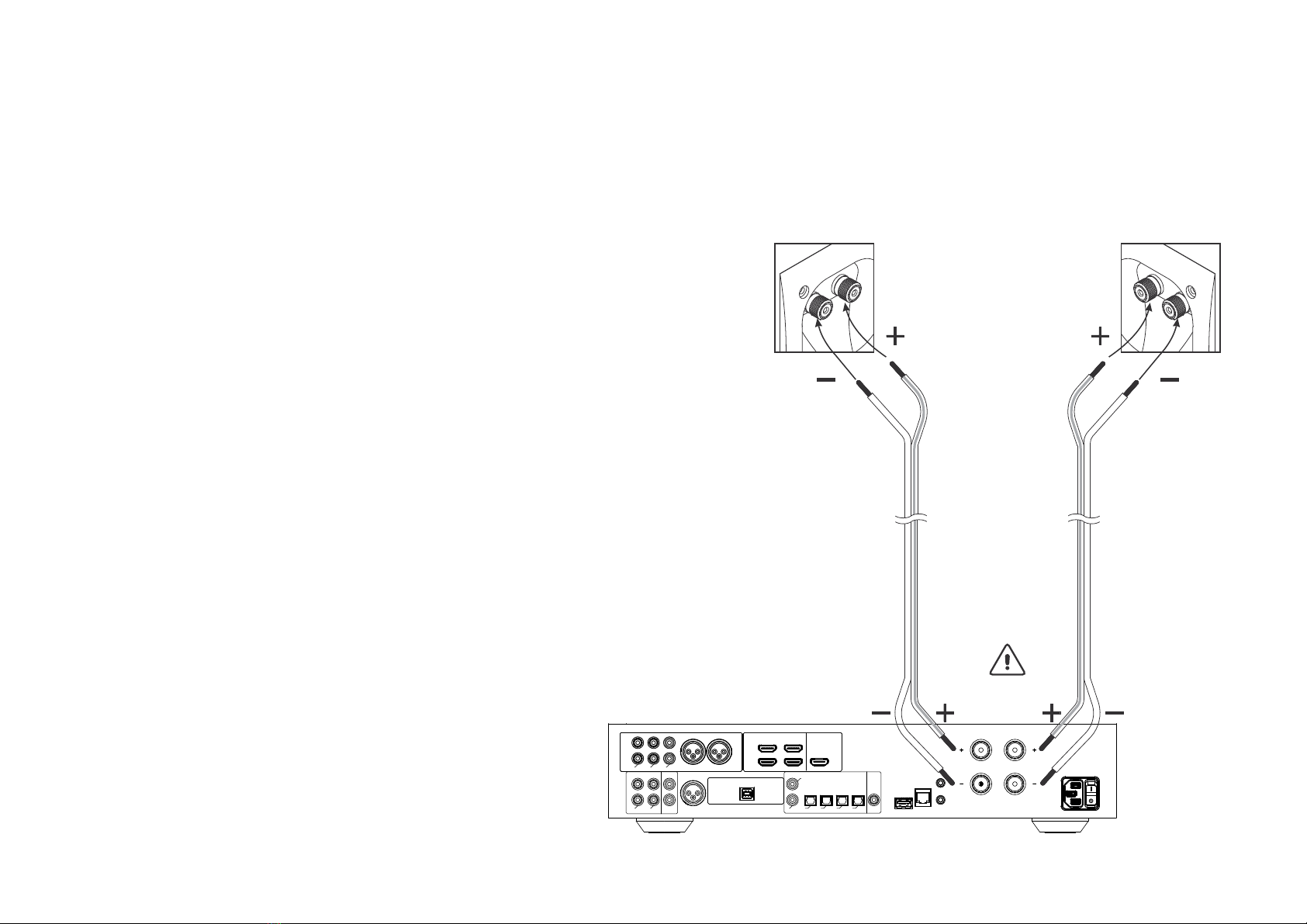
When connecting the speakers, always connect “+” and
“-” from the amplifier to the corresponding “+” and “-”
terminals on the speaker.
Warning: Never connect the TDAI-2170´s speaker output
to other amplifiers’ output terminals, a setting also known
as bridge mode.
ANALOG
INPUT OUTPUT INPUT OUTPUT
A2 MICROPHONE
L
R
RIGHT
0,1ȍ
CLASS 2 WIRING
LEFT
DIGITAL
D2
D1
D3 D4 D5 D6 RS232
TRIGGER
IN
TRIGGER
OUT
SW
UPDATE TDAI 2170
A1
USB AUDIO IN
USB MODULE
L
R
ANALOG AUDIO MODULE
A6 RIGHT A6 LEFT
A4 A5A3
HDMI MODULE
HDMI 1 HDMI 3
HDMI 2 HDMI 4 OUT
INPUT OUTPUT
9
Tips for setting up speakers
Tip: With hard floors, you can reduce reflections from the floor by positioning a carpet between you and
the speakers. With hard surface walls, you can use a painting, a book shelf, or other furnishings.
Find the position of the diffusers by having someone hold a mirror against the wall opposite the speaker.
When you can see the speaker in the mirror from the listening position, you have found the optimal
position for the diffuser.
Stereo triangle
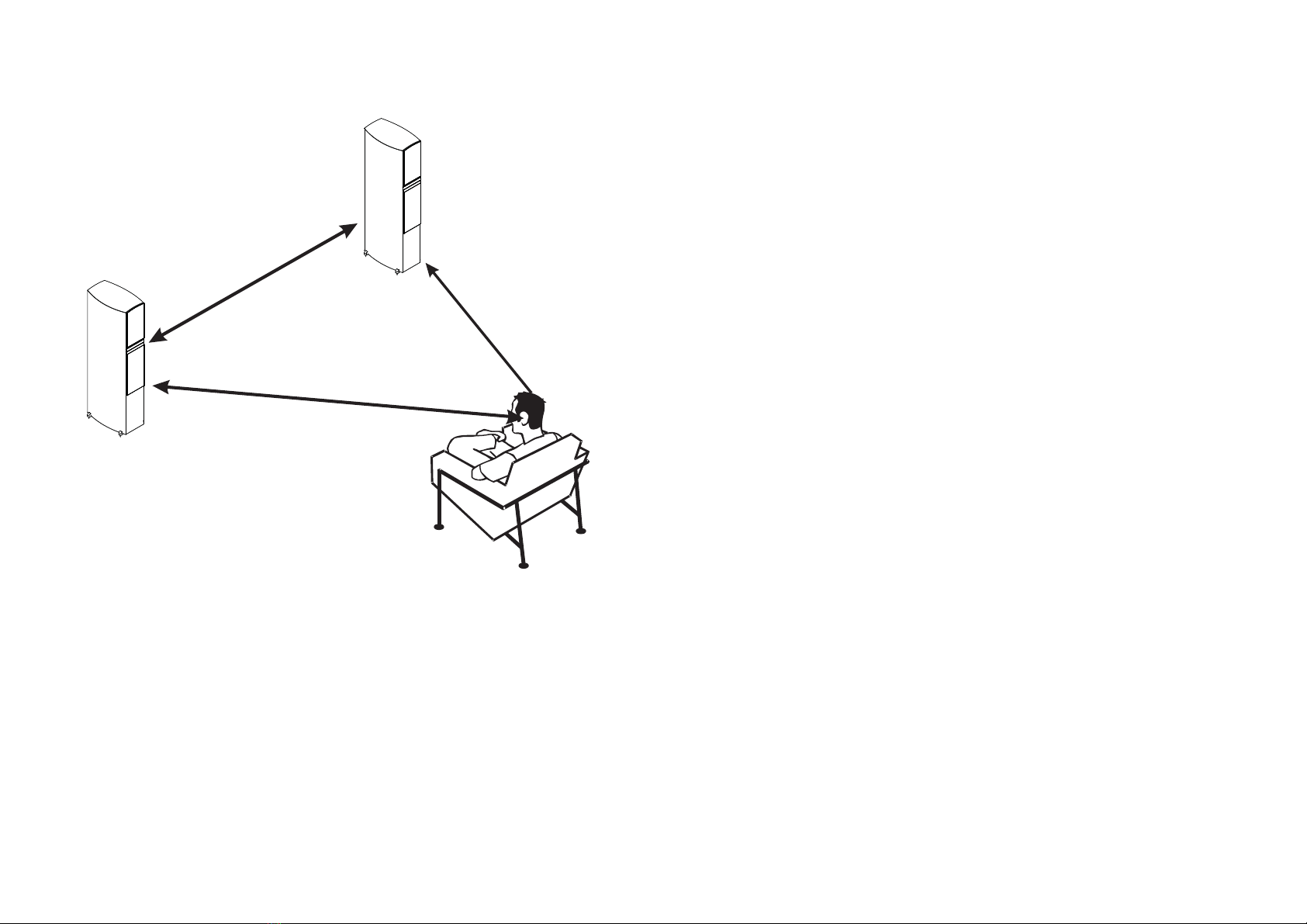
You can use the stereo triangle as a good rule
of thumb when determining where to place your
speakers. The distance between the speakers should
be the same as the distance from your listening
position to both speakers.
10
Speaker placement
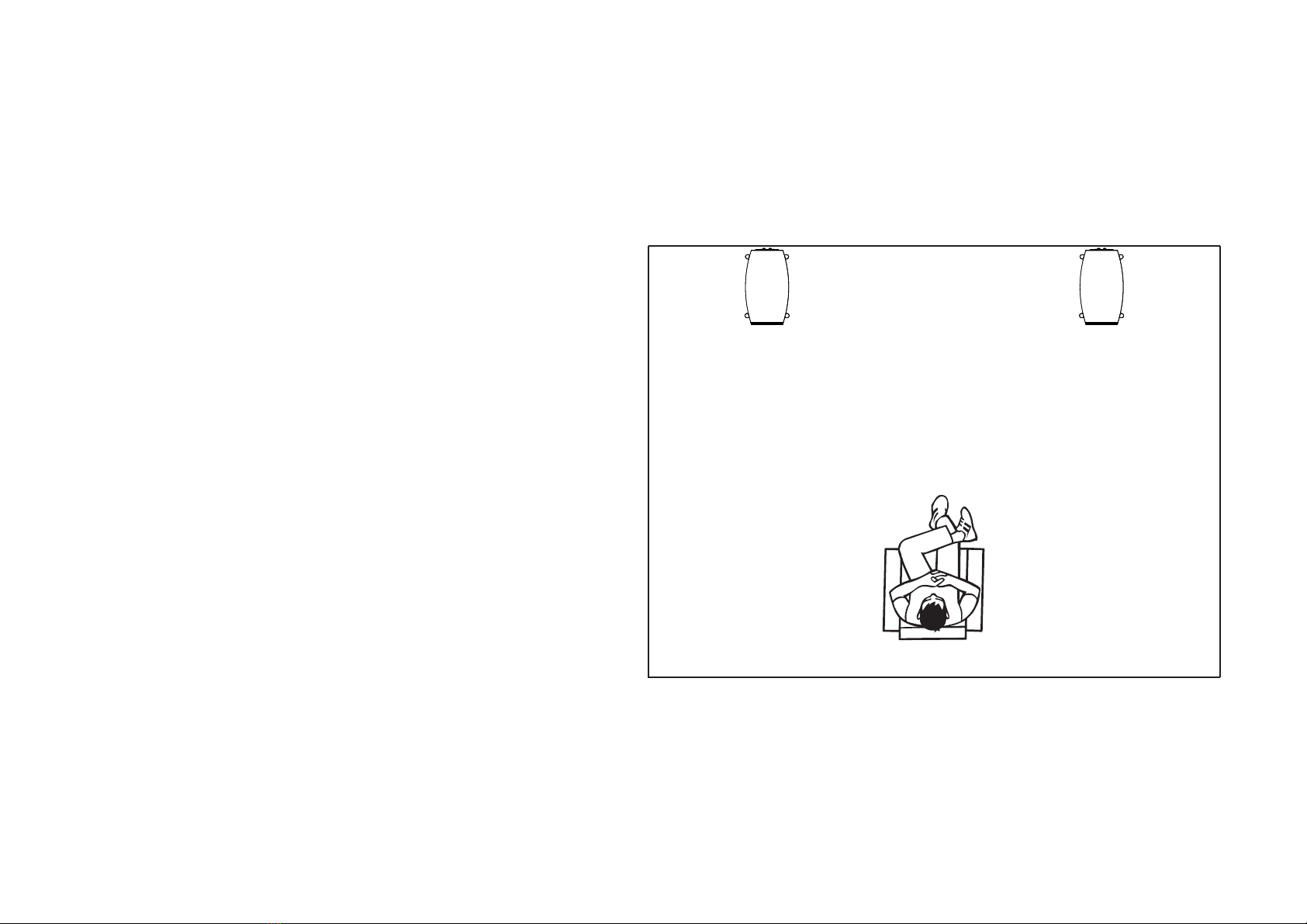
For an optimal listening experience, we
recommend you place your speakers against
the back wall. This will ensure the back wall
audio reflection and the direct sound will reach
your ears at the same time, giving you perfect
timing.
If your speakers have a bass-reflex port on the
back, you should allow for a 5cm/2in clearance
to the back wall. This will ensure there is no
disruption to the functionality of the port.
Other manuals for TDAI-2170
3
Table of contents
Other Lyngdorf Amplifier manuals


