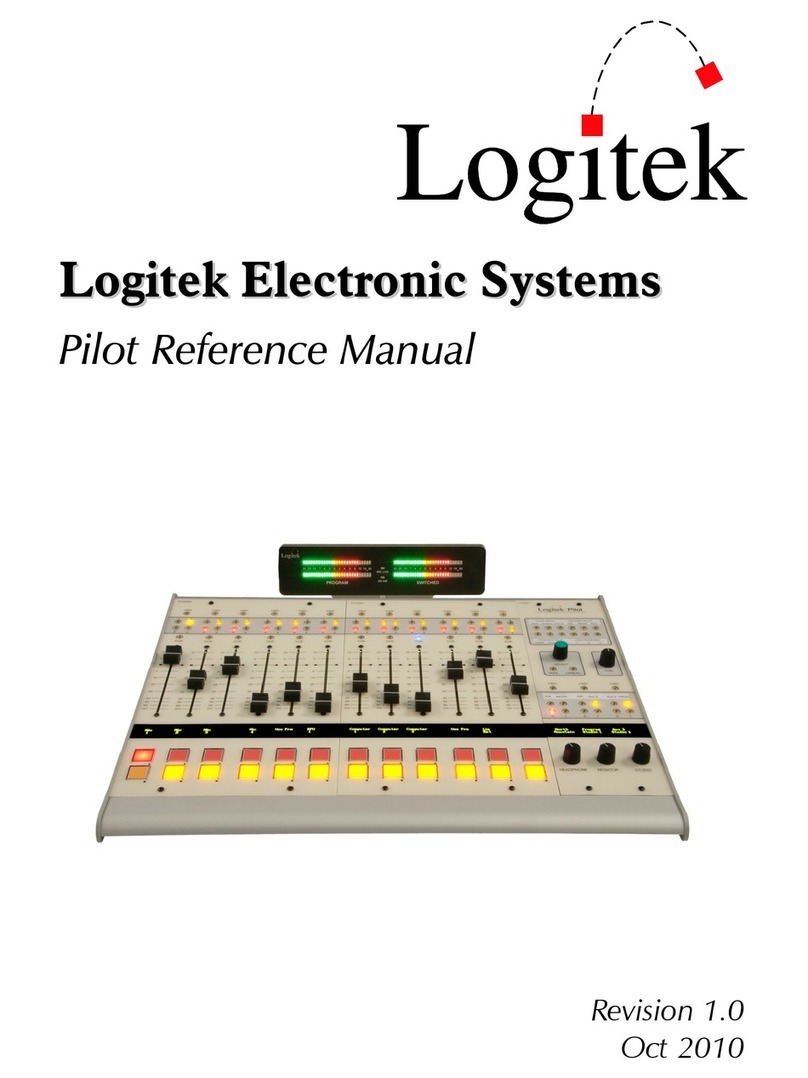
Logitek ROC 5 User manual

ROC 10 and ROC 5
Digital
Audio Consoles

Logitek Electronic Systems, Inc.
5622 Edgemoor Drive
Houston, Texas 77081
(Tel) 713-664-4470(Fax) 713-664-4479
Website: www.logitekaudio.com
Contents 1998 Logitek Electronic Systems, Inc.
ii
ROC-10/ROC-5 Control Surface

Table of Contents
Logitek Digital Audio Consoles·······················5
Unpacking········································6
ROC 10 and ROC 5 Control Surfaces··························7
Installation······································7
Operation·······································9
Initial Power-Up···································15
Appendix···································19
Control Surface Data Cable······························19
Communications Controller GPI···························21
Port 4 / RS-232····································23
Audio Engine - AE32 Specifications····················24
System Block Diagram····························26
ROC 10 Installation Cutout·························27
ROC 5 Installation Cutout·························28
Logitek Digital ConsolesROC-10/ROC-5 Control Surface
iii

This page is intentionally blank.
iv
ROC-10/ROC-5 Control Surface

Logitek Digital Audio Consoles
Introduction
Logitek Digital Consoles represent a new concept for broadcast audio consoles.
Logitek consoles centralize all audio mixing, routing, and distribution functions to
one location in a facility. Once a Logitek system is in place, adding new inputs,
outputs, or even new studios is very easy.
The heart of Logitek Digital
Consoles is the Audio Engine.
This is a digital matrix with equal
numbers of input and output
channels ranging from 8x8 to
64x64 in one engine. This matrix
is capable of mixing, routing,
creating mix-minuses and all other
traditional functions of consoles.
The Audio Engine erases the
differences to the user between
digital and analog sources or
destinations. The Audio Engine
can accept digital and/or analog
sources and feed digital and/or
analog destinations.
The part of the system in the hands of the user, what looks like an audio console,
is a control surface for the Audio Engine. This can be a ROC 10 or a ROC 5,
both of which look and feel like a traditional console in many respects. The
Audio Engine can also be directly controlled by a personal computer using
optional VMix Computer software. Each Audio Engine can accept commands
from up to three consoles or two computers.
Logitek Digital ConsolesROC-10/ROC-5 Control Surface
5

Unpacking
Carefully unpack the Audio Engine and control console cartons looking for any
signs of shipping damage. You may wish to save the shipping cartons until the
operation of the system is verified and you are sure there is no hidden shipping
damage. Report any damage to the shipping carrier immediately.
The Audio Engine and Control Surface are boxed separately. Each box contains a
separate packing list showing the contents. Verify that the contents of each box
matches the packing list and report any discrepancies to Logitek in writing
immediately.
Here are the ways you may use to contact Logitek:
Regular mailLogitek Electronic Systems, Inc.
5622 Edgemoor Drive
Houston, Texas 77081
Telephone877-231-5870
713-664-4470 (Outside U.S. And Canada)
Fax713-664-4479
Email[email protected]m
Websitewww.logitekaudio.com
6
ROC-10/ROC-5 Control Surface

ROC 10 and ROC 5 Control Surfaces
Installation
The ROC control surfaces may be flush mounted in a table or cabinet. Logitek
also offers a decorative wood trim kit that provides a more elegant look to the
installation. Contact Logitek for more information about this accessory. See the
Appendix for the cutout instructions.
The control surface is designed
to drop through a hole cut in
the mounting surface. Flanges
on the front and side of the tray
hold the unit in place. If the
optional wood trim has not
been purchased, then the edges
of the hole must be routed out
so that the top of the tray
flanges are flush with the top
of the mounting surface. This
way the console will appear to
sit flat on the table top. The
tray mounting flanges can be
screwed to the table top using
#4 flat head wood screws.
Connection of the Control Surface is easy and requires only two cables.
The first is a standard computer style AC power cord designed for North
American power standard. If you require special power cables contact Logitek.
Unless marked otherwise, the ROC is factory set for 110 VAC power. The unit
can be set for 220VAC by changing the switch on the power supply to the
position marked “220VAC”. This card is mounted inside the enclosure next to
the power entry socket.
Logitek Digital ConsolesROC-10/ROC-5 Control Surface
7

The fuse holder is adjacent to the power connector and contains a ½ amp fuse for
both ROC 5 and ROC 10 control surfaces.
The second cable is the data cable which connects to the Audio Engine. This
cable has a male DB-9 connector on each end. On the control surface, this
connector is attached adjacent to the power connector. The wiring list for this
cable is shown in the Appendix. Maximum length of the cable is 300 meters or
1000 feet. These cables can be ordered through Logitek in the length you need.
Recommended wiring for this connection is Category 5 computer cable.
The ROC Console control surface consists of two pieces, a top and a tray. To
access the tray for mounting, remove the top by unscrewing the three screws
along the back edge of the top panel. Pull up on this edge and slide the panel
backwards as it comes loose. Two tabs on the front of the tray will disengage and
the top panel can then be removed. Reinstall the top by reversing this process.
8
ROC-10/ROC-5 Control Surface

Operation
The ROC control surfaces are designed to be very familiar in look and feel to a
traditional console. Training time is much the same as for any other console.
Many of the differences are seen in the configuration process and are not obvious
to the operator. Following is a description of the user operated controls.
Faders
Layout of the faders can be seen at left. The stock faders are 100 mm. Sellmark
slide pots. Since the faders are only controls, no audio passes through them.
They only contain control voltage which is used to change levels in the Audio
Engine. The faders operate as step attenuators with 256 steps from top to bottom.
Penny & Giles faders are available as an option. These faders provide a smoother
feel than the stock units.
Faders may also have “click down” cue switching by setting the Cue @
Inf function in the configuration software. When the fader is brought to
within .1 inch of the bottom of its travel, the selected input will be sent
to the cue amplifier. This action is independent of the Onand Off
buttons so raising the fader out of cue will not change the current state of
those buttons unless Fader Startis activated in configuration. The Cue
@ Infis enabled or disabled for each input not for the fader. The “click
down” cue action will depend on the input selected.
Since audio does not pass through the physical faders, they will not
become noisy with wear. Any “scratchiness” of the fader as it moves is
averaged out with a special processing algorithm in the system. If a
fader becomes worn, you will notice a slowing of the fader response to
level changes. This is a sign that it is time to change the fader.
Logitek Digital ConsolesROC-10/ROC-5 Control Surface
9

Replacement faders are available complete with ribbon cables and connectors for
quick repairs. You may choose Selmark or optional Penney & Giles replacement
faders. See the Appendix for a list of Logitek part numbers for use in ordering
replacements.
Each fader has illuminated OFFand ONpush buttons at the lower end of the
fader. The mix bus selector buttons and the input selector and display are at the
top of the fader.
ON/OFF Buttons are momentary and illuminated with LEDs. External device
controls such as start and stop or auxiliary actions such as muting or mix-minus
can be attached to the functions of the source ONbuttons when configuring the
Audio Engine. The external controls require momentary closures. These attached
functions will follow any change of inputs.
Replacement buttons, lens caps and LEDs are available from Logitek. Part
numbers are listed in the Appendix.
Mixer Pots are designed to feel to the operator like a traditional slider. External
control or auxiliary actions can be programmed to occur at a point in the slider
travel when configuring the Audio Engine.
Bus Assign buttons are momentary action and have indicator
LEDs. The action of the PGMand AUX1buttons is independent
so either or both can be assigned at once. Operation is Push ON /
Push OFF.
Cue is controlled by the momentary push button with indicator
LED. Cue can also be set to turn on with a fader “click-down”.
This is set during configuration. The action of the cue output can
be independent of the fader pot or configured to turn off when the
pot is brought up. When set as independent, the action of the
button is Push ON / Push OFF. For remote operation through
GPI control, the external closure must be sustained for the fader
to remain in Cue.
10
ROC-10/ROC-5 Control Surface
Table of contents
Other Logitek Music Mixer manuals