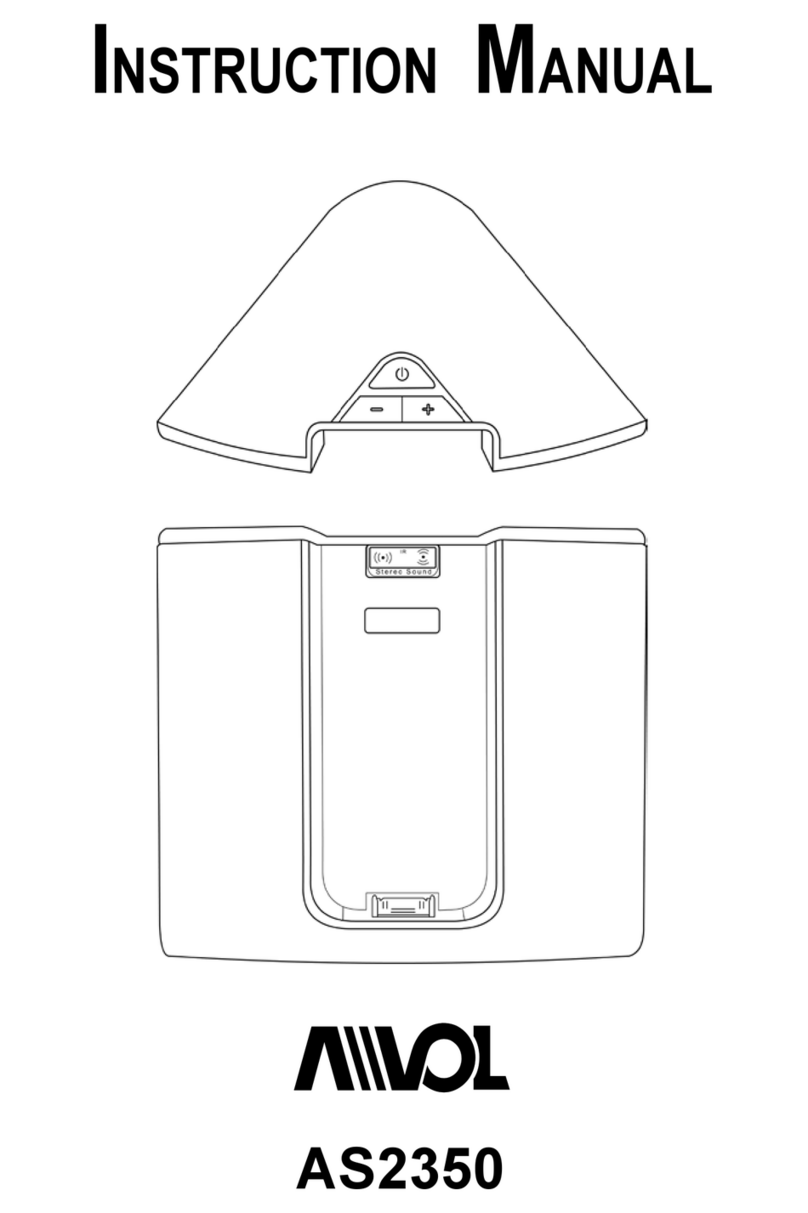
Logic3 MIP011 User manual

MIP011
INSTRUCTION MANUAL

2
MIP011
3
Logic
i-Station 11
i-Station
Logic
3
i-Station
Logic
3
i-Station
Logic
3
i-Station11
Insert correct cradle
Power Switch Volume Up/Down
AC Adapter with Interchangeable
Plugs (Euro 2pin and BS 3pin)
Logic
3
Contents
Set up of i-Station
MIP011
3
Logic
i-Station 11
Universal Cradle Line-in cable (3.5mm)
1
3a
or
4
2
3b
DC 5V 1.2A
ENGLISH

3
Logic
3
MIP011
3
Logic
i-Station 11
MD
MiniDisc
CD
MP3
Set up of Line In
LINE IN
i-Station11 (MIP011) - User Manual
Thank you for purchasing the Logic3 i-Station11. As with all Logic3 products it has been built to the
highest manufacturing standards and tested throughout its development, to ensure you get the best
possible product. Please read through and familiarize yourself with this manual before you use the
i-Station11.
Set up of i-Station
1. Press the release button to unlock the docking base for the iPod, open it until it locks into position.
2. Insert the appropriate cradle (supplied with your iPod) into the universal dock on the speaker base;
if you are using a line in device a blank cradle is supplied.
3. Choose your source of power :-
Mains Power (3a) - Plug in the DC jack to the rear of the i-Station (DC 5V)
-Selectandtthecorrectplugadaptertosuityourpowersupply
- Plug the power supply into your mains socket and turn the mains socket ON
Battery Power (3b) - Remove the Battery compartment covers
- Insert 4 x AA batteries observing the Polarity Markings
- Replace the Battery compartment covers
WARNING: Please ensure that the batteries are inserted correctly. If the batteries are in-
serted incorrectly (reversed polarity), this may cause personal injury as well as damage to
your i-Station
4. Dock your iPod into the docking base of the speaker.
ENGLISH

4
ENGLISH
Using the i-Station
1. Power is turned ON/OFF via the Power Button located on the front of the Docking Base (Button will
illuminate Blue when switched ON).
2. The speaker system is preset to a 30% volume level. The volume can be adjusted by using the Up
and Down keys located on front of the docking base.
3. The docking base can be folded up by pressing in the two catches on either side of the dock, fold-
ingitupwardsuntilitlocksushintoposition
Recharging the iPod
1. Connect the AC adaptor to the i-Station and turn ON at the mains socket.
2. Dock your iPod onto the speaker and the iPod will begin to recharge (The i-Station Power button
does not have to be turned ON in order to recharge the iPod).
3. iPod can recharge and play music at the same time when using the AC adapter.
NOTE: Your iPod will not charge when using Batteries as the Power Source.
Line in Mode
Thei-StationalsoofferstheabilitytoallowotherportableaudiodevicessuchasiPodshufe,MP3,
MiniDisc and Portable CD Players to be connected for use as a speaker system.
1. Insert the universal cradle into the docking base, this will allow you to rest your device on the dock-
ing base without damaging the 30 pin connector.
2. Plug in the line in cable (3.5mm right angle jack) into the rear of the i-Station Line in Socket.
3. Connect the other end of the line in cable (3.5mm straight jack) to your device (headphone/line out
socket).
4. Set your device volume to Maximum.
5. Turn on your i-Station.
Note: Remember to remove the line in cable when using the docking station as the line in cable will
override any sound coming from the docking station.
System Specications
Total Continuous Power: 6W RMS (3W x 2)
Satellite Speakers: 3Watts/Channel
Speaker Drivers: Two 40mm Full Range Speaker Cone Drivers
Signal to Noise Ratio: 60dB@1W
Frequency Response: 200Hz – 20 kHz

5
ENGLISH
Trouble Shooting
Problem What Should I do?
i-Station does not turn ON when pow-
ered via AC Mains
ChecktheACpowercableisconnectedrmlyintotheACwall
outlet and the i-Station.
Test the i-Station by powering the unit with 4 x AA batteries.
i-Station does not turn ON when pow-
ered via Batteries
Test the i-Station by powering the unit via AC Mains, if this works
replace the batteries with new ones.
No sound
Ensure the correct universal dock cradle has been used for your
iPod.
Ensure the line in cable is not plugged into the i-Station
Check Play status on the iPod
PleasetryupdatingthermwareforyouriPodusingthelatest
iTunes which is available from www.apple.com/ipod/download
Sound Quality is poor
If you are using AA Batteries, replace them with new ones.
Ensure the correct cradle is used with your iPod.
iPod is not recharging
Ensure the correct cradle is used with your iPod.
Ensure sure your i-Station is connected to the AC Mains
Cradlewillnotxintothei-Station Remove any previously inserted universal dock cradles
I have lost a part for the i-Station Please refer to the spare parts section in this manual
Spare Part List
Part No. Item code Item Name Price
1 YAD011 AC ADAPTOR (INTERCHANGEABLE POWER PLUGS) For prices visit
our website at
www.logic3.com
2 YCB000K LINE IN CABLE (BLACK)
Should you have any setup problems with the i-Station11 (MIP011) please contact our Technical Support
Hotline on +44 (01923) 471 000 – National/International call rates apply or Email [email protected] -
Spare parts are available for some models at our website www.logic3.com

6
FRENCH
MIP011
3
Logic
i-Station 11
i-Station
Logic
3
i-Station
Logic
3
i-Station
Logic
3
i-Station11
Insérez le support
approprié
Bouton marche-arrêt Volume Up/Down
AdaptateurACavecches
d’alimentation interchangeables
(Euro 2-pin et BS 3-pin)
Logic
3
Contenu
Installation d’i-Station
MIP011
3
Logic
i-Station 11
Support universel Cable Line-in (3,5mm)
1
3a
ou
4
2
3b
DC 5V 1.2A

7
FRENCH
Logic
3
MIP011
3
Logic
i-Station 11
MD
MiniDisc
CD
MP3
Installation du câble Line-in
LINE IN
i-Station11 (MIP011) – manuel de l’utilisateur
Merci d’avoir acheté l’i-Station11 de Logic 3. Comme tous les produits Logic 3, il a été créé selon les
normes de fabrication les plus exigeantes et testé tout au long de son développement, de façon à ce
que vous obteniez le meilleur produit possible. Veuillez lire et vous familiariser avec ce manuel avant
d’utiliser l’i-Station11.
Installation d’i-Station
1. Appuyez sur le bouton pour déverrouiller la base d’accueil du iPod, puis ouvrez-la jusqu’à ce qu’elle
se bloque dans la bonne position.
2. Insérez le support approprié (fourni avec votre iPod) dans le Dock universel sur la base du haut-
parleur; si vous utilisez un périphérique line-in, un support vide est fourni.
3. Choisissez votre source d’alimentation :
Alimentation par le Secteur (3a) - Branchez le jack DC à l’arrière d’i-Station (DC 5V)
- Sélectionnez et branchez l’adaptateur approprié à votre alimenta-
tion électrique
- Branchez l’alimentation électrique dans la prise de courant du
secteur et appuyez sur ON si vous disposez d’une prise à inter-
rupteur.
Alimentation par piles (3b) - Enlevez les couvercles des compartiments à piles
- Insérez 4 piles AA en respectant les signes + et -
- Replacez les couvercles sur les compartiments à piles
ATTENTION : Veuillez vous assurer que les piles sont insérées correctement. Une mauvaise
insertion (polarité inversée) pourrait causer des dommages corporels et endommager votre
i-Station.
4. Placez votre iPod dans la station d’accueil du haut-parleur.

8
FRENCH
Utilisation d’i-Station
1. Vous pouvez allumer ou éteindre le i-Station à l’aide du bouton marche-arrêt (ON/OFF) situé sur le
devant de la station d’accueil (le bouton s’allume en bleu quand il est sur ON).
2. Lesystèmedehaut-parleursestrégléàunniveaudevolumede30%.Levolumepeutêtremodié
en utilisant les touches de réglage du volume situées sur le devant de la station d’accueil.
3. La station d’accueil peut être pliée en appuyant sur les deux fermetures de chaque côté du Dock,
l’amenant à se plier vers le haut jusqu’à ce qu’elle se bloque dans la bonne position.
Recharger votre iPod
1. Connectez l’adaptateur AC à l’i-Station et assurez-vous que la prise du secteur est en marche.
2. Placez votre iPod sur le haut-parleur et le iPod commencera à se recharger (Il n’est pas nécessaire
que le bouton marche/arrêt soit sur ON pour que le iPod se recharge).
3. Vous pouvez recharger votre iPod tout en écoutant de la musique en utilisant l’adaptateur AC.
REMARQUE : Vous ne pouvez pas recharger votre iPod en utilisant les piles comme source
d’alimentation
Mode Line-in
L’i-Station vous offre également la possibilité de connecter d’autres périphériques portables tels que le
iPodShufe(modealéatoire),MP3,MiniDiscetlecteursdeCDportables,andelesutilisercomme
systèmes de haut-parleurs.
1. Insérez le support universel dans la station d’accueil; ceci vous permettra de placer votre appareil
sur la station d’accueil sans abîmer le connecteur à 30 broches.
2. Branchez le câble line-in (jack à angle droit 3,5mm) à l’arrière de la prise line-in d’i-Station.
3. Connectez l’autre bout du câble line-in (jack raide 3,5mm) à votre appareil (casque/prise de sortie
line-out).
4. Réglez le volume de votre appareil au maximum.
5. Allumez votre i-Station.
Remarque : Assurez-vous d’enlever le cable line-in lorsque vous utilisez la station d’accueil, car le
cable line-in neutralisera tout son venant de la station d’accueil.
Spécications du système
Alimentation Continue : 6W RMS (3W x 2)
Haut-parleurs satellites : 3Watts/Channel
Pilotes Haut-parleurs : Two 40mm Full Range Speaker Cone Drivers
Rapport Signal-Bruit : 60dB@1W
Réponse en fréquence : 200Hz – 20 kHz

9
FRENCH
Aide
Problème Que dois-je faire?
L’i-Station ne s’allume pas lorsqu’il
est alimenté par le secteur
Vériezquelecabled’alimentationACestfermementconnectéàla
prise de courant au mur et à l’i-Station.
Testez l’i-Station en l’alimentant avec 4 piles AA.
L’i-Station ne s’allume pas lorsqu’il
est alimenté par des piles
Testez l’i-Station en l’alimentant avec le secteur AC; si cela fonctionne,
remplacez les piles par des piles neuves
Pas de son
Assurez-vous que vous utilisez le support universel approprié à votre
iPod.
Assurez-vous que le cable line-in n’est pas branché à l’i-Station.
Vériezlestatut«Play»surl’iPod
Veuillez essayer de mettre à jour le microprogramme de votre iPod en
utilisant les derniers iTunes, que vous pouvez télécharger à partir de
www.apple.com/ipod/download
Mauvaise qualité du son
Si vous utilisez des piles AA, remplacez-les par des piles neuves
Assurez-vous que vous utilisez le support approprié à votre iPod.
L’iPod ne se recharge pas
Assurez-vous que vous utilisez le support approprié à votre iPod.
Assurez-vous que votre i-Station est branché au secteur AC.
Impossibledexerlesupportdans
l’i-Station Enlevez tout support universel précédemment inséré
J’ai perdu une pièce pour l’i-Station Veuillez consulter la rubrique Pièces de rechange de ce manuel
Liste des pièces de rechange
Pièce No. Code produit Nom produit Tarif
1 YAD011 ADAPTATEUR (FICHES D’ALIMENTATION
ÉLECTRIQUE INTERCHANGEABLES) Pour en savoir plus sur les
tarifs, veuillez consulter notre
site Web: www.logic3.com
2 YCB000K CABLE LINE-IN (NOIR)
Sivousrencontrezdesdifcultéslorsdel’installationd’i-Station(MIP011),veuillezcontacternotreservice
d’assistance téléphonique en appelant le +44 (01923) 471 000 – Des tarifs d’appels nationaux ou interna-
tionaux devront s’appliquer - ou contactez-nous par courrier électronique : [email protected] - Pièces de
rechange disponibles pour certains modèles sur notre site Web: www.logic3.com

10
GERMAN
MIP011
3
Logic
i-Station 11
i-Station
Logic
3
i-Station
Logic
3
i-Station
Logic
3
i-Station11
Korrekte Basis
einsetzen
An-/Aus-Taste Lauter/leiser
Stromanschluss mit austausch-
baren Steckern (Euro-2-Pin und
BS-3-Pin)
Logic
3
Inhalt
Einrichten der i-Station
MIP011
3
Logic
i-Station 11
Universalbasis Line-in-Kabel (3,5 mm)
1
3a
ODER
4
2
3b
DC 5V 1.2A
This manual suits for next models
1
Table of contents
Languages:
Other Logic3 Docking Station manuals

Logic3
Logic3 i-Station Studio MIP199 User manual

Logic3
Logic3 i-Station TimeCurve User manual

Logic3
Logic3 Scuderia Fs1 Air User manual

Logic3
Logic3 MIP103 User manual

Logic3
Logic3 WIP043 User manual

Logic3
Logic3 WIP027 i-Station Rotate User manual

Logic3
Logic3 MIP103 User manual

Logic3
Logic3 MIP190 User manual

Logic3
Logic3 Valve80 User manual

Logic3
Logic3 WIP043 User manual