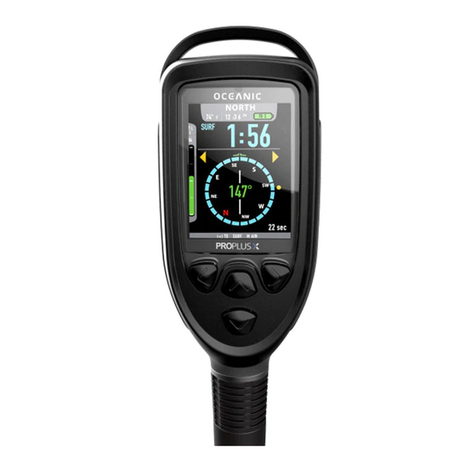
Dive Computer User Manual
Liquivision Products, Inc -3- Revision 3.2 Software 2.58
5.3. Depth Graph..................................................................................................................................... 30
5.4. Temperature Graph........................................................................................................................... 30
6. Display Settings................................................................................................................................... 30
6.1. Brightness......................................................................................................................................... 30
6.2. Auto Dim ......................................................................................................................................... 30
6.3. Refresh............................................................................................................................................. 31
6.4. Layout.............................................................................................................................................. 31
6.5. Velocity............................................................................................................................................ 31
6.6. Stopwatch DF (this setting only applies to Gauge Mode)................................................................... 31
6.7 Dark Mode (this setting only applies to Gauge Mode)........................................................................ 32
6.8. Analog Clock.................................................................................................................................... 32
6.9. Show Hours...................................................................................................................................... 32
6.10. Colors............................................................................................................................................. 33
6.11. Simulate Dive................................................................................................................................. 33
7. Preferences.......................................................................................................................................... 34
7.1. Units................................................................................................................................................. 34
7.2. Log Period........................................................................................................................................ 34
7.3. Tap Sensitivity.................................................................................................................................. 34
7.4. Tap Count......................................................................................................................................... 34
7.5. Minimum Dive ................................................................................................................................. 34
7.6. Minimum Surface Interval................................................................................................................ 35
7.7. Status................................................................................................................................................ 35
7.8 Battery Type...................................................................................................................................... 35
7.9 Battery Meter..................................................................................................................................... 35
7.10 Battery Test..................................................................................................................................... 35
8. Salinity................................................................................................................................................ 36
9. Time/Date ........................................................................................................................................... 36
9.1 12h/24h............................................................................................................................................. 36
9.2 Time.................................................................................................................................................. 36
9.3 Date................................................................................................................................................... 36
9.4 Year .................................................................................................................................................. 36
9.5 Calibrate Time................................................................................................................................... 36
10. Connect to PC.................................................................................................................................... 37
UNDERWATER MENUS ........................................................................................................................... 38
1. EMERGENCY.................................................................................................................................... 38
1.1. Bailout / Undo Bailout...................................................................................................................... 38
1.2. GFs Off / Undo GFs Off ................................................................................................................... 38
1.3. Lost Gas........................................................................................................................................... 39
2. Silence Alarms .................................................................................................................................... 39
3. Change Setpoint .................................................................................................................................. 40
4. Change Gas......................................................................................................................................... 40
5. Stopwatch............................................................................................................................................ 41
6. Reset AVG.......................................................................................................................................... 41
7. Dark Mode On/Off (only available if Dark Mode is activated in the Surface Menus)............................ 42
8. Display................................................................................................................................................ 42
8.1. Brightness......................................................................................................................................... 42
8.2. Auto Dim ......................................................................................................................................... 42
8.3 Layout............................................................................................................................................... 42
9. Stop Simulation................................................................................................................................... 42
DIVING WITH YOUR XEO IN DECO MODE........................................................................................43
Dive Planning.............................................................................................................................................. 43
Settings That Will Affect Your Deco Plan.................................................................................................... 43