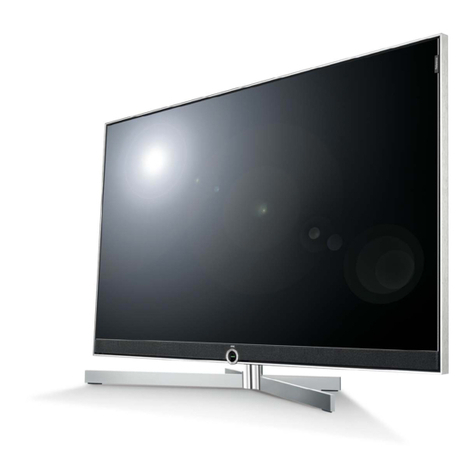
LG 55LP1M User manual


i
ENGLISH
Table of Contents
is a trademark of SRS Labs,Inc.
technology is incorporated under license from SRS Labs,Inc.
A1
A4
A5
A8
A9
A9
A11
A12
A13
A14
A15
A16
A17
Safety Precautions
Accessories
Using the Remote Control
Name and Function of the Parts
Connecting to External Devices
When Connecting to your PC
Watching
RGB Outputs
When Watching VCR/DVD
When Watching HDTV (STB)/ DVD
When Watching
DVI-D(HDCP) from the VCR/DVD/Set-top Box
Watching AV Outputs
How to mount the product assembly to the wall to protect the set tumbling
To arrange cables in order - Optional
A31
A34
Selecting and Adjusting the Screen
How to adjust the OSD (On Screen Display) Screen
Adjusting Screen Color
Adjusting the audio function
Selecting the Options
Adjusting Screen CLOCK/PHASE and Position
Adjusting PIP/POP/PBP Mode (Multiple Screen) Functions
A18
A21
A22
A23
A24
A28
A29
Troubleshooting
Specifications
Installation
and
Connection
Input
Selection
and Tracking
Miscellaneous

A1
Safety Precautions
Please read these safety precautions carefully before using the product.
Precautions in installing the Product
If you ignore the caution message, you may be slightly injured or the product may be damaged.
If you ignore the warning message, you may be seriously injured or there is a possibility of
accident or death.
Keep away from heat sources like electrical heaters.
- Electrical shock, fire, malfunction or deformation may occur.
Keep the packing anti-moisture material or vinyl packing out of the reach of children.
- Anti-moisture material is harmful if swallowed. If swallowed by mistake, force the patient to vomit and visit the
nearest hospital. Additionally, vinyl packing can cause suffocation. Keep it out of the reach of children.
Do not put heavy objects on the product or sit upon it.
- If the product collapses or is dropped, you may be injured. Children must pay particular attention.
Do not leave the power or signal cable unattended on a pathway.
- The passerby can trip, which can cause electrical shock, fire, product breakdown or injury.
Install the product in a neat and dry place.
- Dust or moisture can cause electrical shock, fire or product damage.
If you can smell smoke or other odors or hear a strange sound unplug the power cord and contact the
service center.
- If you continue to use without taking proper measures, electrical shock or fire can occur.
If you dropped the product or the case is broken, turn off the product and unplug the power cord.
- If you continue to use without taking proper measures, electrical shock or fire can occur. Contact the service
center.
Do not drop metallic objects such as coins, hair pins, chopsticks or wire into the product, or inflammable
objects such as paper and matches. Children must pay particular attention.
- Electrical shock, fire or injury can occur. If a foreign object is dropped into the product, unplug the power cord and
contact the service center.
Make sure the product ventilation holes are not blocked. Install the product in a suitably wide place (more
than 10cm from the wall)
- If you install the product too close to the wall, it may be deformed or fire can break out due to internal heat.
Do not block the ventilation hole of the product by a tablecloth or curtain.
- The product can be deformed or fire can break out due to overheating inside the product.
Install the product on a flat and stable place that has no risk of dropping the product.
- If the product is dropped, you may be injured or the product may be broken.
Install the product where no EMI occurs.
Keep the product away from direct sunlight.
- The product can be damaged.
Warning
Warning
Caution
Caution

A2
ENGLISH
A2
Electrical Power Related Precautions
Make sure the circuit is well grounded.
- You may be electrocuted or injured.
Use rated voltage only.
- The product can be damaged, or you may be electrocuted.
During a thunder or lightning storm, unplug the power cable or signal cable.
- You may be electrocuted or a fire can break out.
Do not connect several extension cords, electrical appliances or electrical heaters to a single outlet.
Use a power bar with a grounding terminal designed for exclusive use with the computer.
- A fire can break out due to overheating.
Do not touch the power plug with wet hands. Additionally, if the cord pin is wet or covered with dust, dry
the power plug completely or wipe dust off.
- You may be electrocuted due to excess moisture.
If you don’t intend to use the product for a long time, unplug the power cable from the product.
- Covering dust can cause a fire, or insulation deterioration can cause electric leakage, electric shock or fire.
Connect the power cable completely.
- If the power cable is not connected completely, a fire can break out.
Hold the plug when pulling out the power cable. Do not bend the power cord with excessive force or put
heavy objects on the power cord.
- The power line can be damaged, which may cause electric shock or fire.
Do not insert a conductor (like a metal chopstick) into one end of the power cable while the other end is
connected to the input terminal on the wall. Additionally, do not touch the power cable right after
plugging into the wall input terminal.
- You may be electrocuted.
The power supply cord is used as the main disconnection device. Ensure that the socket-outlet is easily
accessible after installation.
Do not unplug the power cord while the product is in use.
- Electrical shock can damage the product.
Warning
Caution
Precautions in Moving the Product
Warning
Make sure to turn off the product.
- You may be electrocuted or the product can be damaged.
Make sure to remove all cables before moving the product.
- You may be electrocuted or the product can be damaged.

A3
Safety Precautions
Caution
Precautions in Using the Product
Warning
Do not put or store inflammable substances near the product.
- There is a danger of explosion or fire due to careless handling of the inflammable substances.
When cleaning the brown tube surface, unplug the power cord and scrub with soft cloth to prevent
scratching. Do not clean with a wet cloth.
- The water can sink into the product, which can cause electric shock or serious malfunction.
Take a rest from time to time to protect your vision.
Keep the product clean at all times.
Take a comfortable and natural position when working with a product to relax the muscles.
Take a regular break when working with a product for a long time.
Do not press strongly upon the panel with a hand or sharp object such as nail, pencil or pen, or make a
scratch on it.
Keep proper distance from the product.
- Your vision may be impaired if you look at the product too closely.
Set the appropriate resolution and clock by referring to the User’s Guide.
- Your vision can be impaired.
Use authorized detergent only when cleaning the product. (Do not use benzene, thinner or alcohol.)
- Product can be deformed.
The fluorescent lamp used in this product contains a small amount of mercury.
Do not dispose of this product with general household waste.
Disposal of this product must be carried out in accordance to the regulations of your local authority.
Caution
Do not shock the product when moving it.
- You may be electrocuted or the product can be damaged.
Do not dispose the product-packing or box. Use it when you move.
Make the panel face forward and hold it with both hands to move.
- If you drop the product, the damaged product can cause electric shock or fire. Contact with the service center for
repair.
Do not disassemble, repair or modify the product at your own discretion.
- Fire or electric shock accident can occur.
- Contact the service center for check, calibration or repair.
Do not spray water on the product or scrub with an inflammable substance (thinner or benzene). Fire or
electric shock accident can occur.
Keep the product away from water.
- Fire or electric shock accident can occur.
On Disposal

A4
ENGLISH
A4
Accessories
MUTE
*
SLEEP
POWER
1 2 3
4 5 6
78
0
9
AUDIO
CABLE
STB
MENU
EZ AUDIO
VCR
DVD
MODE
ENTER
INPUT
TV
VOL
CH
AUTO
ARC
EZVIDEO
EXIT
PIP
POP
SWAP
FULL 4:3 ZOOM1
ARC
AV S-VIDEO
COMPONENT
DVI
INPUT
Remote Control/
Batteries
Power Cord
Product
OR
Desktop Speaker / Stand Type Desktop Stand Type
Please check the accessories in the product package.
* The product and the accessories can be different from the figures shown here.
15-pin D-Sub Signal
Cable
DVI-D Signal Cable
Optional
Wall-mount Rack
Please refer to the enclosed "Installation Guide" when installing the wall-mount rack.
User's Guide
1. Take out the battery cap.
2. Insert batteries with correct polarity (+/-).
3. Close the battery cap.
• You can use a remote Control 7 meter distance and 30 degree (left/right)
within the receiving unit scope.
• Dispose of used batteries in the recycle bin to prevent environmental
pollution.
Inserting batteries into remote Control.
1.5V
1.5V
Audio Cable (PC)
(Applicable only for models
that support the speakers)
RCA-PC Audio Cable
(Applicable only for models
that support the speakers)
Twister Holder
2-TV Bracket
Bolts 2-TV Brackets,
2-Wall Bracket

A5
Using the Remote Control
Name of the Remote Control Buttons
MUTE
*
SLEEP
POWER
1 2 3
4 5 6
78
0
9
AUDIO
CABLE
STB
MENU
EZ AUDIO
VCR
DVD
MODE
ENTER
INPUT
TV
VOL
CH
AUTO
ARC
EZ VIDEO
EXIT
PIP
POP
SWAP
FULL 4:3 ZOOM1
ARC
AV S-VIDEO
COMPONENT
DVI
INPUT
MUTE
Switches the sound on or off.
POWER
Power On/Off Button
INPUT
Select an input signal.
MODE
Selects the remote operating modes. :TV, DVD, VCR, AUDIO,
CABLE or STB
INPUT SELECT
Video Operation Button
Applicable for LG products only
* There is not a function which is supported
SLEEP
When watching AV/S-Video/Component
- The product will be automatically turned off after a certain period of
time.
Press this button repetitively to select an appropriate time duration
ARC
Selects your desired picture format.
INPUT
Selects an input signal.
INPUT ENTER

A6
ENGLISH
MUTE
*
SLEEP
POWER
1 2 3
4 5 6
78
0
9
AUDIO
CABLE
STB
MENU
EZ AUDIO
VCR
DVD
MODE
ENTER
INPUT
TV
VOL
CH
AUTO
ARC
EZ VIDEO
EXIT
PIP
POP
SWAP
FULL 4:3 ZOOM1
ARC
AV S-VIDEO
COMPONENT
DVI
INPUT
MENU
Selects a menu.
EZ AUDIO
Recalls your preferred sound setting.
EZ VIDEO
Recalls your preferred picture setting.
DD/EE / F / G (up / down / left / right)
• Selects or adjusts an item in the menu.
• Use these buttons to directly control
brightness and contrast of the PC signal
(RGB1, RGB2 / DVI ).
ENTER
Accepts your selection or displays the current mode.
AUTO
• PC: Automatic adjustment function (Operational for the analog
signal only).
ARC
Selects your desired picture format (See A28).
LIGHT
Illuminates the remote control
buttons.
1

A7
Using the Remote Control
<Table of PIP/POP/PBP Function Support>
SWAP
SWAP
When 'Input Signal 1' comes on in the main screen, only 'Input Signal 2' can be displayed on the sub-
screen. On the contrary, if the main screen displays 'Input Signal 2', the sub-screen can display 'Input
Signal 1' only. You can swap 'Input Signal 1' and 'Input Signal 2' using the SWAP button.
*PIP function is not supported in 480i, 576i and 1080i modes.
PIP
POP
PBP
Main Screen
Sub-Screen
EXIT
Exit the OSD by pressing the EXIT Button.
PIP (Picture in Picture) Button
The sub-screen moves to the next mode whenever you press this button.
: SMALL -> MEDIUM -> LARGE -> OFF
POP (Picture out Picture) Button
The sub-screen moves to the next mode whenever you press this button.
: POP ON -> PBP(FULL) -> PBP(4:3) -> OFF
SWAP Button
You can swap the main screen and the sub-screen when the PIP/POP/PBP function is used.
PIP
POP ON PBP (FULL) PBP (4:3)
1

A8
ENGLISH
Name and Function of the Parts
Rear View
RS-232C Serial Ports
Power Connector : Connect the power cord
Wired Remote Control Port
PC Signal Inputs
PC Sound Jack
: Connect the audio cable to the *LINE OUT jack of the PC sound card.
AV Ports
Back Cap
- Open the back cap before
you install the product.
*LINE OUT
A terminal used to connect to the speaker including a built-in amplifier (Amp). Make sure that
the connecting terminal of the PC sound card is checked before connecting. If the Audio Out of
PC sound card has only Speaker Out, reduce the PC volume.
If the Audio Out of the PC sound card supports both Speaker Out and Line Out, convert to Line Out
using the card jumper of the program (Refer to the Sound Card Manual).
* The product image in the user's guide could be different from the actual image.
Other manuals for 55LP1M
2
Table of contents
Other LG TV manuals