
LG LDP7024LD User manual

LDP7024LD Digital Telephone
User Guide – Featuring Ez MENU
Version 1.0 | August 2005

Table of Contents
Emergency Services and Safety Precautions………………….…..2
Getting to know your 7000 Series handset……………………..…..3
Familiarise yourself with its features……………………………....3
Handset keys……………………………..............................................5
General Functions………………………………………………..……...7
Making and Answering Calls……………….......................................8
Making and Answering an External Call…………………………….....8
Making and Answering an Internal Call………………………….......9
Placing an external/internal call on hold………………….…………..10
Retrieving and external/internal call on hold…………………………10
Parking a call……………………………………………….……………11
Retrieving a parked call………………………………….…….............11
Call Forward…………………………………………………………….12
DDI Call Waiting…………………………………………………………14
Call Wait (Camp On)……………………………….…………………...15
Answering a Call Wait……………………………………………….….15
Call Pick up (Directed)………………………………………………..…16
Call Pick up (Group)………………………………………………….…16
Transfer (Screened)…………………………………………………..…17
Transfer (Unscreened)……………………………………………….…17
Using speed dial numbers……………………………………………...18
Queuing for an outside line…………………………...........................19
Making a Page………………………………………………………….20
Conference Call…………………………………………………….……21
Last Number Redial……………………………………………….….…22
Saved Number Redial…………………………………………….….…23
Messaging………………………………………………………….……24
Leaving a Message Wait Notification…………………………….……22
Answering a Message Wait Notification…………………………..…23
Muting a Call…................…..…………………..………………………26
Do Not Disturb……………….………………………………………..…27
User Programming…………….………………………………………28
Saving your name to your phone………………………………....29
Storing personal speed dials……………………………………….30
Character Entry Charts……………………………………………..31
Storing information under flexible buttons……………………...33
Menu Tree – Navigation Button…..………………………….………34
[1] Ez MENU……………………………………………………….…….35
[2] Phone Book…………………………………………………………44
[3] Schedule……………………………………………………………49
[4] Customise………………………………………………………….53
[5] Setting...…………………………………………………………….58
[6] Voicemail…………………………………………………….………64
Menu Tree – Long Version……………………………………………66
[1] Ring……………………………………………………………..…….67
[2] COS (Class Of Service)……………………………………………70
[3] Authorisation Code/Mobile-Ext……………………….…………72
[4] Wake Up/Conference Room…………………………..………….75
[5] Message……………………………………………….....………….78
[6] Announcement……………………………………………………80
[7] Supplementary………………………………………..……………84
[*] System (Engineering Use Only)
User Programming Codes…………………………………….........91
Pre-Set Messages……………………………………………………92
Glossary…………………………………………………………………93
Index……………………………………………………………………95
7024LD User Guide | Table of Contents 01

Servicing and Safety Precautions
• Do not drop or subject the phone to physical shock
• Do not immerse in water
• Do not disassemble or attempt to modify the phone in any way
• Use a damp or anti-static cloth to clean the phone. Do not use a dry or electrostatically
charged cloth. Do not use chemical or abrasive cleaners as these could damage the phone.
• Retain the cardboard packaging supplied with this handset. It should be used if the phone
has to be returned for service. The packaging can be recycled when no longer required.
• Do not place the phone in direct sunlight for prolonged periods
Disclaimer
LG Electronics Inc. cannot be held responsible for any
damage caused to your system through the improper installation of this phone and/or the
failure to use the handset as described in this user guide.
Service
The 7024LD digital telephones contain no user-serviceable parts. LG recommend that your
7024LD digital telephone is serviced or repaired by an LG authorised service centre
Note: Information contained within this document is subject to change without prior notice. E&OE
7024LD User Guide | Servicing and Safety Precautions 02

Headset Port
Used for connection of a
headset that has a 2.5mm jack
type connector
Getting to know your 7024LD Phone
7024LD User Guide | Getting to know your 7024LD Digital Telephone 03
Handset
Contains a microphone and
speaker to allow the user to
speak to another party
Dial Pad
Alpha-numeric keypad
used to dial numbers and
when storing speed dial
numbers and names to
memory
Speed
Used when accessing or
storing personal or system
speed dial numbers
Speaker
Used to answer ‘handsfree’
and activate the speaker.
Speaker is located under
the handset
Familiarise yourself with its features
User Navigation
Simple user programming
access to ‘Popular Features’.
Quick Access to phonebook.

Getting to know your 7024LD Phone
7024LD User Guide | Getting to know your 7024LD Digital Telephone 05
Your digital telephone’s keys
(1) (2)
(3)
(4) (5) (6)
(1) Speaker Key
This is for activating the phone’s speaker whilst on hook. Useful when using a
headset or if you wish to speak hands free. Red LED illuminated if off-hook
without lifting the receiver.
(2) Hold/Save Key
Dual purpose key. When in a call it is used to place a caller on hold. When
programming it is for permanently updating changes to the system memory
(3) Volume (+ / -) Key
Used for adjusting speaker, ringing and in-call volume
(4) Speed Key
This key is used to access System and Personal speed dial numbers and the
internal directory
(5) Trans/Pgm Key
Dual purpose key. When in a call with an external party it is used to transfer.
When programming features, speed dial numbers it is a programme key
(6) Flexible Keys
These keys are for use as line keys or for storing regularly used features or
speed dials under

Getting to know your 7024LD Phone
7024LD User Guide | Getting to know your 7024LD Digital Telephone 04
Trasnfer/PGM
Used for performing a
transfer or user
programming
Flexible Buttons
Used for storing speed
dials and features as well
as accessing lines
Call Back
For leaving and answering
Message Wait notifications
Microphone
For conversing with
external parties when
handsfree
Volume +/ -
Used for adjusting speaker,
ring and in-call volume
Familiarise yourself with its features
Context Sensitive Keys
These keys will perform
different functions based
on call state
DND/FWD
For placing station in DND
or applying a Call Forward
Hold/Save
For placing external callers
on hold and to confirm
programming changes
LCD
3 Line, 48 Characters
Displays inbound/outbound
call information. Displays
information based on user
actions

Getting to know your 7024LD Phone
7024LD User Guide | Getting to know your 7024LD Digital Telephone 06
Your digital telephone’s keys
(9)
(8) (7)
(7) Call Back
This key is used for leaving a message wait notification at a busy or
unanswered station or for answering a message wait notification at your own
station.
(8) DND/FWD
Dual purpose key. When used ‘On-hook’ it is used for placing your station in
DND. When ‘Off-Hook’ it is used for implementing a Call Forward.
(9) User Navigation
This key is used for Quick access to the phonebook and to access ‘Popular’
features from the handset. The centre of the button is used to confirm
programming changes and confirm choices on-screen.

GENERAL FUNCTIONS
•Making and Answering External Calls
•Making and Answering Internal Calls
•Placing an Internal/External Call on Hold
•Retrieving an Internal/External Call on Hold
•Parking a Call
•Retrieving a Parked Call
•Call Forward
•DDI Call Wait
•Call Wait (Camp On)
•Answering a Call Wait (Camp On)
•Call Pick Up (Directed/Group)
•Transfer (Screened/Unscreened)
•Using Speed Dial Numbers
•Queuing for an Outside Line
•Making A Page
•Flexible Button Programming
•Leaving a Message Wait
•Answering a Message Wait
7024LD User Guide | General Functions 07

Making and Answering calls
Always ensure that external parties are informed if you
intend to record a call.
Making and Answering an external call
You can make an external call in the following ways:
1. Lift the receiver and dial 9
2. Dial 9
3. Press the button and dial 9
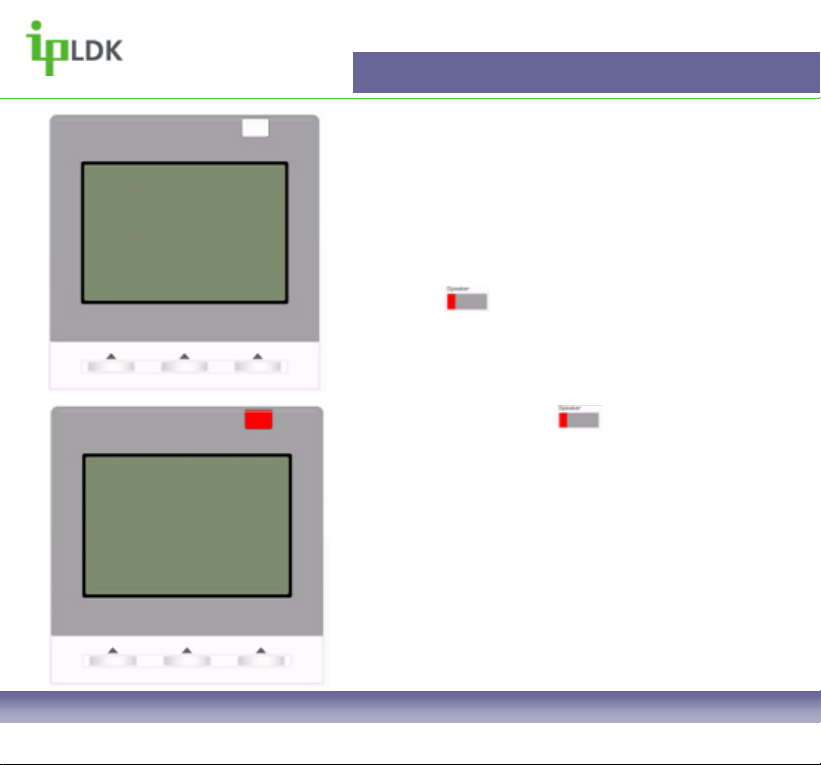
Once you have dialled a desired number the screen
will look as in Fig.1
To answer a call press the button or lift the
receiver.
Fig.2 shows how your display will appear if you are
receiving an inbound external call.
General Functions
7024LD User Guide | General Functions 08
Fig.2
______________________
SUN MON TUE WED THU FRI SAT
1 2 3
4 5 6 7 8 9 10
11 12 13 14 15 16 17
18 19 20 21 22 23 24
25 26 27 28 29 30
______________________
01321876543
LINE 6 00:02:26
TRANS CONF MUTE
2004
04/21
________________________
SUN MON TUE WED THU FRI SAT
1 2 3
4 5 6 7 8 9 10
11 12 13 14 15 16 17
18 19 20 21 22 23 24
25 26 27 28 29 30
________________________
LINE RINGING
01234876543 00:02:26
DND
2004
04/21
Fig.1
General Functions
7024LD User Guide | General Functions 09
Making and Answering an internal call
You can make an internal call in the following ways:
1. Lift the receiver and dial an extension number.
2. Dial an extension number.
3. Press the button an extension number.
Once you have dialled a desired number the screen
will look as in Fig.3
To answer a call press the button or lift the
receiver.
Fig.4 shows how your display will appear if you are
receiving an inbound internal call.
________________________
SUN MON TUE WED THU FRI SAT
1 2 3
4 5 6 7 8 9 10
11 12 13 14 15 16 17
18 19 20 21 22 23 24
25 26 27 28 29 30
________________________
CALL TO ANDY
17 NOV 04 10:24 am
MSG FLASH
2004
04/21
Fig.3
________________________
SUN MON TUE WED THU FRI SAT
1 2 3
4 5 6 7 8 9 10
11 12 13 14 15 16 17
18 19 20 21 22 23 24
25 26 27 28 29 30
________________________
CALL FROM ANDY
17 NOV 04 10:54 am
DND
2004
04/21
Fig.4
Other manuals for LDP7024LD
1
Table of contents
Other LG Telephone manuals









