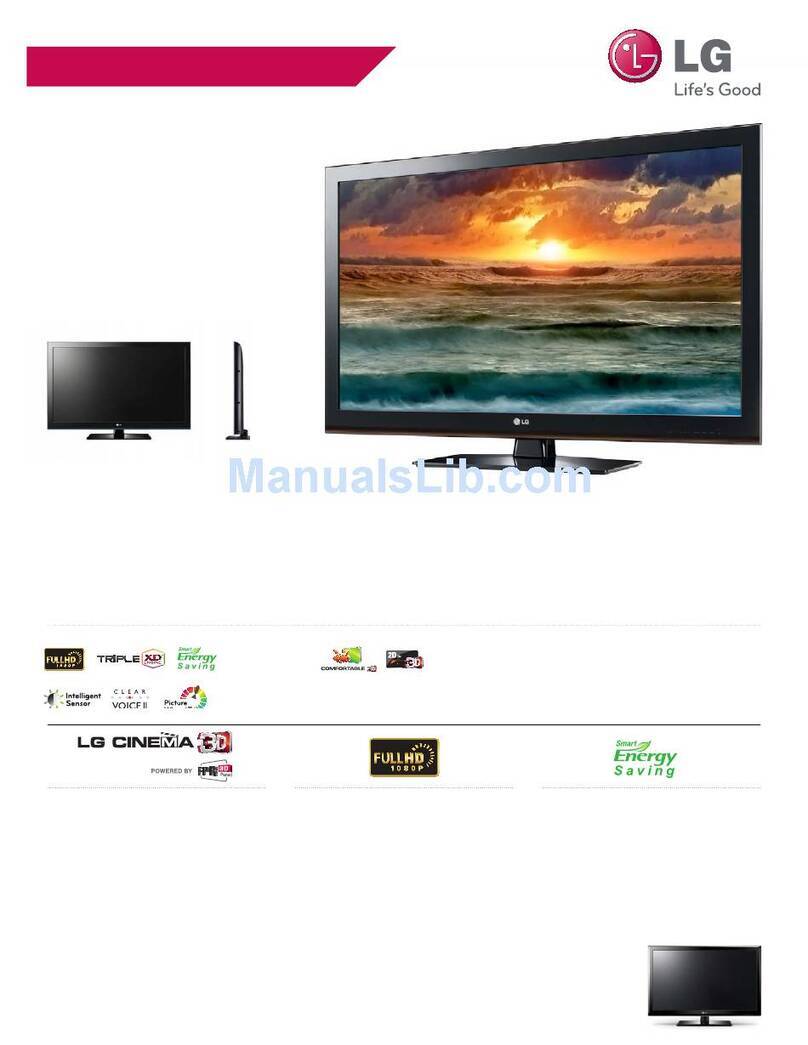
LG DM2780A User manual


2
ENGLISH
TABLE OF CONTENTS
CONTENTS
5 LICENSES
6 ASSEMBLING AND
PREPARING
6 Unpacking
8 Partsandbuttons
9 LiftingandmovingtheTV
9 SettinguptheTV
9 - AttachingtheStandBase
10 - DetachingtheStandBaseandBody
10 - Mountingonatable
12 - Tidyingcables
12 - Swivelstand
12 - Mountingonawall
14 REMOTE CONTROL
16 WATCHING TV
16 Connectinganantennaorcable
16 - Connectinganantennaorbasiccable
16 - Connectingwithacablebox
17 AccessingtheTVforthefirsttime
18 WatchingTV
18 Managingprogrammes
18 - Automaticallysettingupprogrammes
21 - Manuallysettingupprogrammes(In
digitalmode)(OnlyDTV)
22 - Manuallysettingupprogrammes(In
analoguemode)
23 - CableDTVSetting(InCablemode
only)(OnlyDTV)
23 - Editingyourprogrammelist
24 - InDTV/RADIOmode(OnlyDTV)
24 - InTVmode(OnlyDTV)
25 - SoftwareUpdate(OnlyDTV)
26 - Diagnostics(OnlyDTV)
26 - CI[Commoninterface]Information
(OnlyDTV)
27 - Selectingtheprogrammelist
27 - Favouriteprogrammesetup
28 Usingadditionaloptions
28 - Adjustingaspectratio
30 - Usingtheinputlist
31 - On-screenmenulanguage/Country
selection(OnlyDTV)
32 - Languageselection(Indigitalmode
only)(OnlyDTV)
33 UsingtheLockoptions
33 - LockingthebuttonsontheTV.
34 - Parentalcontrol(Indigitalmodeonly)
(OnlyDTV)
34 UsingtheQuickmenu
35 EPG (ELECTRONIC
PROGRAMME GUIDE) (IN
DIGITAL MODE) (ONLY DTV)
35 UsingElectronicProgrammeGuide
35 - Switchon/offEPG
35 - Selectaprogramme
36 - ButtonFunctioninNOW/NEXTGuide
Mode
36 - ButtonFunctionin8DayGuideMode
36 - ButtonFunctioninDateChangeMode
37 - ButtonFunctioninExtended
DescriptionBox
37 - ButtonFunctioninRecord/Remind
SettingMode
37 - ButtonFunctioninScheduleListMode
38 CONNECTING TO A PC
38 HDMIconnection
39 DVItoHDMIconnection
39 RGBconnection
40 Adjustingthescreen
40 - Selectinganimagemode
40 - Customizingimageoptions
41 - CustomizingPCdisplayoptions

3
ENGLISH
TABLE OF CONTENTS
41 Adjustingthesound
41 - Selectingansoundmode
42 - Customizingsoundoptions
43 ENTERTAINMENT
43 Usingintegratedmediafeatures
43 - ConnectingUSBstoragedevices
45 - Browsingfiles
46 - ViewingPhotos
47 - ListeningtoMusic
49 - ViewingMovies
52 - DivX®VODGuide
53 3D IMAGING
53 3DTechnology
53 Precautionstotakewhenviewing3D
images
54 Whenusing3DGlasses
55 3DImagingViewingRange
56 Viewing3DImaging
57 3DModeSettingOption
58 CUSTOMIZING SETTINGS
58 Accessingmainmenus
59 Customizingsettings
59 - SETUPsettings
60 - PICTUREsettings
63 - AUDIOsettings
66 - TIMEsettings
67 - OPTIONsettings
68 - LOCKsettings
69 - INPUTsettings
69 - USBsettings
70 MAKING CONNECTIONS
70 Connectionoverview
72 ConnectingtoaCamcorder,Camera,HD
receiver,DVD,VCRplayerorGaming
device
72 - HDMIconnection
72 - DVItoHDMIconnection
72 - Componentconnection
73 - Compositeconnection
73 - EuroScartconnection
73 Connectingtoanaudiosystem
73 - Digitalopticalaudioconnection
74 - Headphoneconnection
74 ConnectingtoaUSB
75 TELETEXT
75 SwitchOn/Off
75 SimpleText
75 - Pageselection
75 TopText
75 - Block/Group/PageSelection
75 - DirectPageSelection
76 Fastext
76 - Pageselection
76 SpecialTeletextFunction
76 - TextOption
77 DIGITAL TELETEXT (ONLY
DTV)
77 Teletextwithindigitalservice
77 Teletextindigitalservice
78 MAINTENANCE
78 Screenandframe
78 Cabinetandstand
78 Powercord

4
ENGLISH
TABLE OF CONTENTS
79 TROUBLESHOOTING
79 General
80 PCmode
82 TROUBLESHOOTING WHEN
USING 3D MODE
83 SPECIFICATIONS
87 IR CODES
88 EXTERNAL CONTROL DEVICE
SETUP
88 RS-232CSetup
88 Typeofconnector;D-Sub9-PinMale
89 RS-232Cconfigurations
90 CommunicationParameters
90 Commandreferencelist
91 Transmission/Receivingprotocol

ENGLISH
5
LICENSES
LICENSES
Supportedlicensesmaydifferbymodel.Formoreinformationofthelicenses,visitwww.lg.com.
ManufacturedunderlicensefromDolbyLaboratories.“Dolby“andthe
double-DsymbolaretrademarksofDolbyLaboratories.
HDMI,theHDMIlogoandHigh-DefinitionMultimediaInterfacearetrademarks
orregisteredtrademarksofHDMILicensingLLC.
ABOUTDIVXVIDEO:DivX®isadigitalvideoformatcreatedbyDivX,LLC,a
subsidiaryofRoviCorporation.ThisisanofficialDivXCertified®devicethat
playsDivXvideo.Visitdivx.comformoreinformationandsoftwaretoolsto
convertyourfilesintoDivXvideos.
ABOUTDIVXVIDEO-ON-DEMAND:ThisDivXCertified®devicemustbe
registeredinordertoplaypurchasedDivXVideo-on-Demand(VOD)movies.
Toobtainyourregistrationcode,locatetheDivXVODsectioninyourdevice
setupmenu.Gotovod.divx.comformoreinformationonhowtocomplete
yourregistration.
DivXCertified®toplayDivX®videouptoHD1080p,includingpremium
content.
DivX®,DivXCertified®andassociatedlogosaretrademarksofRovi
Corporationoritssubsidiariesandareusedunderlicense.
CoveredbyoneormoreofthefollowingU.S.patents:7,295,673;7,460,668;
7,515,710;7,519,274
ImageshownmaydifferfromyouTV.
YourTV'sOSD(OnScreenDisplay)maydifferslightlyfromthatshowninthismanual.
Theavailablemenusandoptionsmaydifferfromtheinputsourceorproductmodelthatyouare
using.
NOTE

ENGLISH
6ASSEMBLING AND PREPARING
ASSEMBLING AND PREPARING
Unpacking
Checkyourproductboxforthefollowingitems.Ifthereareanymissingaccessories,contactthelocal
dealerwhereyoupurchasedyourproduct.Theillustrationsinthismanualmaydifferfromtheactualproduct
andaccessories.
Remote control and Batteries Stand Base
Power Cord
Cable Tie
CD (Owner's Manual) /
Card
TriDef 3D Game Software CD /
Quick Installation Guide
3D Glasses
(Normaltype)
3D Glasses
(Cliptype)
AC-DC Adapter
RGB Cable

ENGLISH
7
ASSEMBLING AND PREPARING
Donotuseanypirateditemstoensurethesafetyandproductlifespan.
Anydamagesorinjuriesbyusingpirateditemsarenotcoveredbythewarranty.
Theaccessoriessuppliedwithyourproductmayvarydependingonthemodel.
Productspecificationsorcontentsinthismanualmaybechangedwithoutpriornoticeduetoupgrade
ofproductfunctions.
CAUTION
NOTE

ENGLISH
8ASSEMBLING AND PREPARING
YoucansetthePowerindicatortoonoroffbyselectingOPTIONinthemainmenus.
NOTE
Parts and buttons
Touch button Description
INPUT Changestheinputsource.
MENU Accessesthemainmenus,orsavesyourinputandexitsthemenus.
OK Selectsthehighlightedmenuoptionorconfirmsaninput.
◄VOL►Adjuststhevolumelevel.
▼PR▲ Scrollsthroughthesavedprogrammes.
/ITurnsthepoweronoroff.
Allofthebuttonsaretouchsensitiveandcanbeoperatedthroughsimpletouchwithyourfinger.
(MONO)
12
AUDI0
AV IN2
Remote
Control
Sensor
PCMCIA
Card Slot
(ONLY DTV)
Power Indicator
Lighting On: Turned on
Lighting Off: Turned off
Connection panel (Seep.70)
Touch Buttons

ENGLISH
9
ASSEMBLING AND PREPARING
Lifting and moving the TV
WhenmovingorliftingtheTV,readthefollowingto
preventtheTVfrombeingscratchedordamaged
andforsavetransportationregardlessofitstype
andsize.
Setting up the TV
Attaching the Stand Base
1 PlacetheTVwiththescreensidedownona
flatandcushionedsurface.
Avoidtouchingthescreenatalltimes,asthis
mayresultindamagetothescreenorsome
ofthepixelsusedtocreateimages.
Layafoammatorsoftprotectivecloth
onthesurfacetoprotectthescreenfrom
damage.
CAUTION
CAUTION
ItisrecommendedtomovetheTVinthe
boxorpackingmaterialthattheTVoriginally
camein.
BeforemovingorliftingtheTV,disconnect
thepowercordandallcables.
HoldthetopandbottomoftheTVframe
firmly.Makesurenottoholdthetransparent
part,speaker,orspeakergrillarea.
WhenholdingtheTV,thescreenshouldface
awayfromyoutopreventthescreenfrom
scratches.
WhentransportingtheTV,donotexposethe
TVtojoltsorexcessivevibration.
WhentransportingtheTV,keeptheTV
upright,neverturntheTVonitsside,ortilt
towardstheleftorright.
2 AttachtheStand Basefromthesetbyturning
thescrewtotherightwithaCoin.

ENGLISH
10 ASSEMBLING AND PREPARING
Detaching the Stand Base and Body
1 PlacetheTVwiththescreensidedownona
flatandcushionedsurface.
2 Turnthescrewtotheleft,andthenpulloutthe
Stand BasefromtheStand Body.
Mounting on a table
1 LiftandtilttheTVintoitsuprightpositionona
table.
Leavea10cm(minimum)spacefromthewall
forproperventilation.
2 ConnecttheAC-DC AdapterandPower Cord
toawalloutlet.
10 cm
10 cm
10 cm
10 cm
3 Remove2screwsandpullouttheStand Body
fromtheTV.
This manual suits for next models
2
Table of contents
Other LG 3D TV manuals