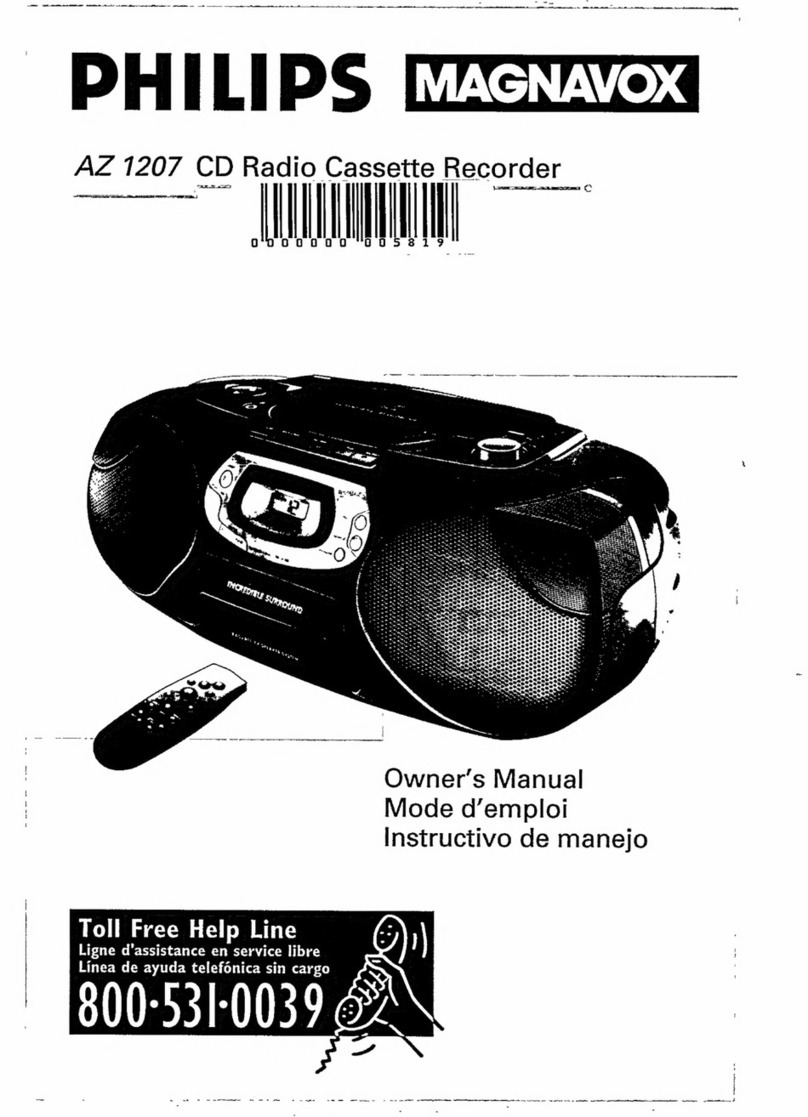
Lenoxx SL-328 User manual

®
WITH DIGITAL RADIO & BASS REFLEX
SPEAKERS
MODEL SL-328
OPERATING INSTRUCTIONS
DIGITAL RADIO WITH PRESETS
PLAYS MUSIC COMPACT DISCS
FULLY PROGRAMMABLE CD PLAYER WITH REPEAT PLAY
RECEIVES AM/FM STEREO BROADCASTS
RECORDS CASSETTES FROM CD OR RADIO
AC POWER INDICATOR
LARGE BACKLIT LCD DISPLAY FOR CD & RADIO
PRESET GRAPHIC EQUALIZER SYSTEM
BASS REFLEX SPEAKER SYSTEM
CD AUDIO SYSTEM
PLEASE READ CAREFULLY BEFORE USE
IB-SL328-SY-WM-E-120801

TO PREVENT FIRE OR SHOCK HAZARD, DO NOT USE THE PLUG WITH AN EXTENSION
CORD, RECEPTACLE OR OTHER OUTLET UNLESS THE BLADES CAN BE FULLY
INSERTED TO PREVENT BLADE EXPOSURE. TO PREVENT FIRE OR SHOCK HAZARD,
DO NOT EXPOSE THIS APPLIANCE TO RAIN OR MOISTURE.
1. Read these instructions.
2. Keep these instructions.
3. Heed all warnings.
4. Follow all instructions.
5. Do not use this apparatus near water.
6. Clean only with dry cloth.
7. Do not block any ventilation openings, install in accordance with the manufacturers
instructions.
8. Do not install near any heat sources such as radiators, heat registers, stoves, or other
apparatus (including amplifiers) that produce heat.
9. Do not defeat the safety purpose of the polarized or grounding-type plug. A polarized plug
has two blades with one wider than the other. A grounding type plug has two blades and a
third grounding prong. The wide blade or the third prong are provided for your safety. If the
provided plug does not fit into your outlet, consult an electrician for replacement of the obsolete
outlet.
10. Protect the power cord from being walked on or pinched particularly at plugs, convenience
receptacles, and the point where they exit from the apparatus.
11. Only use attachments/accessories specified by the manufacturer.
12. Unplug this apparatus during lightening storms or when unused for long periods of time.
13. Refer all servicing to qualified service personnel. Servicing is required when the apparatus
has been damaged in any way, such as power-supply cord or plug is damaged, liquid has
been spilled or objects have fallen into the apparatus, the apparatus has been exposed to
rain or moisture, does not operate normally or has been dropped.
14. This appliance shall not be exposed to dripping or splashing water and that no
object filled with liquid such as vases shall be placed on the apparatus.
1
WARNING
IMPORTANT SAFETY INSTRUCTIONS
The lightning flash with
arrowhead symbol, within an
equilateral triangle, is
intended to alert the user to
the presence of uninsulated
dangerous voltage within
the products enclosure that
may be of sufficient
magnitude to constitute a risk
of electric shock to persons.
WARNING
RISK OF ELECTRIC SHOCK
DO NOT OPEN
WARNING: TO REDUCE THE
RISK OF ELECTRIC SHOCK,
DO NOT REMOVE COVER
(OR BACK). NO USER
SERVICEABLE PARTS INSIDE.
REFER SERVICING TO
QUALIFIED SERVICE
PERSONNEL.
The exclamation point within
an equilateral triangle is
intended to alert the user to
the presence of important
operating and maintenance
(servicing) instructions in
the literature accompanying
the appliance.
IB-SL328-SY-WM-E-120801

ADDITIONAL SAFETY INSTRUCTIONS
1. Power Sources - The appliance should be connected to a power supply only of the type
described in the operating instructions or as marked on the appliance.
2. Wall or Ceiling Mounting - The appliance should not be mounted to a wall or ceiling.
3. Object and Liquid Entry - Care should be taken so that objects do not fall and liquids
are not spilled into the enclosure through openings.
4. Servicing - The user should not attempt to service the appliance beyond that described in
the operating instructions. All other servicing should be referred to qualified service personnel.
5. Do not connect FM antenna wire to any outdoor antenna.
CAUTION
Use of controls or adjustments or performance of procedures other than those
specified herein may result in hazardous radiation exposure.
This compact disc player is classified as CLASS 1 LASER PRODUCT as stated
on the back of the set.
Do not apply oil or petroleum products or solvents to any part of this set.
It is the intent of Lenoxx that this product be used in full compliance with the
copyright laws of the United States and that prior permission be obtained from
copyright owners whenever recording songs from the RADIO or CDs.
2IB-SL328-SY-WM-E-120801

POWERING UP
TIP
If the plug of the AC power cord does not match your outlet, do not force it.
Reverse it and try again. The plug is polarized and only fits one way into the wall
outlet.
3
To a wall outlet
NOTE: One blade of
plug and outlet
is wider.
Carefully unwind and stretch out the speaker wire on the back of each speaker
box and plug the right plug into Speaker Jack marked R , and the left plug into
Speaker Jack marked L .
Plug the AC POWER CORD into a 120V, 60Hz wall outlet. The AC POWER STANDBY
INDICATOR will be on. This indicator shows you that the set & outlet are OK.
CONNECTING THE SPEAKERS AND ANTENNAS
Unwind the FM ANTENNA (thin wire) at the back of the set and straighten it out for FM
reception; for AM reception, please use the AM LOOP ANTENNA and plug its wire
into the AM ANTENNA SOCKET at the back of the set, then position the AM ANTENNA
on the top of the set for the best AM reception.
FM ANTENNA
AC CORD
AM LOOP
ANTENNA
AC POWER
STANDBY
INDICATOR
AM ANTENNA
SOCKET
IB-SL328-SY-WM-E-120801

REMOTE CONTROL
You can control the player with the provided REMOTE control.
Slide the battery cover to remove. Insert two size AAA batteries (not included)
correctly so that the + and - polarities match the polarity diagrams inside the
battery compartment.
NOTE:
Point the REMOTE control at the REMOTE SENSOR.
The functions of the buttons on the REMOTE control
are the same as the corresponding controls on the
main unit.
About half a year of normal operation can be expected
when using the alkaline batteries.
When the batteries are exhausted, the REMOTE
control will no longer operate the system. Replace
both batteries with new ones.
When the REMOTE control is not to be used for a long
time (2 months or more), remove the batteries to avoid
possible damage that may be caused by battery
leakage.
Avoid keeping the REMOTE control in extremely hot
or humid locations.
The REMOTE controls operating distance is about
0.2m (8 inches) to 5m (16.5 feet)away from the
REMOTE SENSOR.
1. MUTE
2. TAPE
3. BAND
4. CD REPEAT/RADIO PRESET
5. RADIO TUNING DOWN/CD BACKWARD SKIP
6. STOP
7. VOLUME DOWN
8. POWER
9. CD
10. RADIO
11. CD PROGRAM/RADIO STORE
12. RADIO TUNING UP/CD FORWARD SKIP
13. CD PLAY/PAUSE
14. VOLUME UP
4
1
2
3
7
4
5
6
8
9
10
11
12
13
14
REMOTE SENSOR
IB-SL328-SY-WM-E-120801

CLOCK SETTING
3&5
2,4&6
1
4
Press the TIME/TUNING
switches to select the correct
hour time. Observe the AM & PM
indicators, advance the time 12
hours to change AM to PM.
2
Once the set is connected with the
AC power, the display will show as
right:
3
Press the PROGRAM(STORE)
switch to accept the hour time and
switch to minute setting.
5
6
HOUR MINUTE
Connect the AC power cord (see page 3).
Press the PROGRAM(STORE)
switch, the hour digits will flash for
10 seconds.
Press the TIME/TUNING
switches to select the correct
minute time.
Press the PROGRAM(STORE)
switch again to complete clock
setting. The numbers will not
flash, but the colon : will flash,
indicating that the clock is set.
AM
AM
AM
AM
AM
AM
NOTE: If the POWER switch is
ON and you want to set
the time, press the TAPE
switch first, and then
follow the listed steps to
set the clock.
5IB-SL328-SY-WM-E-120801

1
Press the CD switch, the display
will show six zeros 0.
4
1
2
3&4
Press the CD DOOR OPEN/CLOSE
button to open the CD DOOR and
place the disc in the CD
compartment. The label side of
the CD should face outward.
2
Connect the AC power cord (see page 3).
PLAYING A CD
Press the POWER switch, the AC
POWER STANDBY INDICATOR will
go off and the display will light up.
3
Close the CD DOOR by pressing
the CD DOOR OPEN/CLOSE
button again. The display will
show the total tracks on that CD
(after a few seconds).
Press the CD PLAY button.
The player will play all the
tracks (songs) once.
6
5
5
Press the EQ switch to
choose different music
effects (CLASSIC, ROCK, POP
or flat).
6
TOTAL
TRACKS
TOTAL PLAYING
TIME ON THE CD
6
TRACK PLAYING TIME
STANDBY
INDICATOR
TRACK
TRACK
TRACK
TRACK
POP
IB-SL328-SY-WM-E-120801

USE THESE BUTTONS FOR
ADDITIONAL OPERATIONS
To Press or Adjust
Adjust the volume VOLUME + or VOLUME - button
Stop playback
Pause playback The elapsed playing time will
flash during pause. Press again
to resume play after pause.
Go to the next track
Go back to the previous
track
Locate a point in a
song
or
Press and hold down while
playing until you find the point.
TIP
When CD play
is paused, the
elapsed playing
time will flash and
no music will play.
Remove the CD Press the CD DOOR OPEN/
CLOSE switch (press STOP first).
Turn off the player Press the POWER switch, the AC
POWER STANDBY INDICATOR
will go on.
To resume play,
press the PAUSE
button again, the
elapsed playing
time will stop
flashing and music
will play.
VOLUME +
7
If you bump the set
or table it is sitting
on, during CD play,
the music will stop
or skip for a few
seconds. This is
normal for this type
TIP
FORWARDS
BACKWARDS
TRACK
CD DOOR
OPEN/CLOSE
VOLUME -
POWER
PAUSE button
STOP button
IB-SL328-SY-WM-E-120801

REPEAT PLAY
PLAYING CD SONGS (TRACKS) OVER AND OVER
2. Press the CD switch.
3. Select the track by pressing or , and then press .
4. Press the CD REPEAT button.
To repeat Press
a single track (song) Press the REPEAT button twice
all the tracks (all songs)
You can play CD tracks over and over in normal or programmed play modes (see
page 9).
Press the REPEAT button once
programmed tracks During programmed play, press
the REPEAT button once
Display shows
REPEAT Flashing
REPEAT steady
on (MEMORY also
on)
To cancel Repeat Play
Press the REPEAT button until the REPEAT goes off in the display.
8
REPEAT steady on
1. Press the POWER switch, the AC POWER STANDBY INDICATOR will go off.
PROGRAM
GRAPHIC
EQUALIZER
POWER
CD FUNCTION
SWITCH
REPEAT
IB-SL328-SY-WM-E-120801

You can make a program of up to 20 tracks
in the order you want them to be played.
9
SELECTING YOUR OWN MUSIC PLAYING ORDER
(Programmed Play)
NOTE: Programming is only done during
stop mode.
1
2
3
4
5
During STOP mode, press the
PROGRAM (STORE) button. The
display will show ,
MEMORY and TRACK will flash
in the display.
Press the SKIP/SEARCH buttons
either or until the desired
track shows in the display.
Press the PROGRAM button. The
display will show .
Repeat steps 2&3 until all the
desired tracks are programmed.
Press the PLAY button to start
programmed play. MEMORY and
TRACK will be steady in the
display, the track number being
played will show in the display.
To change the current program
Just create a new program following the programming procedure.
To cancel Programmed Play
Press the STOP button in programming mode.
PROGRAM
POWER
TRACK
MEMORY
TRACK
MEMORY
TRACK
MEMORY
TRACK
MEMORY
IB-SL328-SY-WM-E-120801
Other Lenoxx CD Player manuals

Lenoxx
Lenoxx PR4057 User manual

Lenoxx
Lenoxx Durabrand CD-565 Operator's manual

Lenoxx
Lenoxx CD-968 User manual

Lenoxx
Lenoxx CD-91 User manual

Lenoxx
Lenoxx CD-210 User manual

Lenoxx
Lenoxx CD-625 Operator's manual

Lenoxx
Lenoxx CD815 User manual

Lenoxx
Lenoxx CD-895 Operator's manual

Lenoxx
Lenoxx CD-78 User manual

Lenoxx
Lenoxx Durabrand CD-62 Operator's manual

Lenoxx
Lenoxx CD-89 Operator's manual

Lenoxx
Lenoxx CDR-1906 User manual

Lenoxx
Lenoxx CD-85 Operator's manual

Lenoxx
Lenoxx CD-87 User manual

Lenoxx
Lenoxx CD-155 User manual

Lenoxx
Lenoxx Street Beat KC-720 User manual

Lenoxx
Lenoxx CD-85 User manual

Lenoxx
Lenoxx CD-857 User manual

Lenoxx
Lenoxx CD-155 User manual

Lenoxx
Lenoxx CD-52 User manual