
LaCie D2 BLU-RAY XL User manual

THE PROFESSIONAL CHOICE
Quick Install Guide
DRIVE
Blu-ray
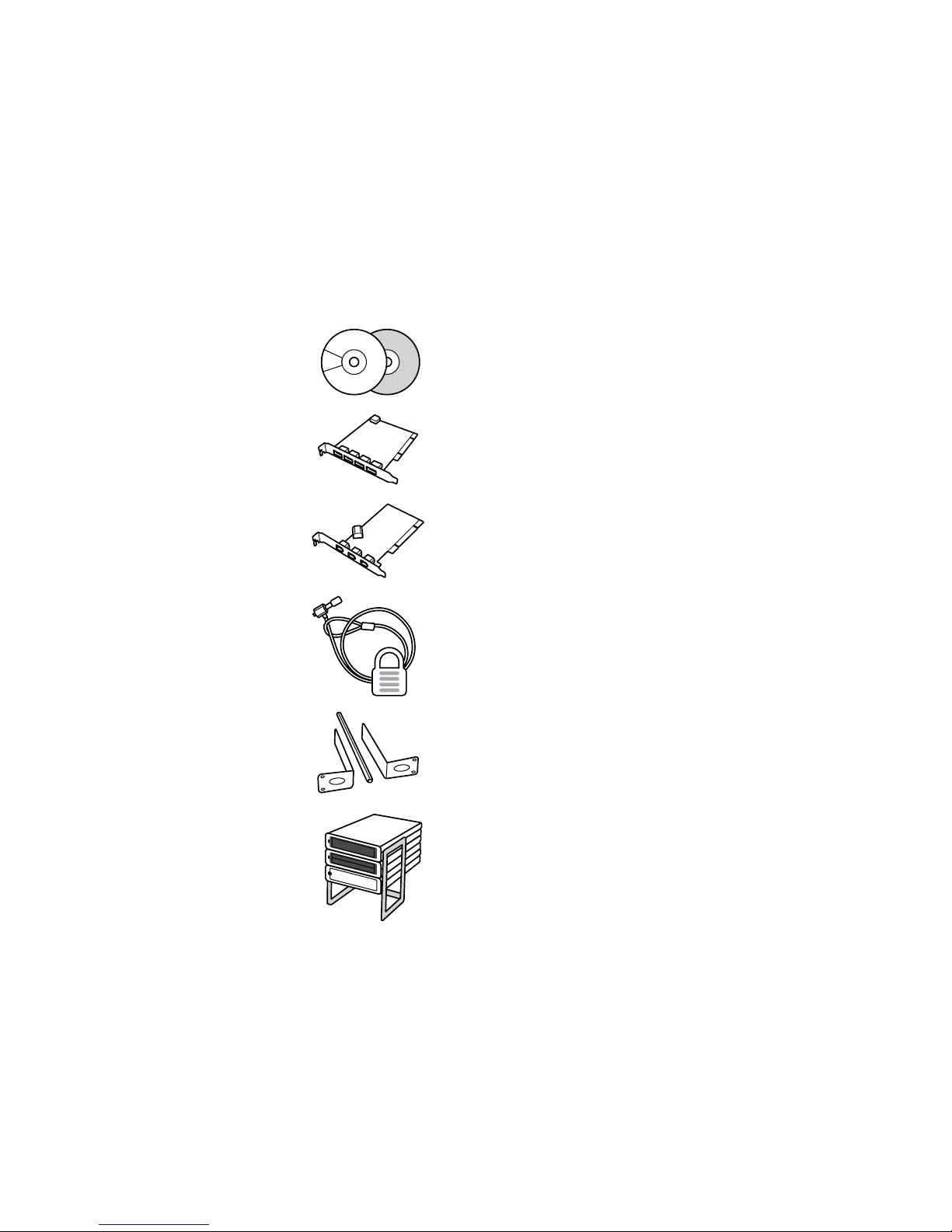
ACCESSORIES
Blu-ray Discs & DVDs
LaCie USB 2.0 PCI Card
LaCie FireWire 400 PCI Card
LaCie Security Lock
LaCie d2 Rackmount Kit
LaCie d2 Desk Rack
To order, please visit:
www.lacie.com/accessories
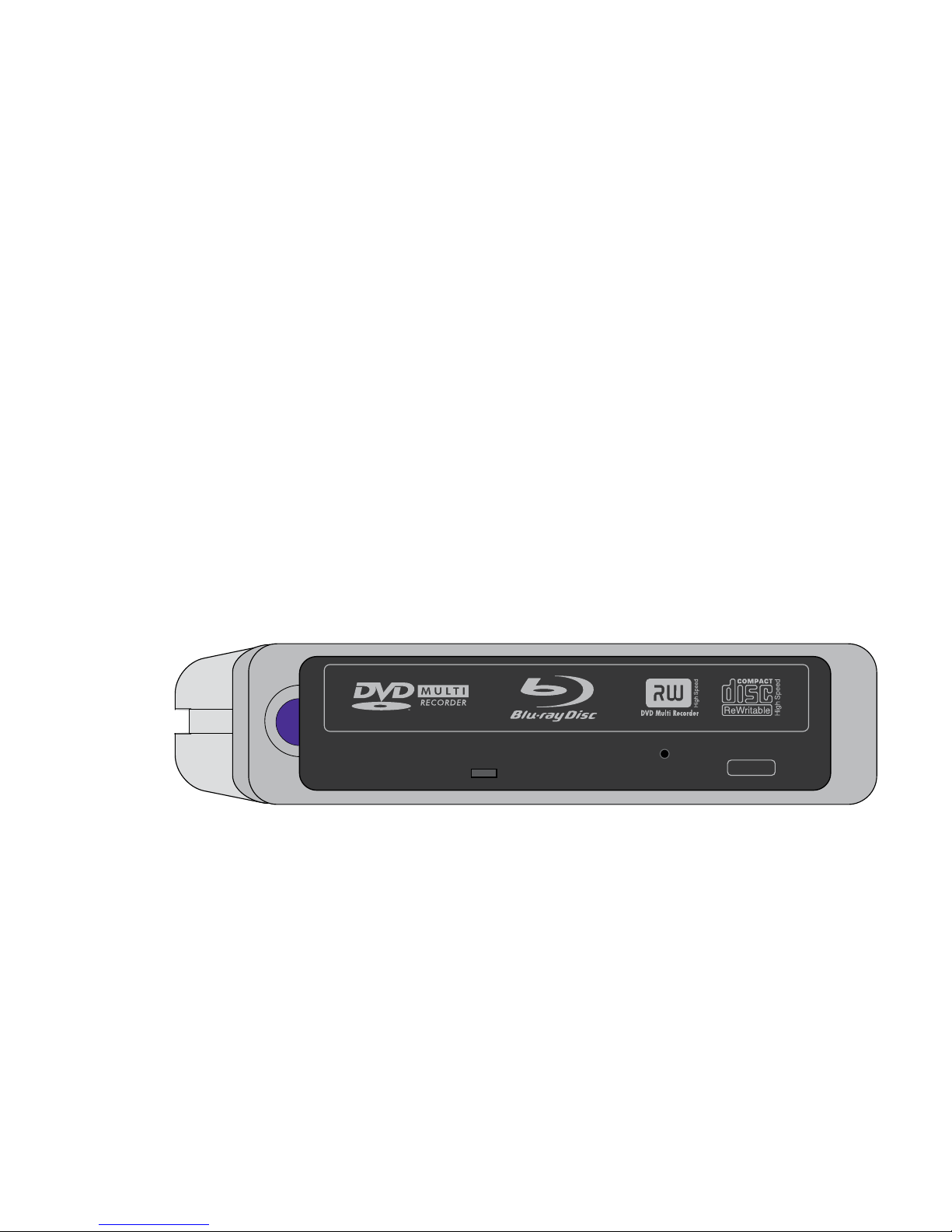
PACKAGE CONTENT
LaCie d2 Blu-ray Drive
Power supply kit
Hi-Speed USB 2.0 cable
FireWire 400 6-to-6-pin cable
LaCie Software Utilities DVD-ROM
(includes User Manual and Quick Install Guide)
Quick Install Guide (Printed version)
Protect your investment – register for free technical support:
www.lacie.com/register
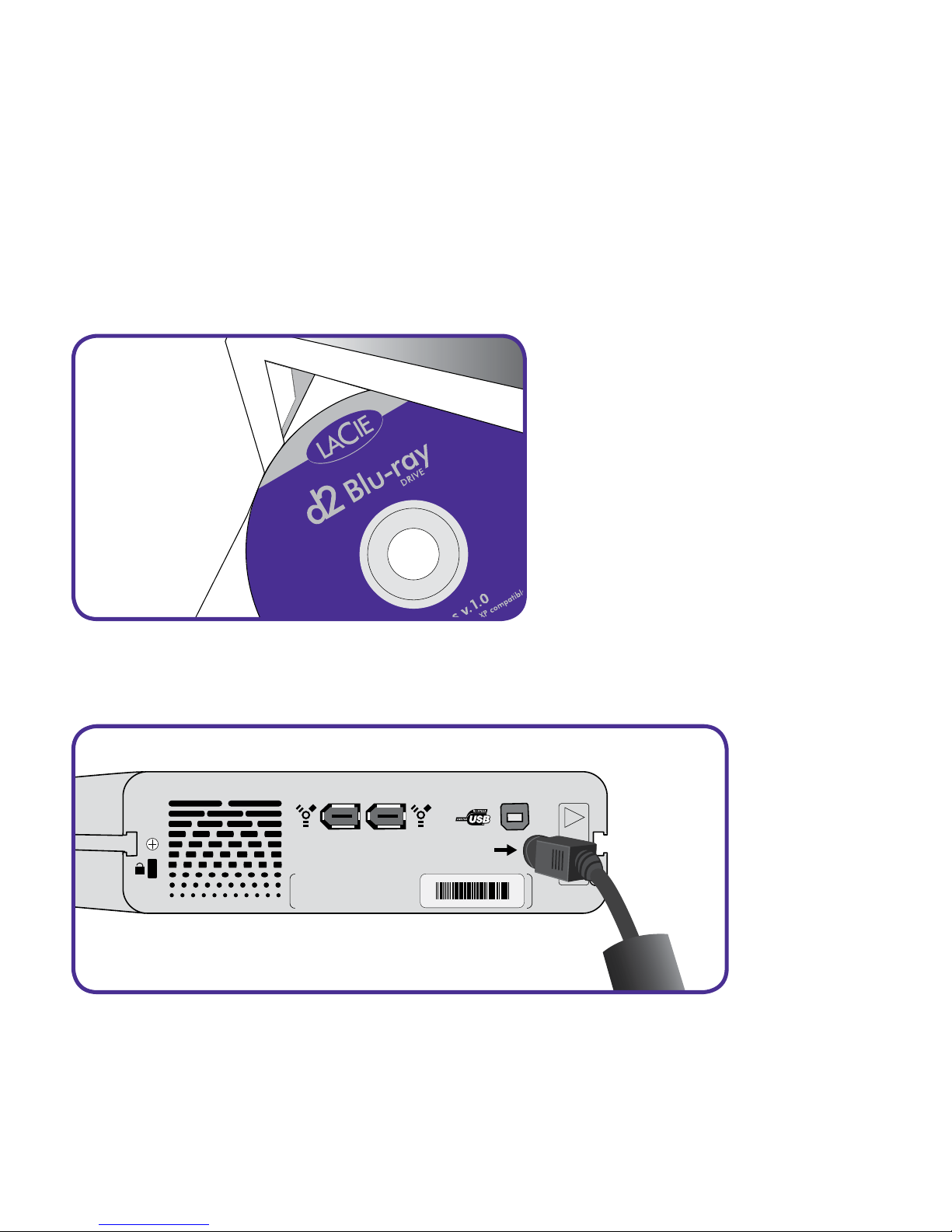
1. Install the recording software.
SET UP STEPS
2. Connect the power supply.
WARRANTY VOID IF
SEAL BROKEN.
• • • ••• •••••••••••
• • • • • • •••••••
!
LaCie Ltd. XXXXXX
Serial Number XXXXXXXXX
See your User Manual located on the LaCie Software Utilities DVD-ROM for com-
plete instructions and information about your drive.
Copyright © 2006, LaCie
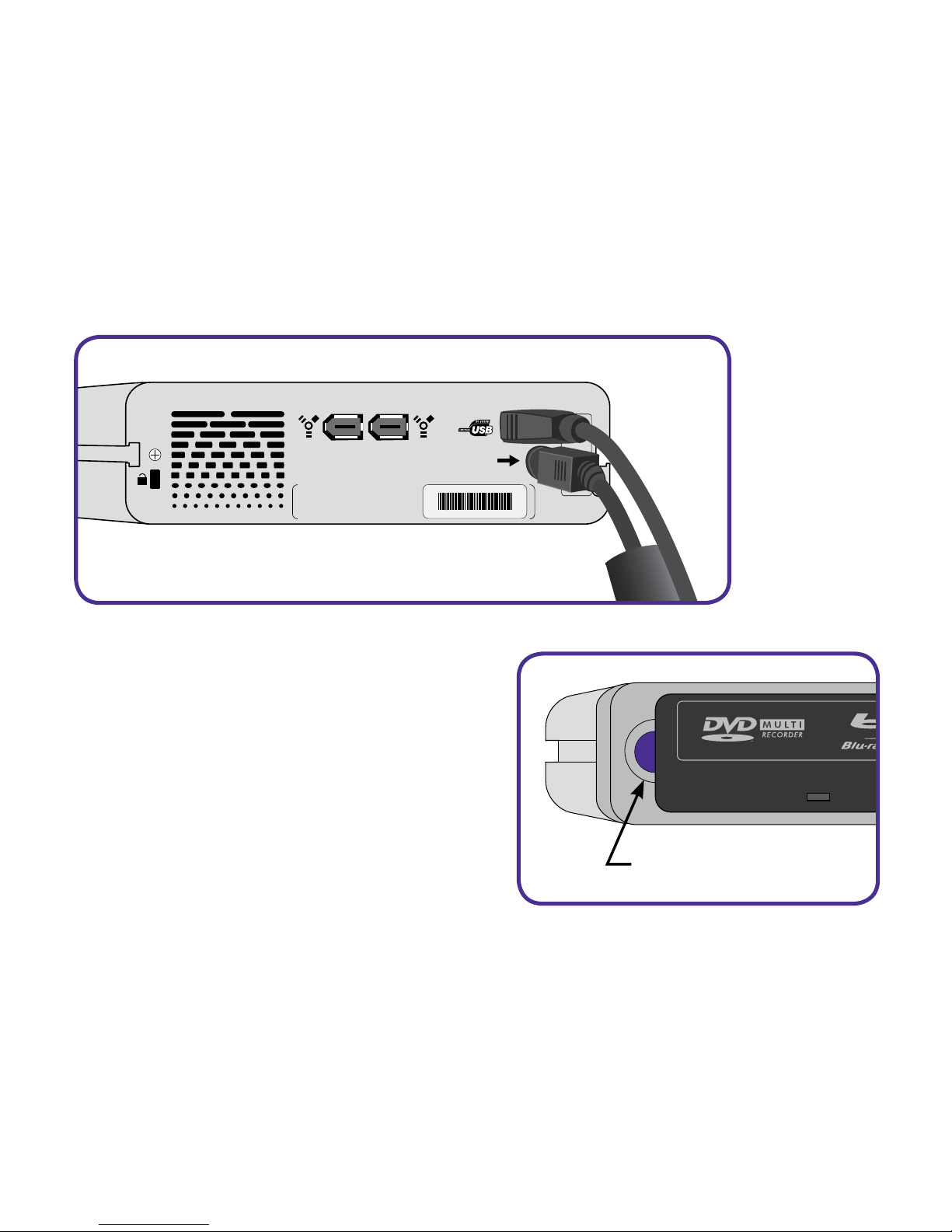
3. Connect the FireWire or Hi-Speed USB 2.0 cable to your drive and to your
computer.
WARRANTY VOID IF
SEAL BROKEN.
• • • ••• •••••••••••
• • • • • • •••••••
!
LaCie Ltd. XXXXXX
Serial Number XXXXXXXXX
4. Your drive should automatically
switch on and the blue power button
will light up. If necessary, press the
blue button to switch on the drive.
BLUE POWER BUTTON

FR
1. Installez le logiciel de gravure.
2. Branchez l’alimentation.
3. Connectez le câble FireWire ou Hi-Speed USB 2.0 entre votre graveur et votre
ordinateur.
4. Votre graveur doit automatiquement se mettre sous tension et le bouton d’alimentation
bleu s’allumer. Si nécessaire, appuyez sur le bouton bleu pour mettre le graveur sous
tension.
Pour obtenir des instructions détaillées, reportez-vous au manuel d’utilisation fourni sur le
DVD-ROM d’utilitaires logiciels LaCie.
Copyright © 2006, LaCie
ÉTAPES DE CONFIGURATION
IT
1. Installare il software di masterizzazione.
2. Collegare l'unità all'alimentazione elettrica.
3. Collegare il cavo FireWire o Hi-Speed USB 2.0 all’unità e al computer.
4. Generalmente l'unità si accende automaticamente e si illumina la spia blu del tasto di
accensione. Se ciò non accade, premere il tasto per accendere l'unità.
Per informazioni e istruzioni sull'uso dell'unità, consultare la Guida per l'utente contenuta
sul DVD-ROM con le utility LaCie.
Copyright © 2006, LaCie
PROCEDURA PER L'INSTALLAZIONE

DE
1. Installieren Sie die Aufzeichnungssoftware.
2. Schließen Sie das Netzteil an.
3. Schließen Sie das FireWire- oder Hi-Speed USB 2.0-Kabel an das Laufwerk und den
Computer an.
4. Das Laufwerk sollte sich automatisch einschalten; die blaue Netztaste leuchtet auf.
Drücken Sie nötigenfalls die blaue Taste, um das Laufwerk einzuschalten.
Vollständige Anweisungen und Informationen zu Ihrem Laufwerk finden Sie im Benutzer-
handbuch auf der DVD mit den LaCie Dienstprogrammen.
Copyright © 2006, LaCie
EINRICHTUNGSSCHRITTE
ES
1. Instalar el software de grabación.
2. Conectar la fuente de alimentación.
3. Enchufar el cable FireWire o Hi-Speed USB 2.0 a la grabadora y al ordenador.
4. La unidad debería encenderse e iluminarse el botón de encendido azul.
Si es necesario, pulsar el botón de encendido para encender la unidad.
Consultar el Manual de usuario incluido en el DVD-ROM de Utilidades de software de
LaCie para completar las instrucciones y la información acerca de la unidad.
Copyright © 2006, LaCie
GUIA DE INSTALACIÓN

NL
1. Installeer de opnamesoftware.
2. Sluit de voeding aan.
3. Sluit de FireWire- of Hi-Speed USB 2.0-kabel aan op het station en op uw computer.
4. Het station moet automatisch worden ingeschakeld en het blauwe voedingslampje moet
gaan branden. Druk indien nodig op de blauwe knop om het station in te schakelen.
Raadpleeg de gebruikershandleiding op de dvd-rom LaCie Software Utilities voor
complete instructies en informatie over uw station.
Copyright © 2006, LaCie
INSTALLATIE
PT
1. Instale o software de gravação.
2. Ligue a fonte de alimentação.
3. Ligue o cabo FireWire ou Hi-Speed USB 2.0 à unidade e ao computador.
4. A unidade deverá ligar-se automaticamente e o botão de alimentação azul
acender-se-á. Se necessário, prima o botão azul para ligar a unidade.
Para obter instruções e informações completas sobre a sua unidade, consulte o User
Manual incluído no DVD-ROM LaCie Software Utilities.
Copyright © 2006, LaCie
PASSOS DE INSTALAÇÃO

SV
1. Installera inspelningsprogrammet.
2. Anslut enheten till elnätet.
3. Anslut FireWire- eller Hi-Speed USB 2.0-kabeln till enheten och datorn.
4. Enheten slås på automatiskt och den blå strömknappen tänds. Tryck på den blå
knappen för att slå på enheten om den inte startas automatiskt.
Kompletta anvisningar för enheten och mer information om densamma finns i bruksanvis-
ningen på dvd-romskivan LaCie Software Utilities.
Copyright © 2006, LaCie
INSTALLATIONSSTEG
DA
1. Installér brænderprogrammet.
2. Tilslut strømforsyningen.
3. Tilslut FireWire- eller Hi-Speed USB 2.0-kablet til drevet og computeren.
4. Enheden tændes normalt automatisk, og tænd/sluk-knappen lyser blåt. Tryk om
nødvendigt på tænd/sluk-knappen for at tænde for enheden.
Læs brugervejledningen på LaCie software Utilities DVD’en for at få fyldestgørende
instruktioner og oplysninger om disken.
Copyright © 2006, LaCie
OPSÆTNING

FI
1. Asenna tallennusohjelmisto.
2. Kytke virtalähde.
3. Kytke FireWire- tai Hi-Speed USB 2.0 -kaapeli asemaan ja tietokoneeseen.
4. Aseman tulisi käynnistyä ja virtapainikkeen sinisen valon syttyä automaattisesti. Kytke
tarvittaessa asemaan virta painamalla sinistä virtapainiketta.
Täydelliset ohjeet ja tietoja asemasta on LaCie Software Utilities -DVD-ROM-levyltä
löytyvässä käyttöoppaassa.
Copyright © 2006, LaCie
ASENNUSVAIHEET
PL
1. Zainstaluj oprogramowanie do nagrywania.
2. Podłącz zasilanie.
3. Podłącz przewód FireWire lub Hi-Speed USB 2.0 do dysku i komputera.
4. Dysk powinien włączyć się automatycznie i zapali się niebieski przycisk zasilania. Jeśli to
koniecznie, naciśnij przycisk zasilania, aby włączyć dysk.
Dokładne instrukcje i informacje na temat dysku twardego można znaleźć w Podręczniku
użytkownika znajdującym się na płycie DVD LaCie Software Utilities.
Copyright © 2006, LaCie
ETAPY INSTALACJI
Other manuals for D2 BLU-RAY XL
14
Table of contents
Other LaCie Blu-ray Drive manuals


