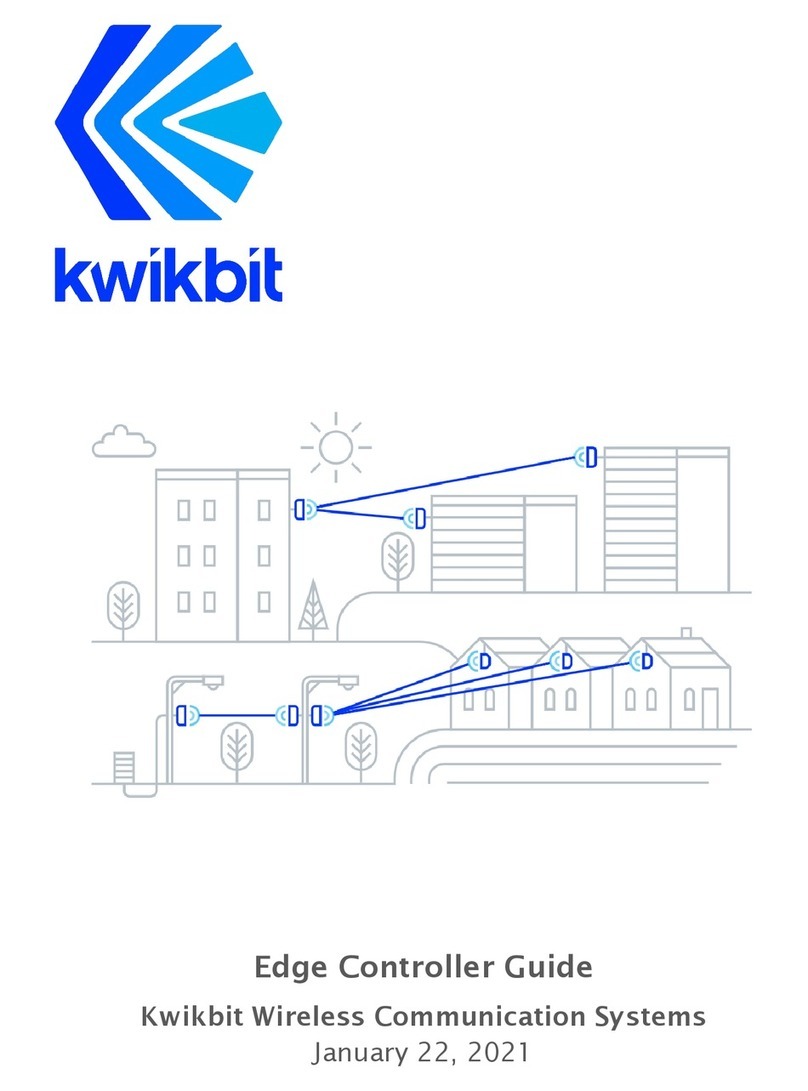
Kwikbit K60c User manual

K60c and Wireless Communication System
User Guide
Release 1.0
October 16, 2020

Kwikbit is a trademark of Kwikbit Inc.
©2016-2020 Kwikbit Inc. All rights reserved.
This equipment has been tested and found to comply with the limits for a Class B digital device,
pursuant to Part 15 of the FCC rules (for USA) and ISED rules (for Canada). These limits are designed
to provide reasonable protection against harmful interference in a residential installation. This
equipment generates, uses and can radiate radio frequency energy and, if not installed and used in
accordance with the instructions, may cause harmful interference to radio communications.
However, there is no guarantee that interference will not occur in a particular installation.
You can determine whether your equipment is causing interference by turning it on and off. If the
interference stops, it was probably caused by the equipment. If the equipment causes interference
to radio or television equipment, try to correct the interference by using one or more of the
following measures:
▪Reorient or relocate the receiving antenna.
▪Increase separation between the equipment and receiver.
▪Connect the equipment into an outlet on a circuit different from which the receiver is
connected.
▪Consult the dealer or an experienced radio/TV technician.
Any modifications to this product which are not authorized by Kwikbit Inc. could void your authority
to operate this equipment.
THE SPECIFICATIONS AND INFORMATION REGARDING THE PRODUCTS IN THIS MANUAL ARE
SUBJECT TO CHANGE WITHOUT NOTICE. ALL STATEMENTS, INFORMATION, AND
RECOMMENDATIONS IN THIS MANUAL ARE BELIEVED TO BE ACCURATE BUT ARE PRESENTED
WITHOUT WARRANTY OF ANY KIND. USERS MUST TAKE FULL RESPONSIBILITY FOR THEIR
APPLICATION OF ANY PRODUCT.
NOTWITHSTANDING ANY OTHER WARRANTY HEREIN, ALL DOCUMENT FILES AND SOFTWARE ARE
PROVIDED “AS IS” WITH ALL FAULTS. KWIKBIT DISCLAIMS ALL WARRANTIES, EXPRESSED OR IMPLIED,
INCLUDING, WITHOUT LIMITATION, THOSE OF MERCHANTABILITY, FITNESS FOR A PARTICULAR
PURPOSE AND NONINFRINGEMENT OR ARISING FROM A COURSE OF DEALING, USAGE, OR TRADE
PRACTICE.
IN NO EVENT SHALL KWIKBIT OR ITS SUPPLIERS BE LIABLE FOR ANY INDIRECT, SPECIAL,
CONSEQUENTIAL, OR INCIDENTAL DAMAGES, INCLUDING, WITHOUT LIMITATION, LOST PROFITS OR
LOSS OF DAMAGE TO DATA ARISING OUT OF THE USE OR INABILITY TO USE THIS MANUAL, EVEN IF
KWIKBIT HAS BEEN ADVISED OF THE POSSIBILITY OF SUCH DAMAGES.
Kwikbit K60c User Guide - 2 -

K60c User Guide

Table of Contents
Preface 5
Preface overview 5
About this guide 5
Additional documentation 5
Additional help 6
Kwikbit K60 System Overview 6
K60 System Description 8
Technical Specifications 11
System Specifications 11
Radio Specifications 11
Mechanical, Power and Environmental Specifications 12
System Enclosure 13
System Throughput 14
Element and Network Management 14
Ethernet Bridge Support 17
Installation Planning 17
LED Indicator Codes 17
Using the K60 Web User Interface (UI) 18
Requirements 18
K60 Web UI Page 19
Logging In 19
Using the K60 Command Line Interface (CLI) 21
Requirements 21
Kwikbit K60c User Guide - 3 -
K60c User Guide

K60 CLI commands 21
System Provisioning 21
Initial System Setup and IP Configurations 22
Appendices 24
Glossary 24
FCC Regulatory Statement 25
FCC Radiation Exposure Statement 25
ISED Industry Canada Regulatory Statement 26
ISED Industry Canada Radiation Exposure Statement 26
Kwikbit K60c User Guide - 4 -
K60c User Guide

1 Preface
1.1 Preface overview
Thank you for choosing the K60c system from Kwikbit. This guide introduces you to system
concepts, system architecture and commonly used terms.
This preface describes:
●Audience for this guide
●Additional documentation
●Where to go for more help
1.2 About this guide
This guide provides an overview of the K60c system, its components, its network
architecture, and how it is configured and deployed.
This guide is intended for network and system administrators who must install, configure,
and manage K60 distribution networks. This guide is meant to provide an overview of the
system. This guide does not provide detailed information on network configuration.
It is assumed readers of this guide are familiar with:
●Basic networking concepts
●Layer 2 (link layer) of OSI model
●Layer 3 (network layer) of OSI model
●Routing and switching in networks
●Radio frequency (RF) systems engineering
●Virtual local area network (VLAN) technology
1.3 Additional documentation
●Information about network management is available in the Kwikbit Edge Controller
User Manual
Kwikbit K60c User Guide - 5 -
K60c User Guide

1.4 Additional help
Kwikbit is committed to providing our customers with high quality technical support via the
following methods:
2 Kwikbit K60c product versions
The K60c is also made in an enhanced-range version that uses a different internal antenna.
These units are marked “K60c+.” This guide applies to both versions. Specifications and
operation are the same except as noted.
3 Kwikbit K60c System Overview
Figure 1: K60c System in a Point-to-Multipoint (PtMP)
Wireless Communication Application
Kwikbit is a leader in gigabit wireless distribution solutions that intelligently adapt to
challenging environments to maximize performance and reliability.
The K60c system operates in the 60 GHz unlicensed frequency band and is designed
primarily for line-of-sight (LoS) operation. Non-line-of-sight (NLoS) operation is possible
Kwikbit K60c User Guide - 6 -
K60c User Guide
Web
support.kwikbit.com
E-mail
Phone
+1 (952) 657-5628

within short range and in the presence of reflective surfaces. By utilizing advanced
beamforming techniques, the K60c system automatically adapts in Point-to-Multipoint
(PtMP) communication configuration and is adaptable to changes in the operating
environment. The beam forming capability also makes system installation simple for
non-technical staff as precise mechanical alignment, as required by previous generation 60
GHz systems, is not required.
The K60c system is designed for use in multiple applications including gigabit access, IoT
backhaul (sensors, security cameras, etc.), optical fiber extension, and corporate and
enterprise data services by providing 1 Gbps of symmetric throughput.
The K60c system operates in unlicensed Time Division Multiplexing (TDD) band 57.05 –
64.00 GHz in both Point-to-Point (PtP) and Point-to-Multipoint (PtMP) configurations. Some
of the main product characteristics are shown in Table 1.
Table 1: Main K60c Characteristics
Kwikbit K60c User Guide - 7 -
K60c User Guide
Duplex Mode
Time Division Multiplexing (TDD)
Physical Layer / Antenna
System
K60c: 64 patch beamforming
antenna
K60c+: 128 patch beamforming
antenna
Operation Configuration
PtP and PtMP
Capacity
1.86 Gbps goodput aggregate
Symmetry
Dynamic downlink (DL) and uplink
(UP) based on offered load
Frequency of Operation
57.05 – 64.00 GHz
Channel Bandwidth
2.16 GHz
Network Interface
1x 1 gigabit Ethernet
Form Factor
7.3 x 3.15 x 1.2” with integrated
antenna

The K60c system consists of the following components:
●Hub Unit: control communication to one or more Remote Units
●Remote Unit: scan for available Hub Units and connect to the Hub configured or
assigned via the Edge Controller
●Edge Controller: Optional appliance computer that provides WebUI tools for
deployment planning, commissioning, network configuration, management,
monitoring and fault isolation. Edge controller is highly recommended for networks
of medium and large scale.
The K60c Hub and Remote Units are identical from a hardware perspective, only differing
in software configuration. The K60c has a small form factor that can be easily and
unobtrusively deployed in many different outdoor environments.
K60c units will interoperate with other products in the Kwikbit K60 product line.
4 K60c System Description
Kwikbit’s K60c wireless outdoor networking solution is designed to meet the requirements
of network planners where rapid and flexible deployment, high reliability, multi-gigabit
capacity and excellent latency performance are needed. Applications for the system include
IoT gateway aggregation, Wi-Fi access point backhaul, video camera connectivity and other
gigabit IP based applications. The system can function either as a Point-to-Point (PtP) or
Point-to-Multipoint (PtMP) wireless Ethernet bridge.
Some of the main characteristics of the system include:
●Time Division Duplex (TDD): The K60c solution features TDD access mode with
variable frame length.
●Adaptive Modulation with Link Adaptation: The K60c system supports BPSK,
QPSK on both the downlink and uplink path to achieve high capacity in the channel
bandwidth (1.86 Gbps Ethernet layer throughput for combined downlink and uplink
traffic).
●Beamforming: Use of the 60 GHz band allows extremely fast communication, but
also presents the challenge of limited propagation. Signals in the 60 GHz band are
also more susceptible to disruption from physical barriers than at lower
frequencies. The K60c system includes adaptive beamforming, a technique that
enables robust multi-gigabit communications at greater distances. Kwikbit’s
beamforming feature uses directional antennas to reduce interference and
automatically focus a signal between two devices into a concentrated beam. During
the beamforming process, devices establish communication and then fine-tune
Kwikbit K60c User Guide - 8 -
K60c User Guide

their antenna settings to improve the quality of directional communication until
there is enough capacity for the desired data transmission.
One key benefit of Kwikbit’s beamforming is that if an obstacle blocks the line of sight
between two devices, for example, if someone walks between them, the devices can
quickly establish a new communications pathway. Another benefit of the K60c
beamforming is that non-technical personnel can quickly and easily install the
system. Precise physical alignment of the radios, as required with previous 60 GHz
products, is not required with the Kwikbit system. The beamforming feature also
enables the PtMP communication capability of the system.
●Power Management: The K60c system utilizes the scheduled access mode to
reduce power consumption. Devices connected with each other via a directional link
schedule the periods during which they communicate and, in between those
periods, they can sleep to save power. This capability allows devices to more
precisely tailor their power management to their actual traffic workload, reduces
potential co-channel interference and enables efficient spectrum utilization.
●Advanced Security: The K60c system utilizes strong security mechanisms, including
Galois/Counter Mode, a highly-efficient mode of encryption that is designed to
support higher communication speeds. Encryption is based on the
government-grade Advanced Encryption Standard (AES) and is implemented in
hardware for performance and efficiency.
●Integrated Antennas: The K60c units integrate a specially-designed antenna
module that enables a 90º azimuthal and 40º vertical beam sweep range.
●PtMP with Dynamic Bandwidth Allocation: The K60c system can operate in PtP or
PtMP configurations with up to eight Remotes. The capacity allocated to each
Remote is variable according to the requirements of connected devices.
●Compact Form Factor: The K60c transceiver units are highly integrated, compact,
and lightweight, so they can be easily mounted on poles, pipes and walls.
●Connectivity: K60c devices include a standard RJ45 Gigabit Ethernet port that
serves as a PoE In port.
The Kwikbit K60c system provides these network management features:
●Each K60c unit incorporates a WebUI. This WebUI enables configuration, fault
management, and administration of the unit, as well as provides system state and
performance information.
Kwikbit K60c User Guide - 9 -
K60c User Guide

●A command-line interface (CLI) is also available. It provides features similar to those
of the WebUI.
Figure 2: K60c Hub and Remote WebUI interface page
●The Kwikbit Edge Controller is a very powerful part of the Kwikbit solution. The Edge
Controller connects through an Ethernet connection to the root K60c unit and
enables non-technical personnel to physically install an entire network without K60c
units being configured on the bench in advance. A local or remote IT resource can
design, commission and manage the network using the Edge Controller’s WebUI.
Kwikbit K60c User Guide - 10 -
K60c User Guide
Other manuals for K60c
1
Table of contents
Other Kwikbit Conference System manuals
Popular Conference System manuals by other brands

Kramer
Kramer VIA GO quick start guide

AVT
AVT MAGIC AC1 Go Configuration guide

ProSoft Technology
ProSoft Technology AN-X4-AB-DHRIO user manual

Sony
Sony PCS-I150 Operation guide

Middle Atlantic Products
Middle Atlantic Products VTC Series instruction sheet

Prentke Romich Company
Prentke Romich Company Vanguard Plus Setting up and using