
KOSPET PRIME S User manual


PRIME S
User Manual
1.Information Regarding Safe Usage:
Thank you for choosing KOSPET products. To ensure the best performance of the
device, please read and follow all the safety information carefully before using it.
1) In gas stations, chemical plants and other public places where the usage of
electronic products is prohibited, please observe the relevant regulations of the
area and keep a certain distance from these places when using the device.
2) The radio waves generated by this device may affect the normal operation of
implantable medical devices or personal medical devices. If you are using these
medical devices, please consult the medical device manufacturer for the
conditions of using these devices and follow their directions.
3) Radio waves generated by electronic devices may interfere with the safe flight
of the aircraft. Please follow the airline's requirements to keep the device off while
you are flying.
4) This device can work normally in an environment with a temperature of 0 ~
35℃.The device with its accessories can be stored in a place with a temperature
of -20℃~ +45℃. A temperature too high or low may damage the device and
cause malfunctions.
5) Do not expose the device to extremely high-temperature environments like
scorching sun rays or around high-temperature devices like heaters, ovens,
microwave ovens, or water heaters. High-temperature environments may cause
battery explosions or other safety accidents.
6) This product uses a non-removable lithium-polymer battery. To avoid accidents,
non-professionals are not suggested to disassemble the battery.
7) Before using this product, please charge the product for 1-2 hours with original
accessories and a safety-certified charger.
8) Some KOSPET products are equipped with magnetic charging cables. Please
keep the charging device away from other metal objects, or the magnet attraction
between the charging device and other metal objects might result in a short circuit
fire or other accidents.

9) Our company's products are not a sophisticated medical device. The detected
heart rate, blood pressure or other health-related values are for reference only and
cannot be used as a clinical basis.
1
User Manual
2.Product Specifications:
Product Model Processor
RAM & ROM Watch Material
Strap Material Display Screen
Touch Screen Front Camera
Side Camera Battery
Face ID
Speaker
MIC
Vibration
Blood oxygen Sleep
PRIME S
SC9832E+NRF52832/PAR282
2 1GB+16GB
Ceramic+PC
TPU
1.6”IPS 400*400 pixels
Capacitive Touch Screen
5MP(software update)
8MP(software update)
1050mAh lithium-polymer
battery Supported
Supported
Supported
Supported
Supported
Supported
2

User Manual
Breath training Supported
Heart Rate Measurement Movement
Mode
WIFI
Bluetooth
GPS
SIM Card Type
Waterproof Level
Network Frequency Range
Supported
Supported
2.4GHz
Bluetooth 4.1
GPS/A-GPS/GLONASS/Beidou
Nano
IP67(Can’t be worn in swimming)
GSM:B2(1900),B3(1800),B5(850),B8(9
00)
WCDMA:B1(2100),B5(850),B2(1900),B
8(900)
TDD LTE:B38(2600MHz), B39(1900),
B40(2300), B41(2500)
FDD
LTE:B1(2100),B2(1900),B3(1800),B5(8
50),
B7(2600),B8(900),B12(700),B17(700),
B20(800) 5
User Manual
3.SIM Card Installation
Directions:
1) Use a tool to remove the SIM
card tray.
2) Fix the SIM card on the SIM card
holder.
Insert the SIM card tray into the
watch.
Notifications:

1) This device support only the
Nano SIM card.
Nano
2) Before installing the SIM card,
please check whether the network
frequency band used by your
network operator is consistent with
this product.
6
User Manual
4. Watch Charging:
1) Please charge the watch for 1-2 hours before using this product.
2) Connect the Pogo data cable to the power adapter, and then charge the
watch.
3) It is strictly forbidden to connect the Pogo charging cable to metal products,
which may cause a fire.

Resolutions for Charging Malfunction:
1) If the connection between the charging cable and the charger is unstable,
please reconnect the data cable and the charger.
2) If the device can not be turned on or charged, please use a 5V / 2A or above
charger to charge the device for more than 20 minutes to activate the battery.
3) Contact KOSPET customer service to obtain a new charger.
4) In your city, find a professional mobile phone repair shop to disassemble and
reinstall the battery.
7
User Manual
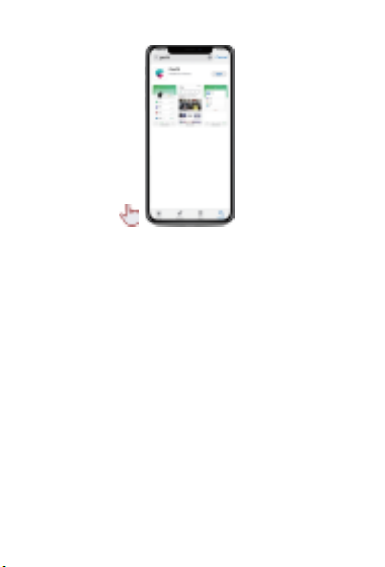
5. Download the Watch Assistant APP:
1) Before using the watch, you can use your mobile phone to scan the QR code
below to download GaoFit.
2) Or you can search for GaoFit in Google Play store and Apple App Store to
download.
8
User Manual
6. Install the Watch Assistant App:
1) When installing the APP, you need to give GaoFit permissions to use the
phone's Bluetooth, send messages, obtain your location, etc.
2) When you install the GaoFit application on your Android phone, some phones
require you to set GaoFit as a "whitelist" application in the system settings to
ensure that this application will not be forcibly closed when the phone is off.
The picture shows Huawei mobile phones. Different models of mobile phones
have different settings.
9
User Manual
3) You need to
register an account
before using the app,
and then you can use
the app after logging
in.

7. Connect your
phone and
watch through
GaoFit:
1) Slide down the
watch to enter the
menu, click on the " "
to enter the
connection interface.
10
User Manual
2) Click to enter Device on GaoFit, click " " in the upper right corner to scan the
QR code of the watch.
User Manual
3)Tap pair on the phone and watch respectively.
4) The watch and mobile phone are successfully connected.
User Manual
5) For ios phones, you need to allow notifications from the watch iPhone.

Notice: iPhone may delay the pop-up
dialog box. If you do not allow your watch
to receive iPhone notifications, your
watch will not be able to synchronize the
latest phone calls, text messages, and
design application messages.
6) On the Device interface, click PRIME S to enter more settings: Silent mode,
Application reminder, Lookup device, Auxiliary input Etc.
User Manual
Auxiliary input: When you enter text on your phone, the watch will synchronize
the text.
7) You can download the watch face to your watch here
User Manual
The phone and watch cannot be connected, troubleshooting method:
1) Make sure that the Bluetooth of the mobile phone and watch is turned on.
2) In Phone-Settings-Bluetooth, delete all paired Bluetooth devices; on the page
where the watch is to be connected, click the "trash can icon" to delete all paired
devices, restart the watch and phone, and then connect again.
3) Download and install GaoFit again.

4) Change to another mobile phone to download GaoFit connected watch.
5) If none of the above-mentioned resolutions work, please contact KOSPET
customer service at [email protected].
8. Watch operating instructions:
Quick setting page 1:
Enter the connection
page.
Turn on airplane mode
User Manual
Quick setting page 2:
Do Not Disturb mode:
When this feature is turned on, the watch will be in silent mode, and all
messages and calls will no longer remind you.
Screen brightness:
Click this area to set the screen brightness level.
Lift to Wake Screen:
When this function is turned on, the screen will automatically wake when you lift
your wrist.
Table of contents
Languages:
Other KOSPET Watch manuals

KOSPET
KOSPET TANK T2 User manual

KOSPET
KOSPET Athena User manual

KOSPET
KOSPET GTO User manual

KOSPET
KOSPET TANK M1 User manual

KOSPET
KOSPET MAGIC 3S User manual

KOSPET
KOSPET PRIME User manual

KOSPET
KOSPET MAGIC 2 User manual

KOSPET
KOSPET TANK M2 User manual

KOSPET
KOSPET SN80Y User manual

KOSPET
KOSPET TANK M2 User manual







