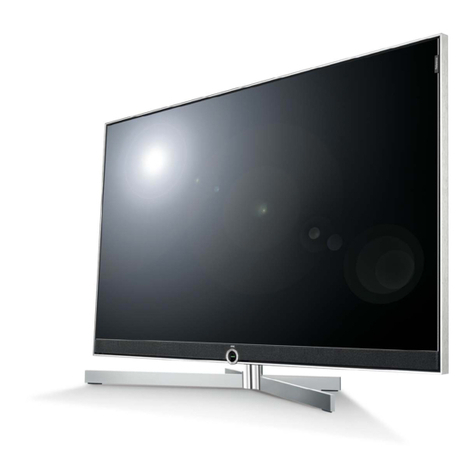
Kogan KALED55UHDZD User manual

11
USER MANUAL

Table of Contents
Safety Instructions.............................................................................................................................3
General Safety Instructions.......................................................................................................3
Installation........................................................................................................................................4
Cleaning............................................................................................................................................5
General Description..........................................................................................................................6
Specifications & Accessories........................................................................................................6
Specifications.................................................................................................................................6
Accessories......................................................................................................................................6
Input terminals...............................................................................................................................6
Assembling the Stan ......................................................................................................................7
Wall Mounting Instructions.......................................................................................................7
Overview...............................................................................................................................................9
Back Panel........................................................................................................................................9
Front Panel......................................................................................................................................9
Remote Control............................................................................................................................10
Installing Batteries in the Remote Control........................................................................12
External Connections......................................................................................................................12
Antenna Connection .................................................................................................................12
Basic Operation.................................................................................................................................13
Turning the TV on an off........................................................................................................13
Main Interface................................................................................................................................13
TV Applications............................................................................................................................14
Menu System......................................................................................................................................15
TV Menu...........................................................................................................................................15
Soun ...................................................................................................................................................15
Soun Mo e...................................................................................................................................15
Equalizer..........................................................................................................................................16
Balance............................................................................................................................................16
Auto Volume ................................................................................................................................16
Surroun Soun ...........................................................................................................................16
SPDIF Mo e...................................................................................................................................16
HDMI Soun ...................................................................................................................................16
Image.....................................................................................................................................................17
Picture Mo e..................................................................................................................................17
Aspect Ratio .................................................................................................................................17
Color Temp ...................................................................................................................................17
A justing the Backlight.............................................................................................................17
Win ow A just.............................................................................................................................17
Program................................................................................................................................................18
Auto Search...................................................................................................................................18
EPG(Use only in DTV).............................................................................................................18
ATV Manual Search.....................................................................................................................18
DTV Manual Search.....................................................................................................................18
Program E it ................................................................................................................................19
Signal Information (Use only in DTV)...............................................................................19
Input Source.................................................................................................................................20
1

Function................................................................................................................................................21
Time.......................................................................................................................................................23
PVR (Personal Vi eo Recor er)................................................................................................24
PVR File System..........................................................................................................................24
PVR Gui e......................................................................................................................................25
Time shift........................................................................................................................................25
Instant recor ing........................................................................................................................25
Recor ing in stan by mo e...................................................................................................26
DTV EPG (Electronic Program Gui e) .............................................................................26
Digital Me ia Player........................................................................................................................27
Device an File Management.....................................................................................................27
Initialization Interface...............................................................................................................27
USB Support......................................................................................................................................28
Photos.............................................................................................................................................28
Music................................................................................................................................................28
Movie...............................................................................................................................................29
Sync View......................................................................................................................................29
External Connection......................................................................................................................30
Connecting a VCR.....................................................................................................................30
Connecting a Camcor er........................................................................................................31
Connecting a DVD Player/Blu-Ray Player/Set-Top Box via DVI...........................32
Connecting a DVD Player/Blu-Ray Player/Set-Top Box via HDMI........................33
Connecting a Digital Au io System...................................................................................34
Connecting to PC......................................................................................................................35
Supporte Signals....................................................................................................................36
Troubleshooting..............................................................................................................................37
2

Safety Instructions
General Safety Instructions
Risk of electric shock. DO NOT OPEN!
Do not attempt to service the television yourself, as
opening or removing the covers may expose you to
angerous voltage or other hazar s. Refer all servicing to
the Kogan customer support team.
To re uce the risk of fire or electric shock, o not expose this
pro uct to rain or moisture. The television shoul not be
expose to ripping or or splashing, an no liqui fille objects
such as vases shoul be place on the case.
In the event of smoke, strange noises or a strange smell from
the unit, you shoul follow these steps:
•Turn off the unit imme iately.
•Disconnect the power plug from the power outlet.
•Contact the Kogan customer support team. Never
attempt to make repairs yourself.
Never push objects of any kin into the set through the
cabinet slots as they may touch angerous voltage
points or short-circuit parts that coul result in a fire or
electric shock. Never spill any liqui s onto the set. Use
special caution in househol s where chil ren are
present. The television is not suitable for chil ren un er
4 years ol to operate.
Power supply cor s shoul be route safely to prevent
angers ue to amage cor s.
The mains plug is the main isconnect metho , so it shoul
be easily accessible an not be obstructe uring use.
To avoi fires, no nake flame sources such as lit can les or
burning incense shoul be place onto the casing of the
television.
Do not pull the plug out of a power outlet by pulling on the
power cable. Always grasp the plug an pull.
Never touch the plug with wet han s.
3

An outsi e antenna system shoul not be locate in the
vicinity of overhea power lines or other electric light or
power circuits.
When installing an outsi e antenna system, extreme
care shoul be taken to keep from touching such power
lines or circuits, as contact with them may be fatal.
Always turn the set off when it is not being use .
Unplug the television from the power outlet when it will
not be use for a long time or when there is an
electrical storm.
Never touch the antenna cable uring a lightning storm.
Excessive volume from earphones an hea phones can
cause permanent hearing loss. Always monitor the volume of
noise from these evices, especially when chil ren are using
them.
Installation
Ventilation shoul not be impe e or limite by
covering the ventilation slots with items such as
newspapers, tablecloths, curtains etc..
At least 10cm of space shoul be left aroun the
apparatus for sufficient ventilation.
The television shoul be situate away from heat
sources such as ra iators, heaters, stoves or other
pro ucts that pro uct heat.
Place the television in a position where the screen is
not expose to irect sunlight. It is best to have soft
in irect lighting while watching, an you shoul avoi
a completely ark viewing environment an
reflections to avoi eye fatigue.
Keep the pro uct away from high magnetic fiel s
(such as near an amplifier speaker) to avoi affecting
the tint.
Do not place the television on an unstable table, stan
or shelf. The set may fall, causing serious injury as well
as amage to the television itself.
If moving the television on a cart, move the unit with
care as su en stops an starts may cause the
television to overturn.
4

Do not place this television near water, for example
near a bathtub, wash bowl, kitchen sink, laun ry tub,
swimming pool or in a amp basement etc..
When moving the television to a warm location from
a col location, allow some time for any ew or
con ensation insi e the television to evaporate fully
before you turn the unit on.
To prevent injury, the television must be securely
attache to the floor/wall in accor ance to the
supplie installation instructions.
Cleaning
Unplug the television from the power supply before
cleaning. Do not use any liqui cleaners or harsh
chemicals. Use a soft, amp cloth.
5

General Description
•Zero X ra iation complies to green environment protection requirements
•Connect to computer irectly to create a TV/Monitor combo
•MHL2.0
•An roi 4.2
•USB 3.0
•16:9 wi escreen
•Auto tuning an fine tuning.
•PC VGA input
•Component compatible (480i, 480P, 576i, 576P, 720P, 1080i, 1080P)
•HDMI input
•Programmable sleep timer
•No signal automatic power off
Specifications & Accessories
Specifications
Mo el
KALED55UHDZD
Display Screen Size 55” Diagonal
Maximum Resolution 3840 x 2160
Power Supply ~110-240V, 50/60Hz
TV Receive System PAL/SECAM: BG, DK, I DVB-T
Frequency Range DTV: 5-12, 21-69
Vi eo In PAL/NTSC/SECAM
Antenna Input Impe ance 75ohm unbalance
Speaker Output Power 2 x 5W
Remote Power Input DC 3V (Two AAA batteries)
Power Consumption 120W
Stan by Consumption <1W
Dimensions
(LxWxH)
With stan 1231.2 x 315 x 764.5mm
Without stan 1231.2 x 53.7 x 711mm
Weight
(Net)
With stan 26.54kg
Without stan 22.91kg
Operating Temperatures 0°C ~ 40°C
Accesories
Remote Control
Input Terminals
1 x Antenna jack 4 x HDMI inputs
1 x PC-RGB input 3 x USB inputs
1 x COMPONENT input 1 x CVBS output
1 x AV input 1 x SPDIF output
1 x Hea phone output
6

Assembling the Stand
If you nee to remove or assemble the stan , please rea the following:
•Before attaching/ etaching the stan , be sure to turn the TV off.
•Before performing any work, sprea cushioning out over the base area to
lay the TV on. This will prevent it from being amage .
Assembly Instructions
1. Fix the bracket at the stan with the four screws. (Fig. 1)
2. Put the television on the table, fix the stan an the unit with the screws
supplie in the carton. (Fig. 2)
3. To etach the stan from the TV, please reverse these steps.
Wall Mounting Instructions
Your LED TV is able to accommo ate wall mounting with the use of a wall
mount bracket (bracket an screws not supplie with the LED TV) an the
mounting holes on the back of the unit. We recommen removing the TV stan
prior to wall mounting the TV.
•After etaching the stan , fasten 4 mounting screws into the 4 screw
holes on the rear cover, as shown below.
•Fasten wall mounting bracket with screws on the wall.
•Carefully check for mounting strength before releasing the LED TV.
7

1. Please ensure the istance of the wall-mounting holes are 200mm or
400mm on the back cabinet before mounting your TV on the wall.
2. Mark the horizontal istance screw holes A an B with a pencil on the wall
by using the long wall-mounting bracket as a ruler.
3. Align the upper holes on the short wall-mounting bracket to A an B, then
mark the vertical istance screw holes C an D with a pencil on the wall.
4. Drill the holes at A, B, C an D positions on the wall.
5. Drive Nylon sleeves into the screw holes on the wall.
6. Fasten short wall-mounting bracket on the Nylon sleeves with self-tapping
screws on the wall.
7. Fasten long wall-mounting bracket with screws into the two screw holes
on the rear of the cabinet.
8. Lift the TV with another person an hang it on the wall.
N TES
•Please confirm that your wall has the strength to withstan the weight of
the TV.
•Be careful not to scratch the panel an TV cabinet when you fasten the
screws to the TV.
8

verview
Back Panel
You can connect the TV to vi eo evices such as DVD/Blu-Ray players, VCR an vi eo cameras
as well as gaming consoles.
Front Panel
The buttons on the lower left panel control your TVs basic functions. For a vance features you
must use your remote control.
1 Power Switch Press to turn the TV on or off.
2 Remote control Sensor
Power In icator
Aim the remote at this spot on the TV.
No Light: In power on mo e.
White: In stan by mo e.
3 INPUT Toggles between all of the available input sources.
4 MENU Press to isplay an on-screen menu of your TVs features.
5 PROG Press to change programs.
6 VOL Press to increase or ecrease the volume.
7 Stan by Button Press to toggle between normal an stan by mo es.
9
Other Kogan TV manuals

Kogan
Kogan KALED32XXXWB User manual

Kogan
Kogan KALCD42FHDWA User manual

Kogan
Kogan 9 TU9220 Series User manual

Kogan
Kogan KALED42 ZA Series User manual

Kogan
Kogan KALED32DVDZD User manual

Kogan
Kogan KGNFHDLED22VBA User manual

Kogan
Kogan KALED46XXXWA User manual

Kogan
Kogan KALED42XXXZA User manual

Kogan
Kogan KALED24DVDA User manual

Kogan
Kogan KALED50XXXTA User manual

Kogan
Kogan KALED32XXXVA User manual

Kogan
Kogan KULED32SMTWA User manual

Kogan
Kogan KALED16XXXYA User manual

Kogan
Kogan KALCD46FHDA User manual

Kogan
Kogan KULED26DVDYA User manual

Kogan
Kogan KALED24DVDYA User manual

Kogan
Kogan KGNHDLED19VB User manual

Kogan
Kogan KALCD39FHDXA User manual

Kogan
Kogan KALED32XXXZA User manual

Kogan
Kogan KALED26DVDA User manual