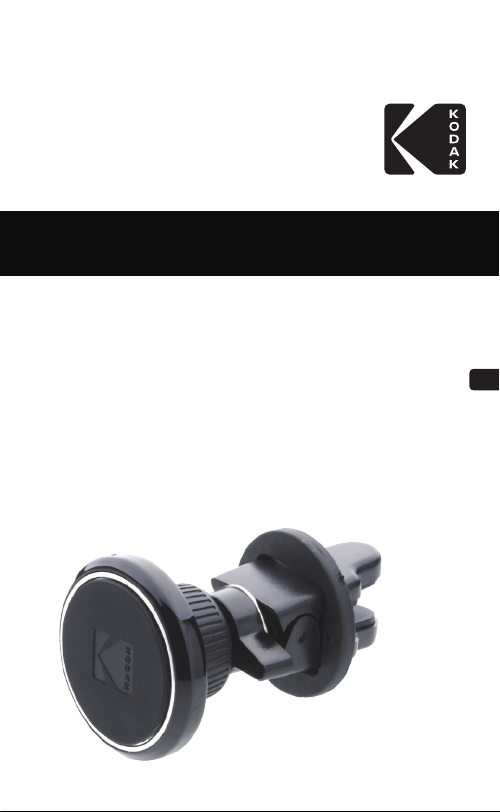
Kodak PH209 User manual
GB
FR
ES
IT
PT
KODAK Phone Holder
PH209
Quick Start
Guide
02
CAUTION
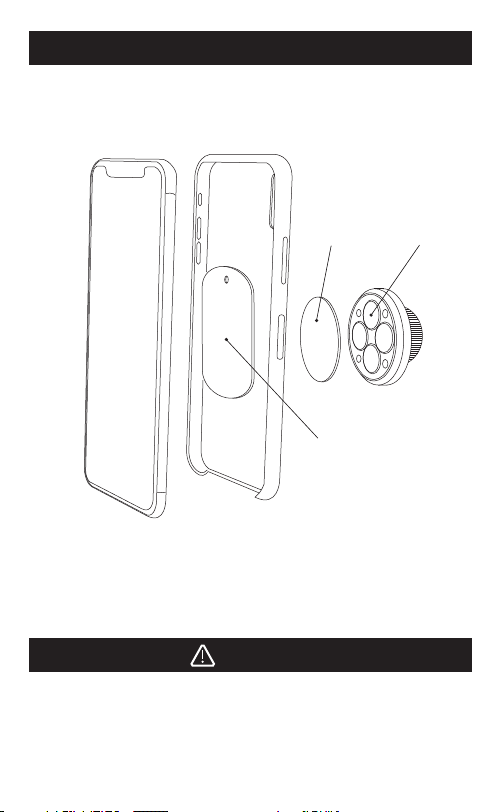
If the phone case is too thick, the magnetic plate can alternatively
be placed on outside of the case with the provided double
sided tape.
HOW TO USE
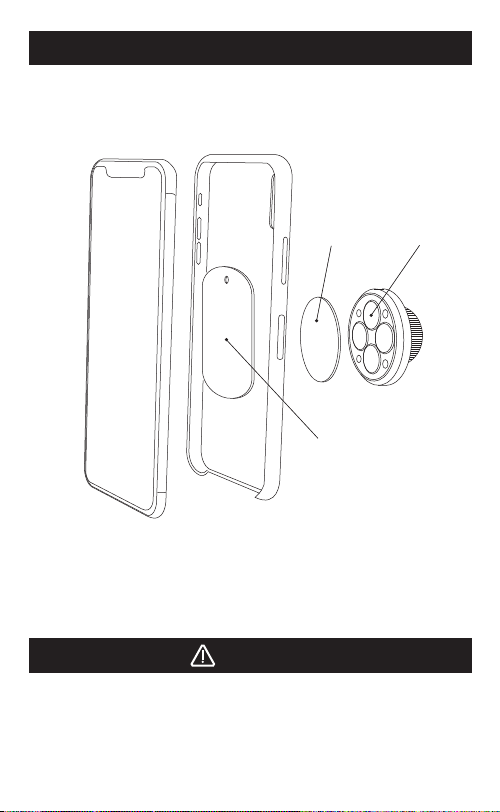
1 - Put the magnetic plate into the phone case and check the
strength of the magnet before attaching the double sided
tape.
2 - Peel o the protection sheet from the double sided tape and
stick the plate to the phone case.
Non Slip Pad
Magnetic Plate
Magnet
03
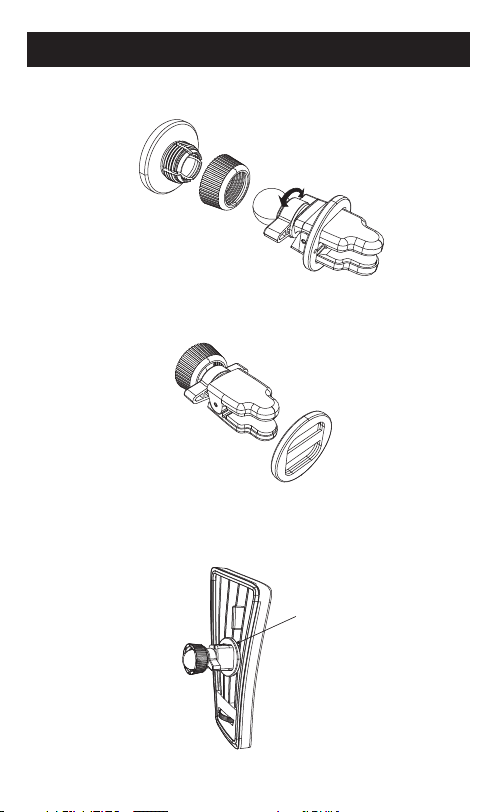
INSTALLATION
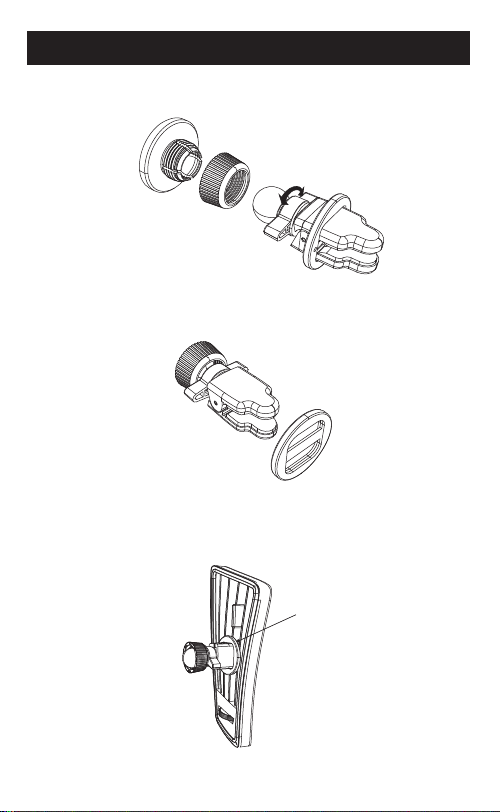
1 - Unfasten clip suiciently by rotating the lever.
2 - Insert fixing plate to the edge of the clip.
3 - Insert clip into the vent so the fixing plate sits on 3 grills to
prevent shaking while driving.
No Gap here
04
CAUTION
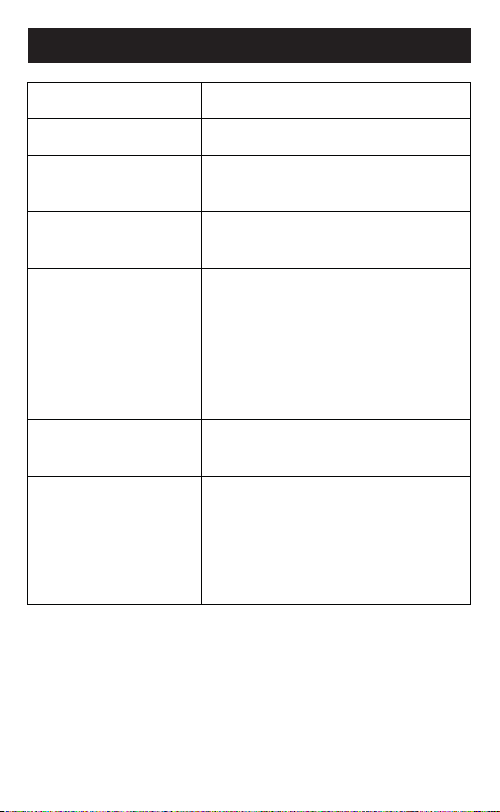
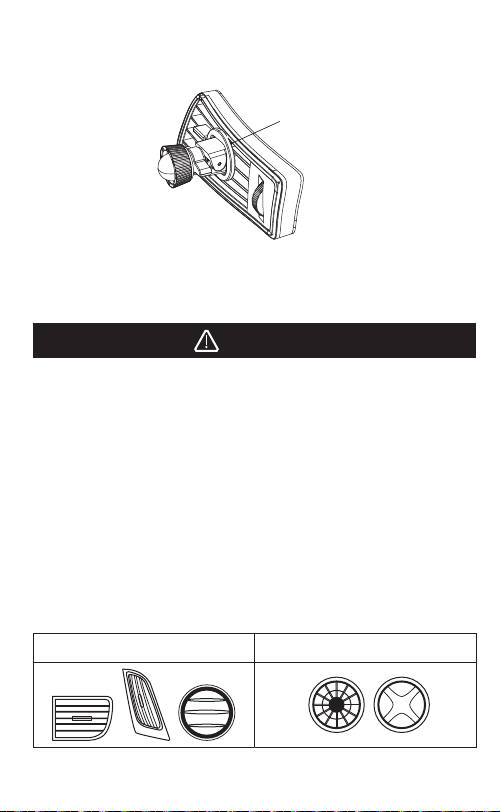
COMPATIBLE NOT COMPATIBLE
1 - The magnet used in this product will have no negative
impact on the phone. In case of any applications not
working correctly, please restart application and slightly
adjust position of where phone is mounted.
2 - Never mount phone onto holder with magnetic credit card
in the phone case.
3 - Be careful not to have the magnet be in reach of medical
devices.
4 - Periodically check the tightness of the vent clip to prevent
unexpected dropping of phone.
5 - Make sure to check your vent grill type before making
purchase according to diagrams below.
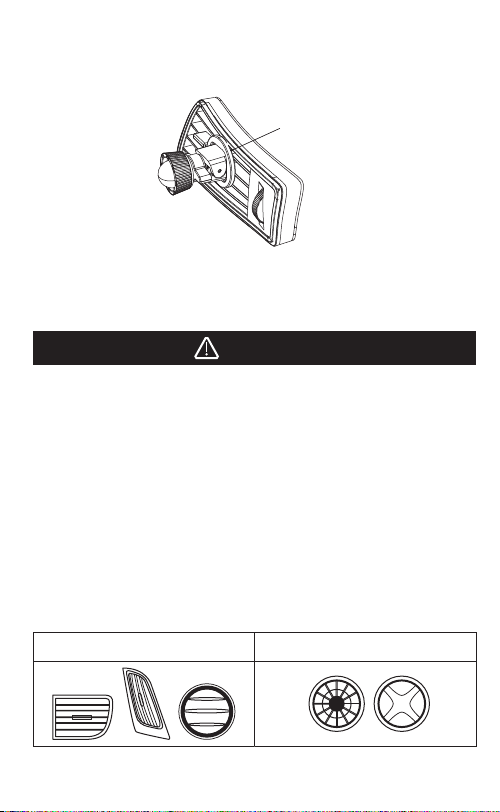
4 - Fasten lever whilst pushing clip deeper so as to avoid the
presence of any gap between fixing plate and vent grills
as per the diagram.
5 - Ensure that the vent clip is fixed firmly and correctly.
6 - In case the fixing plate is not required, open clip widely
and pull it out.
No Gap here
05
WARRANTY CARD
Copyright 2018, Car Parts Design Trading Co. Ltd.
www.carpadesign.net/kodak
Car Parts Design Trading Co., Ltd.
21st Floor Tai Yau Building 181
Johnston Road Wanchai, Hong Kong
The Kodak trademark, logo and trade dress are used under license from Kodak.
The supplier guarantees Carpa Design
Other warranty
restrictions that are
not covered by it.
Information
SERVICES DESCRIPTION
Warranty period 24 months within the EU.
12 months outside the EU.
Location
Based Restrictions
The warranty only applies to the country
where the sale takes place.
Conditions The receipt must be attached to the
warranty claim.
The warranty of the products will be
communicated with the corresponding
warranty card in the box along with the
warranty conditions that can be downloaded
as a PDF file from the warranty technical
service website.
- Abnormal use of the product.
- Accidental damage.
- Aesthetic defects.
- Extreme weather conditions.
- The use of non-compatible and/or
non-original accessories.
- User data loss.
GB
FR
ES
IT
PT
KODAK Support pour téléphone
PH209
Guide de
démarrage
rapide
07
ATTENTION
Si la coque du téléphone est trop épaisse, il est également
possible de placer la plaque magnétique sur l’extérieur de la
coque avec le ruban double face fourni.
MODE D’EMPLOI
1 – Placez la plaque magnétique dans la coque du téléphone
et contrôlez la force de l’aimant avant de coller le ruban
double face.
2 – Décollez la feuille de protection du ruban double face et
collez la plaque sur la coque du téléphone.
Plaque
antidérapante
Plaque magnétique
Aimant
08
INSTALLATION
1 – Desserrez suisamment l’attache en tournant le levier.
2 – Insérez la plaque de fixation sur le bord de l’attache.
3 –Insérez l’attache dans la grille d’aération, de façon à ce que
la plaque de fixation repose sur 3rangées pour éviter toute
secousse pendant la conduite.
Aucun écart ici
09
ATTENTION
COMPATIBLE INCOMPATIBLE
1 – L’aimant utilisé dans ce produit n’aura pas d’eet négatif
sur le téléphone. Si une application ne fonctionne pas
correctement, essayez de la redémarrer et d’ajuster
légèrement la position du téléphone.
2 – N’installez jamais le téléphone sur son support si une carte
de crédit magnétique est rangée dans sa coque.
3 –Attention à ne pas laisser l’aimant à portée des appareils
médicaux.
4 –Contrôlez régulièrement que l’attache pour grille d’aération
est bien fixée, afin d’éviter toute chute accidentelle de
votre téléphone.
5 –Vérifiez la compatibilité de votre type de grille d’aération avant
d’acheter ce produit, à l’aide des diagrammes ci-dessous.
4 –Actionnez le levier tout en poussant sur l’attache pour éviter
tout écart entre la plaque de fixation et les grilles d’aération,
conformément au diagramme.
5 –Vérifiez que l’attache d’aération est fixée fermement et
correctement.
6 –Si la plaque de fixation n’est pas nécessaire, ouvrez en grand
l’attache et retirez-la.
Aucun écart ici
10
CARTE DE GARANTIE
Garantie du fournisseur Carpa Design
Autres restrictions
de la garantie
non couvertes.
Information
SERVICES DESCRIPTION
Période de garantie 24 mois au sein de l’UE.
12 mois hors UE.
La garantie ne s’applique que
dans le pays où a eu lieu la vente.
Conditions La preuve d’achat doit être jointe à la
réclamation de garantie.
Copyright 2018, Car Parts Design Trading Co. Ltd.
www.carpadesign.net/kodak
Car Parts Design Trading Co., Ltd.
21st Floor Tai Yau Building 181
Johnston Road Wanchai, Hong Kong
La marque de commerce Kodak, son logo et sa présentation sont
utilisés sous licence de Kodak.
Restrictions relatives à
l’emplacement
géographique
- Utilisation anormale du produit.
- Dommages accidentels.
- Défauts esthétiques.
- Conditions météorologiques extrêmes.
- Utilisation d’accessoires non-compatibles
et/ou non d’origine.
- Perte de données de l’utilisateur.
La garantie des produits sera présentée
sur la carte de garantie correspondante
présente dans l’emballage ; les
conditions de garantie peuvent
également être téléchargées sous forme
de fichier PDF sur le site Internet du
service technique.
Table of contents
Languages:
Other Kodak Telephone Accessories manuals