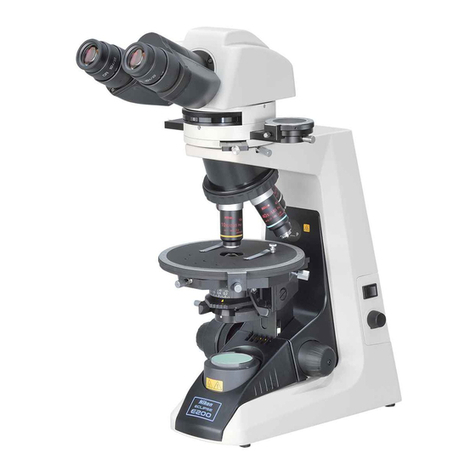
KERN OZL-45R User manual

OZL-45R-BA-e-1510
KERN & Sohn GmbH
Tel: +49-[0]7433- 9933-0
Fax: +49-[0]7433-9933-149
Internet: www.kern-sohn.com
User instructions
Stereo zoom microscope
KERN OZL-45R
OZL 456
Version 1.0
01/2015


OZL-45R-BA-e-1510 2
GB
KERN OZL-45R
Version 1.0 01/2015
User instructions
Stereo zoom microscope
Table of contents
1Before use....................................................................................3
1.1 General notes............................................................................................................................ 3
1.2 Notes on the electrical system................................................................................................ 3
1.3 Storage ...................................................................................................................................... 4
1.4 Maintenance and cleaning....................................................................................................... 5
2Nomenclature...............................................................................6
3Basic data.....................................................................................7
4Assembly......................................................................................8
5Operation and functionality.......................................................10
5.1 Getting started........................................................................................................................ 10
5.2 Adjusting the interpupillary distance................................................................................... 10
5.3 Adjusting the magnification.................................................................................................. 10
5.4 Dioptre adjustment and focussing ....................................................................................... 11
5.5 Adjusting the stand................................................................................................................ 12
5.6 Using eye cups / High Eye Point eyepieces ........................................................................ 13
5.7 Lighting control ...................................................................................................................... 14
5.8 Using external illumination units.......................................................................................... 15
5.9 Changing the bulb.................................................................................................................. 15
6Optical data ................................................................................16
7Features......................................................................................16
8Trouble shooting........................................................................17
9Service........................................................................................18
10 Disposal......................................................................................18
11 Further information....................................................................18

3 OZL-45R-BA-e-1510
1 Before use
1.1 General notes
You must open the packaging carefully, to make sure that none of the accessories in
the packaging fall on the floor and get broken.
In general, microscopes should always be handled carefully because they are
sensitive precision instruments. When using or transporting the microscope it is
particularly important to avoid abrupt movements, as this may damage the optical
components.
You should also avoid getting dirt or finger prints on the lens surface, because in
most cases this will reduce image clarity.
To maintain the performance of the microscope, it must never be disassembled. So
components such as lenses and other optical elements should be left as they were
before use. Also the electrical parts in the base of the device must not be tampered
with, as in this area there is an additional risk of triggering an electric shock.
1.2 Notes on the electrical system
Before connecting to a mains power supply, you must make sure that you are using
the correct input voltage. The information to select the correct power supply is
located on the device, on the rear of the stand base. You must comply with this
information. If you do not comply with these specifications, then fires or other
damage to the device could occur.
The main switch must also be switched off before the mains cable is connected. In
this way you will avoid triggering an electric shock.
If you are using an extension cable, then the mains cable you use must be earthed.
When carrying out any procedures whereby you come into contact with the electrical
system of the device, such as, for example, changing the bulb, only carry out these
procedures when the power is disconnected.

OZL-45R-BA-e-1510 4
1.3 Storage
You should ensure that the device is not exposed to direct sunlight, temperatures
which are too high or too low, vibrations, dust or a high level of humidity.
The ideal temperature range is between 0 and 40°C and a relative humidity of 85%
should not be exceeded.
The device should always be located on a rigid, smooth, horizontal surface.
When the microscope is not being used, you should fit the objective cap and cover
the microscope with the enclosed dust protective cover.
If the eyepieces are being stored separately, the protective caps must be fitted to the
tube connectors. In most cases, if dust and dirt gets inside the optical unit of a
microscope this can cause irreversible errors or damage.
The best way to store accessories which consist of optical elements, such as, for
example, eyepieces and objectives, is in a dry box with desiccant.

5 OZL-45R-BA-e-1510
1.4 Maintenance and cleaning
In any event, the device must be kept clean and dusted regularly.
If any moisture should be occur, before you wipe down the device you must ensure
that the mains power is switched off.
When glass components become dirty, the best way to clean them is to wipe them
gently with a lint-free cloth.
To wipe oil stains or finger prints off the lens surface, moisten the lint free cloth with a
mixture of ether and alcohol (70 / 30 ratio) and use this to clean the lens.
You must be careful when handling ether and alcohol, as these are highly flammable
substances. You must therefore keep it away from naked flames and electrical
devices which can be switched on and off, and only use it in well-ventilated rooms.
However organic solutions of this type should not be used to clean other components
of the device. This could lead to damage to the paint finish. To do this, it is sufficient
to use a neutral cleaning product.
You could also use the following cleaning products to clean the optical components:
Special cleaner for optical lenses
Special optical cleaning cloths
Bellows
Brush
When handled correctly and checked regularly, the microscope should give many
years of efficient service.
Should repairs still be necessary, please contact your KERN dealer or our Technical
Department.

OZL-45R-BA-e-1510 6
2 Nomenclature

7 OZL-45R-BA-e-1510
3 Basic data
Optical system
Greenough
Dimmable lighting
Yes (LED ring lighting only)
Magnification ratio
6.7:1
Tube
angled at 45°
Interpupillary distance
55 –75 mm
Dioptre adjustment
On both sides
Packaging dimensions WxDxH
345x320x470 mm
Standard configuration
Model
KERN
Tube
Eyepiece
Field of view
mm
Objective
Zoom
Stand
Illumination
OZL 456
Binocular
HSWF 10x Ø 23 mm
Ø 33 –5
0.75x –5.0x
mechanical
1W LED (reflected light)
0.21W LED (transmitted light)

OZL-45R-BA-e-1510 8
4 Assembly
The first step is to position the microscope stand on a firm, level surface.
The holder is firmly attached to the pillar of the stand. You can then fit the
microscope head to the holder, by passing the objective through the holder ring until
the rest of the head is above the ring.
Please see section 5.5 for more details on adjusting the stand.
The head must then be fixed in a suitable position, using the small screw on the right
of the holder ring.
Ideally it is then parallel on the central axis of the stand base (see figure on page 9).
Now you can remove the protective caps from the tube connectors so that you
can then fit the eyepieces. When doing this, please be particularly careful that you
do not touch the optical lenses with your fingers and that no dust enters the
apertures.
You should also never fit two eyepieces with different magnifications.
With regard to the use of transmitted light illumination you must make sure that
the frosted glass stand inlay is fitted in the centre of the stand base, so that the
transmitted light can be used correctly.
It is always best to fix the different stand inlays using the adjusting screw on the
front side of the stand base.
When using reflected light please make sure that the connection cable between the
holder and the objective is plugged in.
Additional optional attachments:
The eye cups supplied with the microscopes can be fitted to the eyepieces.
(see section 5.6)

9 OZL-45R-BA-e-1510
Assembled stereo zoom microscope
Table of contents
Other KERN Microscope manuals