
John Bunn DigiO2 User manual
Operation Manual
Important: Do not operate the John Bunn DigiO
2
Finger
Pulse Oximeter without rst reading and understanding
this manual! Save this manual for future use.
JB02007-INS-LAB-RevA07

2 John Bunn DigiO2Finger Pulse Oximeter
GF, Graham-Field, and John Bunn are registered trademarks of GF Health Products, Inc.
Packaging, warranties, products, and specications are subject to change without notice.
GF Health Products, Inc. is not responsible for typographical errors.
CONTENTS
INTRODUCTION..................................................................................................................................3
IMPORTANT SAFETY GUIDELINES - PLEASE READ BEFORE USE...............................................3
INTENDED USE.....................................................................................................................................6
CONTRAINDICATIONS.........................................................................................................................6
DECLARATION OF CONFORMITY: .....................................................................................................6
OVERVIEW ..........................................................................................................................................7
APPEARANCE ......................................................................................................................................7
FEATURES ............................................................................................................................................8
NAME AND MODEL ..............................................................................................................................8
BATTERY INSTALLATION ..................................................................................................................8
OPERATION INSTRUCTIONS ............................................................................................................9
ACCESSORIES (INCLUDED) ...........................................................................................................12
REPAIR AND MAINTENANCE..........................................................................................................12
MAINTENANCE...................................................................................................................................12
CLEANING AND DISINFECTION........................................................................................................13
TROUBLESHOOTING.......................................................................................................................14
SYMBOL KEY....................................................................................................................................15
TECHNICAL SPECIFICATIONS........................................................................................................16
LIMITED WARRANTY .......................................................................................................................17

John Bunn DigiO2Finger Pulse Oximeter 3
INTRODUCTION
Dear User: Please read and understand all instructions before using the John Bunn
DigiO2Finger Pulse Oximeter, JB02007.
Important Safety Guidelines - Please Read Before Use
The safety statements presented in this chapter refer to the basic safety information
that the operator of the John Bunn DigiO2Finger Pulse Oximeter shall pay attention
to and abide by. There are additional safety statements in other chapters or sections,
which may be the same as or similar to the following, or specic to the operations.
WARNING: Indicates a potential hazard situation or unsafe practice that, if not
avoided, could result in death or serious injury.
sCaution: Indicates a potential hazard or unsafe practice that, if not avoided, could
result in minor personal injury or product/property damage.
Note: Provides application recommendations or other useful information to ensure that
you get the most from your product.
WARNINGS:
Important! Read and understand this manual before using the oximeter. Do not use this
device without proper instruction from a Healthcare Professional. If the oximeter is not
properly operated, personal injury and/or damage to the oximeter could result.
If components are damaged or missing, contact your dealer immediately. DO NOT use
substitute parts.

4 John Bunn DigiO2Finger Pulse Oximeter
WARNINGS continued
Inspect the device before use to ensure that there is no visible damage that may affect
patient or user’s safety or measurement performance. Thereafter, inspect the device at
least once a week.
GF Health Products, Inc. assumes no responsibility for any damage or injury caused by
improper installation or use of this product.
DO NOT open the oximeter housing. It contains no serviceable parts. Service must be
performed by trained, authorized personnel only. Otherwise, device failure and health
hazard may occur.
EXPLOSION HAZARD: Do not use the oximeter in the presence of ammable anesthet-
ics, explosive substances, vapors or liquids.
The oximeter is designed for real-time and rapid measurement. It is not suitable for
long-time continuous patient monitoring. DO NOT apply the sensor to the same nger
for more than two hours. If any readings are found to be abnormal, please change the
position of the sensor.
The oximeter is intended only as an adjunct in patient assessment. It must be used in
conjunction with clinical signs and symptoms. It is intended as a measuring, not a treat-
ment, device.

John Bunn DigiO2Finger Pulse Oximeter 5
WARNINGS continued
Magnetic and electrical elds are capable of interfering with the proper performance of
the oximeter. For this reason, ensure that all external devices operated in the vicinity of
the oximeter comply with the relevant EMC requirements. Mobile phones, X-ray equip-
ment, and/or MRI devices are a possible source of interference, as they may emit high
levels of electromagnetic radiation.
DO NOT clip this device on edema or tender tissue.
The infrared light emitted from the device (it is invisible) is harmful to the eyes. DO NOT
stare into the light.
Keep this device out of the reach of children.
sCautions
To ensure patient safety, use only parts and accessories specified in this manual.
Keep the oximeter away from dust, vibration, corrosive substances, explosive mate-
rials, high temperature and moisture.
If the oximeter gets wet, stop operation immediately and do not resume operation
until it is dry. When it is carried from a cold environment to a warm and/or humid
environment, allow it to warm to room temperature before using it.
DO NOT use sharp objects to press the front panel button.
DO NOT immerse the oximeter in liquid.

6 John Bunn DigiO2Finger Pulse Oximeter
sCautions continued
DO NOT subject the oximeter to high temperature or high pressure steam disinfec-
tion. Refer to the REPAIR AND MAINTENANCE/Cleaning and Disinfection section of
this manual for instructions for cleaning and disinfection.
Intended use
The John Bunn DigiO2Finger Pulse Oximeter, which combines a sensor and monitor
into one device, is used to measure pulse oxygen saturation (SpO2 ) value, pulse rate
value, and blood perfusion index (PI) or pulse strength in home or clinical settings. It is
designed for adult and pediatric patients, and ts ngers of thickness .39" - .87" (10mm
- 22mm).
Contraindications
WARNING: DO NOT use the oximeter while the patient is undergoing MRI or CT scan-
ning.
Declaration of Conformity:
This device complies
with the following
standards:
IEC 60601-1
ISO 9919
ISO 21647
and follows the provisions of the council directive MDD93/42/
EEC
John Bunn DigiO2Finger Pulse Oximeter 7
OVERVIEW
Appearance
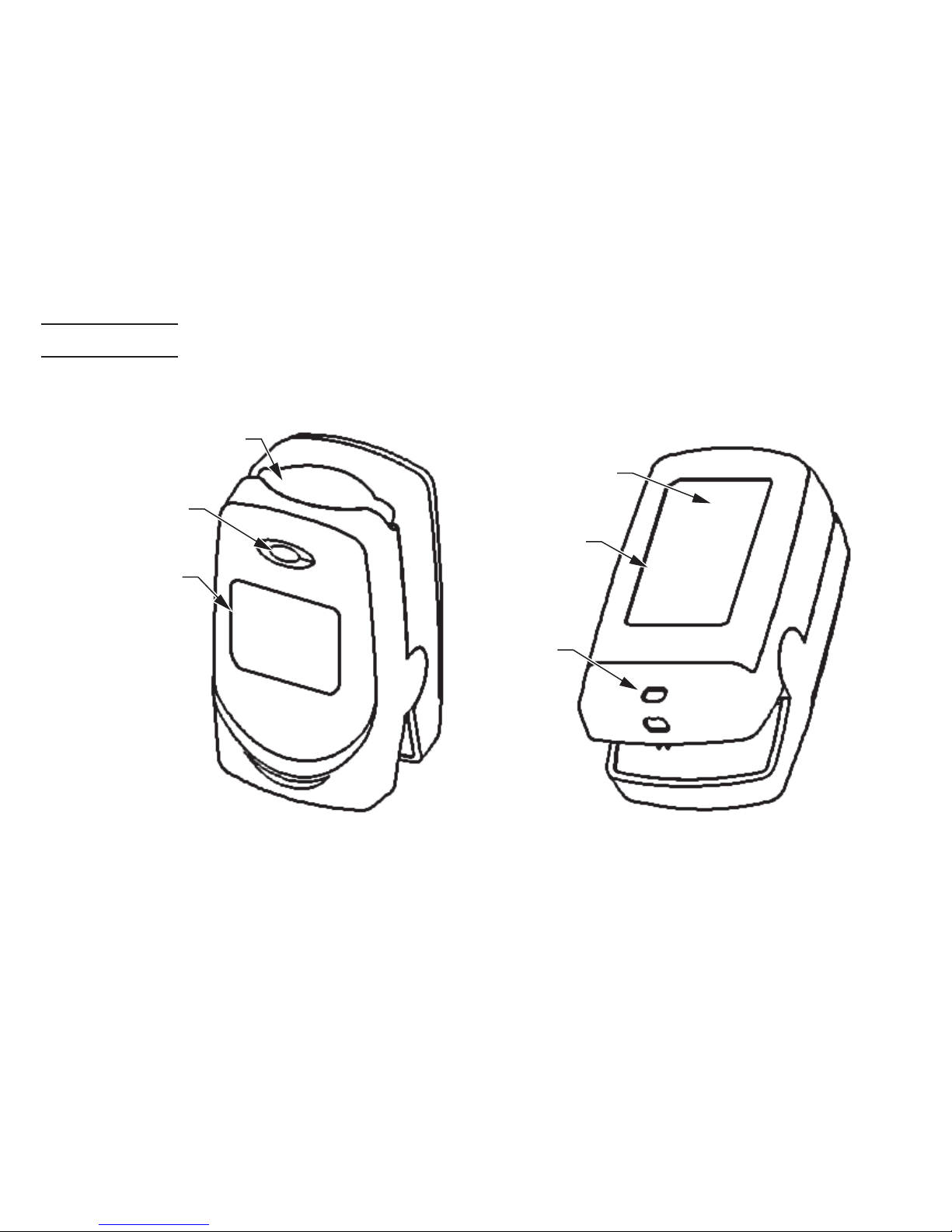
display
key
nameplate
battery
cover
lanyard
hole
display
screen
rubber
cushion
Figure 1
front view Figure 2
rear view
8 John Bunn DigiO2Finger Pulse Oximeter
Features
The John Bunn DigiO2Finger Pulse Oximeter provides a simple way to spot-check
patients by combining the sensor and monitor into one integrated, compact, easy to
use device with single-button operation. The oximeter can accurately measure pulse
oxygen saturation (SpO2 ) value, pulse rate value, and blood perfusion index (PI) or
pulse strength. When a nger is inserted into the sensor's rubber cushion, the SpO2
value and pulse rate value automatically display on the screen. The oximeter features
a bright-color LED screen with multi-directional displays that enable the user to read
results from any angle. The oximeter features both audible and visible alarms and a low
voltage indicator. The oximeter powers off automatically in eight seconds when not in
use. The oximeter provides approximately 2,000 spot checks with the use of alkaline
batteries.
Name and Model
Name: John Bunn DigiO2Finger Pulse Oximeter
Model: JB02007
BATTERY INSTALLATION
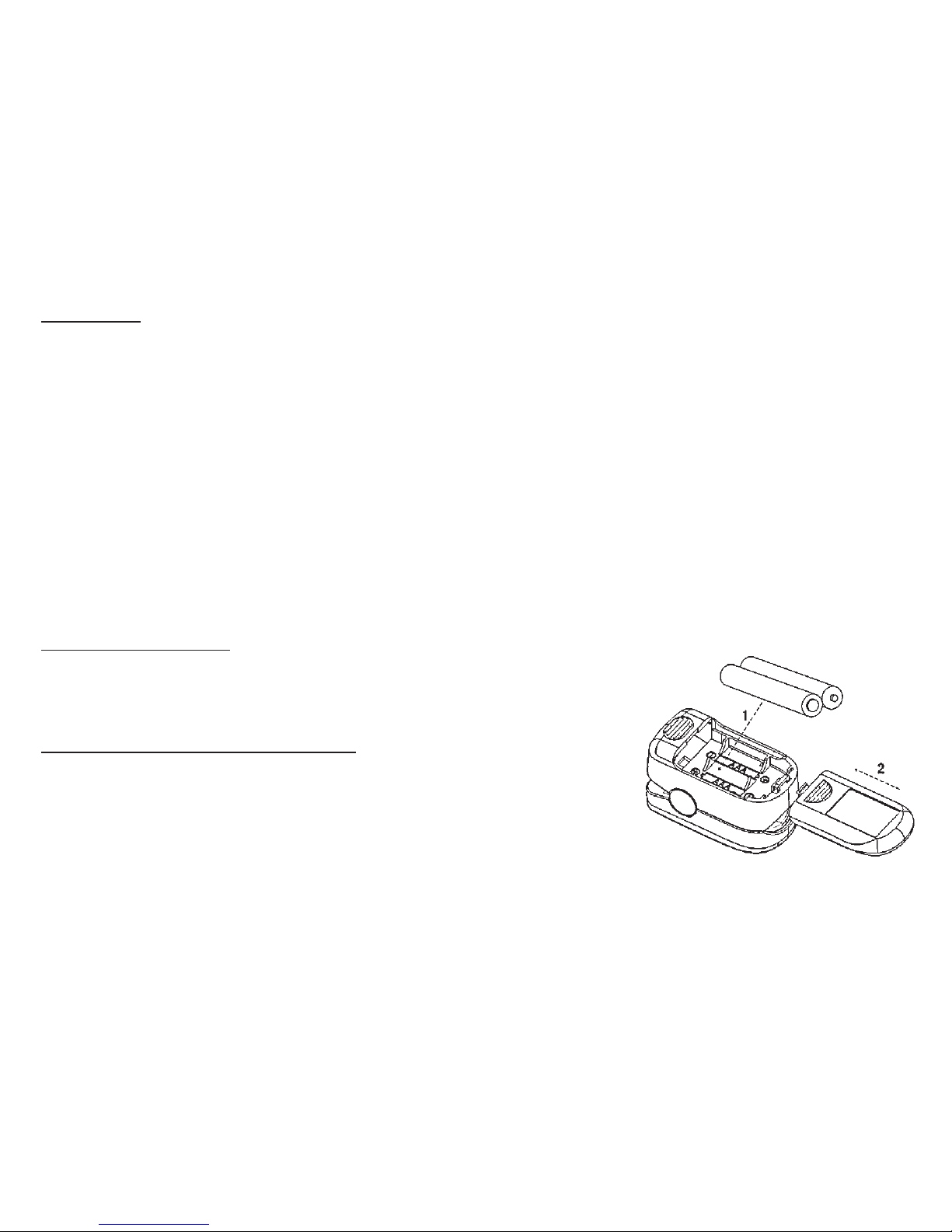
1. Refer to Figure 3; insert two AAA batteries, oriented
as shown, into the battery compartment.
2. Replace the cover.
Note: Ensure that the batteries are correctly installed. In-
correct installation will prevent the device from operating.
Figure 3
battery installation
John Bunn DigiO2Finger Pulse Oximeter 9
OPERATION INSTRUCTIONS
Notes:
Ensure that the finger is dry before being inserted into the oximeter.
Do not shake the finger; keep finger motionless during oximeter use.
Avoid placing the device on a limb which is wrapped with a cuff for blood pressure mea-
surement or undergoing venous infusion.
Ensure that no obstruction (contamination, scar tissue, fingernail polish, acrylic fingernail,
etc.) exists at the site where the sensor is placed; such obstruction could affect the signal
received by the sensor and result in an incorrect measurement.
Vigorous exercise and electrosurgical device interference may affect the measuring ac-
curacy.
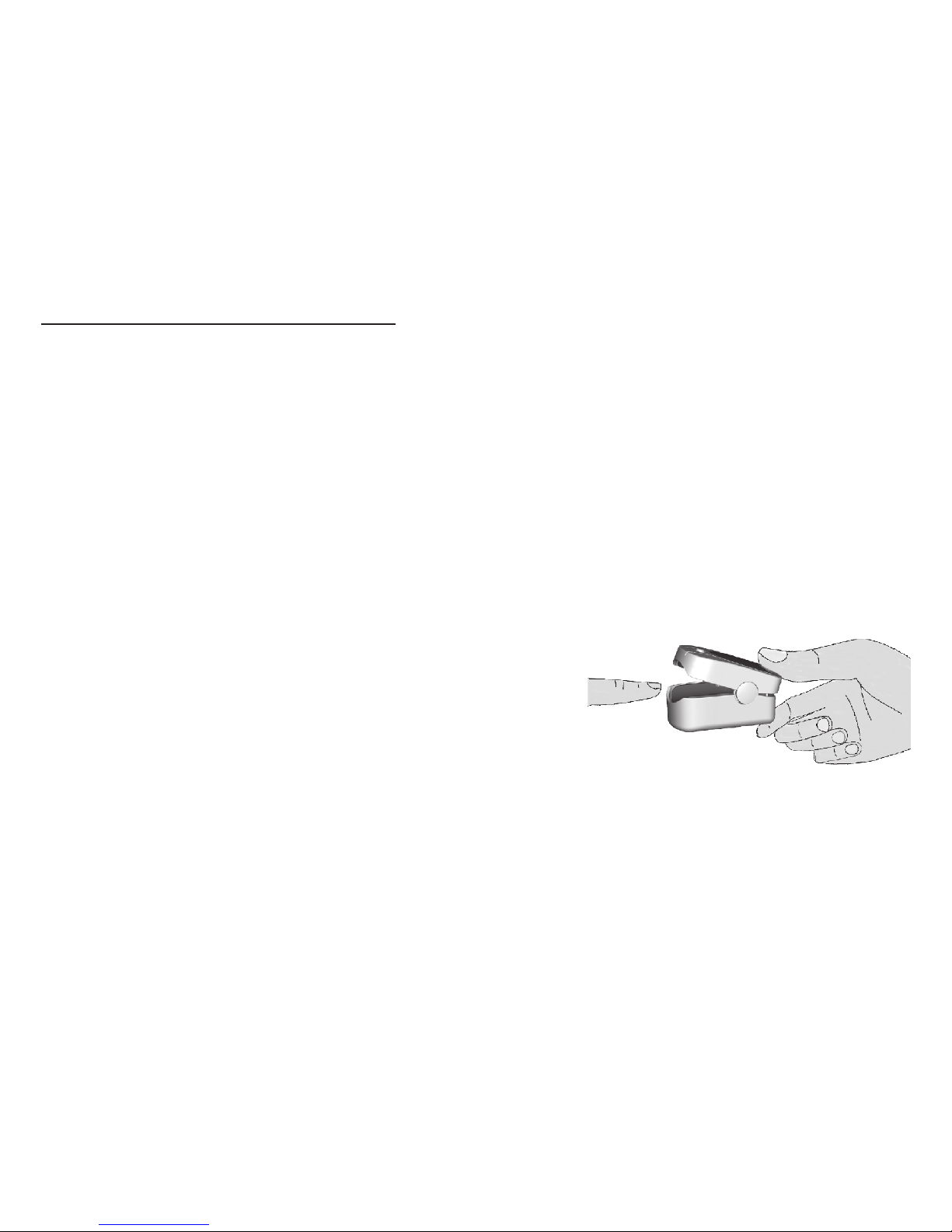
1. Open the clip as shown in Figure 4.
2. Insert nger into the clip's rubber cushion (en-
sure that the nger is correctly positioned), and
then gently clip the nger.
3. The device will power on automatically in two
seconds, and start to display the software ver-
sion number.
Figure 4
operation
10 John Bunn DigiO2Finger Pulse Oximeter
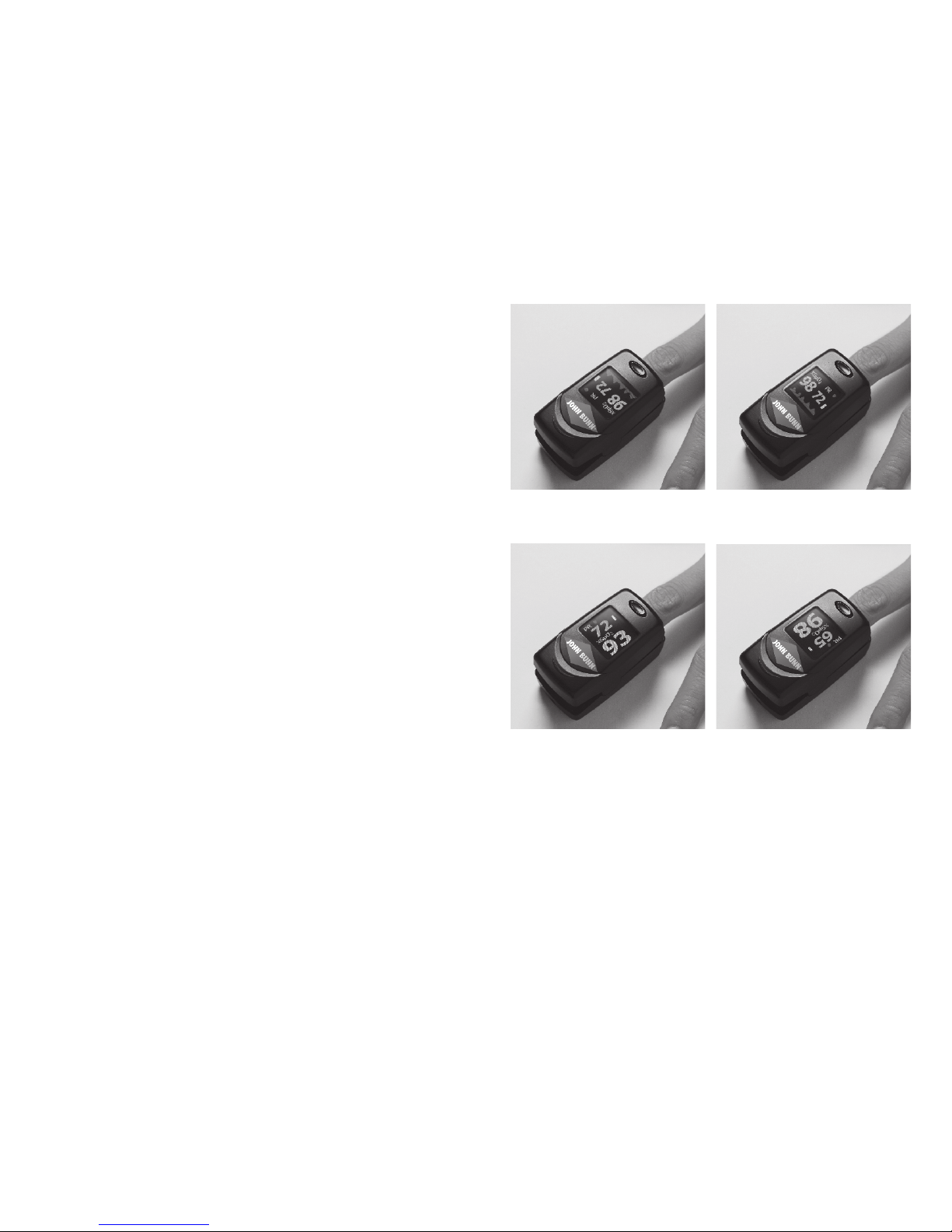
4. The screen will then display the data as
shown in Figure 5. After the waveform
and value become stable, the user can
read the information on the display
screen.
5. When the screen displays as shown in
Figure 5, press the Display Key to change
the display screen's orientation:
a. Press the Display Key once; the
display screen will rotate 180° and
display as shown in Figure 6.
b. Press the Display Key twice; the
screen will now display as shown in
Figure 7.
c. Press the Display Key three times;
the display screen will rotate 180°
and display as shown in Figure 8.
d. Press the Display Key four times; the display screen will return to the original
screen as shown in Figure 5.
Figure 5
Figure 6
Figure 7
Figure 8
Other manuals for DigiO2
1
Table of contents
Languages:
Other John Bunn Medical Equipment manuals









