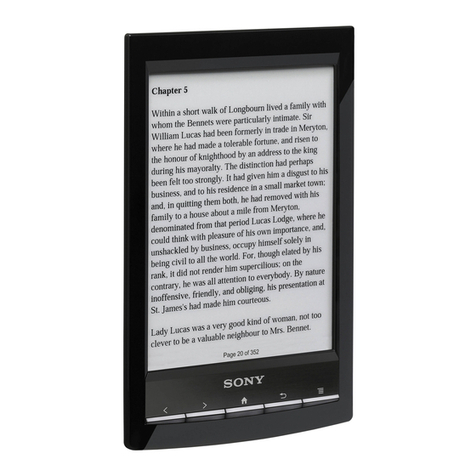
Jinke Hanlin eReader V5 User manual

Hanlin eReader V5
Version 7

Content
Safety Notice .............................................................. 1
Structure...................................................................... 4
Operation.................................................................... 6
Installing Battery...................................................... 6
Charge....................................................................... 6
Installing SD card..................................................... 8
Switch On/Off .......................................................... 9
Switch on................................................................ 9
Switch off ............................................................. 10
Keyboard Lock........................................................11
Search ......................................................................11
Searching by page up/down button.......................11
Search by sorting.................................................. 13
Search by category ............................................... 14
Recently Reading ................................................. 15
Shift Bookshelves................................................. 16
Reading eBooks...................................................... 17
Page Turning......................................................... 17
Page turning by sequence................................. 17
First/Last Page.................................................. 18
Page Jump ........................................................ 19
See Catalog........................................................... 20
Zoom In/Out......................................................... 22

Rotate (only for PDF & ePub formats) ................ 24
Search (only for PDF & ePub formats)................ 25
PDF File Reading Mode Shift (Not all the versions
can support this function)..................................... 28
Information of Book............................................. 29
How to read hyperlink (only for PDF & ePub
formats) ................................................................ 30
Bookmark............................................................. 31
Bookmark for PDF & ePub formats ................ 31
Bookmark for other formats............................. 33
Adjust the contrast and brightness of pictures ..... 35
Audio...................................................................... 37
Settings................................................................... 38
Key Sound............................................................ 39
Language Setting.................................................. 40
Replace Font......................................................... 41
About.................................................................... 42
Time & Date......................................................... 43
USB Connection..................................................... 44
Exception................................................................ 45
Specifications............................................................ 46
After-sales Service Guide......................................... 47

Safety Notice
Safety Notice
For safely and efficiently use the product, please
strictly abide by the rules, otherwise the danger
will happen.
Do not put the
p
roduct under the direct ray of sunlight,
and use or put it in the extra high and low temperature
environment. If you do these otherwise, that will
cause the distortion of the product and damage of the
electronic component and battery.
Do not put or use it in humidity environment. Do not
let liquid immerge into the product, affected with
water and damp will cause the malfunction of
operation of the internal circuit.
Put the product on a stable place, violently shake or
fall off will cause the damage of the product and its
electronic component.
Do not heavily press the display or put heavy on the
display, prevent the display from breaking or hurting
people.

Safety Notice
Do not put the product in the dust, dirty place and the
place full of erodent air.
Do not use chemical solvent to clean the surface of
the product. Please use the soft cloth to wipe up the
dust from the surface of the screen or the cover. You
can use a little distilled water to erase the dirty on the
screen or the cover.
Do not privately disassemble the product. Only the
qualified maintenance man of our company or
authorized maintenance center can assemble the
product.
Please pay attention to put the product or its fittings
on the place, which the children cannot reach.
Do not put the product near the magnetic field;
prevent it from disturbing of the magnetic field.
Please use the authorized fittings, do not use
unmatched components.

Safety Notice
Battery:
* Do not use the rechargeable battery with damaged
surface.
* If battery leaks liquid, please clean the product
and put the new battery. If the liquid drops on
your body, please carefully clean it.
* Please properly dispose the old and waste
batteries.
This product is CE approved.

Structure
Structure
Menu
Indicator
Screen
N
umber key
1~5/Bookmark
Go to Catalog / 7
Zoom/ 8
Exit
Bookmark/6
Previous Page/9
N
ext Page/0
N
ext Page
Previous Page

Structure
Back View
Reset
Rechargeable
Battery
Thumbwheel
Side View
SD Slot Power On/Off
Top View
USB Port
Earphone Jack
Bottom View

Operation
Operation
Installing Battery
Open the battery cover on the back of the device.
Charge
While installing the
battery in the battery
slot, the battery should
be put flatwise, the side
with wire of the battery
should be to the left.
While inserting the
battery pin into the
battery socket, the
metal point of battery
pin should be upward.
* The Power supply of this product is by rechargeable
battery.
* It can be charged by USB cable①. Use one port of

Operation
the USB cable to connect the PC, the other port
connects the device. It takes approximately four hours
to charge the battery. The orange light will flash while
the battery is charging and green light will shine
steady when the battery is fully charged.
* It can be also charged by power adapter.②Connect
the device with the power adapter, and plug the power
adapter in the socket (please see the voltage scope on
the adapter). It takes approximately four hours to
charge the battery. The orange light will flash while
the battery is charging and green light will shine
steady when the battery is fully charged.
* Do not remove the battery while charging.
* Battery volume icon is on the bottom right corner,
when the icon shows one grid volume or system
informs low battery volume, please charge the battery.
* The device can be used while charging, but the
charging time will be increased.
Full Lack
* If the power of the battery is extremely low, while
the battery is charged, the indicator maybe in red.
When the indicator is in red, the device can not be
switched on. After the battery is fully charged, the
Table of contents
Other Jinke Ebook Reader manuals