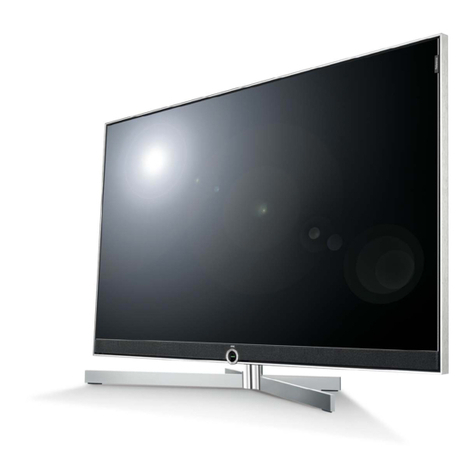
Jaton X-Media5.1DreamBox User manual

X-Media DreamBox
X-Media 5.1 DreamBox
View High Resolution TV/Video on PC monitor
Package Included:
þ X-Media DreamBox
þ Infra Remote Control
þ 2 x ‘AAA’ size Batteries
þ 5’ VGA Extended Cable
þ 5’ Audio Extended Cable
þ AC / DC-12V Power Adapter

Thank you for purchasing the X-media DreamBox / X-Media5.1
DreamBox (Model 5.1)!
With this X-media DreamBox or Model 5.1, you can turn your RGB
monitor or LCD display panel into a TV with or without even having
to turn on your computer. Just plug it into your monitor or LCD
display and you’re ready to watch TV, DVD, RCA programs, or
play video games. X-media DreamBox, or Model 5.1 is completely
plug-n-play. This is no software driver required.
CAUTION
You are cautioned that any changes or modifications not
expressly approved in this manual could void your authority to
operate this equipment.
If not installed and used in accordance with the instructions, this
equipment may causes corrupt interference to radio
communications. However, there is no guarantee that interference
will not occur in a particular installation. If this equipment does
cause equivocal interference to radio or telephone reception, which
can be determined by turning the equipment off and on, the user is
encouraged to try to correct the interference by one or more of the
following measures:
− Reorient or relocate the TV antenna if there is any.
− Increase the separation between the equipment and
Telephone reception.
− Connect the equipment into an outlet on a circuit different from
that to which the radio receiver is connected.
− Consult the dealer or an experienced radio/Telephone
technician for help.
About operating voltage
Operate the unit with the appropriated on the outer packaging and
where AC Adapter (Class II Transformer) connect with the AC

About installation
Do not place the unit near heat sources, rain, moisture or
mechanical shock, and ensure that there is nothing to interfere
with proper ventilation/airflow.
IMPORTANT SAFETY INSTRUCTION
1. Read these instructions.
2. Keep these instructions.
3. Heed all warnings.
4. Follow all instructions.
5. Do not use this apparatus near water.
6. Clean only with a damp cloth.
7. Do not block any of the ventilation openings. Install in
accordance with the manufacturer’s instructions.
8. Do not install near any heat sources such as radiators, heat
registers, stoves, or other apparatus (including amplifiers) that
produce heat.
9. Protect the power cord from being walked on or pinched
particularly at plug, convenience receptacles, and the point
where they exit from the apparatus.
10. Only use attachments/accessories specified by the
manufacturer.
11. Refer all servicing to qualified service personnel. Servicing is
required when the apparatus has been damaged in any way,
such as power-supply cord or plug is damaged, liquid has
been spilled or objects have fallen into the apparatus, the
apparatus has been exposed to rain or moisture, does not
operate normally, or has been dropped.
WARNING: To reduce the risk of fire or electric shock, do not
expose this apparatus to rain or moisture.

WELCOME!.........................................................................................................2
CAUTION...........................................................................................................2
ABOUT OPERATING VOLTAGE .......................................................................2
ABOUT INSTALLATION...................................................................................3
IMPORTANT SAFETY INSTRUCTION.....................................................3
FEATURES:......................................................................................................6
SPECIFICATION.............................................................................................7
BOX UNIT [F]...................................................................................................8
BOX UNIT [R]..................................................................................................9
BASIC CONNECTION.................................................................................11
OPTIONAL CONNECTION........................................................................12
REMOTE CONTROL...................................................................................17
OSD MENU.....................................................................................................18
VIDEO 1.............................................................................................................18
VIDEO 2.............................................................................................................18
AUDIO...............................................................................................................20
CLOCK...............................................................................................................21
SETUP ...............................................................................................................22
SVGA.................................................................................................................23
TV......................................................................................................................24
PANEL CONTROL.......................................................................................25
TROUBLESHOOTING.................................................................................25

LIMITED NINETY (90) DAY WARRANTY....................................................32
LIMITED ONE (1) YEAR WARRANTY...........................................................32
RENTAL UNITS................................................................................................33
COMMERCIAL UNITS......................................................................................33
REGISTER PRODUCT .......................................................................................33
YOUR RESPONSIBILITY..................................................................................33
IMPORTANT: PACKING AND SHIPPING INSTRUCTION................35

• Watch TV or Video without Turning on your computer
• Compatible with all VGA, LCD, and Mac monitors
• Plug-n-Play! No software drivers required
• Play your favorite games with consoles like Nintendo, Sega
, Dreamcastand Play Station 2, X-Box, etc.
• Full screen, or size-selectable windows display on monitor
• Easily switch to TV, Video or PC display
• Full functional infrared Remote Control
• Built-in Touch Button Control Panel
• Auto-scan, to memorized all active TV channels line up in
your area
• Support 125 Channels
• On-Screen Display (OSD) Menu
• Sleep/Alarm/Timer Setup function
• Brightness/Contrast/Hue/Color/Saturation adjustment
• Available interpretation in NTSC or PAL
• Supports 640x480@60Hz, 640x480@72Hz, 800x600@60Hz,
1024x768@60Hz resolution and refresh rate for video output
Imagine turning your regular PC into the best multimedia
entertainment system! X-media DreamBox uses the latest De-
Interlacing method, which delivers superior image and picture quality.
X-media DreamBox not only allows you to watch TV or video, but also
comes with input connectors to hook up with a VCR for playing video
tape. In addition, the AV, S-Video and RCA input allow you to connect
with aNintendo, Sega, Dreamcast or Play Station 2 for the exciting
video games for your computer.

during your most busies working hour. Other unique features
including support up to 1024x768 display resolution, multi-lingual on-
screen display (OSD), sleep timer functions, and more.
Box unit, and Remote Control
Your Package may also contain other printed material with special
offers for direct purchase of related products as well.
Specification
Physical Dimension: Width = 8 ¬”, Height = 2 ¬”, Depth
= 6” (Box only)
TV Program Source: nTV Antenna (75Ω)
nCable TV (Coaxial)
Input Video Source: nVideo Camcorder
nVCR

Input Audio Source: - PC Sound Card
Video Output: VGA out (DB 15)
- Output:
•RGB Monitor
•Analog LCD Monitor
AC Adapter (Model 5.1): AC-120V, 60Hz / DC - 12V 1A
(Class 2 Transformer)
AC Adapter: AC-120V, 60Hz / DC - 12V 1.2A
(Class 2 Transformer)
Audio Output: - Speakers (with Amplifier built-in)
(Not included)
Video Signaling: NTSC / PAL
NTSC (Default setting)
TV Signaling: NTSC (Model # 91007N)
PAL (Model # 91007P)
Note: All dimensions are Inches, otherwise may specified.
Feature and specification are subject to change without notices.
Box Unit [F] Front Side
The touch button panel on the front side of the X-
media DreamBox provides quick access to
commonly used functions.
• Power - Turn the unit on / off

• Volume - Audio level Adjustment
• Channel - TV / CATV channel switch
If your remote control doesn’t function at all, then these buttons on
Box front panel will acting as a keypad for your screen menu, see
the details on chapter <Panel Control> in this document.
Box Unit [R] Rear Side
All ports allow you to connect differential sources
IN/OUT for the TV / Video programs, then turnover
VGA Out to your monitor (s). (describe from left to
right on bottom raw)
• DC Plug - DC power from the AC Adapter.
• Audio In - Audio source from PC sound card (Optional
Connection).
• Audio Out - Audio output to speaker (s).
• VGA In - Port for PC video from your computer
(Optional Connection).
• VGA Out - Port for all videos out to your monitor (s).
• S_Video - An impose type video connector from most

Red for right channel on audio (Optional connection).
• AV1_L - Analog Video Composite Input in colored
White for left channel audio (Optional connection).
• AV1_Video - Analog Video Composite Input in colored
Yellow for video signal (Optional connection).
• TV ANT / CABLE - port for TV Antenna or CABLE TV
(CATV) signal input.
Optional Features on Model 5.1 (describe from left to right
on top raw)
• G9 CS 5.1out - An Audio out from G9Pin connector to
CS 5.1 channel speaker system or decoder.
• Audio Switch - Switching Audio modes between
Cinema and Movie.
• COMPONENT VIDEO - Analog Video Component
input from Component Video equipment such as DVD
player component video-out, Video Conference
controller.
(If you have loss signal on UHF/VHF/FM, you may use
signal amplifier to boost receiving “F” type signal in clear
levels. Signal amplifier is sold separately, and it is
available in most TV/Radio stores.)
DC 12V/1A Audio VGA IN VGA OUT S_Video TV ANT / CABLE
R L Video
AV1
IN OUT
Rear Side Diagram.
This manual suits for next models
1
Table of contents