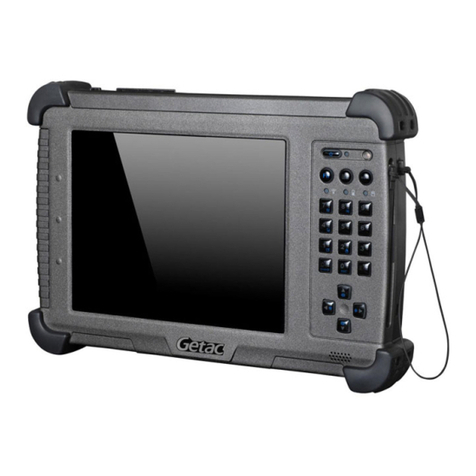
iRUGGY G8 User manual

iRUGGY
G8 Mobile Tablet
UserManual
Version1.0
March2017

G8UserManual 2
ConfidentialandProprietaryInformation
Copyright
Copyright2017
AllRightsReserved
ManualVersion1.0
Theinformationcontainedinthisdocumentissubjecttochangewithoutnotice.
Wemakenowarrantyofanykindwithregardtothismaterial,including,butnotlimitedto,theimplied
warrantiesofmerchantabilityandfitnessforaparticularpurpose.Weshallnotbeliableforerrors
containedhereinorforincidentalorconsequentialdamagesinconnectionwiththefurnishing,
performance,oruseofthismaterial.
Thisdocumentcontainsproprietaryinformationthatisprotectedbycopyright.Allrightsarereserved.
Nopartofthisdocumentmaybephotocopied,reproducedortranslatedtoanotherlanguagewithout
thepriorwrittenconsentofthemanufacturer.
Trademark
Thematerialinthismanualissubjecttochangewithoutnotice.Bluetoothisaregisteredtrademarkof
BluetoothSIG.Microsoft®,andWindows®areeitherregisteredtrademarksortrademarksofMicrosoft
Corporation.
Allotherproductorservicenamesarethepropertyoftheirrespectiveowners.
Safety
RegulatoryInformation
Caution:OnlyuseapprovedandULListedaccessories,batterypacksandbatterychargers.DoNOT
attempttochargedamp/wetmobilecomputersorbatteries.Allcomponentsmustbedrybefore
connectingtoanexternalpowersource.
PowerSupply
Useonlytheapprovedpowersupplyshippedwiththeunit.Useofalternativepowersupplywill
invalidateanyapprovalgiventothisdeviceandmaybedangerous.
WarningforUseofWirelessDevices
Pleaseobserveallwarningnoticeswithregardtotheusageofwirelessdevices.
PotentiallyHazardousAtmospheres
Youareremindedoftheneedtoobserverestrictionsontheuseofradiodevicesinfueldepots,
chemicalplantsetc.andareaswheretheaircontainschemicalsorparticles(suchasgrain,dust,ormetal
powders)andanyotherareawhereyouwouldnormallybeadvisedtoturnoffyourvehicleengine.
SafetyinAircraft
Switchoffyourwirelessdevicewheneveryouareinstructedtodosobyairportorairlinestaff.

G8UserManual 3
ConfidentialandProprietaryInformation
Pacemakers
Pacemakermanufacturersrecommendedthataminimumof15cm(6inches)bemaintainedbetweena
handheldwirelessdeviceandapacemakertoavoidpotentialinterferencewiththepacemaker.These
recommendationsareconsistentwithindependentresearchandrecommendationsbyWireless
TechnologyResearch.
PersonswithPacemakers
PersonswithPacemakersshouldALWAYSkeepthedevicemorethan15cm(6inches)fromtheir
pacemakerwhenturnedONandhencetheyshouldnotcarrythedeviceinabreastpocket.Theyshould
usetheearfurthestfromthepacemakertominimizethepotentialforinterference.Ifyouhaveany
reasontosuspectthatinterferenceistakingplace,turnOFFyourdevice.
HearingAids
Thewirelessdevicemayinterferewithsomehearingaids.Intheeventofinterferenceyoumaywantto
consultyourhearingaidsuppliertodiscusssolutions.
OtherMedicalDevices
Pleaseconsultyourphysicianorthemanufacturerofthemedicaldevice,todetermineiftheoperation
ofyourwirelessproductmayinterferewiththemedicaldevice.
FCC/EU RF Exposure Guidelines
FCCStatement
ThisequipmenthasbeentestedandfoundtocomplywiththelimitsforaClassBdigitaldevice,
pursuanttopart15oftheFCCRules.Theselimitsaredesignedtoprovidereasonableprotectionagainst
harmfulinterferenceinaresidentialinstallation.Thisequipmentgenerates,usesandcanradiateradio
frequencyenergyand,ifnotinstalledandusedinaccordancewiththeinstructions,maycauseharmful
interferencetoradiocommunications.However,thereisnoguaranteethatinterferencewillnotoccur
inaparticularinstallation.Ifthisequipmentdoescauseharmfulinterferencetoradioortelevision
reception,whichcanbedeterminedbyturningtheequipmentoffandon,theuserisencouragedtotry
tocorrecttheinterferencebyoneormoreofthefollowingmeasures:
‐ Reorientorrelocatethereceivingantenna.
‐ Increasetheseparationbetweentheequipmentandreceiver.
‐ Connecttheequipmentintoanoutletonacircuitdifferentfromthattowhichthe
receiverisconnected.
‐ Consultthedealeroranexperiencedradio/TVtechnicianforhelp.
ThisdevicecomplieswithFCCSARexposurelimitssetforthforanuncontrolledenvironment.This
devicecomplieswithPart15oftheFCCRules.Operationissubjecttothefollowingtwoconditions:(1)
thisdevicemaynotcauseharmfulinterference,and(2)thisdevicemustacceptanyinterference
received,includinginterferencethatmaycauseundesiredoperation.

G8UserManual 4
ConfidentialandProprietaryInformation
Caution!
Anychangesormodificationsnotexpresslyapprovedbythepartyresponsibleforcompliancecouldvoid
theuser'sauthoritytooperatetheequipment.
CE Marking and European Economic Area
Theuseof2.4GHzRLAN's,forusethroughtheEEA,havethefollowingrestrictions:
Maximumradiatedtransmitpowerof100mWEIRPinthefrequencyrange
2.400‐2.4835GHz
InFrance,outsideusageisrestrictedto2.4‐2.454GHz.
Italyrequiresauserlicenseforoutsideusage.
Bluetooth®WirelessTechnologyforusethroughtheEEAhasthefollowingrestrictions:
‐ Maximumradiatedtransmitpowerof100mWEIRPinthefrequencyrange
2.400‐2.4835GHz.
‐ InFrance,outsideusageisrestrictedto10mWEIRP.
‐ Italyrequiresauserlicenseforoutsideusage.
Battery Information
Ourrechargeablebatterypacksaredesignedandconstructedtothehigheststandardswithinthe
industry.However,therearelimitationstohowlongabatterycanoperateorbestoredbeforeneeding
replacement.Manyfactorsaffecttheactuallifecycleofabatterypack,suchasheat,cold,harsh
environmentalconditionsandseveredrops.Whenbatteriesarestoredoversix(6)months,some
irreversibledeteriorationinoverallbatteryqualitymayoccur.Storebatteriesdischargedinadry,cool
place,removedfromtheequipmenttopreventlossofcapacity,rustingofmetallicpartsandelectrolyte
leakage.Whenstoringbatteriesforoneyearorlonger,theyshouldbechargedanddischargedatleast
onceayear.Ifanelectrolyteleakageisobserved,avoidanycontactwithaffectedareaandproperly
disposeofthebattery.Batteriesmustbechargedwithinthe0°to+35°C(32°to95°F)ambient
temperaturerange.Replacethebatterywhenasignificantlossofruntimeisdetected.
BatteryCaution
Thereisariskofexplosionifthebatteryisreplacedbyanincorrecttype.Disposeofusedbattery
accordingtothelocaldisposalinstructions.
WasteElectricalandElectronicEquipment(WEEE)
ForEUCustomers:Allproductsattheendoftheirlifemustbereturnedtotheresellerforrecycling.
Revision Table

G8UserManual 5
ConfidentialandProprietaryInformation
VersionDateChanges
1.0March2017Initialrelease

Table of Contents
1Unpackingtheunit................................................................................................................................8
1.1Standarditems..............................................................................................................................8
1.2Accessories....................................................................................................................................8
2HardwareOverview............................................................................................................................10
2.1Features......................................................................................................................................10
2.2SystemOverview.........................................................................................................................11
2.3Specifications..............................................................................................................................12
3ProductLabelling................................................................................................................................13
4BasicOperation...................................................................................................................................14
4.1PowerOn/OffButton..................................................................................................................14
4.1.1TurningontheUnit.............................................................................................................14
4.1.2TurningofftheUnit.............................................................................................................14
4.1.3TurningofftheDisplayBacklight........................................................................................14
4.2in4Touch™TouchModeControlButton....................................................................................14
4.3AdjustingScreenBrightness........................................................................................................15
4.4AdjustingSystemVolume...........................................................................................................15
4.5ProgrammableFunctionKey.......................................................................................................15
4.6ChargingtheBattery...................................................................................................................15
4.6.1ChargingviaCabletoACAdapter.......................................................................................15
4.6.2BatteryLevelIndicatoronTablet........................................................................................16
4.7ReplacingtheBattery..................................................................................................................16
4.7.1RemovingtheBattery.........................................................................................................16
4.7.2InstallingtheBattery...........................................................................................................17
5InstallationandSetup.........................................................................................................................17
5.1SystemSoftware.........................................................................................................................17
5.2AttachingtheHandStrap............................................................................................................18
5.3Installinga3GormicroSDCard..................................................................................................18
5.4InstallingADD‐f(x)™Modules.....................................................................................................20
5.5AttachinganmPOSIntegrationBracket.....................................................................................21
6UsingtheG8POSDockingStation......................................................................................................22

6.1ConnectingtoPower...................................................................................................................22

G8UserManual 7
ConfidentialandProprietaryInformation
6.2ConnectingtoNetworkandPeripherals.....................................................................................22
6.3PlacingtheTabletintheDock....................................................................................................23
6.4InstallingtheCustomerDisplay..................................................................................................24
6.5Installingathird‐partypaymentdevice......................................................................................25
7UsingtheG8VESAChargingDock......................................................................................................26
8UsingtheG8VehicleMount...............................................................................................................27
9SoftwareConfiguration.......................................................................................................................28
AppendixA:SupportedBarCodeSymbologies.........................................................................................29

G8UserManual 8
ConfidentialandProprietaryInformation
1Unpacking the unit
Thefollowingitemsmaybeshippedwitheachunit.
1.1 Standarditems
TabletACAdapter
StandardHandStrapQuickStartGuide
1.2 Accessories
1D/2DScannerADD‐f(x)ModuleFingerprintReaderADD‐f(x)Module
iRUGGYG8
QuickStartGuide

G8UserManual 9
ConfidentialandProprietaryInformation
HFRFIDADD‐f(x)ModuleSmartCardReader/MSRADD‐f(x)Module
mPOSIntegrationBracketMountingPlateIngenicoiCMPmPOSIntegrationBracket
POSDockingStationPOSDockmPOSBracketMount
POSDockCustomerDisplay VESAChargingDock

G8UserManual 10
ConfidentialandProprietaryInformation
2Hardware Overview
2.1 Features
12MPwebcam
2Programmablecapacitive
functionkey
3Batterystatusindicator
4Ambientlightsensor
5Microphone
6Kensingtonlockslot
7Audiojack
8Accesscoverfor
microUSB(OTG)slot
9Stylusport
10PowerOn/Offbutton
11in4Touch™touchmode
controlbutton
12ADD‐f(x)modulebays(3)
135MPcamerawith
LEDillumination
14Batteryreleaselatch
15Locationofinternal
NFCreader
16Speaker
17DC‐in
18Dockingconnector
Front View
Back View
Table of contents
Other iRUGGY Tablet manuals
Popular Tablet manuals by other brands

Laser
Laser MID-1060 Quick operation guide

MUNBYN
MUNBYN IRT09J Easy setup guide

Motorola
Motorola MC3090R - Win CE 5.0 Professional 520 MHz quick start guide

Dell
Dell Latitude ST Setup and features information

Lenovo
Lenovo IdeaTab S6000L Hardware Maintenance Manual

Venturer
Venturer WT9L11 quick start guide