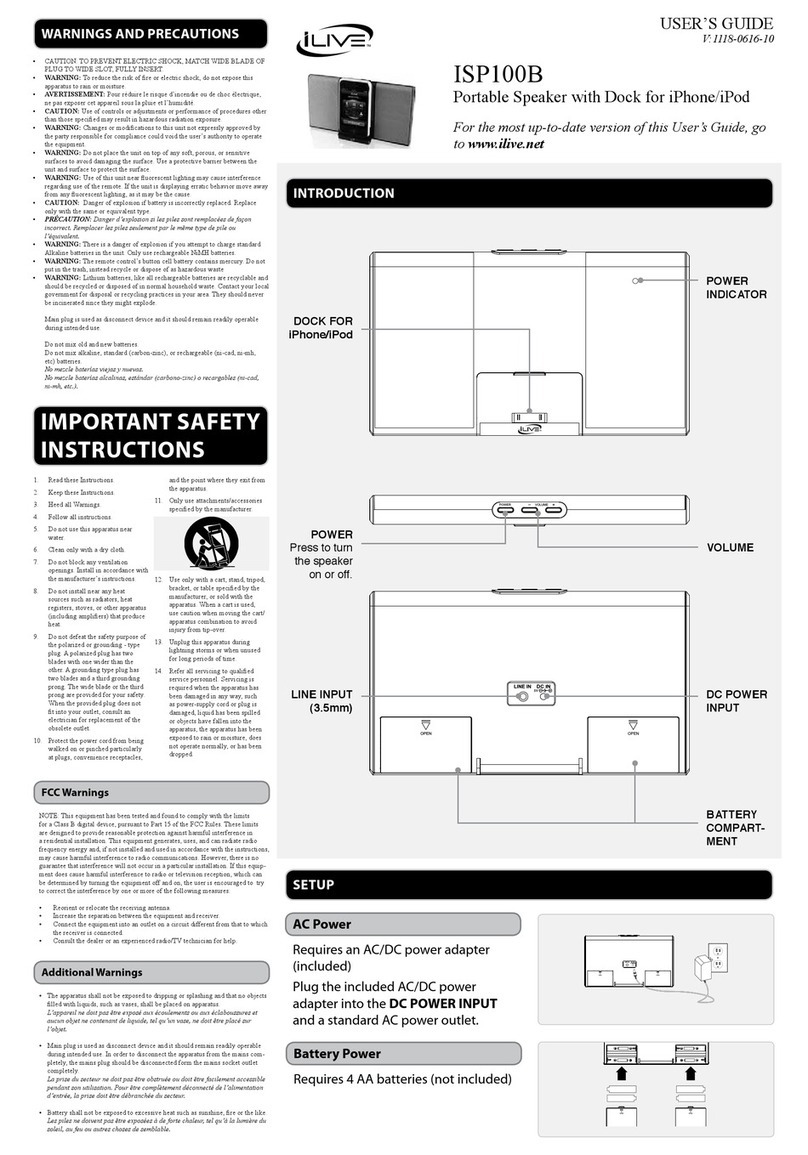
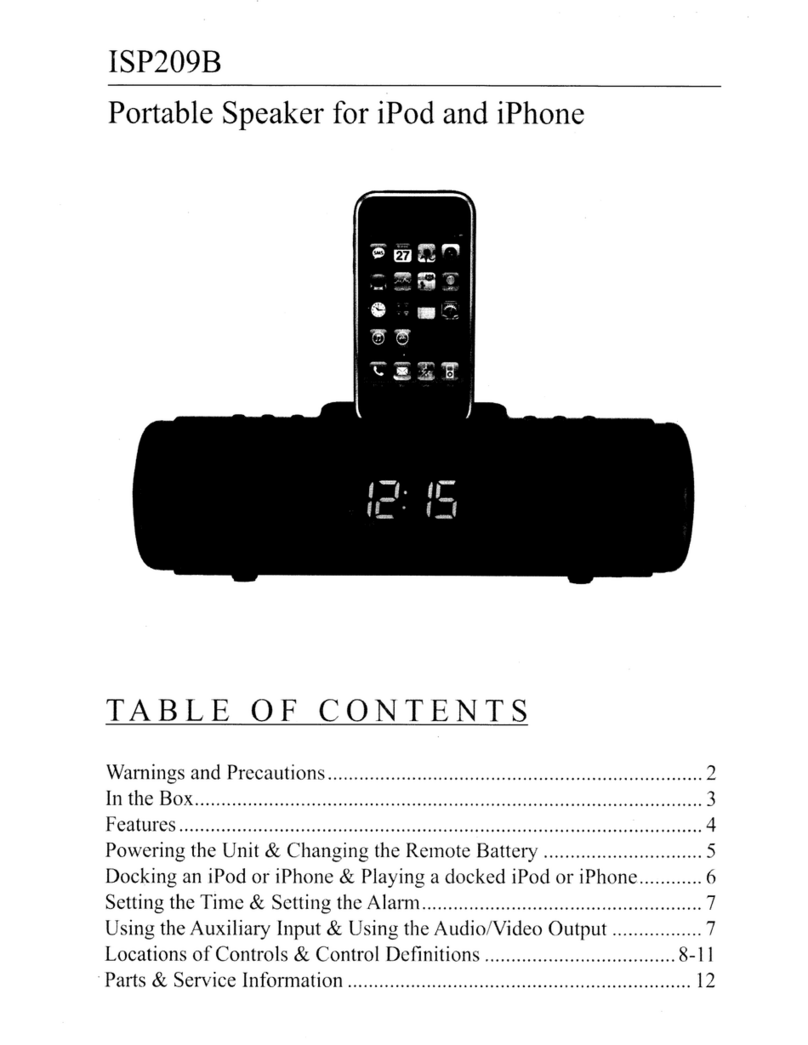
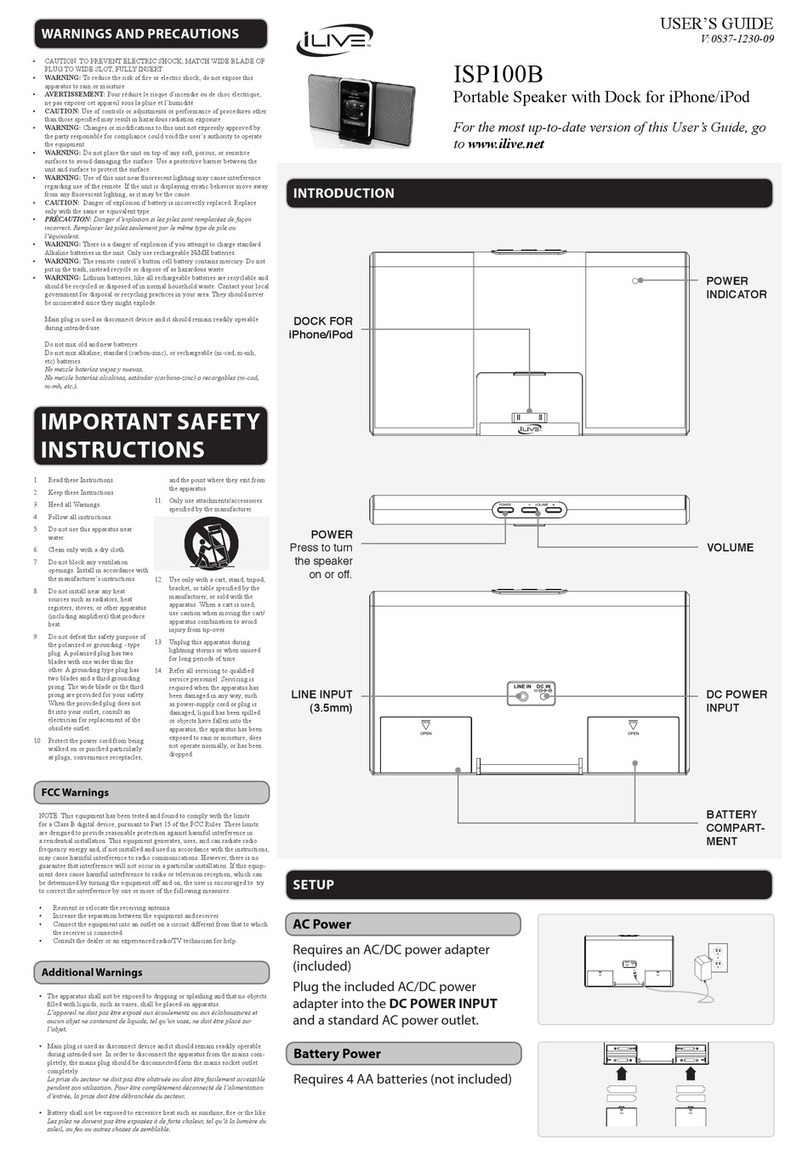
iLive ISP080B User manual

1
Customer Helpline Number: 0844 481 5000 ISP080B User Guide
ISP080B
User Guide
Portable Speaker

2ISP080B User Guide
Congratulations on purchasing this Portable speaker. You can now listen to your iPhone or
an external audio device through the stereo speakers.
Please read the warning section on page 12 carefully before using your iPhone Speaker
audio system.
Welcome
Need something else?
There are a wide range of accessories and
other products that can be ordered direct to
your door from ASDA. For more information
see www.asda.com
• 3.5mm Line-in cable
• Video cable
• Mini USB to USB cable
• x4 AA batteries
You may also need
Portable speaker
Speaker cover
AC power adaptor
You should have
iPod cradles

3
ISP080B User GuideCustomer Helpline Number: 0844 481 5000 3
Your Portable Speaker
Set up
Everyday use
Advanced use
iPod and iPhone adaptor chart
Trouble shooting
Maintenance
Warnings
Technical specifications
Contents
01
02
03
04
05
06
07
08
09

4ISP080B User Guide
44
OPEN
OPEN
Portable Speaker
01
Standby PC audio
iPod line in
Volume
Power indicator
DC power input 5V Video out Battery
compartment
Stand
Line in
Mini USB input

5
Customer Helpline Number: 0844 481 5000 ISP080B User Guide
Set up
Setting up your iPhone Speaker
1 Plug one end of the AC adaptor into
the DC IN socket on the back
of your Portable Speaker.
2 Plug the other end of the AC adaptor
into a standard three pin wall socket
and switch the power on at the wall.
Running your iPhone speaker
using batteries
When you’re away from a mains power
source you can power your Portable speaker
using 4 AA batteries.
1 On the back of the unit, unclip the
cover of the battery compartment.
2 Place x4 AA batteries into the allocated
slots, making sure that the positive (+)
side is facing the correct way.
3 Secure the battery compartment cover
onto the unit again.
02

6ISP080B User Guide
Using the speaker stands
When you Portable speaker is in the
horizontal mode you can stand it up using
the left and right speaker stands as shown.
Separating the speakers for
improved sound
You can separate the left and right speakers
and stand them vertically as shown below
to get better stereo sound.
1 Gently pull the speakers apart.
2 On the back of the unit, unclip the
cover of the cable storage compartment
as shown.
3 Unwrap the cable to the desired length
and replace the cable storage cover.
Secure the battery compartment cover
onto the unit again
Note:
Once an iPod is connected to the Docking
Station and the Docking Station is connected
to an AC power source, the unit will play and
charge the docked iPod.
Charging a docked iPhone
OPEN
OPEN

7
Customer Helpline Number: 0844 481 5000 ISP080B User Guide
Everyday use
Playing your iPhone
1 Select the appropriate cradle for your
iPhone. Each cradle will indicate which
iPhone model it is compatible with,
please look at the back of the cradles to
locate the correct one for your model.
2 Place the cradle into the iPhone dock
and snap into place.
3 Disconnect any external devices or cables
that are connected to the LINE IN.
4 Connect the iPhone to the connector
inside the dock for the iPhone.
5 Turn your iPhone Speaker on by sliding the
power switch into the iPod/LINE IN slot.
6 Navigate your iPhone menus as you
would normally to choose tracks
and playlists.
7 Press the VOL + and VOL - buttons
on the unit to increase or reduce
the volume.
Playing an external device
You can connect an external device to
your Portable speaker using a 3.5mm
line in cable A (available at ASDA,
see www.asda.com for more details).
This will allow the device to play through
your Portable speaker.
1 Remove any docked iPod or iPhone from
the dock.
2 Connect one end of the stereo cable
to the LINE IN socket on the back of
the unit.
3 Connect the other end of the cable to
the audio device you want to use.
4 Turn the unit on by sliding the power
switch into the iPod/LINE IN slot.
5 Navigate your external device as
you would normally to choose tracks
and playlists.
6 Press the VOL + and VOL - buttons
on the unit to increase or reduce
the volume.
03
External device
OPEN
OPEN
A

8ISP080B User Guide
Advanced use
Playing video through your TV
You can play movies stored on your
iPhone through a connected television
using a video cable B (available at
ASDA, see www.asda.com for more
details) connected to the VIDEO OUT
as shown below.
1 Turn your Portable speaker on by
sliding the power switch into the
iPod/LINE IN slot.
2 Check your iPhone video settings
to make sure ‘TV OUT’ is set to ‘ON’
or ‘ASK’.
3 Adjust the connected television to the
correct input setting – consult the user
guide that came with your television
for this.
4 Video played through the docked iPhone
will now be output to the connected TV.
Connecting to iTunes
You can connect your Portable speaker to a
computer using the Mini-USB input and
sync your iPod or iPhone when docked to
the Portable speaker.
1 Dock an iPod or iPhone into the Portable
speaker.
2 Connect the Portable speaker to a
PC using the Mini-USB input.
3 Slide the power switch to STANDBY.
4 Your docked iPod or iPhone can now
sync with iTunes on your connected PC.
Using as Computer Speakers
1 Connect the Portable speaker to a
PC using the Mini-USB input.
2 Slide the power switch to PC
AUDIO.
3 Audio played through the connected PC
will now be output through the Portable
speaker.
04
Television
OPEN
OPEN
B

9
Customer Helpline Number: 0844 481 5000 ISP080B User Guide
iPod and iPhone adaptor chart 05
iPod and iPhone model Play and charge
compatibility
Included bracket Video out
compatibility
iPod mini 4GB 6GB
iPod 4th generation 20GB, 40GB
iPod 4th generation (colour display) 20GB 30GB
iPod 4th generation (colour display) 40GB 60GB
iPod shuffle 1st & 2nd generation 512MB 1GB
iPod nano 1st generation 1GB 2GB 4GB
iPod 5th generation (video) 30GB 60GB 80GB
iPod nano 2nd generation (aluminium) 2GB 4GB 8GB
iPod classic 80GB, 160GB (2007), 120GB 160GB (2009)
iPod nano 3rd generation (video) 4GB 8GB
iPod touch 1st generation 8GB 16GB 32GB A
iPod touch 3rd generation 32GB 64GB B
iPhone 4 16GB 32GB
iPhone 4GB 8GB 16GB C
iPhone 3G 8GB 16GB D
iPhone 3GS 8GB 16GB 32GB D
iPod nano 4th generation (video) 8GB 16GB
iPod touch 2nd generation 8GB 16GB 32GB 64GB B
iPod nano 5th generation (video camera) 30GB 60GB 80GB

10 ISP080B User Guide
06 Trouble shooting
Under the influence of electrostatic
phenomenon, the product may malfunction
and require user to reset.
If the speaker is acting abnormally during
operation, disconnect the AC/DC power
adaptor from the DC power input and
remove any batteries from the battery
compartment. Wait for 30 seconds and
reconnect the power.
Table of contents
Other iLive Portable Speakers manuals