IEI Technology uSmart3400 User manual
uSmart3400
Page 1
IEI Technology Corp.
User Manual
Panel PC
MODEL:
uSmart3400
Rev. 1.01 – 22 October, 2013
uSmart3400
Page 2
Revision
Date Version
Changes
17 September, 2013
1.00 Initial release
uSmart3400
Page 3
Copyright
COPYRIGHT NOTICE
The information in this document is subject to change without prior notice in order
to improve reliability, design and function and does not represent a commitment on
the part of the manufacturer.
In no event will the manufacturer be liable for direct, indirect, special, incidental, or
consequential damages arising out of the use or inability to use the product or
documentation, even if advised of the possibility of such damages.
This document contains proprietary information protected by copyright. All rights
are reserved. No part of this manual may be reproduced by any mechanical,
electronic, or other means in any form without prior written permission of the
manufacturer.
TRADEMARKS
All registered trademarks and product names mentioned herein are used for
identification purposes only and may be trademarks and/or registered trademarks
of their respective owners.
uSmart3400
Page 4
Table of Contents
1. INTRODUCTION
………………………………………………………………...5
1.1 OVERVIEW……………………………………………………………………….6
1.2 DIMENSIONS…………………………………….……………………………….7
1.3 SPECIFICATIONS………………………………….…………………………….9
2 UNPACKING
………………………………………………………………………11
2.1 UNPACKING…………………………………………………………………….12
2.2 PACKING LIST………………………………………………………………….13
3 INSTALLATION
…………………………………………………………………14
3.1 ANTI-STATIC PRECAUTIONS…………….………………………………….15
3.2 INSTALLATION PRECAUTIONS…………………………………………….15
3.3 PREINSTALLED COMPONENTS…………………………………………….16
3.4 REMOVINGTHE BACK COVER……………………………………………..17
3.5 REMOVING THE CONSOLE………………………………………………….18
4 SYSTEM MAINTENANCE
……………………………………………………19
4.1 SYSTEM MAINTENANCE INTRODUCTION….……………………………20
4.2 MOTHERBOARD REPLACEMENT………………………………………….20
4.3 BACK COVER REMOVAL…………………………………………………….20
4.4 CONSOLE REPLACEMENT…………………………………………………..21
4.5 SO-DIMM REPLACEMENT…………………………………………………...21
5 SAFETY PRECAUTIONS
……………………………………………………...23
A.1 SAFETY PRECAUTIONS……………………………………….......…………24
A.1.1 General Safety Precautions………………………………………..………...24
A.1.2 Anti-static Precautions……………………………………………..………...25
A.1.3 Product Disposal ……………………………………………………………26
A.2 MAINTENANCE AND CLEANING PRECAUTIONS………………………26
A.2.1 Maintenance and Cleaning..…………………………………………………26
A.2.2 Cleaning Tools…………………………………………………………..…….27
A.2.3 Federal Communication Commission Interference Statement……………28
6 HAZARDOUS MATERIALS DISCLOSURE
…………………...........…...29
B.1 HAZARDOUS MATERIAL DISCLOSURE TABLE FOR IPB PRODUCTS
CERTIFIEDAS ROHS COMPLIANT UNDER 2002/95/EC WITHOUT
MERCURY…………………………………………………………………………...30
uSmart3400
Page 5
1 Introduction
Chapter
1
uSmart3400
Page 6
1.1 Overview
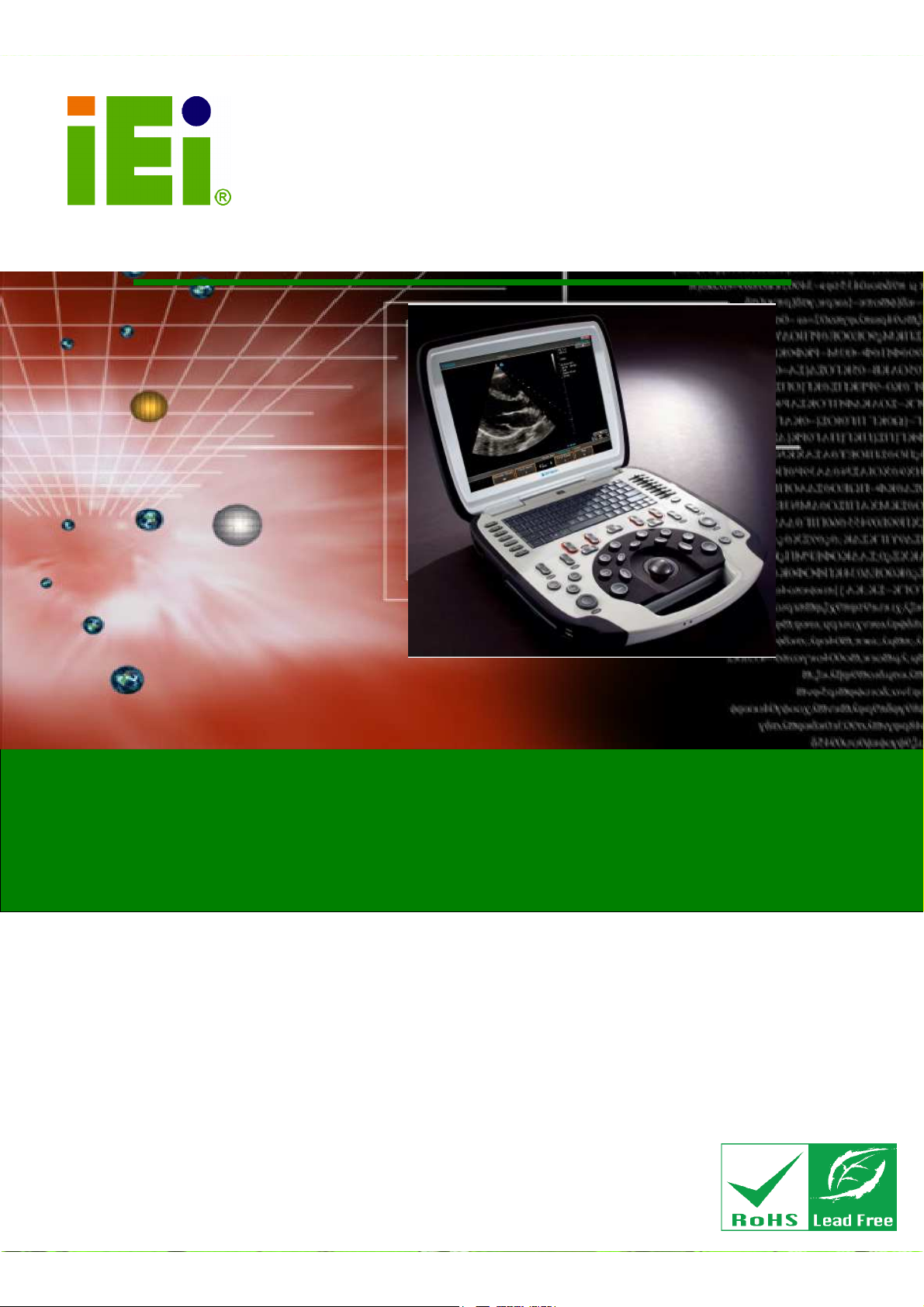
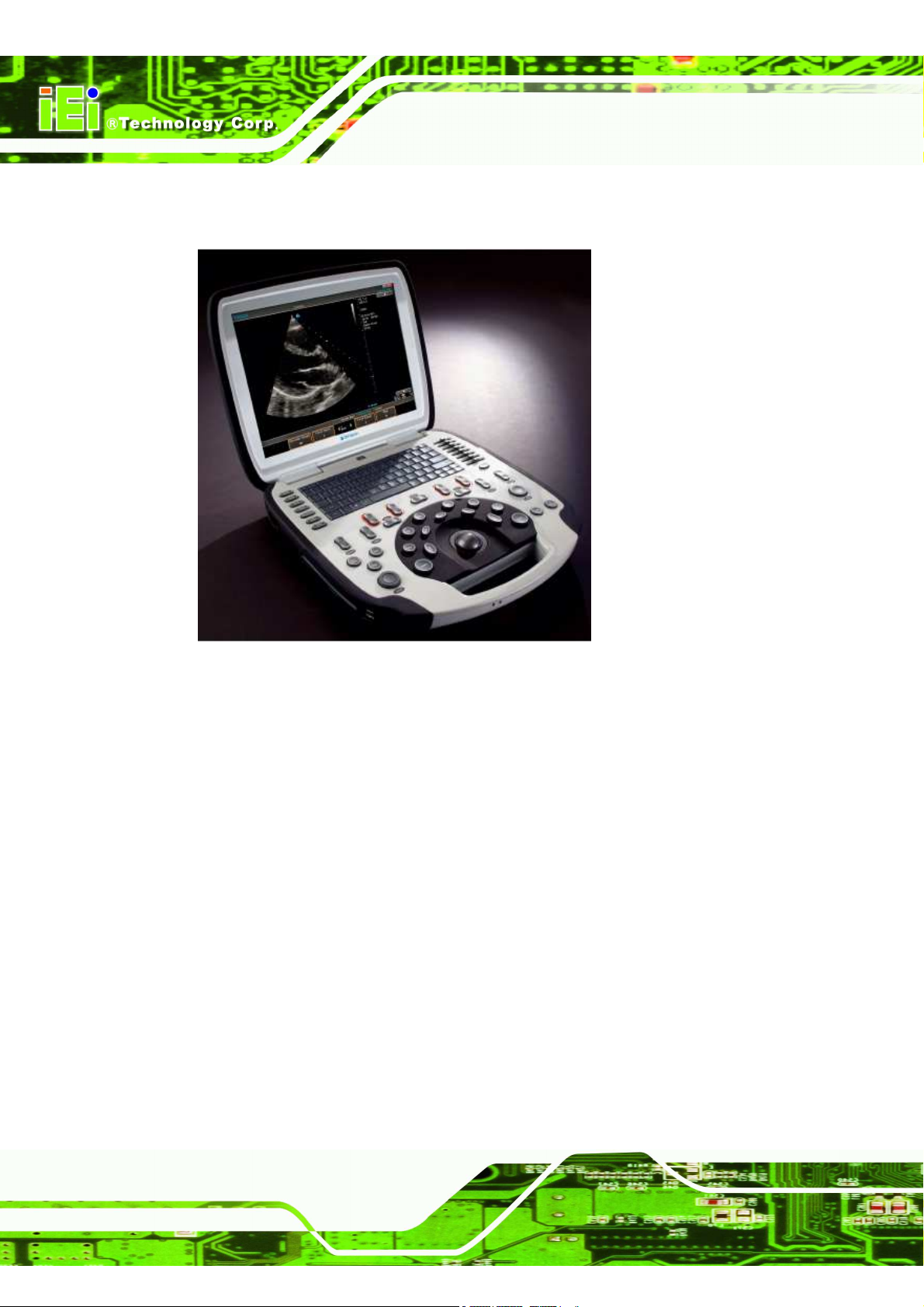
Figure 1-1: uSmart3400 Portable Computer
The uSmart3400 portable computer provides all the features of a PC. The
uSmart3400 provides wireless networking for integration into company/facility
networks. The major external device connections include USB 2.0 and serial port
connectors. Storage options include a 2.5” hard drive, allowing for flexibility in
choosing solid state drives or traditional hard drives. 2 HDMI outputs on the leftside
allows the uSmart3400 to connect to a second/third screen for duplicating the
screen contents or extending the user interface.
uSmart3400
Page 7
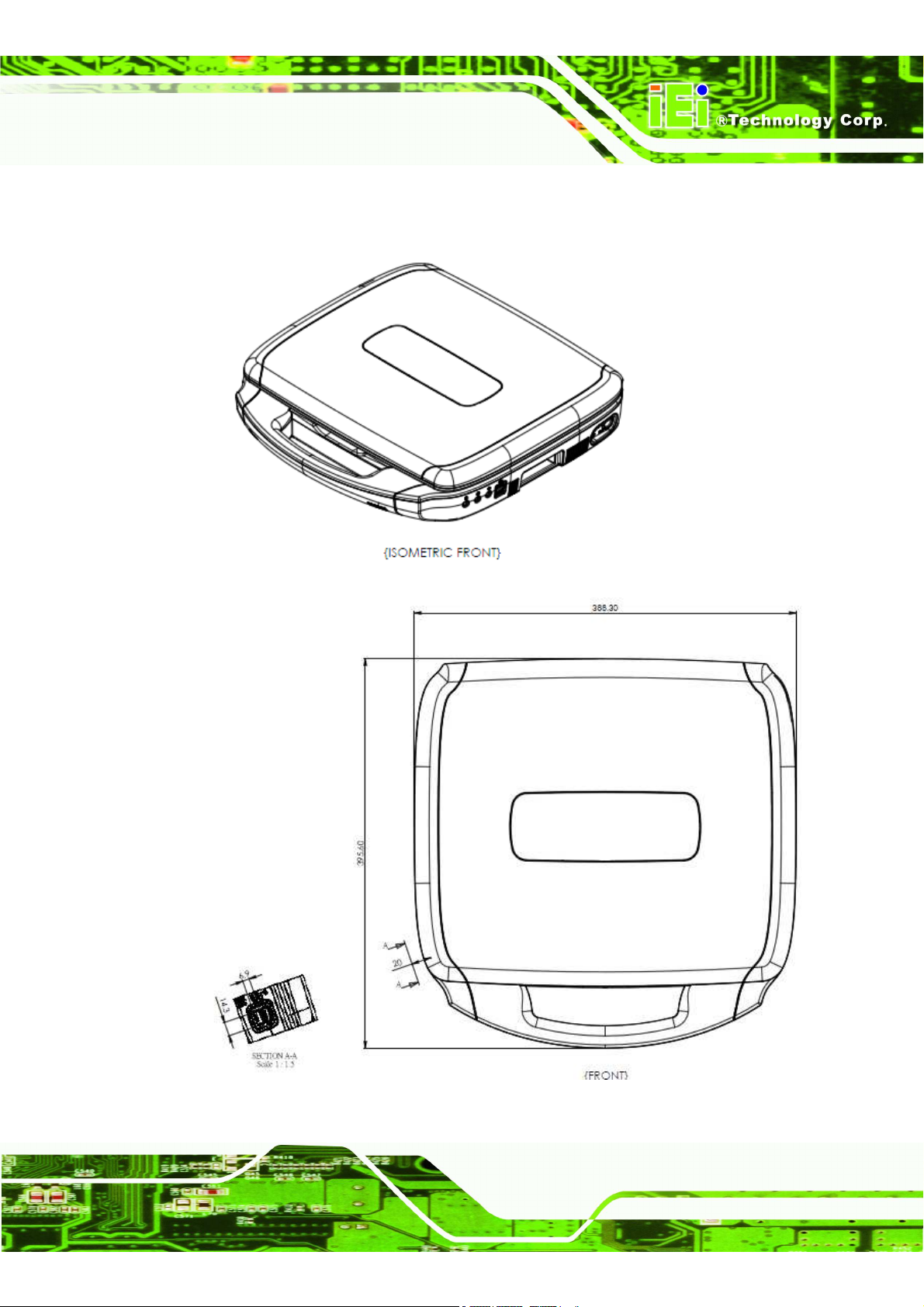
1.2 Dimensions
uSmart3400
Page 8
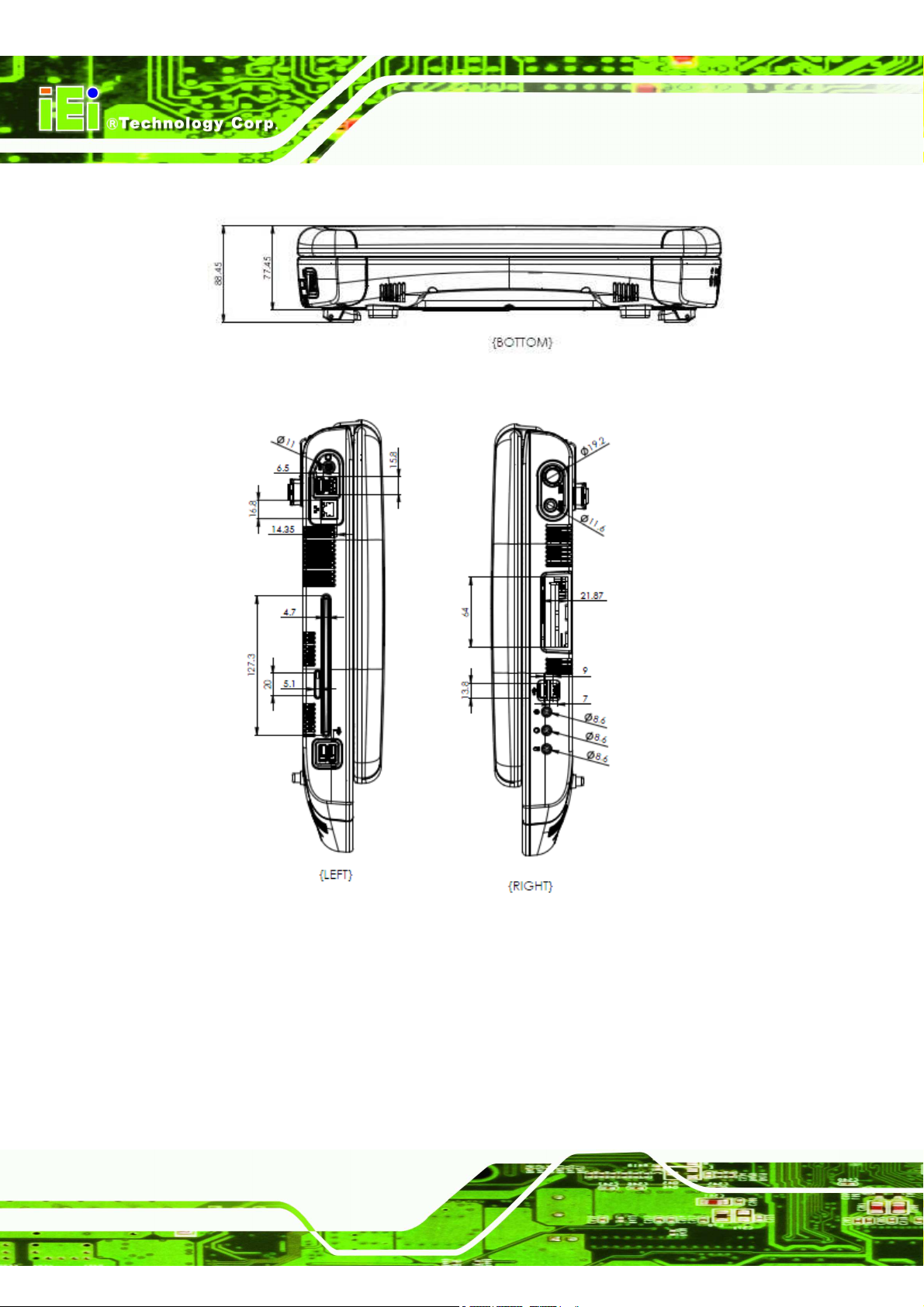
uSmart3400 Dimensions (mm)
uSmart3400
Page 9
1.3 Specifications
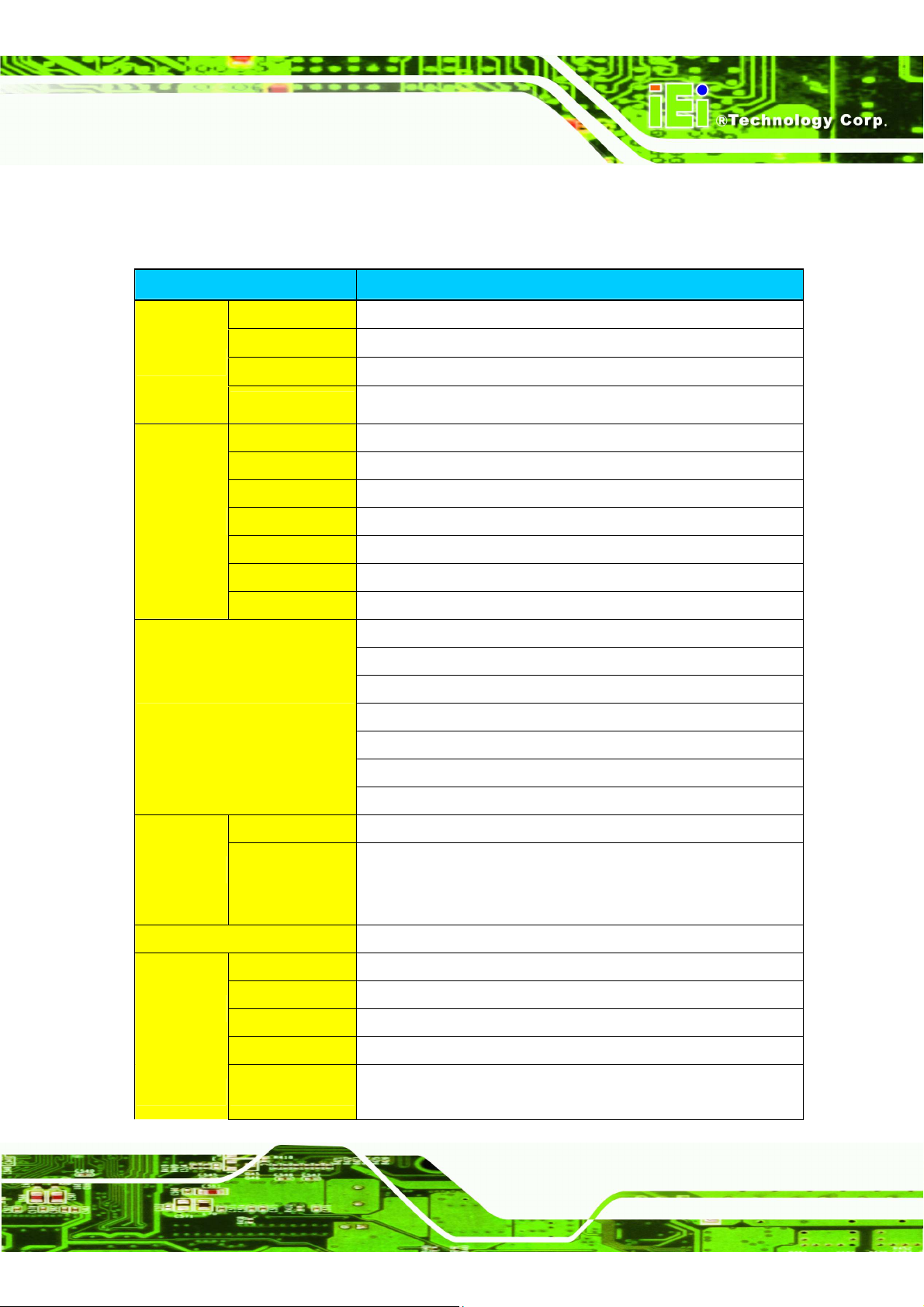
The technical specifications for the uSmart3400 system are listed in below table.
Model Name uSmart
martmart
mart3400
MB
SBC Model TRN-HM65-MB
CPU 2nd Generation Intel® Core™i7-3555LE processor
Chipset Intel HM65
RAM 2 x 4G DDR3 1333 SO-DIMM (Support ECC)
Display
LCD Size 15"
Max Resolution 1024x768
Brightness (cd/m2)
minimum of 300 nits
Contrast Ratio 500:1
LCD Color 16.2M
Pixel Pitch (mm) 0.297(H) x 0.297(V)
Viewing Angle (H-V)
170(H)/ 170(V)
I/O Port
1x Power DC-JACK Connector
1x RJ-45 Connector For LAN
4x USB2.0 port
2 x HDMI connector
1xExt Power Switch connector
1xLine in Jack connector
1x Line out Jack connector
LED
Sleep LED Blue
Charging LED
Bi-color, blue or amber. It is amber when
charging, and blue when fully charged and the power adapter is
connected.
Storage 1 x 2.5" 1T HDD
Main Module
DVD 1 x Slot-in DVD, 8x SuperDrive DVD +/‐R DL/DVD +/‐RW, CD‐RW
WiFi 1 x Wireless LAN 802.11/b/g/n module by internal Mini PCIe interface
Speaker 2 x stereo speakers + 1 x sub‐woofer (internal speaker)
Console 1 x Keyboard/Trackball Console
Camera module Up to UXGA resolution (1600X1200) to take still image, support VGA
(640x480) resolution up to 30fps at YUY2 mode
uSmart3400
Page 10
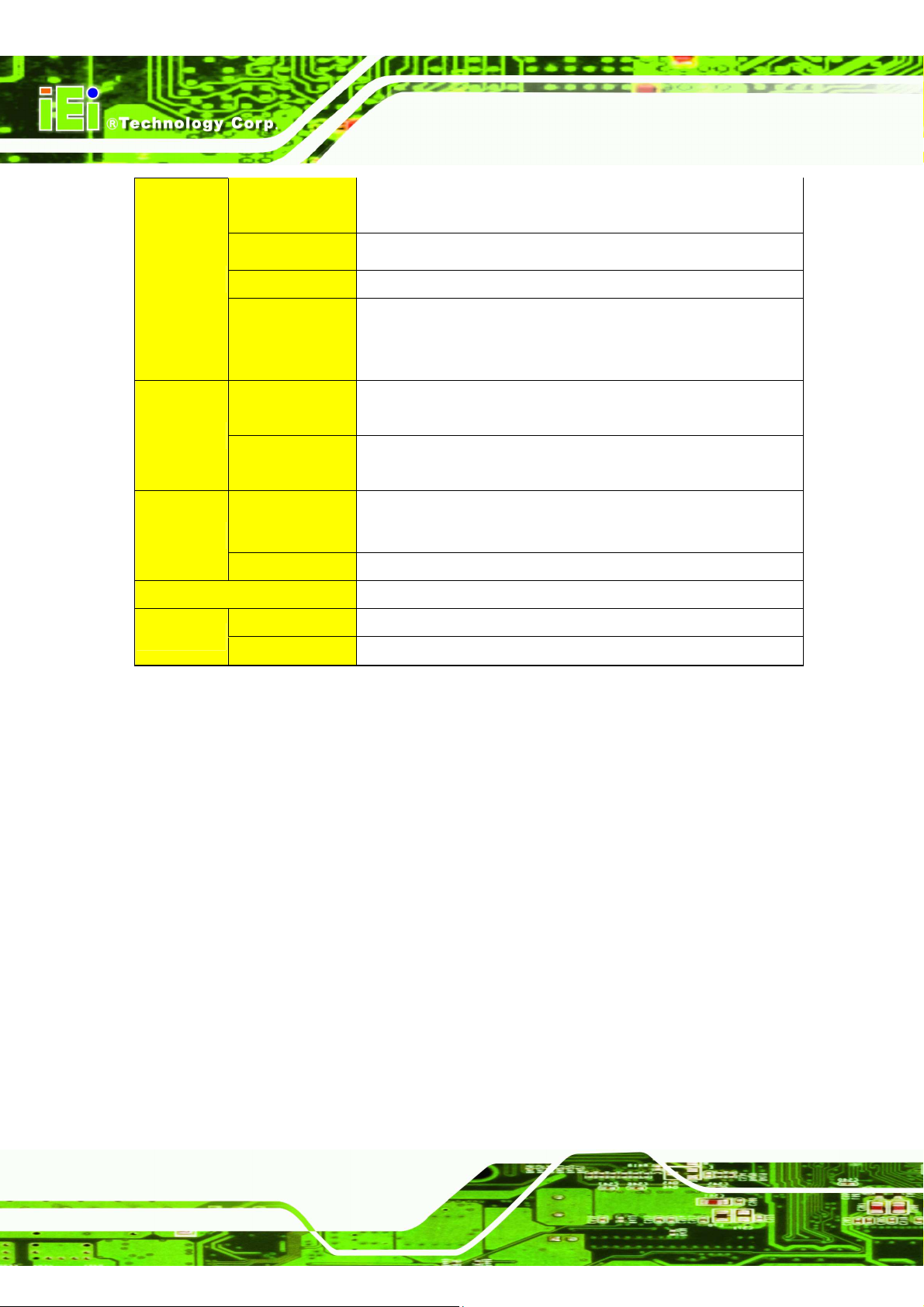
Physical
Construction
Material PC+ABS
Dimension (WxHxD)
388.3*395.6*88.45 (mm)
Weight 6.8kg
Magnetic Latch
a. Magnet size:30mm x 8mm x 6mm.
b. Q'ty : 8pcs (B part*4, C part *4)
c. Open/Close Force : 2.0kgf ~ 2.5kgf.
Environment
Operation
Temperature 0~35°C
Storage
Temperature 0~60°C
Power Battery SANYO UR18650FK, 11.1V, 5400mah, 3S2P=59.94WH
Power Supply Power adapter: medical grade AC/DC adapter, Output: 19 VDC
OS Windows 7 32bit
Others Logo Terason, illuminated logo
Flip-down feet
Table of contents
Other IEI Technology Laptop manuals